

Back

PuntoMappa
Details
View on WordPress
Back
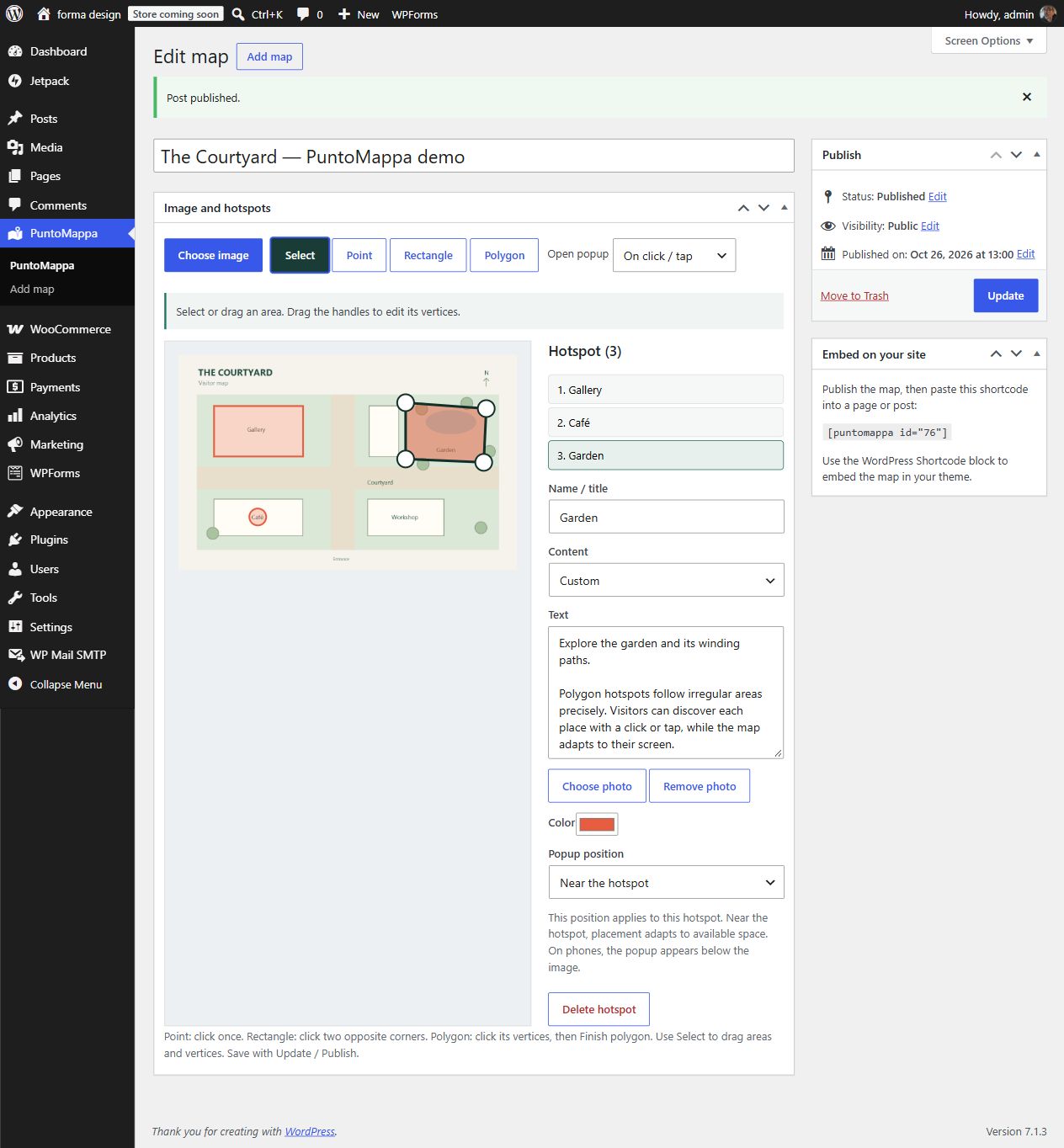
PuntoMappa turns an image from your WordPress Media Library into an interactive map. Draw points, rectangles or polygons and give each area its own popup.
- Draw and edit hotspots directly over your image.
- Move areas or drag vertices to adjust the shape.
- Add a title, plain text and a photo, or link an existing published post.
- Linked posts display their featured image, excerpt and a link to the full article.
- Choose a popup position for each hotspot: any corner, map center or near the area.
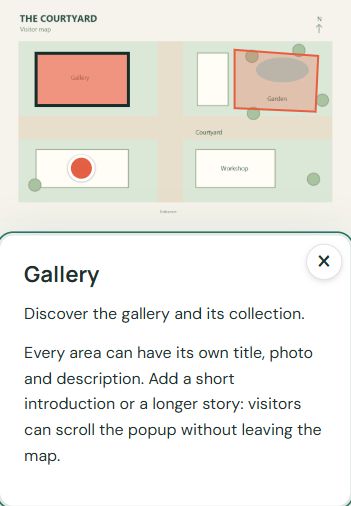
- Open by click or hover. Hover previews close after leaving the area or popup; clicking keeps them open.
- Long content scrolls. On phones, popups appear below the image and open by tap.
- Hotspot coordinates follow the image as it resizes.
- Embed with [puntomappa id=”123″] in the Shortcode block.
- Translation-ready interface, with language packs managed through translate.wordpress.org.
No account, subscription, tracking or third-party service is required. Map data is stored in your WordPress database and images remain in your Media Library.
Details
Plugin code:
puntomappa
Plugin version:
0.3.2
Author:
Outdated:
No
WP version:
6.3 or higher
PHP version:
7.4 or higher
Test up to WP version:
7.1.4
Total installations:
0
Last updated:
2026-10-30
Rating:
Times rated:
0
hotspots
image-map
interactive-map
polygons

Related plugins
Plugins that also contain the tag hotspots
Shoppable Images (Lookbook) for WooCommerce

Vision – Interactive Image Map Builder

WCSpots – image hotspots for WooCommerce

Interactive Image – Real Estate Visualizer & Image Map

Image Hotspots Field for ACF

Advance Image Mapping


About
Plugin for that tries to help you find the WordPress plugin you are looking for.
| Please enjoy an image of Crush (this awesome turtle) and have a lovely day! |  |
We do not own any plugin listed on this site and do not work for or work with WordPress.com or it's associated companies. We simply provide a searchable list of the available WordPress plugins.