



Pyrobid: Sell Ad Space Directly
Somebody wants to advertise on your site. Give them a way to buy.
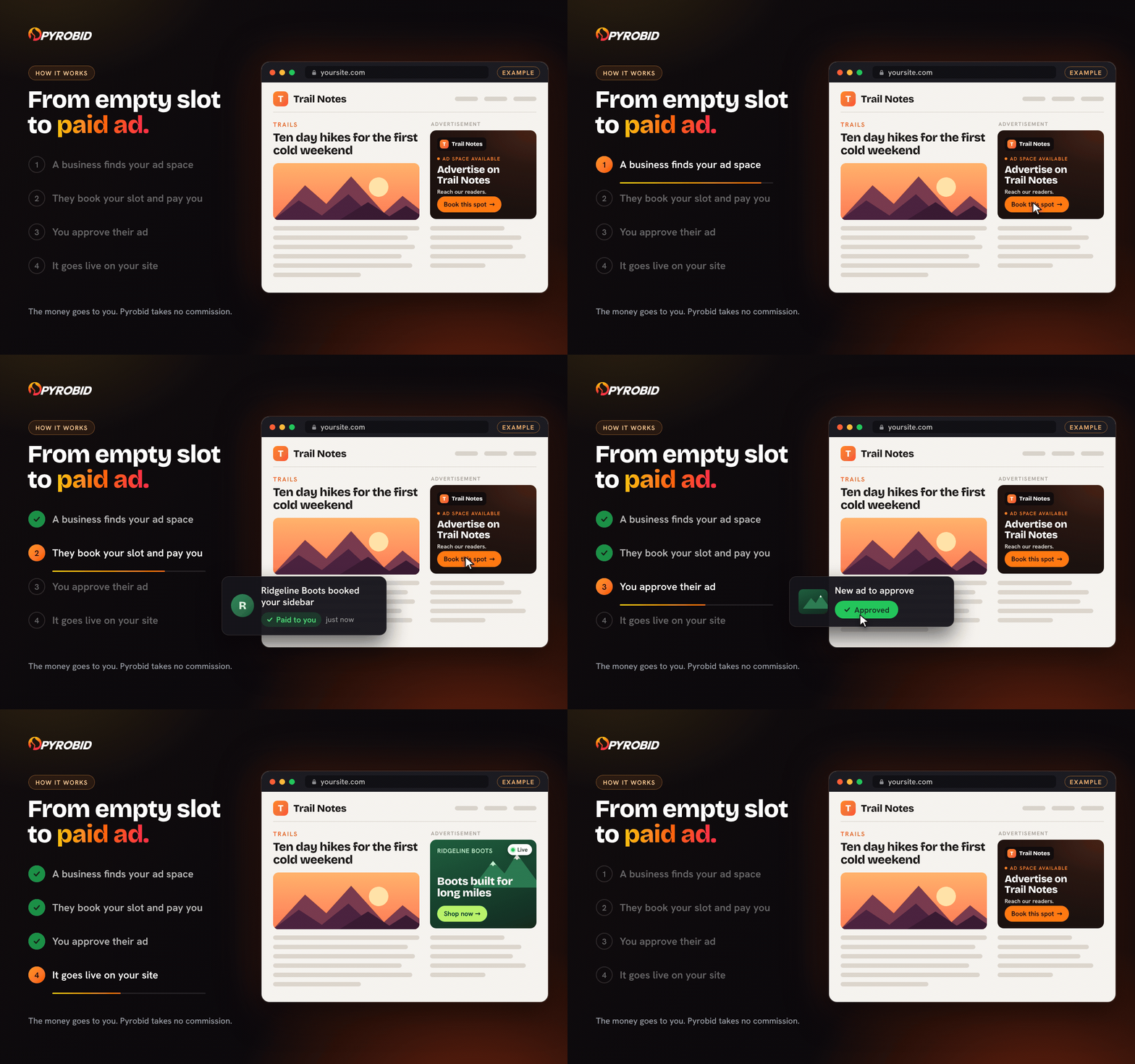
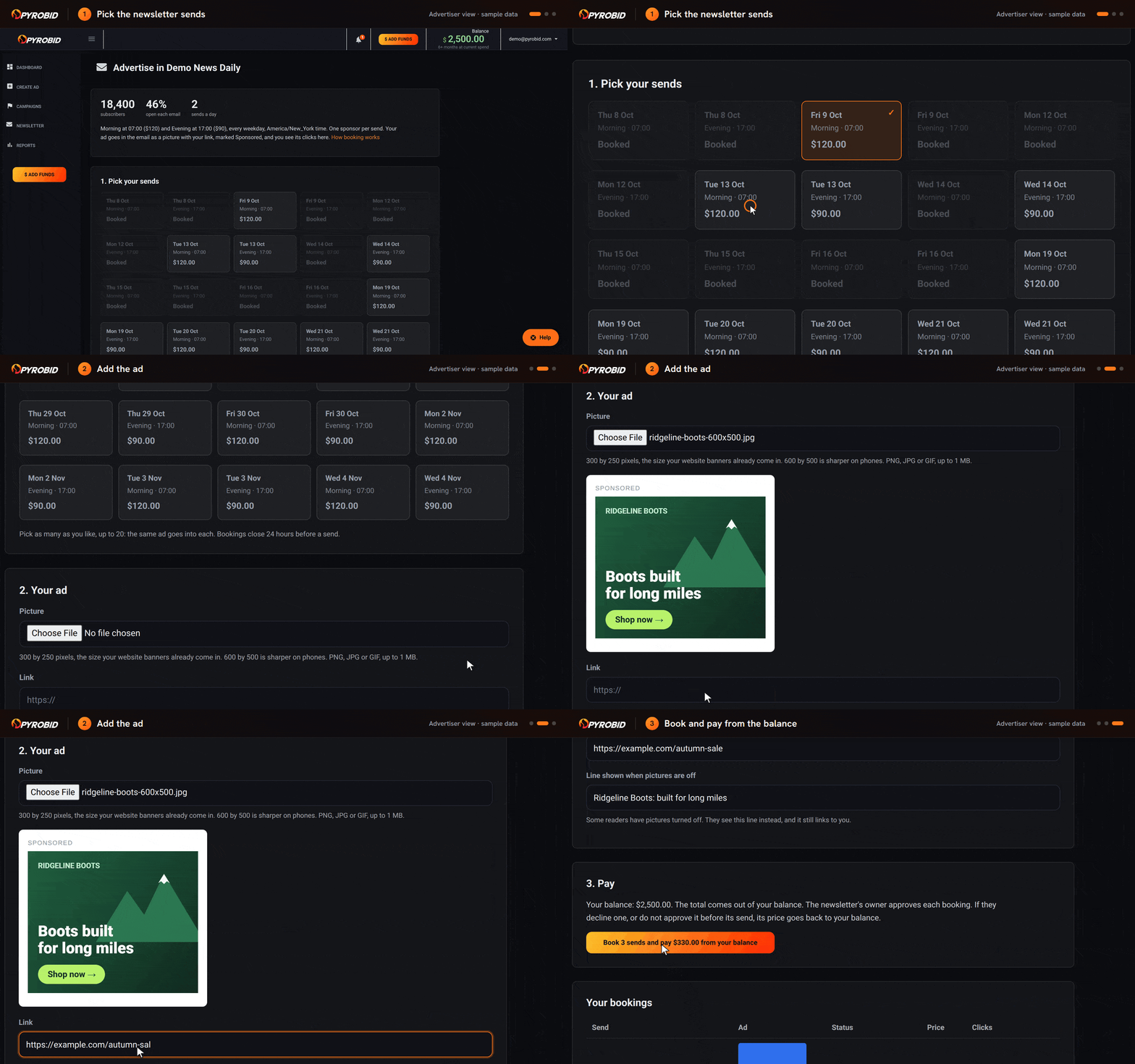
Pyrobid gives your site its own advertise page. A business that wants to reach your readers signs up there, adds funds, builds a campaign and uploads its ad. Nothing runs until you approve it. You set the price, the money goes to you, and Pyrobid takes no cut.
This plugin brings it to WordPress: the ad slots from your Pyrobid portal, placed where you want them on your site, and a link to your advertise page.
See yours first. Activate the plugin and press See your advertise page. Pyrobid shows you the advertise page your site would get, with your site’s name and colour, before you sign up for anything.
What you get
- Your own advertise page, under your name and in your colours: at yoursite.pyrobid.com, or on your own domain with Pro.
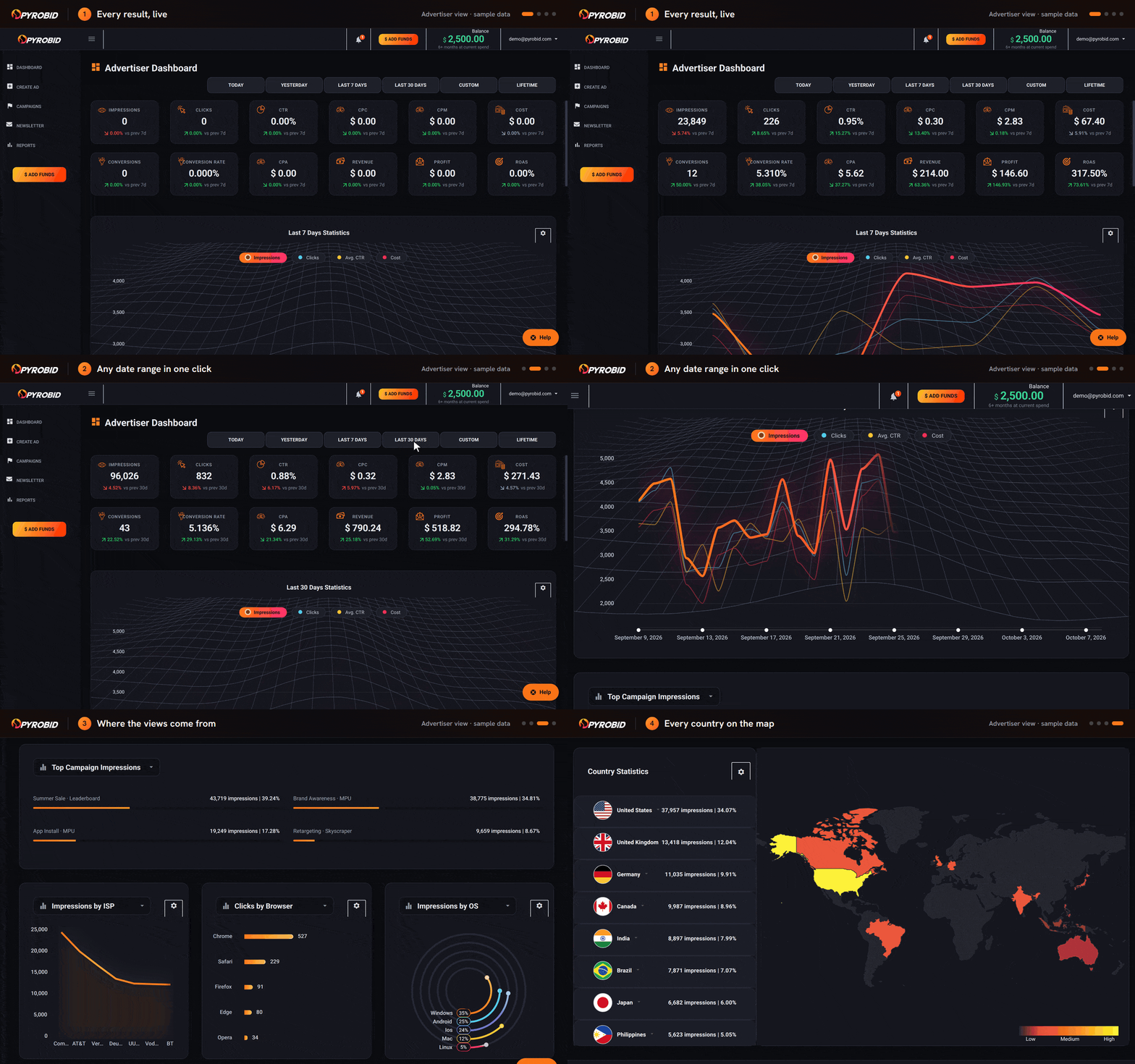
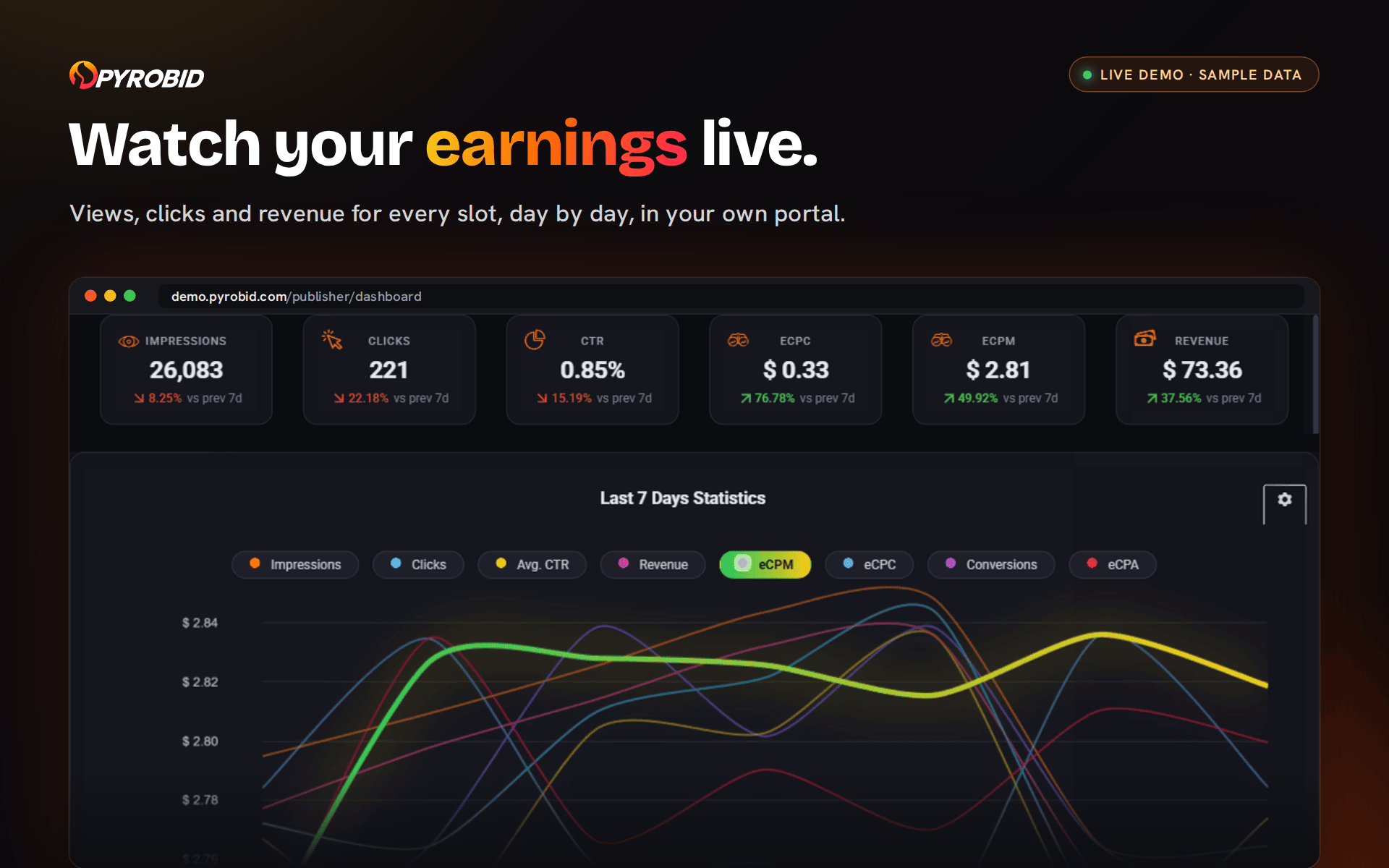
- Advertisers serve themselves. They sign up, fund their account, build a campaign and upload their ad, then watch its impressions, clicks and spend live in their own account. No media kit, no email thread, no invoice to chase.
- You approve every ad, or switch approval to automatic.
- You set the price. A floor on every slot, and nothing below it runs.
- The money is yours. Connect your Stripe account for card payments, or issue voucher codes for money you take your own way, such as a bank transfer or an invoice. Pyrobid never touches it and takes no cut.
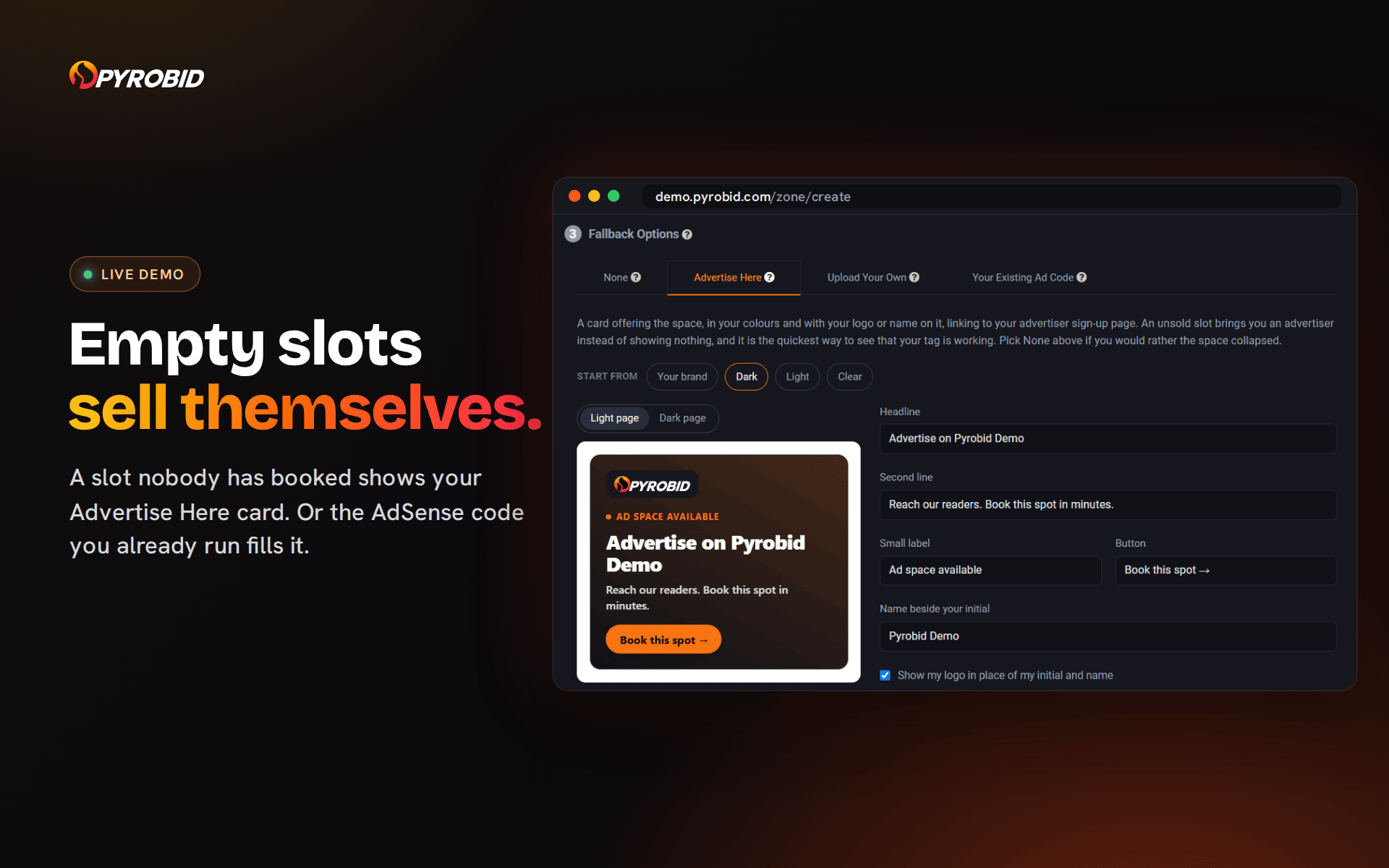
- Empty slots sell your space. A slot nobody has booked shows your Advertise Here card, in your colours, linking to your advertise page. Or it falls back to the ad code you run today, such as Google AdSense, with one unsold view in ten showing your card unless you switch that off.
In WordPress
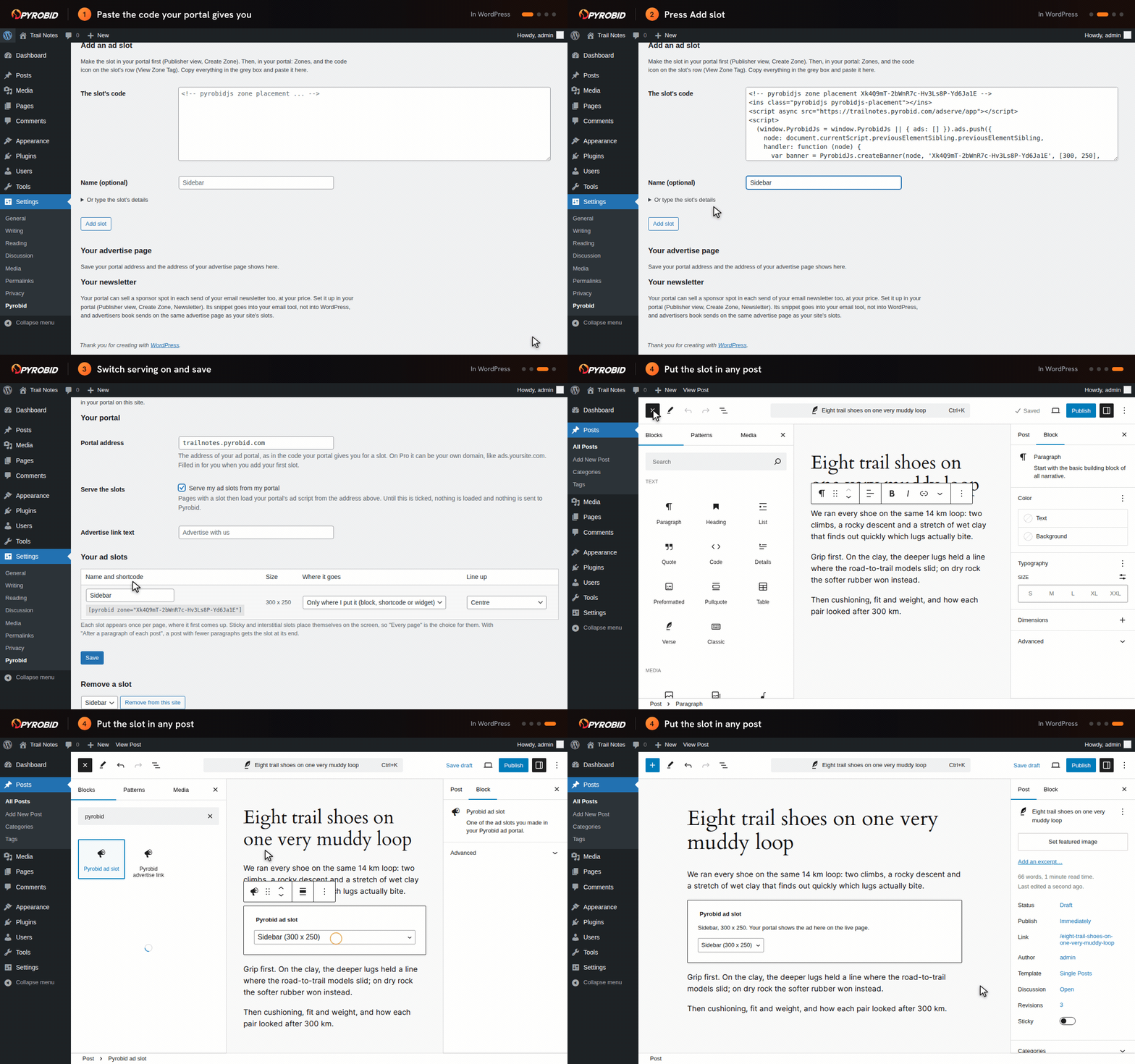
- Ad slots, anywhere. Paste the code your portal gives you for a slot and it becomes a slot on this site. Put it on a page with the Pyrobid ad slot block, the
[pyrobid zone="..."]shortcode or the Pyrobid ad slot widget. - Or let it place them. Top of each post, end of each post, or after a paragraph of your choice. Sticky and interstitial slots go on every page and place themselves on the screen.
- A link to your advertise page. The Pyrobid advertise link block and the
[pyrobid_advertise]shortcode, for your menu, footer or any post. - Light. Your portal’s ad script loads asynchronously, only on pages that show a slot, and only after you switch serving on.
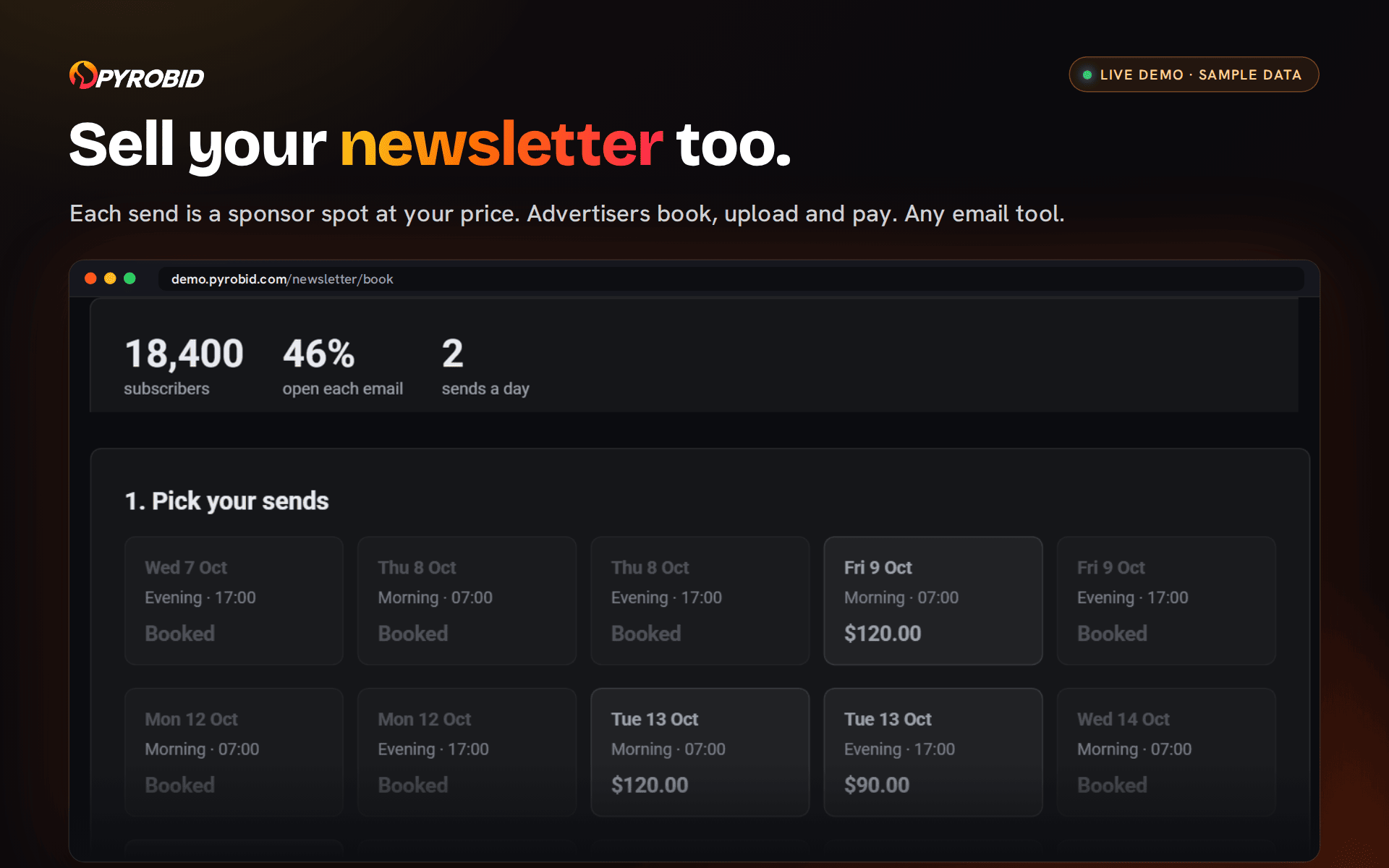
- Your numbers stay in your portal. The dashboard box takes you there: advertisers, ad approval, reports.
Formats
The slots your portal offers: static banner, sticky banner, interstitial, static native, native exit and native interstitial, in the sizes you choose when you make them.
Price
The plugin is free. Pyrobid is a paid service: 14 days free, then $29.99 a month (Starter), or $99.99 a month on your own domain (Pro). The trial takes a card at signup and charges nothing for 14 days. Cancel any time from your account page. Start at pyrobid.com.
External services
This plugin connects your site to your own Pyrobid ad portal, a service run by Pyrobid, LLC.
- What loads, and when: your portal’s ad script, from the portal address you enter in Settings, Pyrobid (for example
yoursite.pyrobid.com, or your own domain on Pro), on pages that show one of your ad slots. Nothing loads until you tick “Serve my ad slots from my portal”. - What is sent: when a page with a slot loads, the visitor’s browser asks your portal for the script and for the slot’s ads. Your portal receives the visitor’s IP address, browser user agent, the page address and the slot, to choose, show and count ads, and records views and clicks.
- The “See your advertise page” button: when you press it, your browser opens
pyrobid.com/start/with your site’s address, its title and a colour from your theme in the link, so the page can show your site’s advertise page. Nothing is sent unless you press it. - What is not sent: the plugin makes no requests from your WordPress admin, and keeps its settings only in your own database.
Pyrobid’s terms and privacy policy. The plugin adds suggested text for your own privacy policy under Settings, Privacy.
Details






About
Plugin for that tries to help you find the WordPress plugin you are looking for.
| Please enjoy an image of Crush (this awesome turtle) and have a lovely day! |  |
We do not own any plugin listed on this site and do not work for or work with WordPress.com or it's associated companies. We simply provide a searchable list of the available WordPress plugins.