

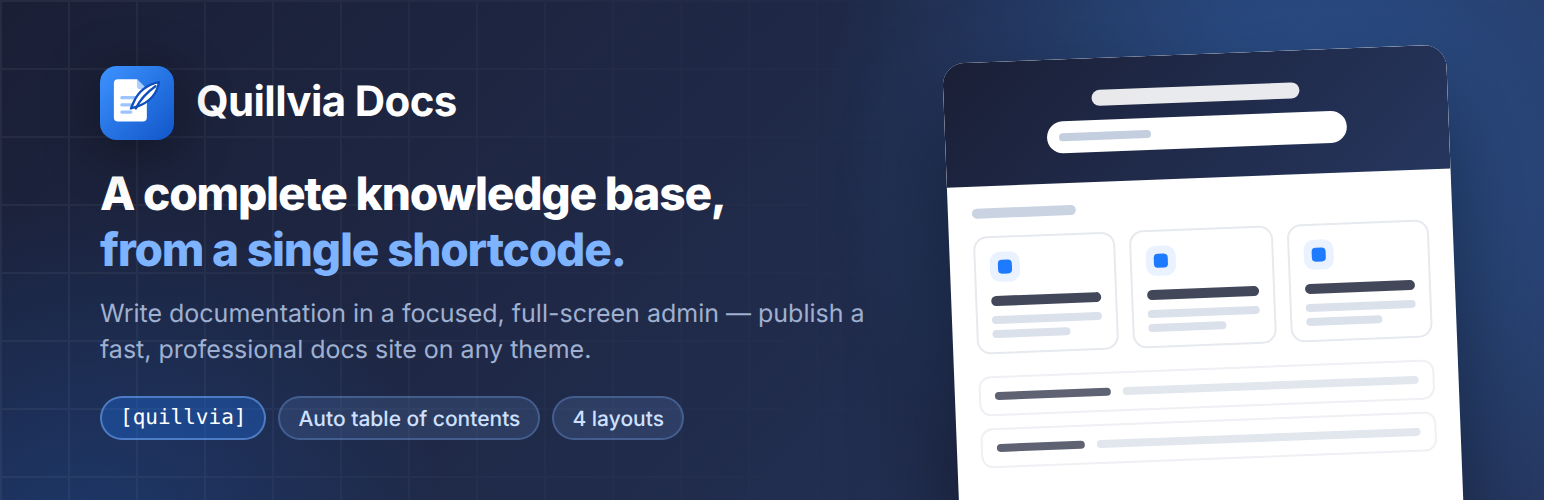

Quillvia Docs – Knowledge Base, Documentation & Help Center
Quillvia Docs turns WordPress into a complete knowledge base, documentation and help center — without a page builder, a subscription, or a single line of code.
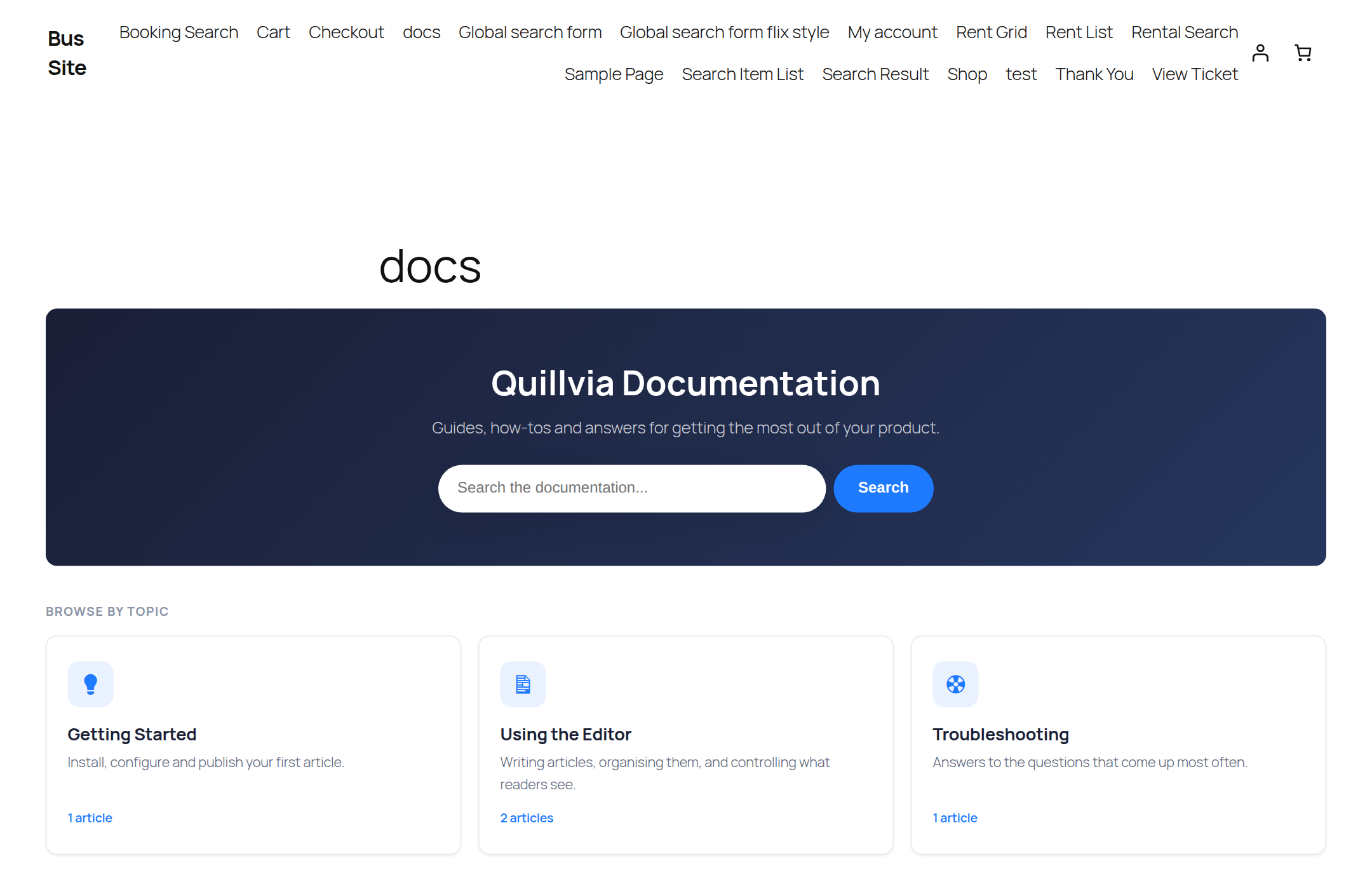
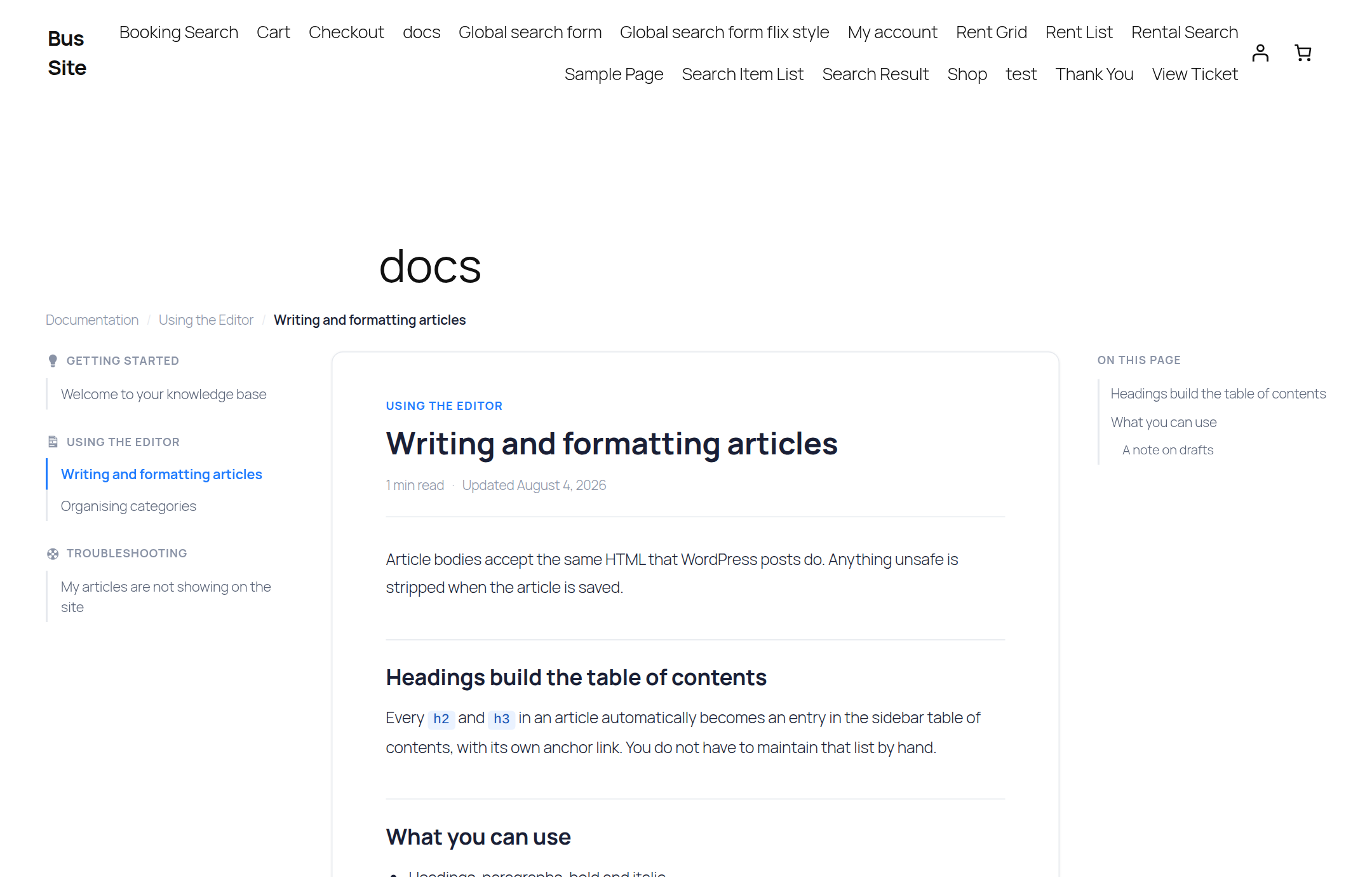
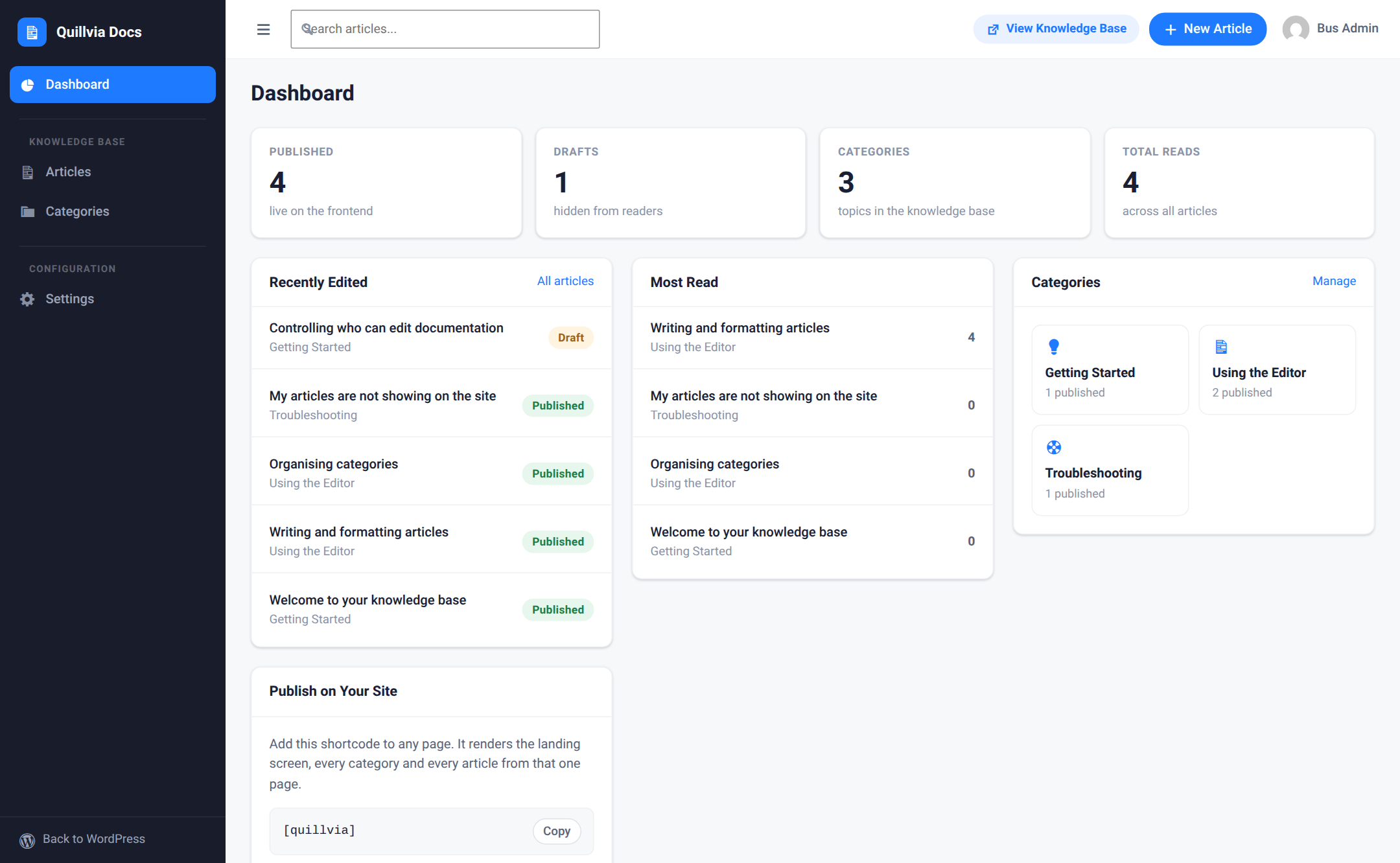
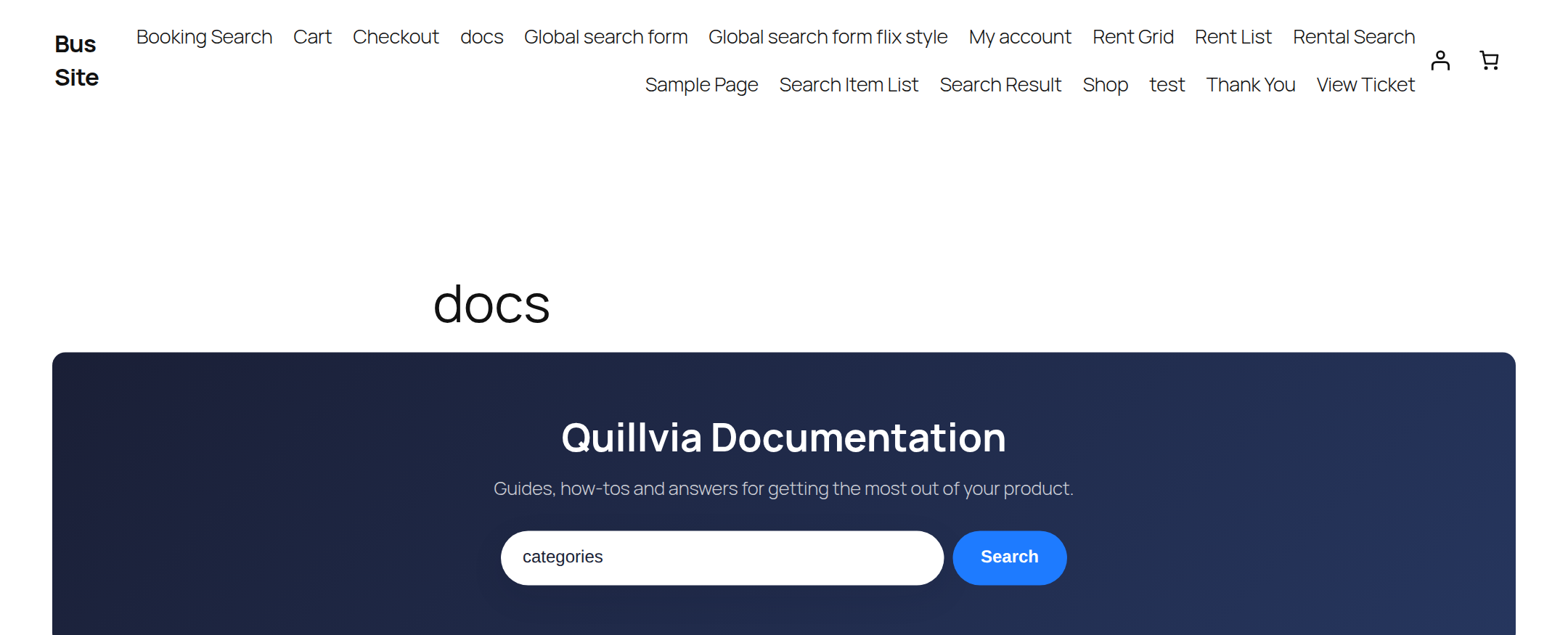
You write and organise articles inside a clean, distraction-free admin. Readers get a fast, professional documentation site: a searchable landing page, category pages, and single articles with an automatic table of contents.
Everything is published with one shortcode — [quillvia] — on any page, with any standard theme.
Why Quillvia Docs
- Self-contained. No page builder, no external SaaS, no dependency on another plugin. Install it and start writing.
- One shortcode, every view.
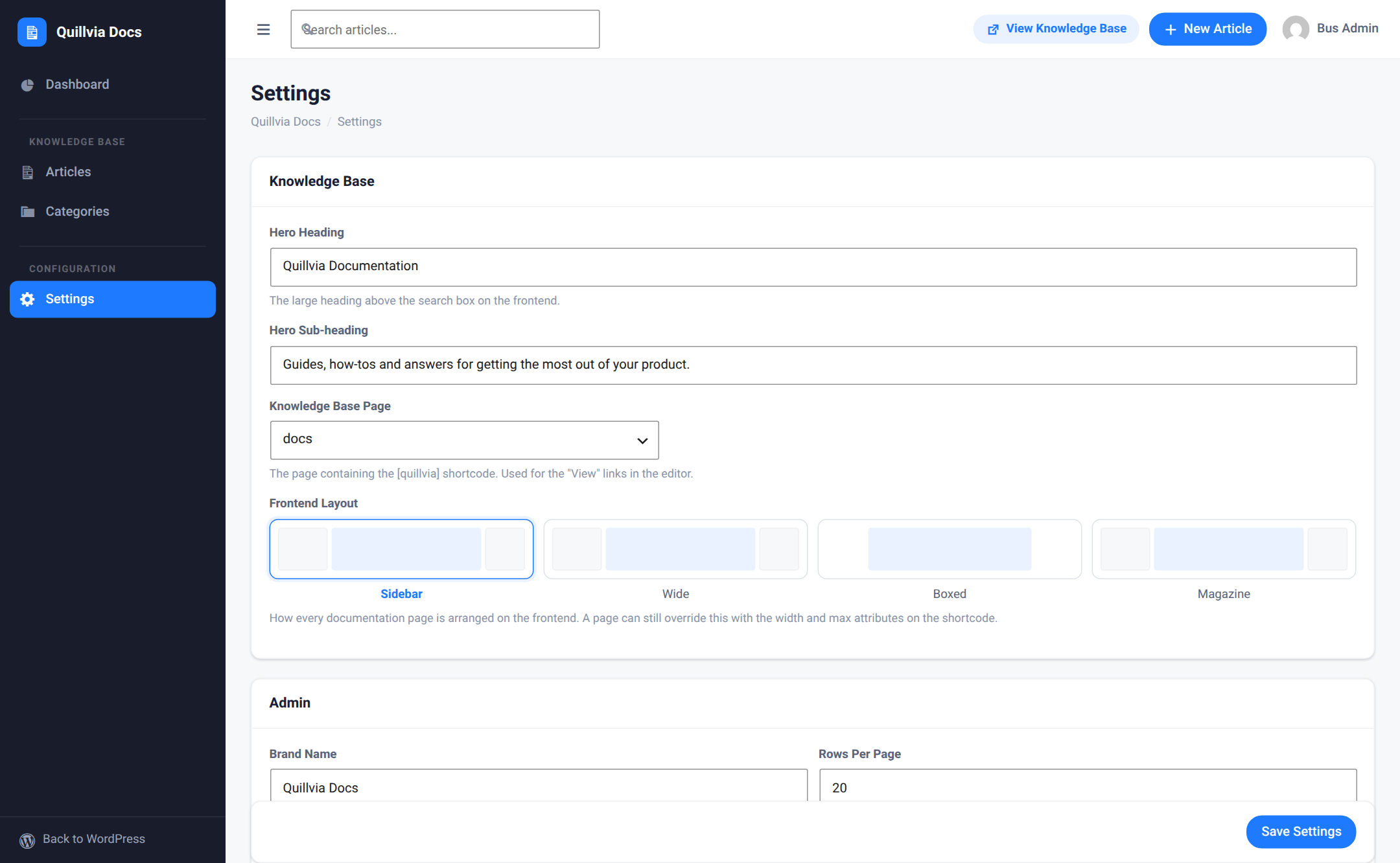
[quillvia]renders the landing page, category listings, single articles and search results from a single page. - Works with your theme. Four layout presets adapt the docs site to narrow, wide and boxed themes without touching your CSS.
- Built to WordPress standards. Escaped output, sanitised input, nonces and capability checks on every write, and prepared statements on every query.
Authoring
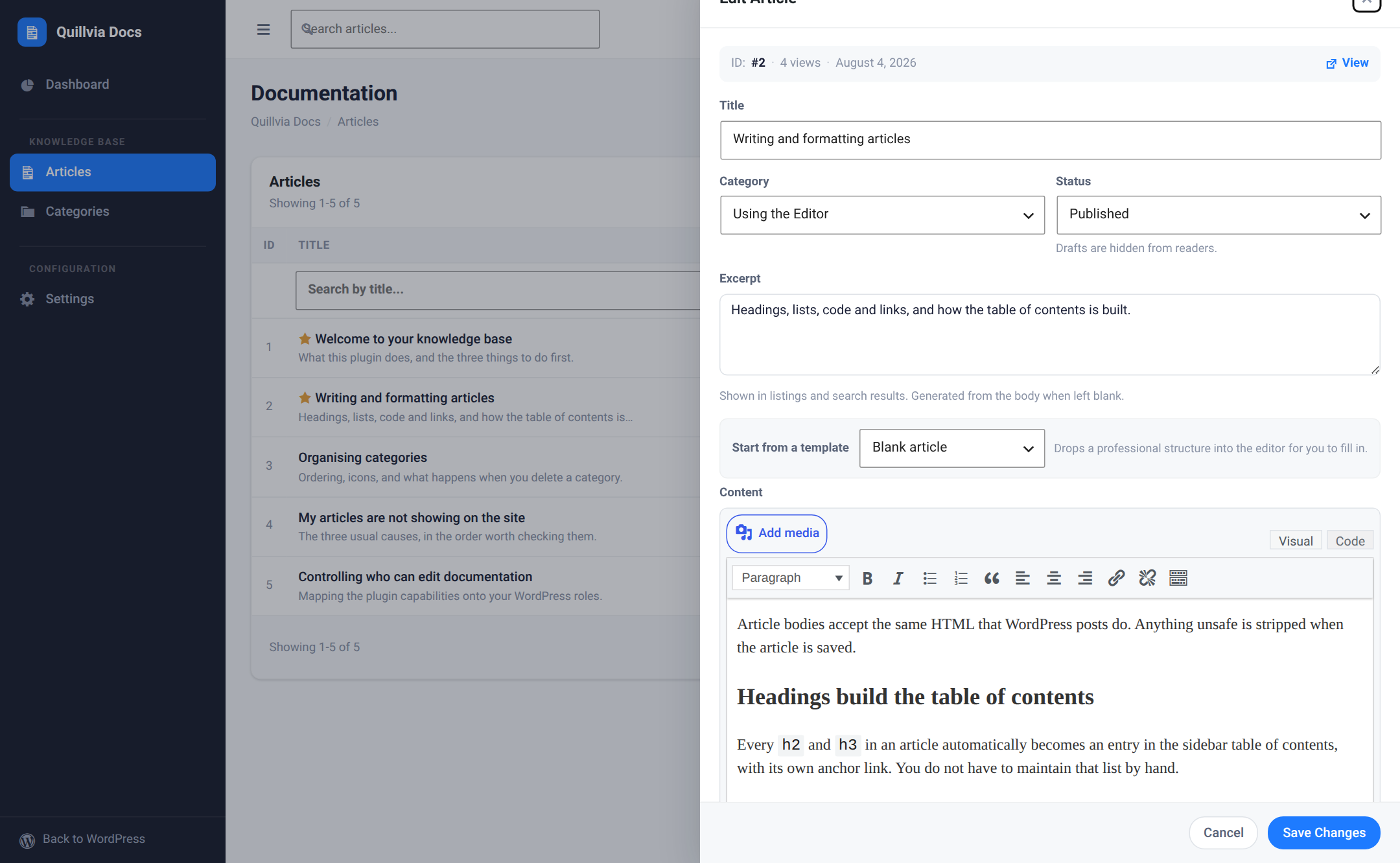
- Documentation articles and categories, each managed from a dedicated full-screen admin that keeps you focused on writing.
- A full WordPress rich-text (TinyMCE) editor with media-library image upload.
- Paste directly from Microsoft Word or Google Docs — headings, lists, and images are preserved while unsafe markup is stripped.
- Content starter templates (feature guide, how-to, FAQ, release notes) to begin an article from a proven structure.
- Drafts and published states, manual ordering, and featured articles pinned to the landing page.
- Quick edit in a side panel, so you never lose your place in the article list.
- CSV export of your articles and categories.
The documentation front end
- One shortcode —
[quillvia]— renders the whole knowledge base: landing page, category pages, single articles, and search. - Selectable layout presets: sidebar, wide, boxed, and magazine.
- Automatic table of contents built from the article’s headings, with scroll highlighting.
- Instant article search, with grid and list result views.
- Estimated reading time, view counts, and copy-to-clipboard buttons on code blocks.
- Category icons, so a help center landing page reads at a glance.
- Responsive images: Quillvia adds
srcset,sizes, and lazy loading so a reader never downloads a full-resolution file just to see it scaled down in the reading column.
Shortcodes
[quillvia] — the whole knowledge base. Optional attributes:
titleandsubtitle— override the hero heading and sub-heading for this page.search—yes(default) ornoto hide the search box.columns— number of category columns on the landing page.-
widthandmax— override the layout preset’s width for this page only.[quillvia_categories] — just the category grid. Accepts
columns(2–4).[quillvia_articles] — a plain article list. Accepts
category(slug),limit(default 10) andfeatured(yes/no).
Permissions and roles
Quillvia maps its own capabilities — viewing, creating, editing and deleting articles and categories, and editing settings — onto your WordPress roles. An editor can maintain the documentation without ever being given administrator access.
Privacy
Quillvia Docs does not contact any external service, does not phone home, and does not embed third-party scripts or fonts. Your documentation stays in your own database.
Details
Related plugins
Plugins that also contain the tag docs
WP Help

Helpie FAQ — Accordion, Docs & Knowledge Base

BuddyPress Docs

weDocs: AI Powered Knowledge Base, Docs, Documentation, Wiki & AI Chatbot

Knowledge Base documentation & wiki plugin – BasePress Docs
Joli FAQ SEO – WordPress FAQ Plugin

About
Plugin for that tries to help you find the WordPress plugin you are looking for.
| Please enjoy an image of Crush (this awesome turtle) and have a lovely day! |  |
We do not own any plugin listed on this site and do not work for or work with WordPress.com or it's associated companies. We simply provide a searchable list of the available WordPress plugins.