


RadarAddress – Fake and Mistyped Email Check for Fluent Forms
A visitor writes to you, you answer, and the reply bounces: the email was mistyped, or it was a throwaway address. The message is lost and so is the contact.
RadarAddress checks the email address of every submission of every Fluent Forms form, with nothing to configure beyond the API token: an unmistakable typo in the domain (gmial.com, hotmal.com…) is corrected and you receive the reply address that works, with the original kept; an address that cannot receive mail (a domain that does not exist, a disposable mailbox) is flagged, and refused with a message under the field only if you switch that on. The visitor who made a typo reads the corrected address in the confirmation message.
Phone numbers are verified too (one light check per number; the number that goes with the verification of the address uses none): valid, to check or invalid, with the number in international form next to it. A prefix menu next to the phone field is set to the country of the address and the form receives the number with the prefix in front; the number as typed is never rewritten. The Phone field of Fluent Forms Pro works on its own; with the free version, choose the text field that holds the phone number in Settings & Integrations RadarAddress.
The Address field of Fluent Forms, free version included, works on its own: the street completes while the visitor types, postcode and city fill in, and on submission the address is verified against the national register. A different field, plain text fields or no address at all can be chosen for each form in Settings & Integrations RadarAddress. The address never blocks a submission and the fields of the visitor are never rewritten.
Where the outcomes go: in a note on the entry, in three columns of the entry list and in the export, at the end of the notification emails (not the ones sent to the visitor), and in the SmartCodes {radaraddress_email_outcome}, {radaraddress_email_original}, {radaraddress_email_suggestion}, {radaraddress_outcome}, {radaraddress_address}, {radaraddress_reason}, {radaraddress_phone_outcome} and {radaraddress_phone_international}.
What you get
- Every email field of every form verified: syntax, domain that receives mail, disposable mailbox, role address (info@, office@…), unmistakable typo corrected.
- The corrected address wherever the email is used: the Reply-To of the notifications and the notifications sent to the visitor.
- Address autocomplete and correction on the Address field, or on the text fields you map, in the countries where the national address register is in service.
- Verification of the address on submission, with the verified form and the reason, in a note on the entry.
- Verification of the phone number on submission, with the number in international form, and a prefix menu next to the field.
- Entries already received verified in bulk from the RadarAddress tab of the form: you choose which ones, in which order and how many.
- The outcomes as columns of the entry list and in the export.
- Verification precision from strict to maximum: how far RadarAddress goes to find an address written badly.
- Typo correction level (1-3) for the email domain, and a «Did you mean …?» question on the field instead of a correction you did not choose.
- Fail-open by design: if RadarAddress does not answer, the submission goes through as usual.
- Data stays in the EU. Sources: the national address registers, published as open data.
How it works
- Create a free account on radaraddress.com (every month 500 light checks and 50 contact checks are free).
- Create an API token in your personal area.
- Fluent Forms RadarAddress: paste the token and press «Verify and save». The emails and the Address fields are verified from now on; for text fields, map them in Settings & Integrations RadarAddress of the form.
One light check is used per email and per phone number verified; one contact check per address verified (typing is free; a selection from the suggestions and the verification of the same address count once). For most sites the free checks of the month are all they need; beyond that, packs and monthly subscriptions on radaraddress.com.
Third-party service
This plugin sends the email address, the phone number and, in the forms with an Address field or mapped fields, the address typed in the form to the RadarAddress API (https://www.radaraddress.com) to get verification results and suggestions. Terms: https://www.radaraddress.com/en/terms — Privacy: https://www.radaraddress.com/en/privacy-policy.php
External services
This plugin connects to the RadarAddress API, a service run by RadarWave (the author of this plugin), to verify email addresses and phone numbers and to suggest and verify postal addresses. It does nothing until you paste your own API token in Fluent Forms RadarAddress.
- What is sent and when: when a form is submitted, the email address typed in the email fields and the phone number typed in the phone fields (with the country of the form) are sent to be verified; in the forms with an Address field or mapped fields, the address typed (street, house number, postcode, city, province, country) is sent while the visitor types, to get suggestions, and on submission, to be verified. Your API token is sent with every request to identify your account. With each check the plugin also sends the address of the page that holds the form (without its query string) and the form and field it came from, so you can find it in your account’s log. The settings page also asks the API for your account’s remaining checks.
- Where: https://www.radaraddress.com/api/v1/ (calls are made by your site’s server, or through the plugin’s own REST endpoint on your site: the token never reaches the browser).
- Terms of use: https://www.radaraddress.com/en/terms
- Privacy policy: https://www.radaraddress.com/en/privacy-policy
Details


Related plugins
Plugins that also contain the tag address-autocomplete
Address Validation and Autocomplete for WooCommerce | Addressfinder

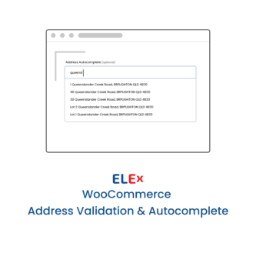
ELEX WooCommerce Address Validation & Google Address Autocomplete Plugin
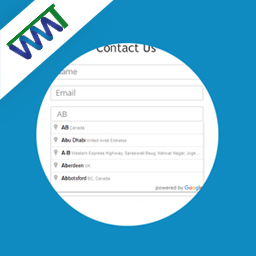
Address autocomplete Contact Form 7
AddySolution's address Autocomplete for WooCommerce

Postcode.eu Address Validation

Map Field For Contact Form 7


About
Plugin for that tries to help you find the WordPress plugin you are looking for.
| Please enjoy an image of Crush (this awesome turtle) and have a lovely day! |  |
We do not own any plugin listed on this site and do not work for or work with WordPress.com or it's associated companies. We simply provide a searchable list of the available WordPress plugins.