


Random image light box
Random image light box plugin allows you to show one random image with on click light box effect in the website. We can upload your images via plugin admin, alternatively we can use the image folder path in the short code to display the image.
Check official website for live demo http://www.gopiplus.com/work/2020/10/11/wordpress-plugin-random-image-light-box/
- Live Demo : Live Demo
- More Information : More Information
- Plugin : Plugin URI
Plugin features
-
Simple and easy installation.
-
Display one image on random order.
-
Light box effect on mouse click.
How to configure
-
Install and activate the Random image light box plugin.
-
During activation it create 2 default records in the plugin admin.
-
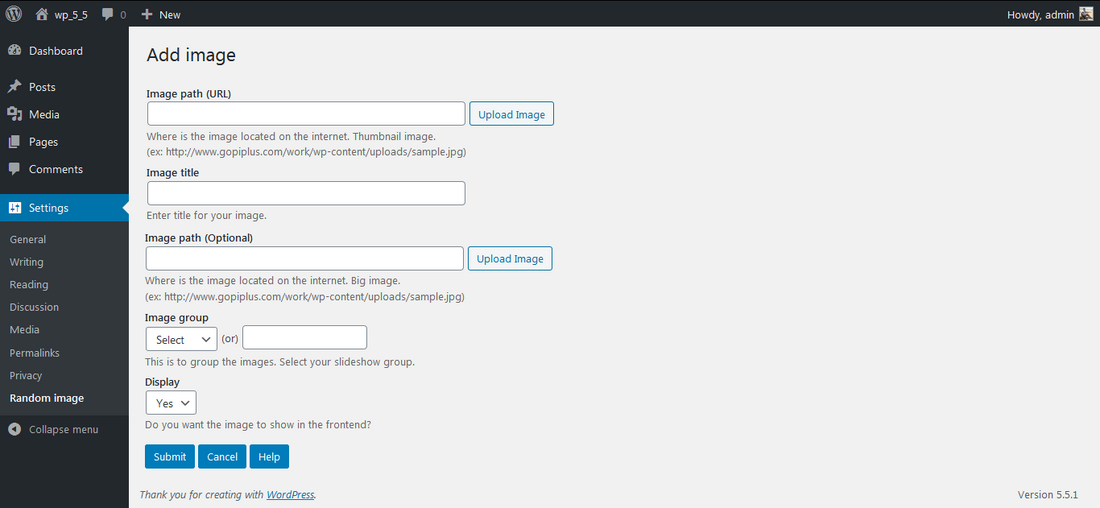
Go to Settings >> Random image >> Add New in your WordPress admin to add and update the details.
-
To add the Random image light box plugin in the page or post, copy the below given plugin short and use it in your post.
-
If you want to add in the widget, you can drag and drop the Random image light box widget in to your sidebar.
Details


Related plugins
Plugins that also contain the tag gallery
Photo Gallery, Sliders, Proofing and Themes – NextGEN Gallery

Firelight Lightbox

Gallery by FooGallery

Lightbox & Modal Popup WordPress Plugin – FooBox

Simple Lightbox

Responsive Lightbox & Gallery


About
Plugin for that tries to help you find the WordPress plugin you are looking for.
| Please enjoy an image of Crush (this awesome turtle) and have a lovely day! |  |
We do not own any plugin listed on this site and do not work for or work with WordPress.com or it's associated companies. We simply provide a searchable list of the available WordPress plugins.