


reCAPTCHA for WooCommerce
Easily add Google reCAPTCHA to WooCommerce checkout and forms to help prevent spam.
Supported Forms
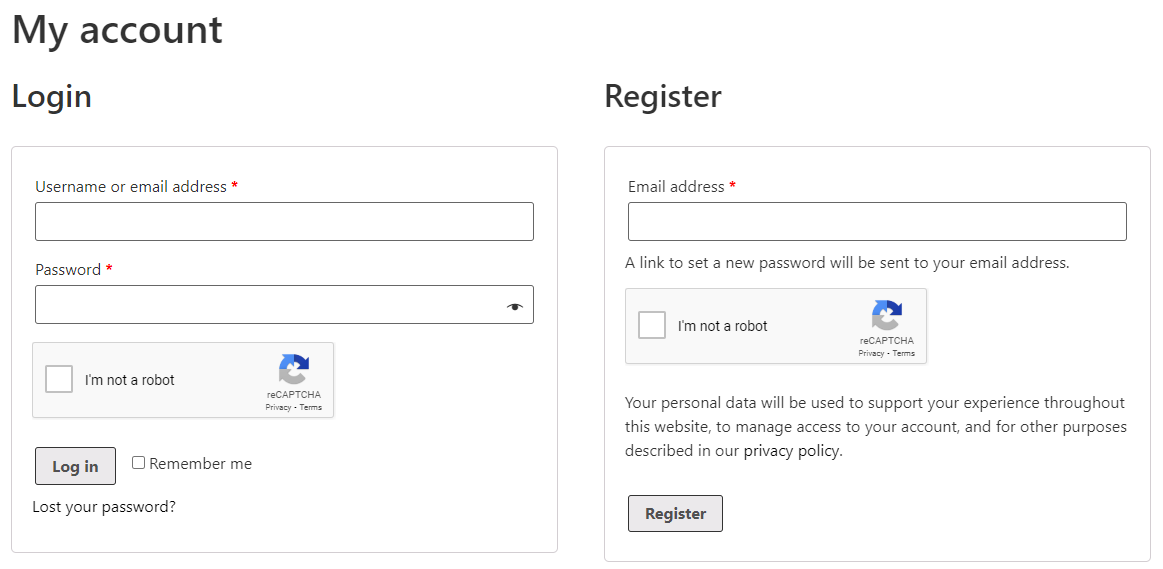
You can currently enable the reCAPTCHA on the following forms:
WooCommerce
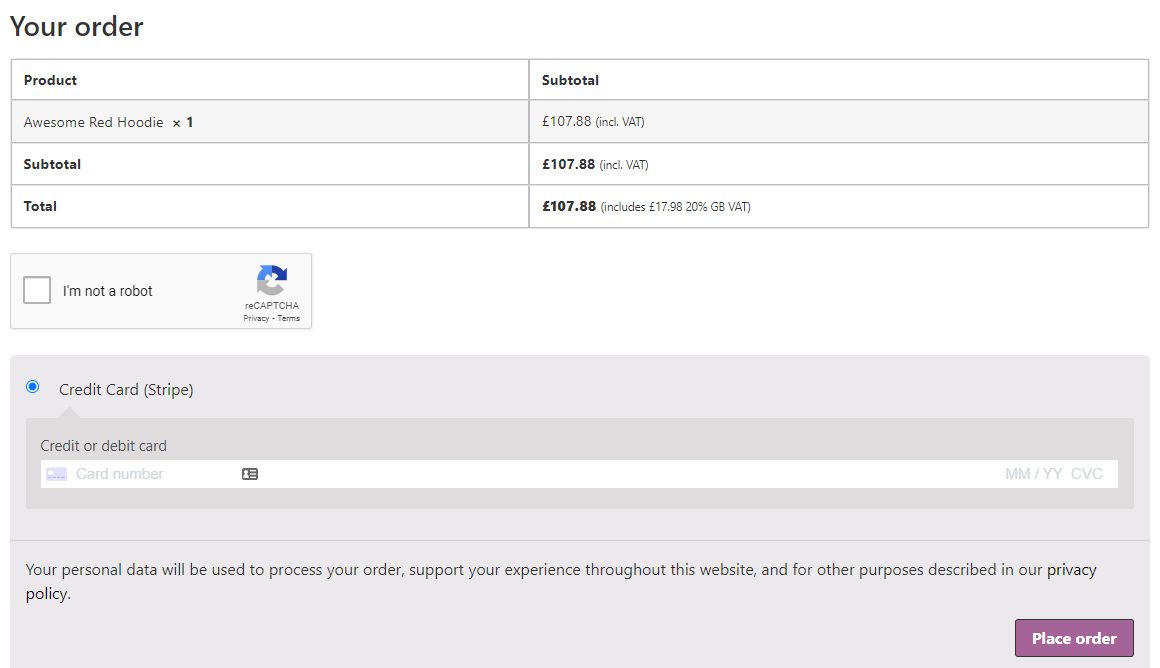
- Checkout (Shortcode & Block)
- Login Form
- Registration Form
- Password Reset Form
WordPress
- Login Form
- Registration Form
- Password Reset Form
Getting Started
Simply generate your Google reCAPTCHA v2 site “key” and “secret” and add these to the settings.
Choose which forms you want it to show on, and set the theme to either dark or light.
A new reCAPTCHA WooCommerce field will then be displayed on your checkout, and other selected forms to protect them from spam!
Localisation
The language for the WooCommerce reCAPTCHA will be automatically set based on your sites default language.
Is it free to use?
Yes, this plugin is completely free with no paid version.
Google reCAPTCHA is also a completely free service. You can view their privacy policy here and terms and conditions here.
Please consider helping out by leaving a review, or donate.
Alternative Plugin
Want a user-friendly, privacy-preserving reCAPTCHA alternative? Check out the Simple Cloudflare Turnstile plugin instead (100% free).
Details
Related plugins
Plugins that also contain the tag checkout
Brazilian Market on WooCommerce

Fluid Checkout for WooCommerce – Lite

Amazon Pay for WooCommerce

PayTR Sanal POS WooCommerce – iFrame API

Kustom Checkout for WooCommerce

Checkout Files Upload for WooCommerce


About
Plugin for that tries to help you find the WordPress plugin you are looking for.
| Please enjoy an image of Crush (this awesome turtle) and have a lovely day! |  |
We do not own any plugin listed on this site and do not work for or work with WordPress.com or it's associated companies. We simply provide a searchable list of the available WordPress plugins.