


Recent Comments with Avatars
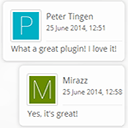
Once the widget is added to your sidebar you may easily configure it to provide a display of recent comments with comment author avatars. The options are:
- The title of the widget.
- Limit the number of comments to shown (1 to 15).
- Option to display the avatar of the comment author, or not.
- Set the size of the avatar.
- Chose to have the comment author’s URL (if given) open in a new window,
- Show the date of the comment, or not.
- Set the format of the date.
- Set the size (as a fraction of the normal text size) of the date string.
- Show an excerpt from the comment.
- Convert smilies in the excerpt.
- Show a country flag indicating the source of the comment, requires MySQL database modifications, see below.
- Show a country flag in main comment loops, non-widget, requires theme and MySQL database modifications, see below.
The style of the output may be controlled with simple CSS rules that need to be included in your styles.css template file.
The container (i.e. <ul> or <table>) has the id recentcomments (use CSS .recentcomments).
List items (i.e. <li>) have the class recentcomments (use CSS #recentcomments).
Details
Related plugins
Plugins that also contain the tag avatars
Avatar Manager

WP First Letter Avatar
Ultimate Post List

IntenseDebate Comments

Letter Avatars

Easy Gravatars


About
Plugin for that tries to help you find the WordPress plugin you are looking for.
| Please enjoy an image of Crush (this awesome turtle) and have a lovely day! |  |
We do not own any plugin listed on this site and do not work for or work with WordPress.com or it's associated companies. We simply provide a searchable list of the available WordPress plugins.