



Redkirin Ad Click Verification
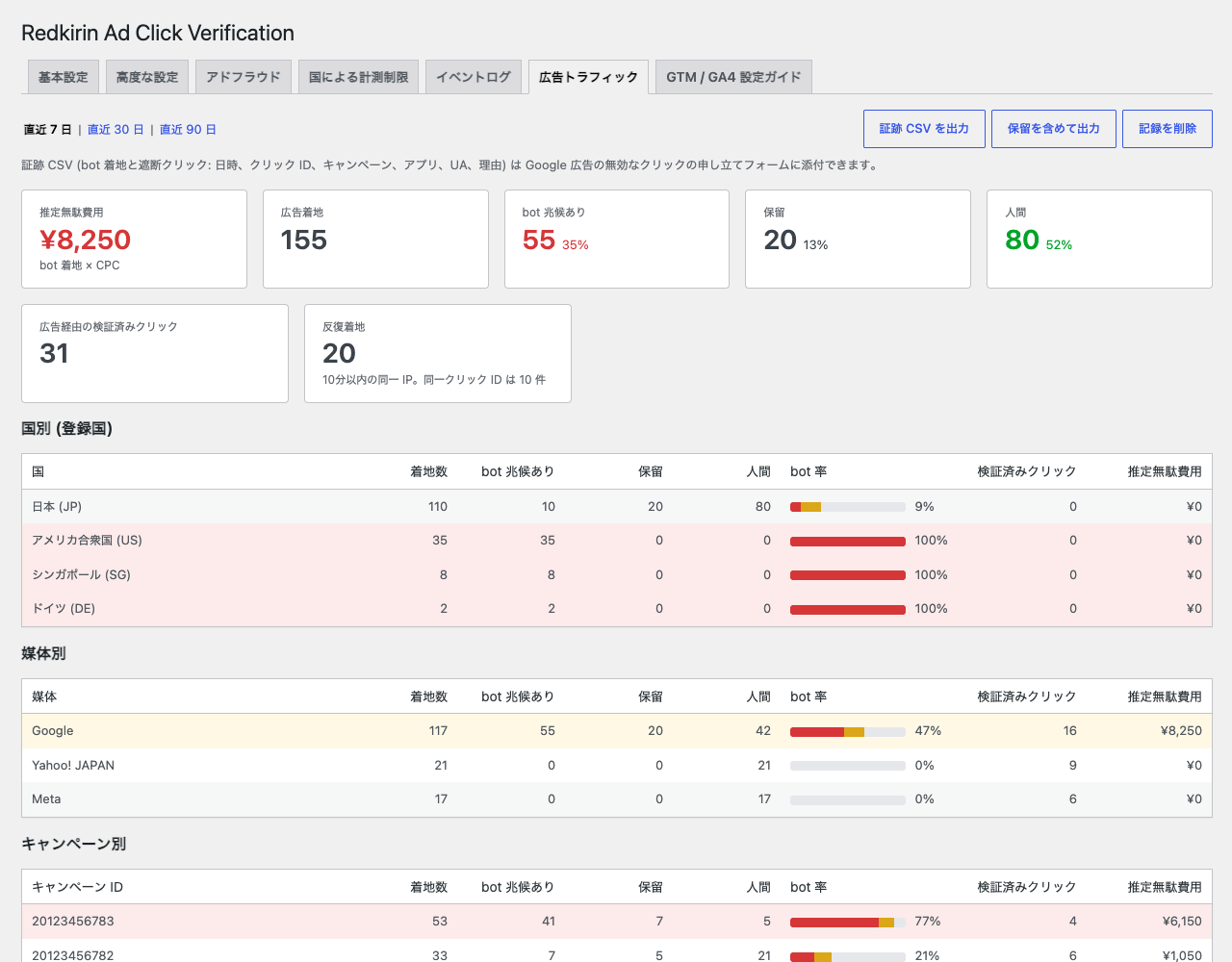
Headless browsers and ad-platform crawlers execute JavaScript and click links. When a site measures phone (tel:), LINE, email or other link clicks as GA4 events or Google Ads conversions (for example through a Google Tag Manager “Just Links” trigger), those automated clicks are counted as conversions. GA4’s built-in bot filtering is based on known bot lists and does not catch them.
Redkirin Ad Click Verification verifies that a click comes from a real person before it reaches your tags:
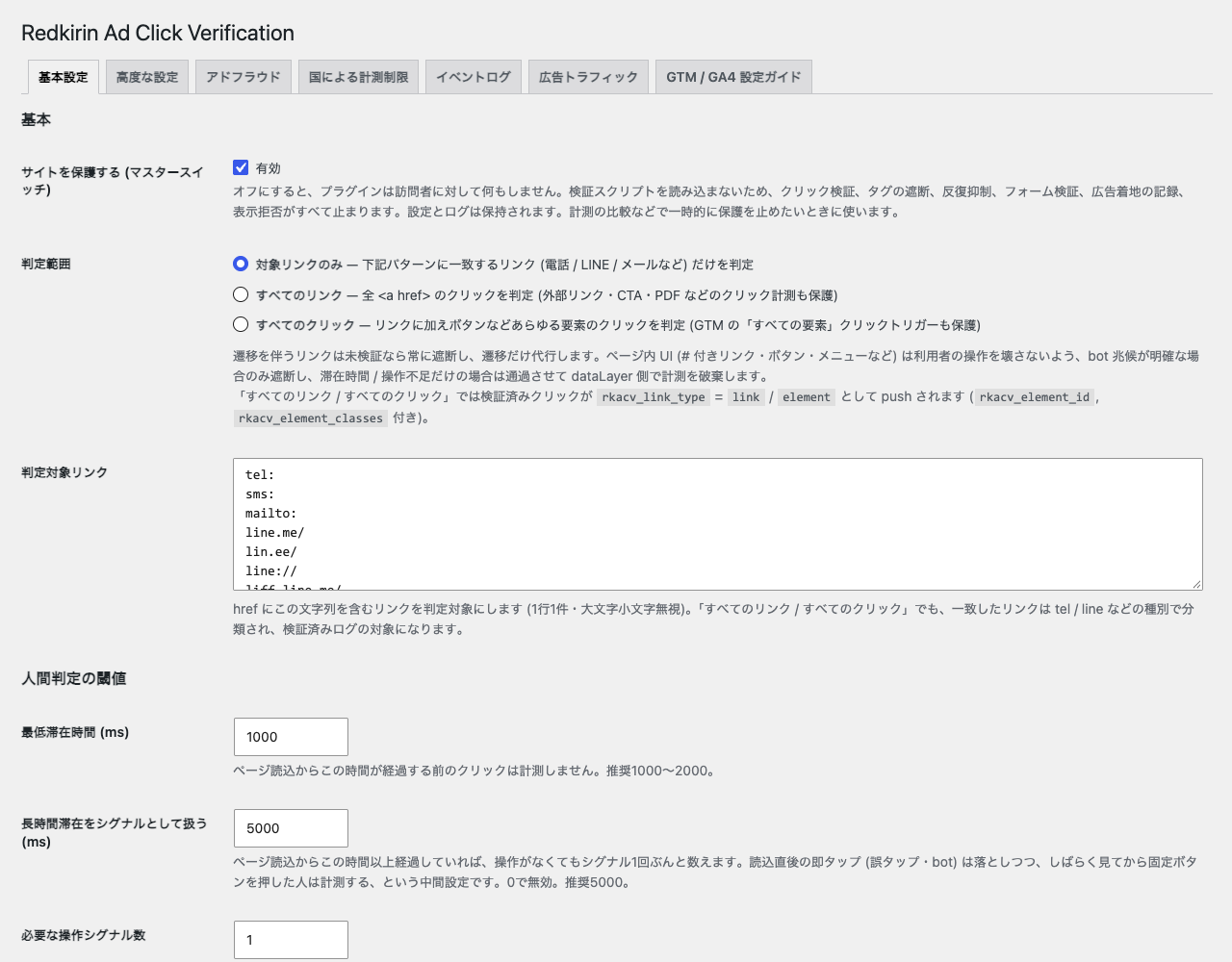
- Human signals – records mouse movement, scrolling, touch and keyboard activity plus time on page from the moment the page starts loading. A long stay on the page (default 5 s) counts as one signal, so a visitor who reads and then taps a fixed call button is measured while instant taps are not.
- Bot signals –
navigator.webdriver, headless / crawler user agents (editable regex list), automation tool globals, missing language settings, and Google’s published crawler IP ranges. - Click interception – unverified clicks are stopped at the
windowcapture phase, before Google Tag Manager click triggers or inlineonclickhandlers see them. The navigation itself (dialing, opening LINE, following the link) is performed by the plugin, so visitors are never blocked. - dataLayer guard –
gtm.linkClick/gtm.clickand any event names you specify are dropped fromdataLayer.pushwhile the visitor is unverified. - Verified events – verified clicks push
rkacv_verified_clickto the dataLayer (withrkacv_link_type,rkacv_link_url,rkacv_link_text,rkacv_element_id), and can optionally callgtag('event', ...)directly. - Scope – protect only matched links (phone / LINE / email by default), every link, or every click including buttons.
- Log – blocked and verified clicks are logged with the reason, so you can tune thresholds. IP addresses are anonymised by default. The log endpoint only accepts requests carrying a token signed by the site, is rate limited per IP and site-wide, and the table is capped and purged automatically.
Works with page caching plugins: nothing visitor-specific is embedded in the HTML. Server-side IP checks run through the REST API.
Settings and documentation are in Japanese (the plugin targets LINE-based lead generation common in Japan).
Google Analytics, Google Ads and Google Tag Manager are trademarks of Google LLC. LINE is a trademark of LY Corporation. This plugin is an independent product of Redkirin and is not affiliated with or endorsed by Google or LY Corporation; the names are used only to describe compatibility.
External services
This plugin can connect to one external service.
Google crawler IP ranges – When the “Google crawler IP check” option is enabled (default: enabled), the plugin downloads Google’s published crawler IP range lists once a day via WP-Cron, on plugin activation, and when an administrator clicks “Refresh” on the Log screen. The lists are cached in a transient. Only the server makes this request; no visitor data is sent to Google by the plugin.
- https://developers.google.com/static/search/apis/ipranges/googlebot.json
- https://developers.google.com/static/search/apis/ipranges/special-crawlers.json
- https://developers.google.com/static/search/apis/ipranges/user-triggered-fetchers-google.json
Published by Google: https://developers.google.com/search/docs/crawling-indexing/verifying-googlebot
Google terms of service: https://policies.google.com/terms – Privacy policy: https://policies.google.com/privacy
The plugin does not send anything to Google Analytics or Google Ads by itself; it only decides whether the tags you have already installed receive a click.
Details



Related plugins
Plugins that also contain the tag bot
No-Bot Registration

ChatBot for eCommerce – WoowBot

Traffic Monitor

ChatBot Conversational AI Support

Telegram Bot & Channel

En Spam


About
Plugin for that tries to help you find the WordPress plugin you are looking for.
| Please enjoy an image of Crush (this awesome turtle) and have a lovely day! |  |
We do not own any plugin listed on this site and do not work for or work with WordPress.com or it's associated companies. We simply provide a searchable list of the available WordPress plugins.