



Rekomi: Affiliate Marketing and Referral Programs for WooCommerce
Rekomi gives your WooCommerce store a sales team that only gets paid when you do.
Your happiest customers, favorite creators, and best partners already recommend your products. Rekomi makes it official: each of them gets a personal link and a real coupon code, every sale they bring in is tracked automatically, and they earn a commission only when you earn revenue. No ad budget burned on clicks that never convert.
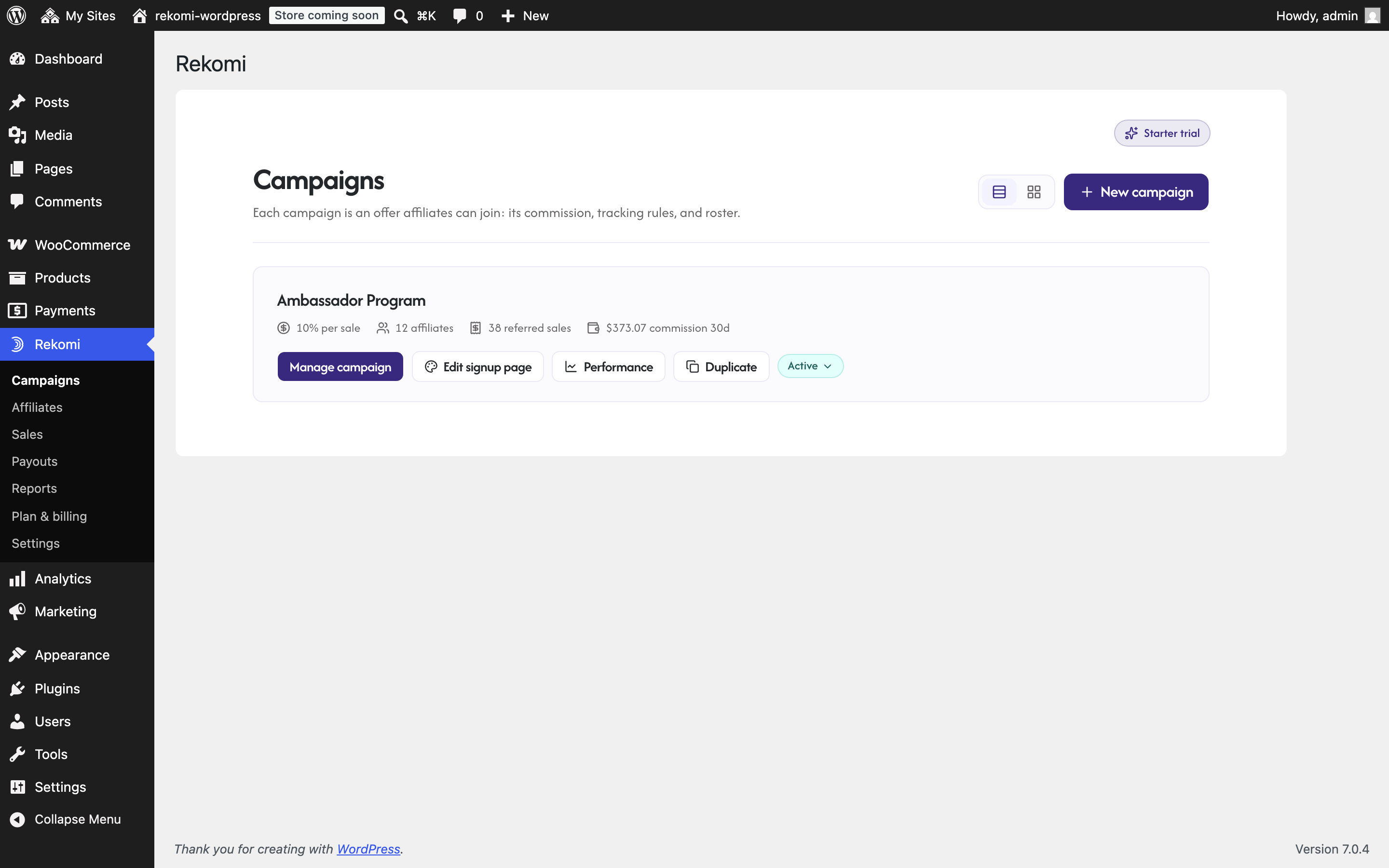
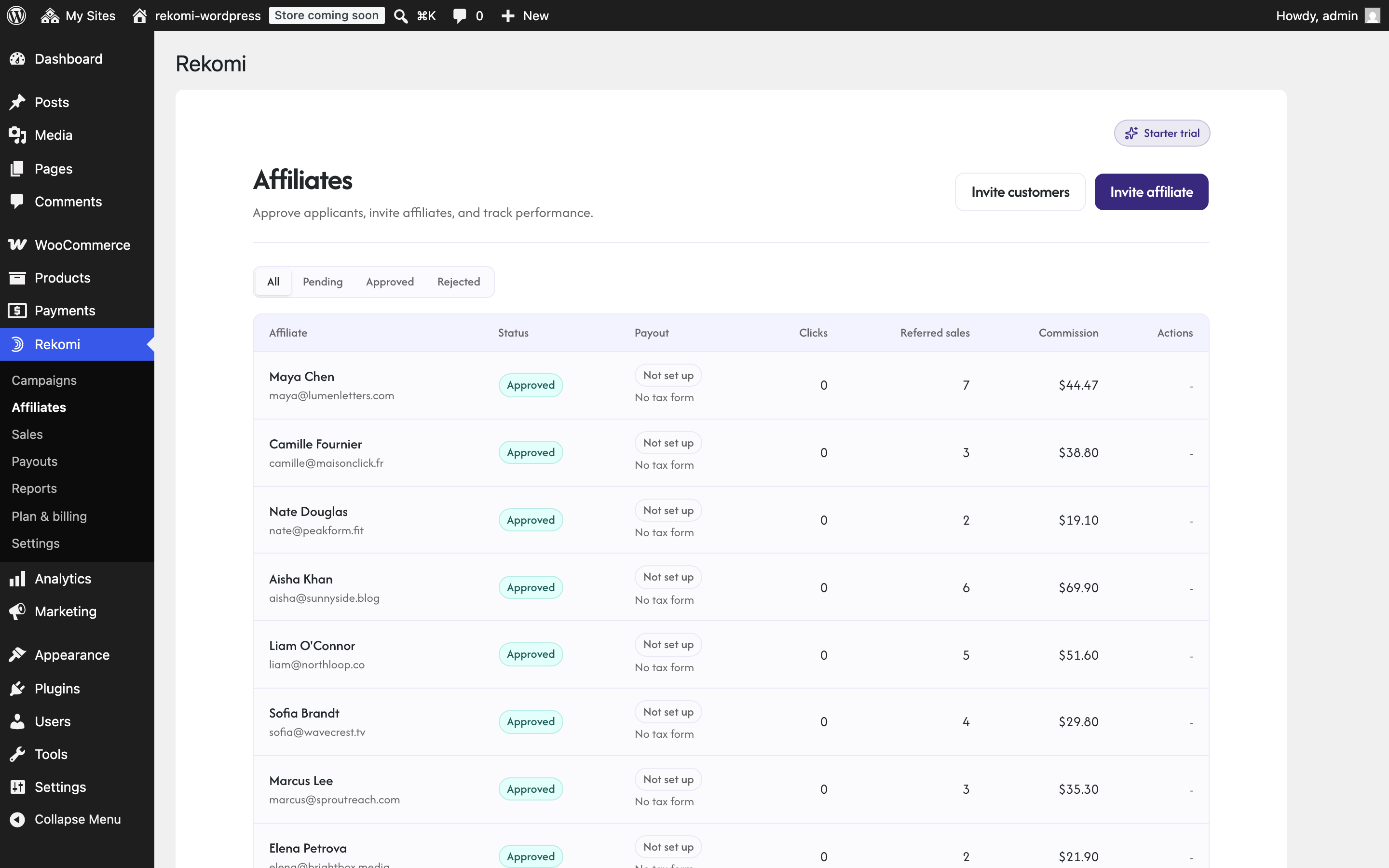
Setup takes about ten minutes, needs no code and no developer, and your store keeps its own checkout, gateways, and coupons. Connect once and everything runs from the Rekomi page in wp-admin: campaigns, affiliates, coupons, sales, payouts, and reports, without ever leaving WordPress.
Why store owners pick Rekomi
- You only pay for results. Commission goes out on delivered sales, and refunded orders claw their commission back automatically. The incentives stay honest in both directions.
- Live in minutes, not weekends. Install, click Connect, create your campaign, invite your first affiliate. That is the entire project.
- The busywork is gone. Tracking, commission math, refund adjustments, payouts in 165+ countries, and affiliate tax forms all happen for you. Most affiliate programs quietly die in a spreadsheet; yours will not have one.
- Your affiliates will actually promote. Real store coupon codes for creators, a live dashboard where partners watch their earnings grow, and payouts that arrive on time keep them posting.
Tracking that just works
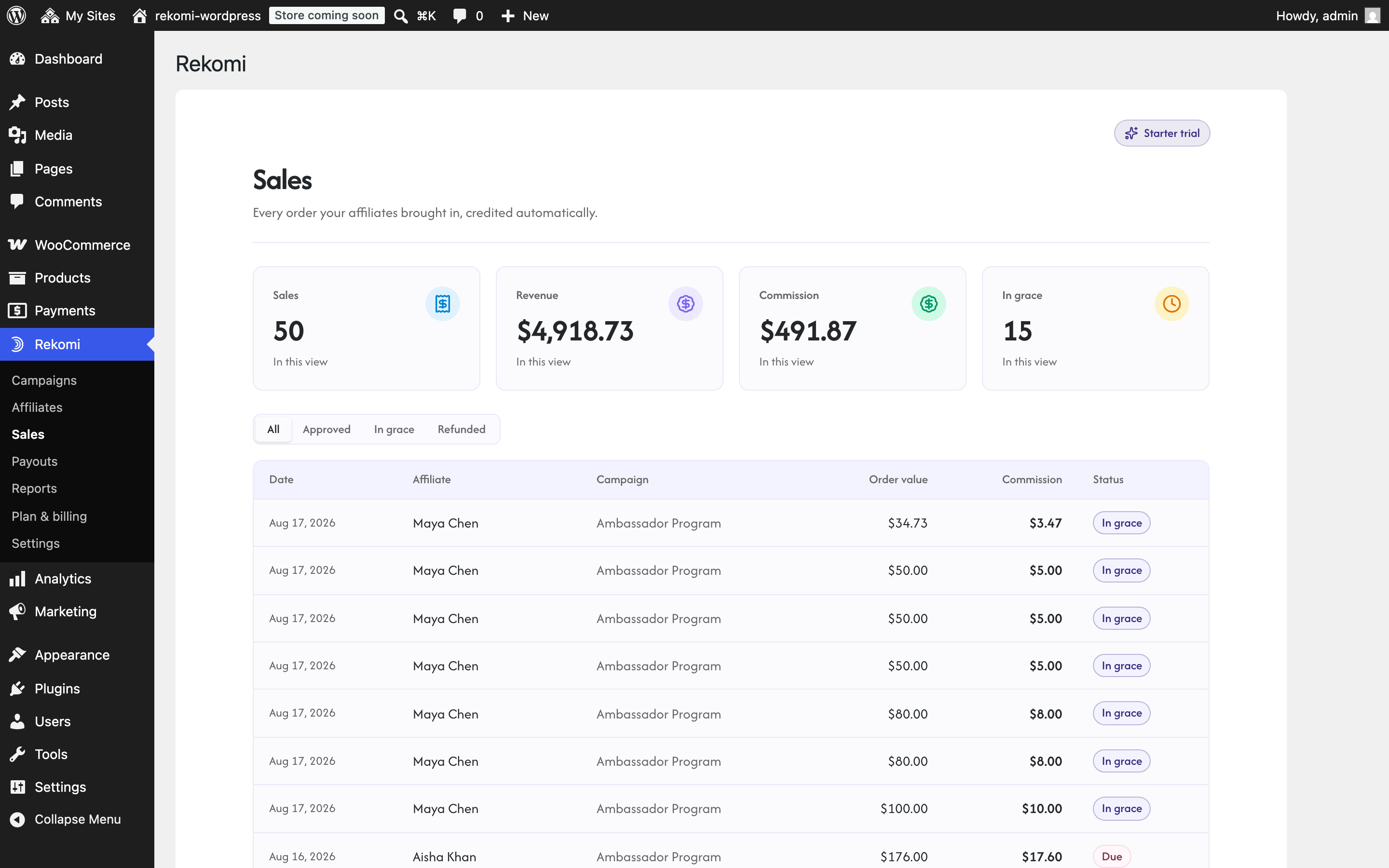
- Automatic affiliate tracking. Every WooCommerce order is attributed to the right affiliate, on every payment method your store accepts: WooPayments, Stripe, PayPal, Square, cash on delivery, all of them. No code, nothing to paste, nothing to break.
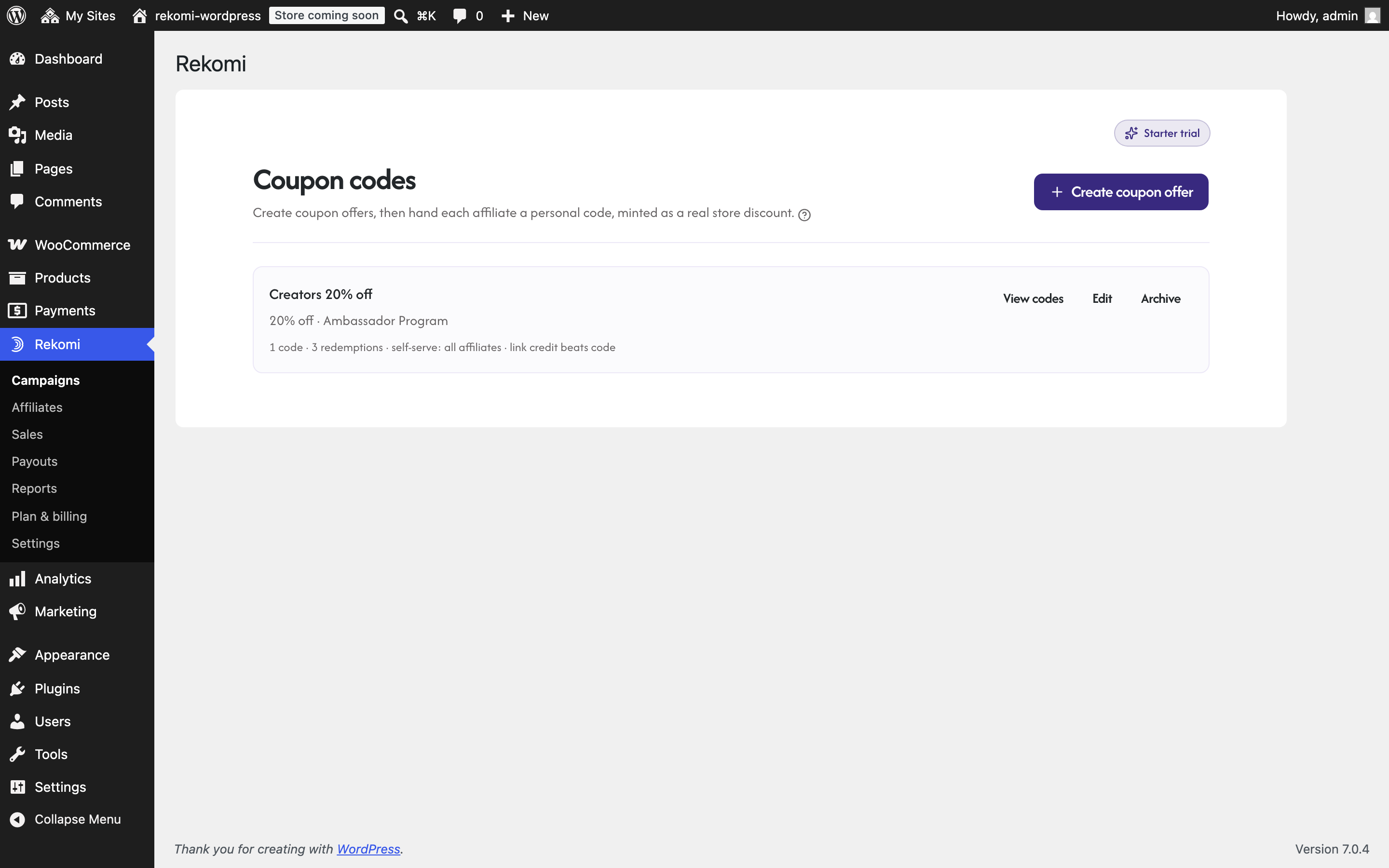
- Real store coupon codes. Each affiliate gets personal discount codes minted as native WooCommerce coupons, including product-limited codes and per-coupon commission rates. Coupon sales attribute even when nobody clicked a link, which is how creators actually sell.
- Affiliate links. Every affiliate gets their own referral link, with tracking that runs first-party on your own domain so attribution holds up even against ad blockers.
- Recurring commissions. WooCommerce Subscriptions renewals keep paying the referring affiliate for as long as the customer stays.
- Refund-proof math. Refunds claw back commission automatically and precisely: a partial refund reverses exactly the refunded items’ share.
Money, handled end to end
- Payouts, done. Rekomi pays your affiliates for you in 165+ countries via bank deposit, Stripe, or PayPal, with refund-aware holds so money never leaves before the refund window closes. You approve, it pays. No spreadsheets, no PayPal marathons.
- Tax forms, handled. Rekomi collects W-9/W-8 forms and handles year-end tax documents for your affiliates, so tax season is not your problem.
- Flexible commissions. Percentage or flat rate, per-product rates, recurring, first-sale-only, tiered rewards, even pay-per-click and pay-per-lead campaigns.
- Multi-currency. Sell in any currency; commissions convert cleanly to your home currency.
Grow the program
- Branded signup pages. Recruit through a hosted, customizable affiliate signup page, with your own custom domain if you want it.
- An affiliate dashboard partners love. Affiliates see their links, codes, clicks, sales, and earnings in real time, and you can message them right on the platform.
- Sub-affiliate recruiting. Let your best partners recruit more partners and earn an override on what their recruits drive.
- Fraud screening built in. Device fingerprinting and click-quality scoring flag self-referrals and junk traffic before they cost you money.
- Reports that answer questions. Revenue, top affiliates, traffic sources, and trends in clear reports, inside wp-admin.
- Switching is easy. Migration importers bring your affiliates and history over from 20+ other affiliate platforms.
- Works without WooCommerce too: on non-store sites the plugin installs the Rekomi tracking snippet for you.
If you have been comparing every WordPress affiliate plugin and dreading the setup, this is the short version: install, click Connect, invite your first affiliate. Your store keeps its checkout, its gateways, and its coupons; Rekomi handles the tracking, the math, and the money. The full walkthrough lives in the WooCommerce setup guide.
Rekomi is complete affiliate management, not just link tracking. Recruit partners through your branded signup page, reward customer referrals, set recurring commissions on subscriptions, and let automatic payouts close the loop. It is affiliate marketing for WooCommerce without the spreadsheet work.
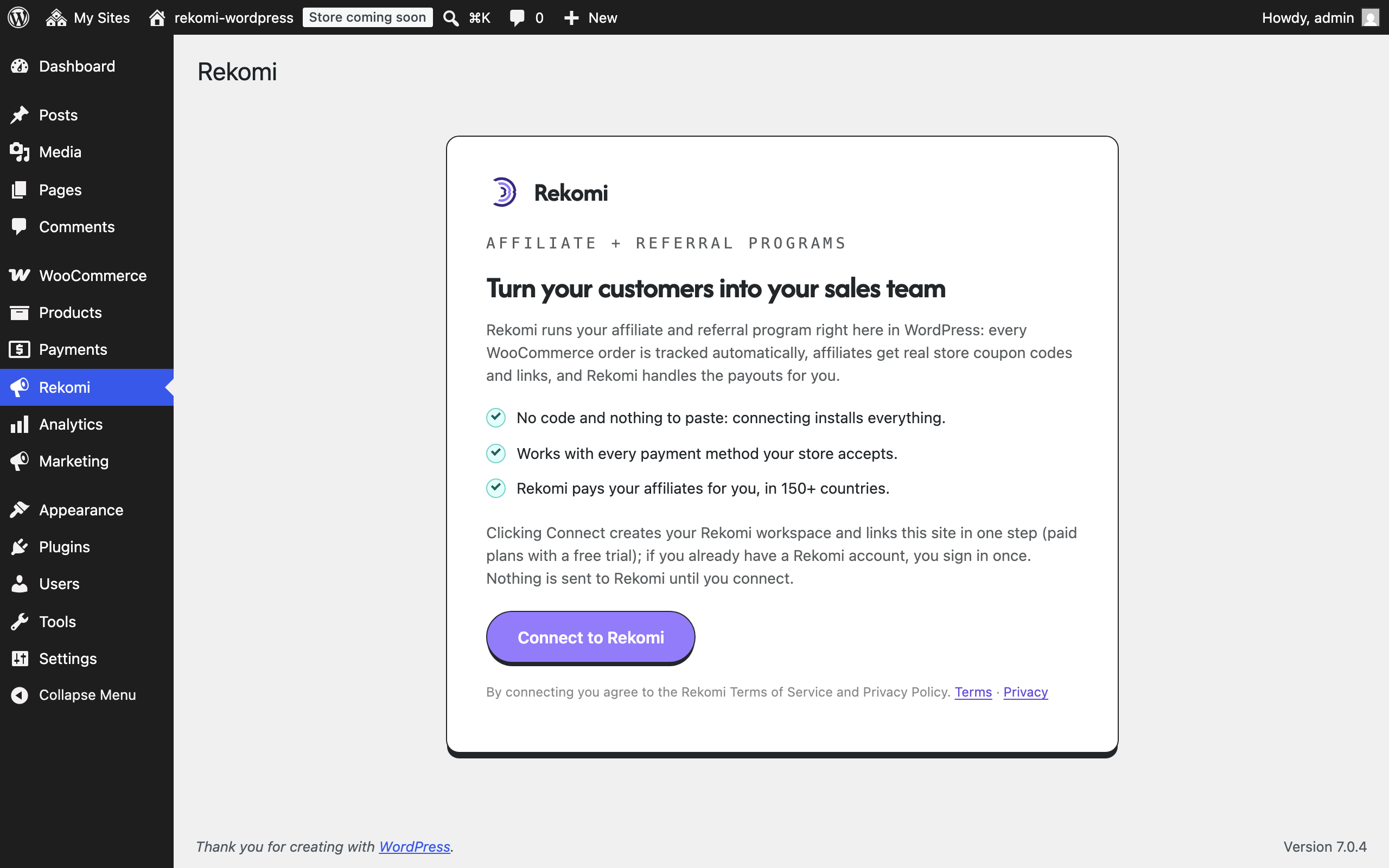
Rekomi is a paid service. This plugin is the connector to your Rekomi account (plans from $29/month, free trial included; see https://rekomi.com/pricing). Connecting creates your workspace automatically; if you already have a Rekomi account, you sign in once to link it.
External services
This plugin connects your site to the Rekomi service. No data is sent anywhere until you click Connect on the Rekomi admin page. When you click Connect, your site URL and your wp-admin email address are sent to Rekomi to create or link your workspace, and Rekomi verifies the site by calling back to its REST API.
After you connect, the plugin communicates with:
https://api.rekomi.com: order and refund data (order id, totals, currency, line items, coupon codes, customer name/email/id, referral attribution), coupon commands, product catalog and top-customer reads for your own dashboard, and connection health. The visitor-facing tracking script (/api/v1/r/loader.js) is also loaded from this host so attribution fixes reach your site without plugin updates.https://app.rekomi.com: the account sign-in used during Connect, and dashboard links.https://rekomi-uploads-prod.nyc3.digitaloceanspaces.com: Rekomi’s static asset host (a DigitalOcean Spaces bucket operated by Rekomi). The wp-admin dashboard loads images from it: help-panel screenshots and the logos shown in the migration importer. Loading an image sends only the standard browser request (your IP address and user agent) to DigitalOcean; this happens only inside wp-admin after you connect, never on your public site. DigitalOcean Terms of Service: https://www.digitalocean.com/legal/terms-of-service-agreement. DigitalOcean Privacy Policy: https://www.digitalocean.com/legal/privacy-policy.
Provider: Rekomi (Uplup Inc.). Terms of Service: https://rekomi.com/legal/terms. Privacy Policy: https://rekomi.com/legal/privacy.
One optional surface makes an additional connection: if you open the affiliate signup-page designer inside the dashboard and your page theme uses a Google Font, the live preview loads that font from Google Fonts (fonts.googleapis.com / fonts.gstatic.com), exactly as your public signup page does. No other admin screen contacts any third party.
The plugin sets one first-party cookie, rekomi_wp_ref (90 days), remembering which affiliate referred a visitor. The plugin integrates with the WP Consent API: when a consent-management plugin is active, tracking waits for marketing consent.
Source code
The admin dashboard bundled with this plugin (assets/app/rekomi-app.js) is compiled from a React and TypeScript application. The complete human-readable source and build tooling for the exact shipped bundle are available at https://rekomi.com/downloads/rekomi-admin-app-src-0.9.14.tar.gz (build with npm ci then npm run build; Vite emits the bundle into the plugin’s assets/app directory).
Details
Related plugins
Plugins that also contain the tag affiliate
Advanced Ads – Ad Manager & AdSense

AdRotate Banner Manager

Pochipp

Affiliate Program Suite — SliceWP Affiliates

Meks Easy Ads Widget

AffiliateX – Amazon Affiliate Plugin


About
Plugin for that tries to help you find the WordPress plugin you are looking for.
| Please enjoy an image of Crush (this awesome turtle) and have a lovely day! |  |
We do not own any plugin listed on this site and do not work for or work with WordPress.com or it's associated companies. We simply provide a searchable list of the available WordPress plugins.