


Reorder Multisite Sites Dropdown
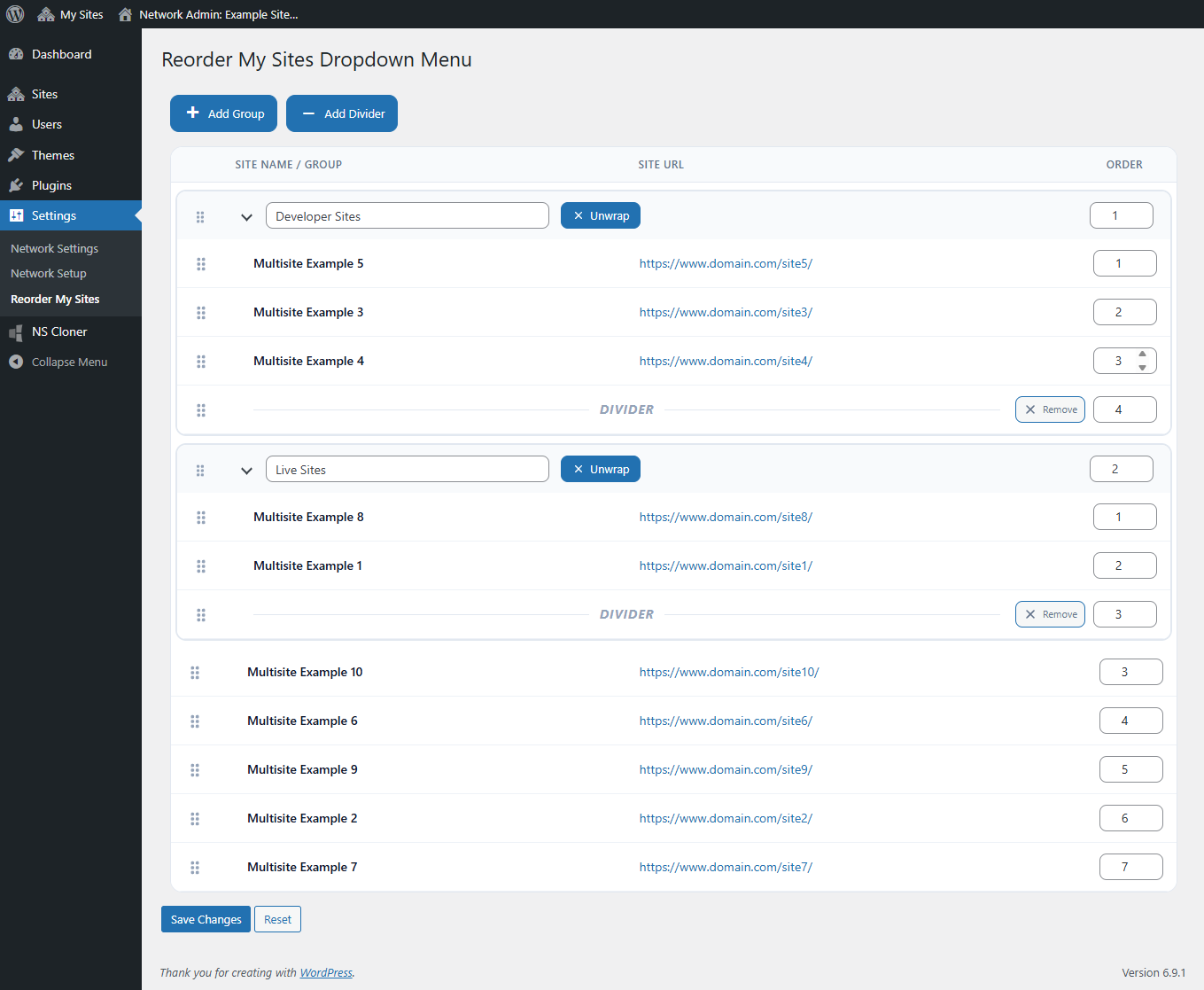
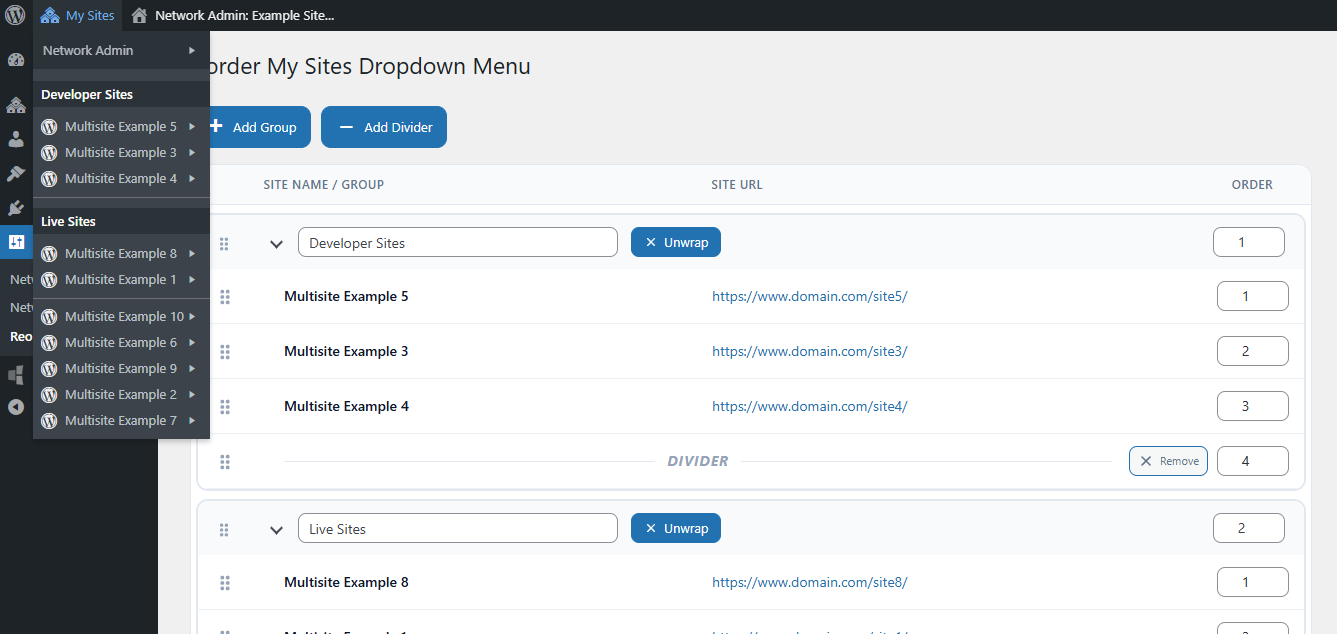
Reorder Multisite Sites Dropdown gives WordPress Multisite administrators a powerful tool to organize the My Sites dropdown in the WordPress Admin Bar. With this plugin, you can customize how sites appear in the admin bar so they are easier to find and better organized for your workflow. It is especially useful for WordPress Multisite networks with many sites where the default alphabetical ordering becomes difficult to manage, enhancing the existing WordPress multisite admin bar experience without modifying WordPress core functionality.
With this plugin, you can:
- Reorder sites in the My Sites dropdown using drag-and-drop.
- Manually set ordering using number input fields for quick repositioning.
- Create groups to organize related sites together.
- Add divider lines to visually separate sections.
- Nest sites inside groups for better structure.
The ordering interface is available in the Network Admin under Settings > Reorder My Sites
Details
Related plugins
Plugins that also contain the tag dropdown
Min Max Step Quantity Limits Manager for WooCommerce

Cities Shipping Zones for WooCommerce

Navigation menu as Dropdown Widget

RY City Select for WooCommerce

Select and Multi-Select Field for Contact Form 7
Shipping Method Display Style for WooCommerce


About
Plugin for that tries to help you find the WordPress plugin you are looking for.
| Please enjoy an image of Crush (this awesome turtle) and have a lovely day! |  |
We do not own any plugin listed on this site and do not work for or work with WordPress.com or it's associated companies. We simply provide a searchable list of the available WordPress plugins.