


Reqad Cache Purger for Nginx
Reqad Cache Purger keeps an Nginx FastCGI page cache in step with WordPress. It
adds a “Purge Nginx Cache” button to the admin bar for clearing the whole site,
and purges the affected pages by itself whenever content changes.
It works with nothing configured: the plugin sends an HTTP request to a /purge
location that Nginx handles, and the caching policy itself lives entirely in
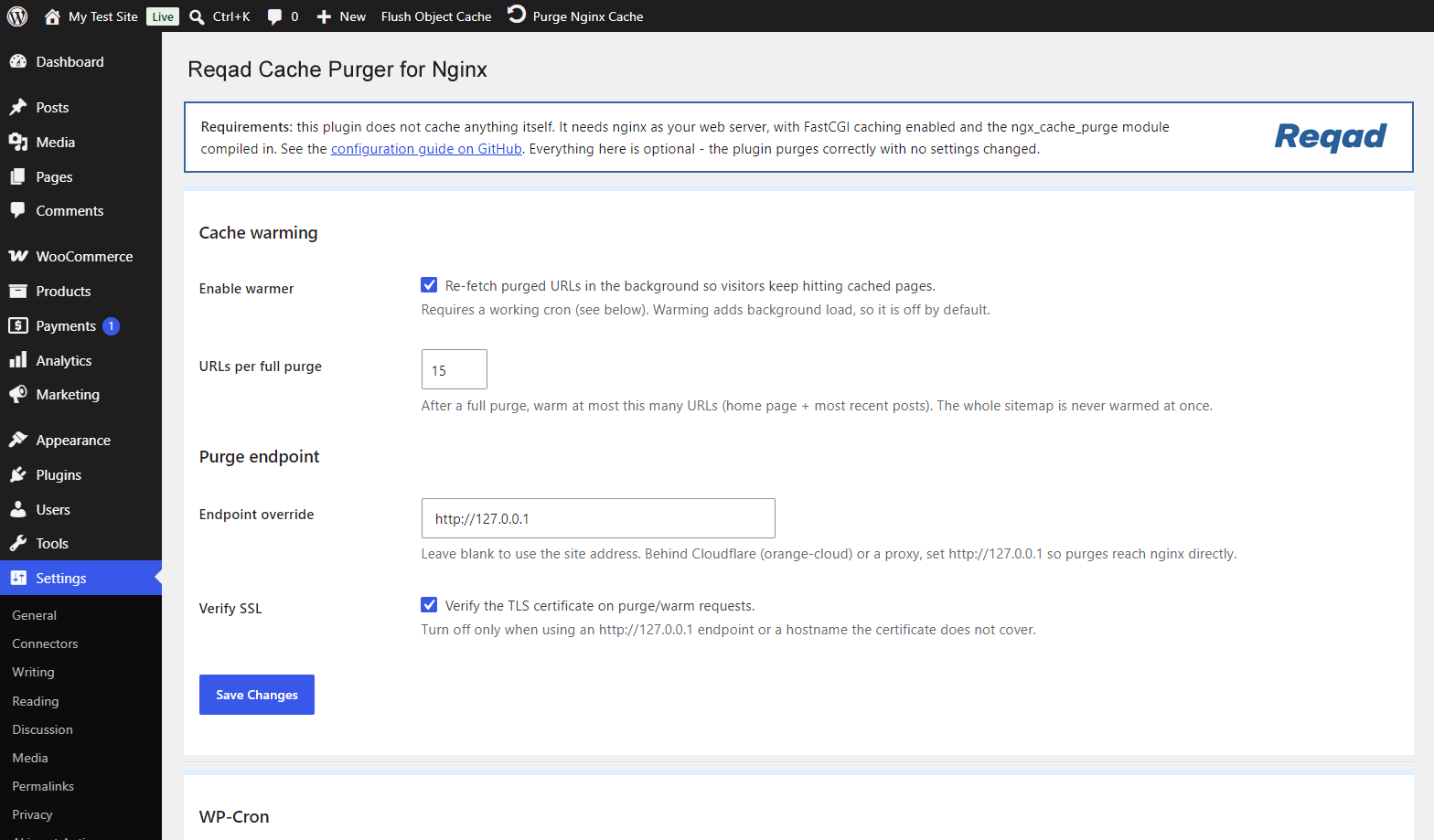
your Nginx configuration. A Settings page exists for the optional extras – a
background cache warmer, a purge-endpoint override for sites behind a proxy, and
a cache self-test – but you can ignore all of it.
What it purges
- Admin-bar button – the entire cache, in a single wildcard request.
- A post or page published, updated, unpublished or trashed – its permalink, the
home page and its public taxonomy archives. - A WooCommerce product – the above, plus the shop page.
- A term created, edited or deleted in any public taxonomy – its archive and the
home page.
Post types with no front-end URL (menu items, revisions, WooCommerce orders and
similar) are skipped, because they were never cached in the first place.
Requirements
This plugin does not cache anything itself – Nginx does. It requires Nginx built
with the ngx_cache_purge module from https://github.com/nginx-modules/ngx_cache_purge
– the actively maintained continuation of Piotr Sikora’s original module, which
passed through torden’s fork around 2017. If you have seen it called “the Torden
fork”, that is the same lineage.
The abandoned FRiCKLE repository will not work: the admin-bar button clears the
site with a single wildcard request, and wildcard purging landed after FRiCKLE
development stopped around 2015.
Check yours with:
nginx -V 2>&1 | tr ' ' '\n' | grep cache_purge
Full Nginx configuration, including a tested FastCGI cache setup with
WooCommerce-safe bypass rules, is in README.md in the plugin folder.
Details
Related plugins
Plugins that also contain the tag cache
WP Super Cache

WP-Optimize – Cache, Compress images, Minify & Clean database to boost page speed & performance

SpeedyCache – Cache, Optimization, Performance

Breeze Cache

OMGF | GDPR/DSGVO Compliant, Faster Google Fonts. Easy.

Jetpack Boost – Website Speed, Performance and Critical CSS


About
Plugin for that tries to help you find the WordPress plugin you are looking for.
| Please enjoy an image of Crush (this awesome turtle) and have a lovely day! |  |
We do not own any plugin listed on this site and do not work for or work with WordPress.com or it's associated companies. We simply provide a searchable list of the available WordPress plugins.