


Back

Restrict Dates Add-On for Gravity Forms
Details
View on WordPress
Back
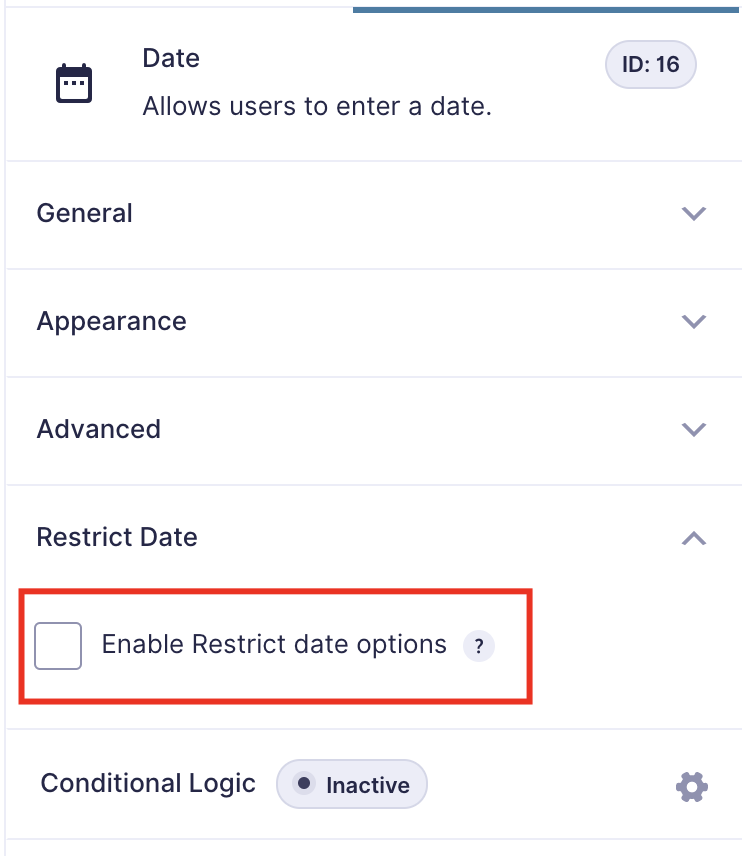
A simple and nice plugin to add date restrict dynamically in gravity forms default date picker field. If the installation is okay, go to gravity forms dashboard. Add a date field on your form. Open date field and you will see to Enable Restrict date options checkbox. Click that checkbox and configure as you want. And save form. You’re done!
View Pro Demo | Documentation | Buy Pro
Features
- Minimum date set to a current and specific date
- Maximum date set to a current and specific date
- Disable manually input (read-only option)
- Week/Off day disable
- Disable specific dates (new)
- Week start day (new)
Premium Features
- Prevent submission with disabled dates
- Add exceptions date
- Timezone support
- Language Support
- Custom validation text
- Date calculation
- Date modifiers
- Inline Datepicker
- and more…
Requirements
- PHP 5.6
- Gravity Forms 2.5 or 2.8 or latest
Details
Plugin code:
restrict-dates-add-on-for-gravity-forms
Plugin version:
1.2.3
Author:
Outdated:
No
WP version:
5.0 or higher
PHP version:
5.6 or higher
Test up to WP version:
6.8.3
Total installations:
500
Last updated:
2025-10-11
Rating:
Times rated:
5
date-field
date-picker
gf-restrict-dates
gravity-forms
restricts


Related plugins
Plugins that also contain the tag date-field
Availability datepicker – Integrate with Contact Form 7 and Divi


About
Plugin for that tries to help you find the WordPress plugin you are looking for.
| Please enjoy an image of Crush (this awesome turtle) and have a lovely day! |  |
We do not own any plugin listed on this site and do not work for or work with WordPress.com or it's associated companies. We simply provide a searchable list of the available WordPress plugins.