



Revision Autopilot
WordPress keeps a full copy of a post every time you update it. Over a few years those copies quietly become the largest thing in your database. Plenty of plugins will show you a button to delete them.
This one does not have a button.
Revision Autopilot publishes revision cleanup as abilities — named operations with input and output schemas, permission callbacks and behavioural annotations — using the Abilities API introduced in WordPress 6.9. Anything that can discover abilities can find these, understand what they take and return, check whether it is allowed to run them, and read back a structured result. The same operations are available as WP-CLI commands for scripts and cron.
It is built for sites where cleanup should happen without a person watching: agent-driven maintenance, scheduled scripts, fleets of sites managed from one place.
What it exposes
Four abilities, all under the revision-autopilot/ namespace:
count-revisions— how many revisions exist, their estimated content size, and the same broken down by parent post type. Read-only.list-revisions— one page of individual revisions with their parent post and timestamps. Read-only.delete-revisions— deletes one bounded batch for a scope and reports how many remain. Destructive.optimize-tables— runs OPTIMIZE TABLE on the posts and postmeta tables. Destructive.
And three WP-CLI commands over the same code:
wp revision-autopilot count
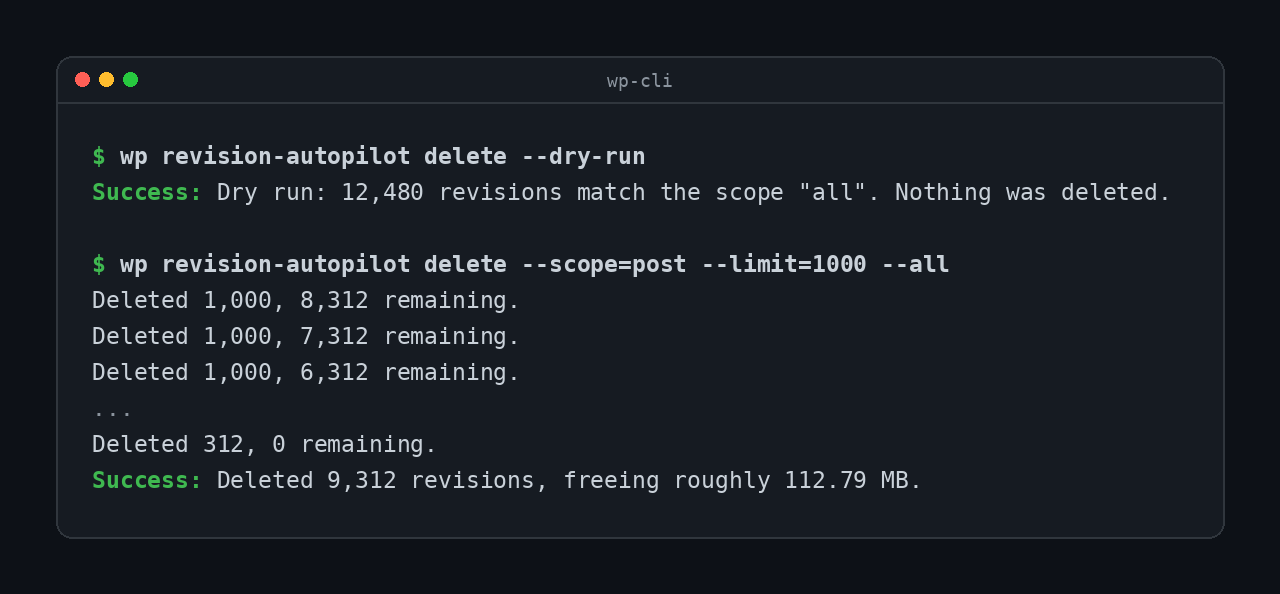
wp revision-autopilot delete --scope=post --limit=100
wp revision-autopilot optimize
How it stays safe
Handing destructive operations to a script deserves more care than putting them behind a button, not less.
- Every ability checks permission itself. There is no admin form and no nonce in this path, so authorisation is never inherited from the surrounding request. Reading needs
edit_posts; deleting or optimizing needsmanage_options. Both are filterable. - Deletion is always bounded. One call never removes more than 1000 revisions however large the scope. The result says how many remain, so a caller loops deliberately rather than firing one unbounded request.
- Only revisions are deleted. Every candidate is checked against
wp_is_post_revision()before removal, and deletion goes throughwp_delete_post_revision()so related metadata is cleaned up with it. Published content is never touched. - Only two tables are ever optimized, from a fixed allowlist: posts and postmeta.
- Refusals explain themselves. A caller without permission gets a
WP_Errorsaying which capability is missing, not a bare false.
Relationship to Takahiro Revision Cleanup
The same author publishes Takahiro Revision Cleanup, which does revision cleanup through a screen under Tools. The two are for different situations and do not overlap in how they are used:
- Takahiro Revision Cleanup is for a person who wants to look at their revisions and click delete.
- Revision Autopilot has no screen at all. It is for scripts, CLI and agents.
Install whichever matches how the work gets done on your site. Running both is harmless.
Details



Related plugins
Plugins that also contain the tag abilities
AI Experiments

Abilities Bridge

Agent Toolbelt – Safe Site Operations for AI Agents

AcrossAI Abilities Manager

RuleFence – AI Agent Control

DraftFence AI Review


About
Plugin for that tries to help you find the WordPress plugin you are looking for.
| Please enjoy an image of Crush (this awesome turtle) and have a lovely day! |  |
We do not own any plugin listed on this site and do not work for or work with WordPress.com or it's associated companies. We simply provide a searchable list of the available WordPress plugins.