



Ruxo SEO
Ruxo SEO is an AI-first SEO suite built specifically for WooCommerce stores with large product catalogs. If you run a shop with hundreds or thousands of products, writing a unique SEO title, meta description, focus keyword and alt text for every single one is impossible by hand. Ruxo SEO does it for you: it reads each product’s real data — name, attributes, category, and your own brand context — and uses AI to generate optimized, on-brand content in bulk. It then gets that content found fast, pushing new and updated URLs to search engines instantly via IndexNow, the Google Indexing API and Bing, and keeps your visibility measurable across both classic search engines and the new generation of AI answer engines.
Optimized for GEO, not just SEO. GEO — Generative Engine Optimization — is the practice of making your content understandable and quotable by AI answer engines like ChatGPT, Perplexity and Google’s AI Overviews, the same way SEO makes it rank in Google. As more shoppers ask an AI assistant “what’s the best X to buy?” instead of scrolling a results page, being cited by the AI becomes as important as ranking on Google. Ruxo SEO is one of the few plugins that treats GEO as a core feature: it publishes machine-readable brand and product context (llms.txt and ai-context.txt), monitors your visibility inside AI answers, and flags when your own pages compete against each other — so your store stays discoverable no matter where people search.
Built for WooCommerce, from the ground up. Unlike generic SEO plugins bolted onto WooCommerce, Ruxo SEO is designed around the ecommerce workflow: variable products, product attributes, category context, shipping and return data, and store-wide bulk operations are first-class citizens, not afterthoughts.
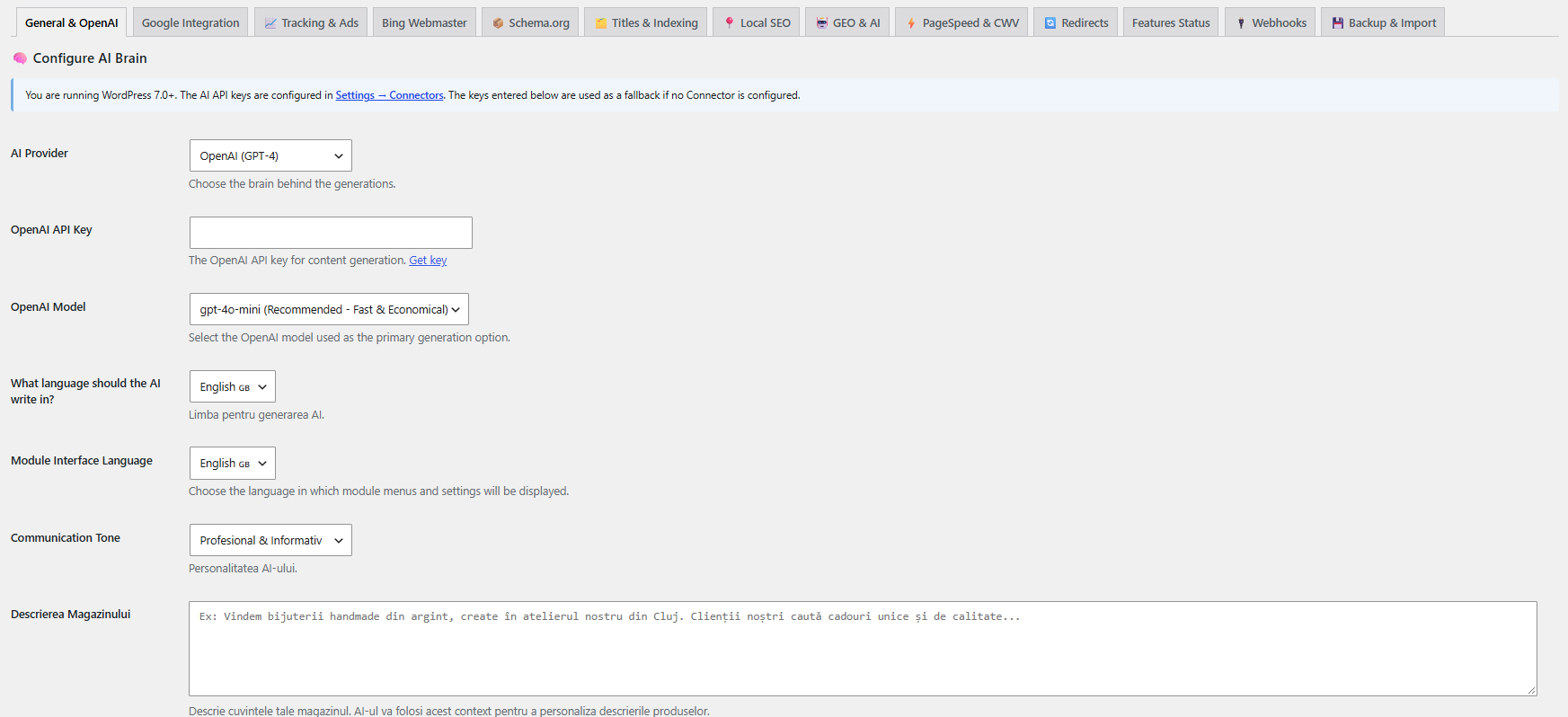
Flexible AI setup. On WordPress 7.0+, Ruxo SEO plugs into the native WordPress AI Client (Settings Connectors): you configure your AI provider once and every compatible plugin shares it. On WordPress 6.x, you simply enter your own OpenAI or Google Gemini API key in the plugin settings. Either way, you own the AI account — the plugin sends data directly from your site to the provider you chose. Nothing is routed through ruxoseo.com, and there is no telemetry or “home-call” of any kind.
AI content generation
The core of Ruxo SEO. Instead of a blank field for every product, you get AI-written content grounded in your actual catalog and your brand voice.
- AI Bulk Generation — generate SEO titles, meta descriptions, focus keywords, tags, and full product descriptions for hundreds of products in one run, with a live progress queue you can pause and resume.
- Brand-aware prompts — feed the AI your brand context, tone of voice and a style example, so the output sounds like your store, not a generic template.
- Image SEO — automatically generate keyword-optimized ALT text and image titles for product images (single product or bulk).
- FAQ generation — build genuine FAQ blocks derived from each product’s attributes, output with matching FAQPage schema.
- Secondary (multi) keywords — add supporting keywords per product, with AI-powered keyword suggestions.
- Choice of AI provider — OpenAI or Google Gemini; on WP 7.0+ the shared WordPress AI Client.
On-page optimization & SEO analysis
- Real-time SEO Analysis — a RankMath-style checklist with a live 0-100 score for every product (SEO title, meta description, focus keyword, long description and FAQ schema), plus an “Optimize with AI” button that fixes the failing checks for you.
- SEO Oracle — an AI task list that surfaces pages with declining performance or keywords stuck on “Page 2” of Google (positions 11-20, the Low Hanging Fruits) and turns them into concrete, prioritized recovery tasks.
- Cornerstone content — flag your most important pages so internal linking and crawl priority favor them.
- Full meta control — custom titles, meta descriptions, canonical URLs, robots directives and Open Graph tags, for posts, products and taxonomy terms.
Schema & Rich Snippets
Automatic, valid JSON-LD so Google and AI engines understand your store.
- Structured data for Product, Offer / AggregateOffer, Review, AggregateRating, Brand, FAQ, Organization, WebSite (with Sitelinks Search Box), Person, ImageObject, BreadcrumbList and LocalBusiness.
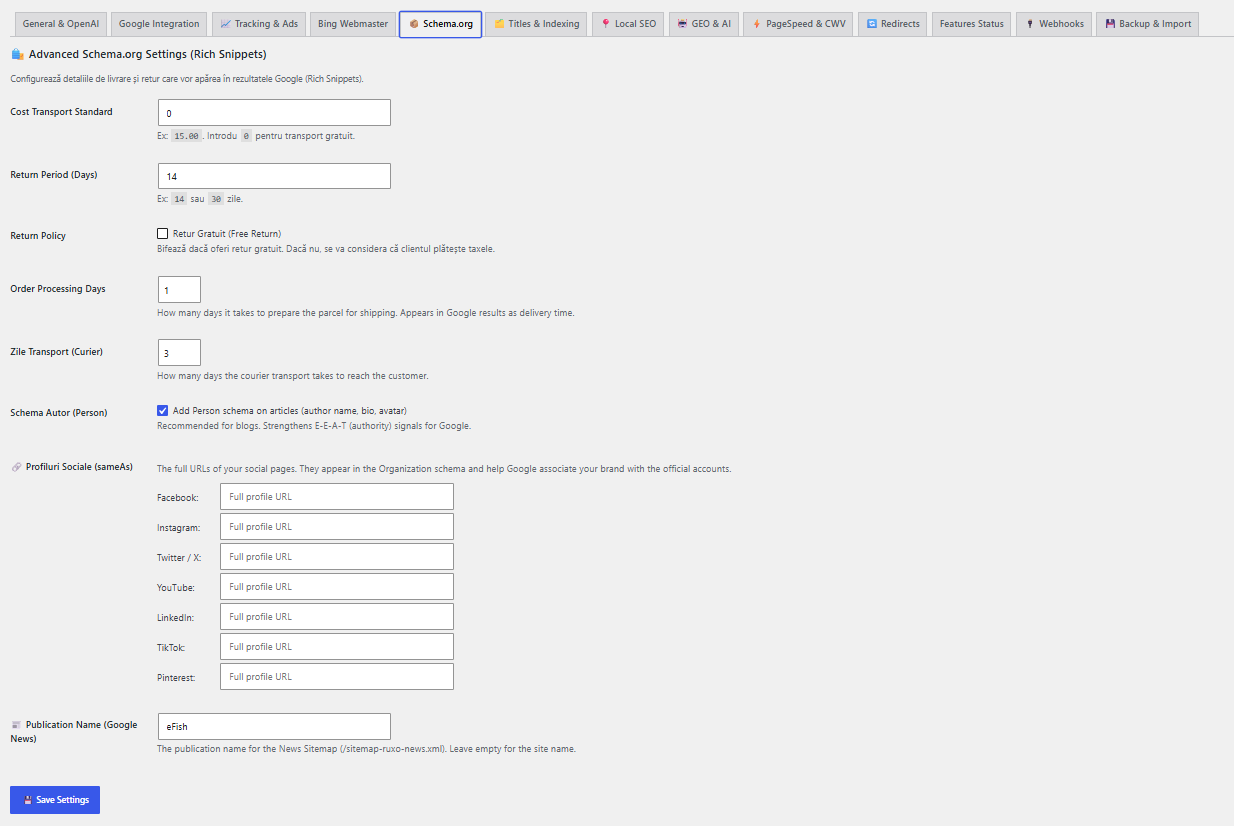
- Rich WooCommerce Offer details — price, availability, shipping time (OfferShippingDetails) and return policy (MerchantReturnPolicy) for eligible Google merchant rich results.
- Breadcrumbs — a configurable breadcrumb trail via shortcode with optional auto-display on WooCommerce products, matched by BreadcrumbList schema.
GEO — AI search optimization
Ruxo SEO’s differentiator: making your store visible inside AI answers.
- llms.txt and ai-context.txt files that describe your brand, products and key facts directly to AI crawlers and generative engines.
- GEO monitor that tracks how visible you are across ChatGPT, Perplexity and Google AI Overviews.
- AI Overview cannibalization monitor — detects keywords where several of your own pages compete against each other and proposes an AI-driven consolidation strategy.
Search Console, ranking & indexing
- Instant indexing with IndexNow — the moment you publish or update a product, Ruxo submits the URL to IndexNow-compatible engines (Bing, Yandex and others) for near-instant crawling.
- Google Indexing API & Bing Webmaster — request (re)indexing and pull traffic stats.
- Google Search Console dashboard — queries, clicks, impressions and positions, plus Low Hanging Fruits recommendations, right inside WordPress.
- Rank Tracker — track the keywords you care about with daily position history.
- Keyword Trends — interest-over-time data from Google Trends.
Technical SEO
- Sitemaps — image, video and Google News sitemaps.
- Redirect manager — 301/302/307/308 redirects with automatic slug-change detection (never lose a ranking to a renamed product).
- 404 monitor with optional AI-assisted auto-redirect to the best-matching page.
- Internal link suggestions (Link Whisperer) — find internal linking opportunities and detect orphan pages with no incoming links.
- Core Web Vitals from real-user CrUX data, plus scheduled PageSpeed monitoring.
- Indexing controls — granular noindex for author, date, empty-term, paginated and search archives, to stop thin and duplicate content from diluting your site.
Store & Local SEO
- Google Merchant Center sync, with an AI Quick Fix for feed errors.
- Local SEO — LocalBusiness schema plus optional Google Business Profile sync (import your name, address, opening hours and aggregate review rating straight from Google).
Analytics & tracking
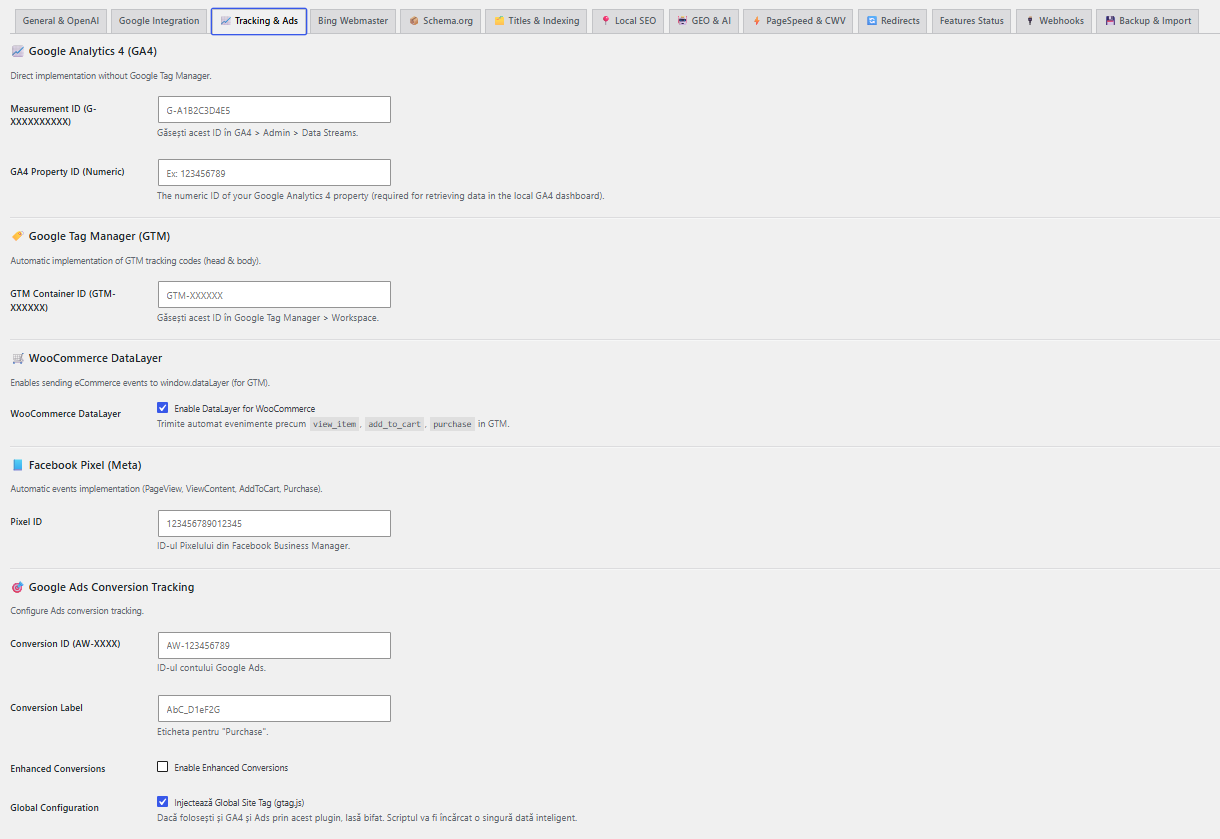
- GA4 dashboard and GA4 Enhanced Ecommerce, Google Ads conversion tracking, Facebook (Meta) Pixel, Google Tag Manager, dataLayer events and lead-conversion tracking — all toggled on only when you enter the matching ID.
Workflow, migration & data
- CSV import/export of your SEO meta for bulk editing outside WordPress.
- Custom webhooks (Zapier, Make and similar) fired on the events you choose.
- Migration — import your existing SEO data (titles, descriptions, focus keywords, canonicals, robots) from Yoast SEO and RankMath, even if those plugins are no longer active, so you switch without losing rankings.
Getting started
- Install & activate Ruxo SEO (WooCommerce must be active).
- Connect your AI — on WP 7.0+ pick your provider in Settings Connectors, or on WP 6.x paste your OpenAI / Gemini API key. Optionally connect Google (Search Console, Merchant Center, Business Profile).
- Bulk generate — open AI Bulk Generation, select your products, and let Ruxo write titles, descriptions, keywords and alt text across your whole catalog.
Ruxo SEO is built for WooCommerce and requires it to be active.
External Services
Ruxo SEO connects to several third-party services to provide its features. In every case, you supply your own account / API key, and data is sent directly from your site to the service provider — nothing is routed through ruxoseo.com, and the plugin has no “home-call” or telemetry mechanism. Each integration is optional and only becomes active once you enter the corresponding key or connect the corresponding account.
Below is the full list of external services, what they are used for, what data is sent, and when.
OpenAI (ChatGPT API)
Used for AI generation of SEO titles, meta descriptions, focus keywords, tags, and product descriptions, but only if you select OpenAI as your AI provider and enter an OpenAI API key. When you trigger a generation, the plugin sends the relevant product/post content (e.g. title, description, attributes) and your configured brand context to the OpenAI API. Data is sent only when you run a generation action.
Endpoint: https://api.openai.com
Terms: https://openai.com/policies/terms-of-use — Privacy: https://openai.com/policies/privacy-policy
Google Gemini (Generative Language API)
Alternative AI provider for the same generation features, active only if you select Gemini and enter a Google AI (Gemini) API key. The same content and brand context described above is sent to the Gemini API when you run a generation action.
Endpoint: https://generativelanguage.googleapis.com
Terms: https://ai.google.dev/gemini-api/terms — Privacy: https://policies.google.com/privacy
Google APIs (OAuth, Search Console, Indexing, Analytics, Merchant Center, PageSpeed Insights)
Used only if you connect your Google account (OAuth) and/or enable the relevant integration:
* Google Search Console — retrieves search performance data (queries, clicks, impressions, positions) for your verified property.
* Google Indexing API — submits your post/product URLs to request (re)indexing.
* Google Analytics (Data API / GA4) — retrieves aggregated analytics for your property to display in the dashboard.
* Google Merchant Center (Content API for Shopping) — syncs your product feed and retrieves feed errors.
* Google PageSpeed Insights — sends individual page URLs to obtain performance scores and Core Web Vitals (CrUX) data.
* Google Business Profile — if you connect it, retrieves your business locations, details (name, address, phone, hours), and aggregate review rating to sync your Local SEO fields and LocalBusiness schema. Data is exchanged only when you use the Local SEO import/refresh actions.
Data is sent only when you connect the account and use the specific feature, or when a scheduled audit you enabled runs.
Endpoints: https://accounts.google.com, https://oauth2.googleapis.com, https://www.googleapis.com, https://indexing.googleapis.com, https://analyticsdata.googleapis.com, https://shoppingcontent.googleapis.com, https://mybusinessaccountmanagement.googleapis.com, https://mybusinessbusinessinformation.googleapis.com, https://mybusiness.googleapis.com
Terms: https://policies.google.com/terms — Privacy: https://policies.google.com/privacy — API Services User Data Policy: https://developers.google.com/terms/api-services-user-data-policy
Google Trends
Used by the keyword trends feature to display interest-over-time data. The plugin queries Google’s public Trends endpoints with the keyword you enter. Data (the keyword) is sent only when you use the trends feature.
Endpoint: https://trends.google.com
Terms: https://policies.google.com/terms — Privacy: https://policies.google.com/privacy
Bing Webmaster Tools
Used to retrieve page/traffic statistics from Bing, active only if you enter a Bing Webmaster API key. Your site/page URLs are sent to the Bing Webmaster API when you use this feature.
Endpoint: https://ssl.bing.com/webmaster
Terms: https://www.bing.com/webmasters/about — Privacy: https://privacy.microsoft.com/privacystatement
IndexNow
Used to notify participating search engines when your content changes, active only if you enable IndexNow. The plugin submits the changed URLs and your generated IndexNow key. This happens when content is published/updated (if enabled) or when you trigger a manual submission.
Endpoint: https://api.indexnow.org
More info / terms: https://www.indexnow.org
Custom Webhooks (e.g. Zapier, Make)
Used only if you enter a webhook URL. When a trigger you configured fires, the plugin sends the associated event payload to the exact URL you provided. No webhook data is sent unless you configure a URL.
Endpoint: the URL you supply. Review the terms/privacy policy of whichever service you point the webhook to.
Front-end tracking scripts (loaded in your visitors’ browsers)
If you enable them, the plugin outputs standard tracking snippets that load third-party scripts directly in your visitors’ browsers. These send visitor/interaction data to the respective providers, subject to your own cookie-consent obligations. They are disabled until you enter the corresponding ID:
* Google Tag Manager / Google Analytics 4 — https://policies.google.com/terms , https://policies.google.com/privacy
* Google Ads (conversion tracking) — https://policies.google.com/terms , https://policies.google.com/privacy
* Facebook (Meta) Pixel — https://www.facebook.com/legal/terms , https://www.facebook.com/privacy/policy
Note: embedded media in sitemaps/schema may reference YouTube and Vimeo thumbnail/oEmbed URLs (https://www.youtube.com, https://img.youtube.com, https://player.vimeo.com). These are only contacted in the context of media you have added to your own content.
Third-Party Libraries
This plugin bundles the following third-party open-source library:
- Chart.js v4.5.1 — used to render the charts in the admin dashboards. Licensed under the MIT License. Source: https://github.com/chartjs/Chart.js — Copyright (c) Chart.js Contributors. The full, unminified source and the license text are included in
assets/vendor/chartjs/.
Details
Related plugins
Plugins that also contain the tag artificial-intelligence
Angie – Agentic AI for WordPress (Beta)

LLMs.txt Generator

AI Experiments

ContentBot AI Writer (ChatGPT, GPT4)

Chatbot with IBM watsonx Assistant

AI Provider for Anthropic


About
Plugin for that tries to help you find the WordPress plugin you are looking for.
| Please enjoy an image of Crush (this awesome turtle) and have a lovely day! |  |
We do not own any plugin listed on this site and do not work for or work with WordPress.com or it's associated companies. We simply provide a searchable list of the available WordPress plugins.