


SafeGrd Backup
SafeGrd Backup backs up a WordPress site, its database, wp-config.php, .htaccess and wp-content, to SafeGrd-hosted storage. Each backup is encrypted on your server before it leaves, and the storage refuses to delete it before its date, whoever asks. SafeGrd then restores the newest backup on a schedule and checks what came back, so a backup that would not restore is found before you need it.
The free plan covers one site. What each plan includes is at https://safegrd.dev/pricing.
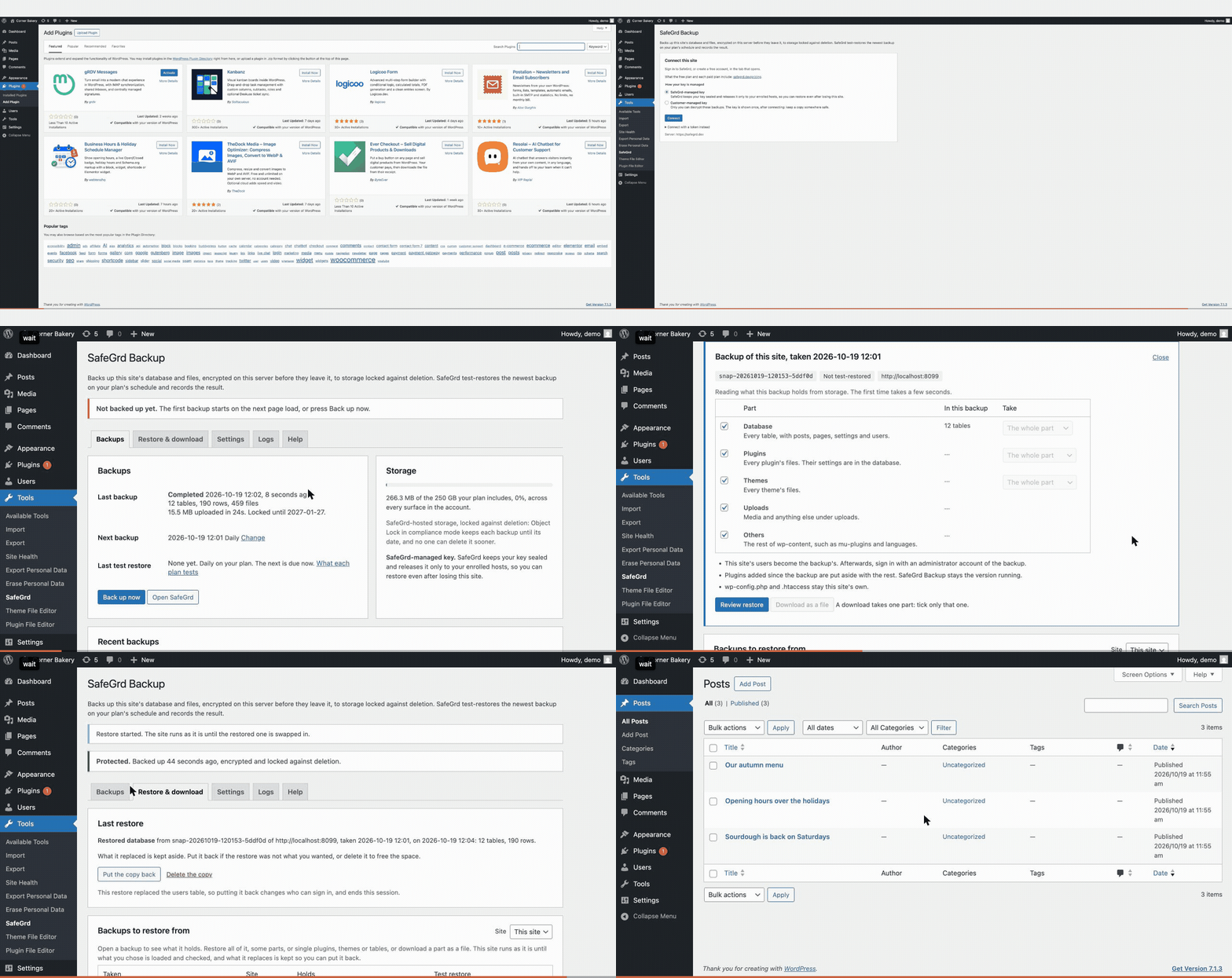
On Tools, SafeGrd
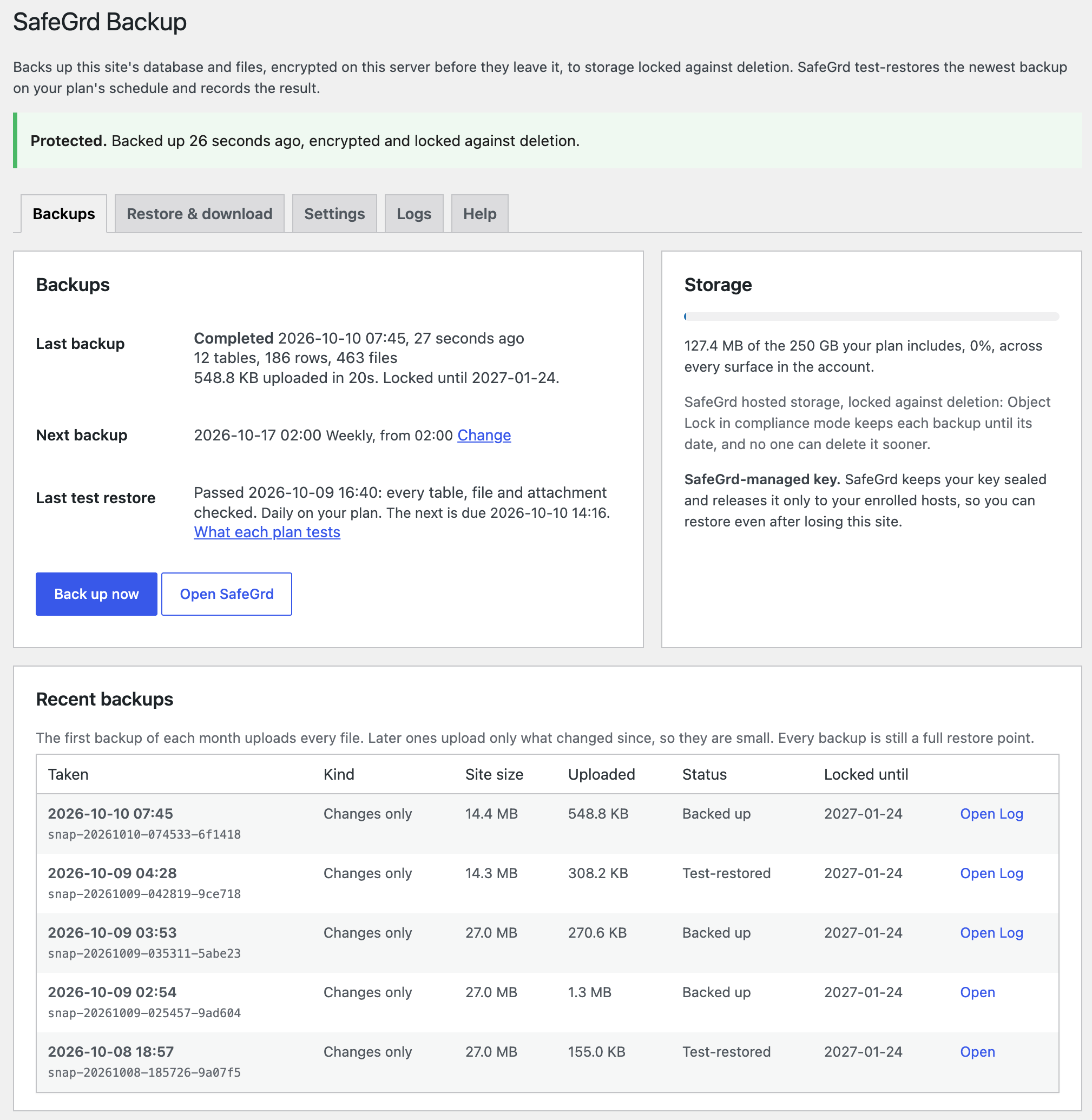
- Backups: one line saying whether the site is backed up, then the last backup, the next one and the last test restore, with how often your plan test-restores and when the next is due. Hosted storage used against what your plan includes, with SafeGrd’s warning from 80%. Recent backups, each marked as the month’s full upload, an incremental one or a full copy, beside the site’s size.
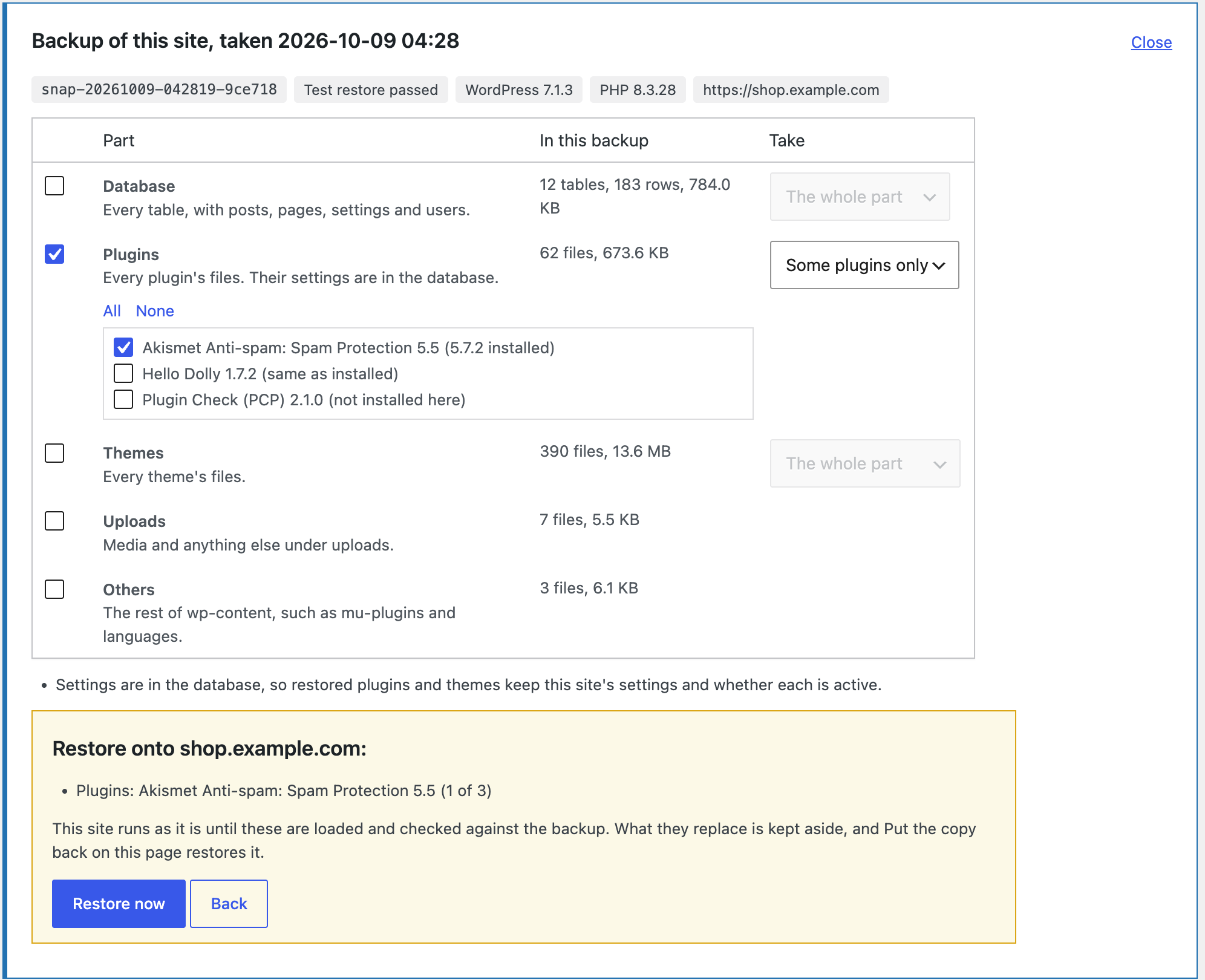
- Restore & download: this site’s backups, or any WordPress site’s in the account. Open one to see what it holds, then restore all of it, some parts (database, plugins, themes, uploads, the rest of wp-content), or single plugins, themes or tables, each listed with the version installed now. A review lists what will be replaced first, and Put the copy back undoes the restore. Download a part, or single items, as a file. Migrate a site to a new host or domain the same way.
- Updates, Plugins and Themes: how old the last backup is, with Back up now, while updates wait.
- Settings: back up daily or weekly, from an hour you choose, and before each plugin, theme or core update if you turn it on. Leave out paths or file names, such as *.zip.
- Logs: what the last 20 backups, restores and downloads printed.
- Help: the WordPress guide, support, alerts, and diagnostics to copy into a request, with no token or key in them.
What is in a backup
- Every table with the site’s table prefix, read in one consistent snapshot.
- wp-config.php, .htaccess and wp-content: uploads, themes and plugins. Caches, the upgrade directory, debug.log and other backup plugins’ archives are left out.
- A manifest with the row count of every table, the site URL, and the WordPress and PHP versions.
Each backup is a complete snapshot, stored incrementally: a run uploads only what changed since the last, so an unchanged image, theme or table is not uploaded again. The first backup of each month uploads everything once. On the free plan each backup is a full copy instead: it is locked for its first day and kept up to 7 days.
The test restore
On your plan’s schedule SafeGrd decrypts the newest backup on its own machines and checks that the archive opens with the key, that the database dump is complete with every table’s rows, that every file matches the digest recorded beside it, and that every attachment the database names is in the archive. Tools, SafeGrd shows the result, and a failed check is reported to you.
Who keeps the key
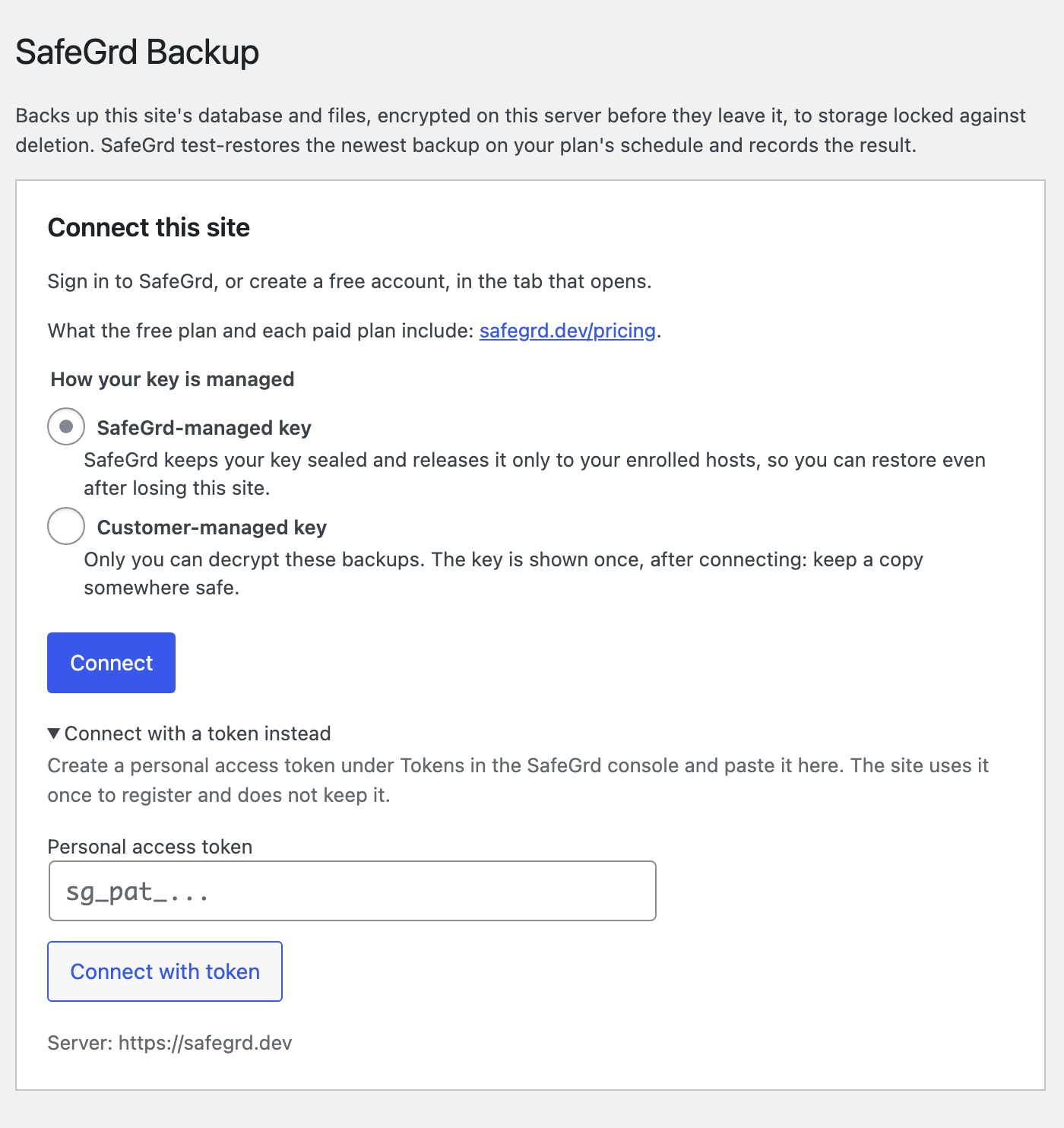
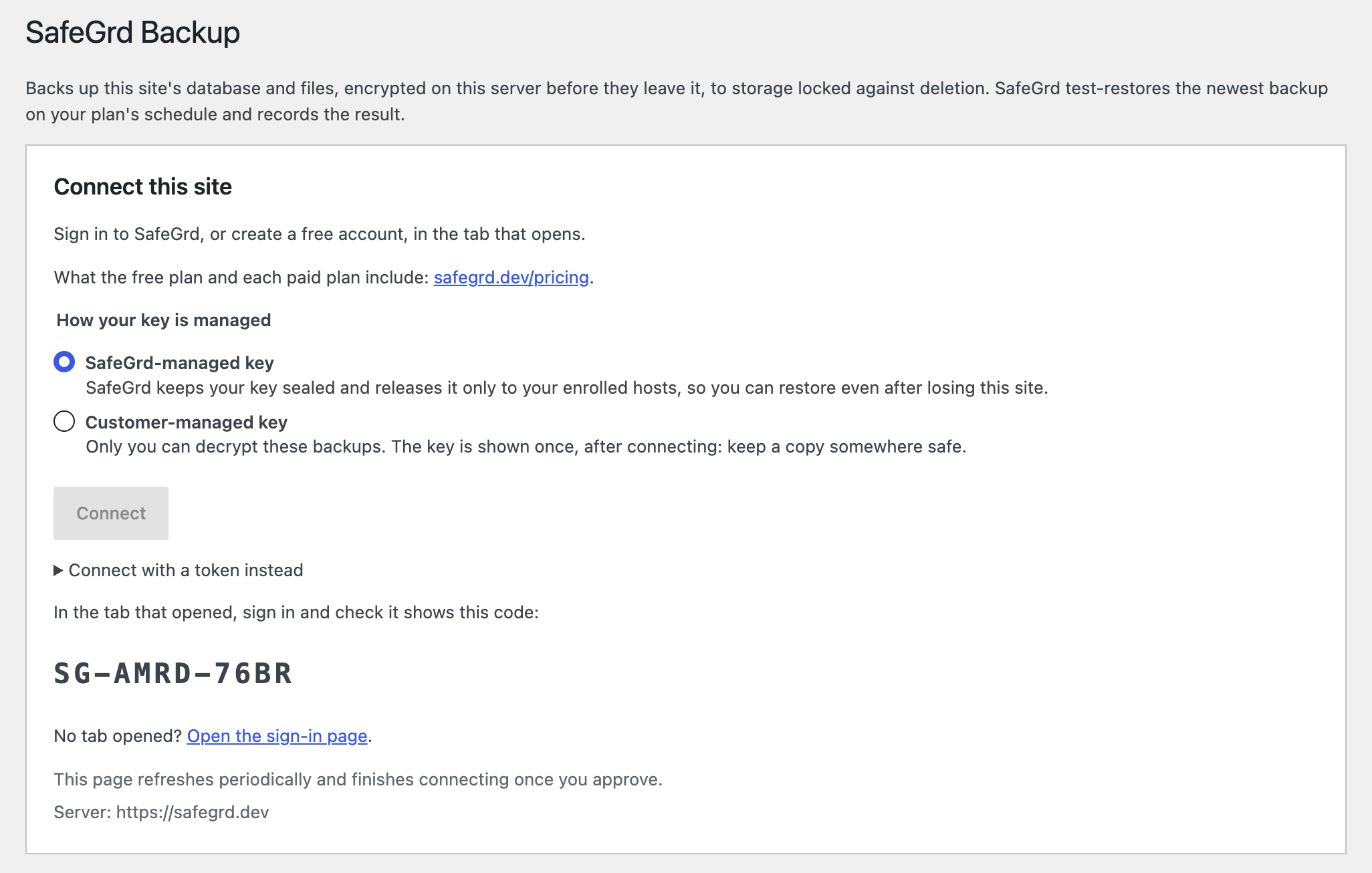
The backup is encrypted with age on your server. Choose who keeps the key when you connect:
- SafeGrd-managed key (the default): SafeGrd keeps your key sealed and releases it only to your enrolled hosts, so you can restore even after losing this site. SafeGrd’s test restores use it.
- Customer-managed key: only you can decrypt these backups. The key is shown once, when the site connects. Keep a copy somewhere safe, such as a password manager. The site stores only its public half.
Restore and migrate
From Tools, SafeGrd, on this site or on a fresh WordPress install connected to the same account. The site keeps running on its own database and files until every table and file is loaded and checked against the backup. Then one step swaps them in, and what they replaced is kept until you delete it. A different site URL gets a search and replace in the database, serialized data included, and the tables are renamed to the new table prefix. The same works from WP-CLI with wp safegrd restore.
Hosts that stop long requests
A backup runs in slices of a few seconds, each its own request, so shared and managed hosting that stops long requests does not stop the backup. Each slice starts the next with a request to the site’s own address. Where a firewall or the host blocks that, Tools, SafeGrd says so, with what to change, and runs the backup itself while the page is open. The plugin is PHP only and needs nothing installed beside WordPress: PHP 7.4 or newer with the sodium, zlib and mysqli extensions, which PHP includes.
WP-CLI
wp safegrd connect, backup, status, snapshots, contents, schedule (with –before-updates=on|off), restore (with –only=plugins,themes, or –plugins, –themes and –tables for single ones, and –undo), download and logs do the same as Tools, SafeGrd, for a host with a shell and for a cron job where PHP has no time limit. WP-CLI is not needed to set up or run the plugin.
External service
This plugin sends backups to SafeGrd (https://safegrd.dev), a backup service. Nothing is sent until you connect the site on Tools, SafeGrd, or with wp safegrd connect.
- safegrd.dev receives the site’s name and URL, the database name, the WordPress and PHP versions, table row counts, file counts, and the time and size of each backup. It holds the site’s key sealed when you choose a SafeGrd-managed key. Terms: https://safegrd.dev/terms. Privacy: https://safegrd.dev/privacy.
- The encrypted backups are uploaded from this server straight to SafeGrd’s storage bucket at Backblaze B2 (s3.us-east-005.backblazeb2.com), through URLs safegrd.dev signs for each upload. A restore downloads them the same way. Backblaze terms: https://www.backblaze.com/company/policy/terms-of-service. Privacy: https://www.backblaze.com/company/policy/privacy. SafeGrd’s sub-processors are listed at https://safegrd.dev/subprocessors.
Details

Related plugins
Plugins that also contain the tag backup
All-in-One WP Migration and Backup

UpdraftPlus: WP Backup & Migration Plugin

Jetpack – WP Security, Backup, Speed, & Growth

ManageWP Worker

WPvivid — Backup, Migration & Staging

Backuply – Backup, Restore, Migrate and Clone


About
Plugin for that tries to help you find the WordPress plugin you are looking for.
| Please enjoy an image of Crush (this awesome turtle) and have a lovely day! |  |
We do not own any plugin listed on this site and do not work for or work with WordPress.com or it's associated companies. We simply provide a searchable list of the available WordPress plugins.