


SaniGlyph SVG
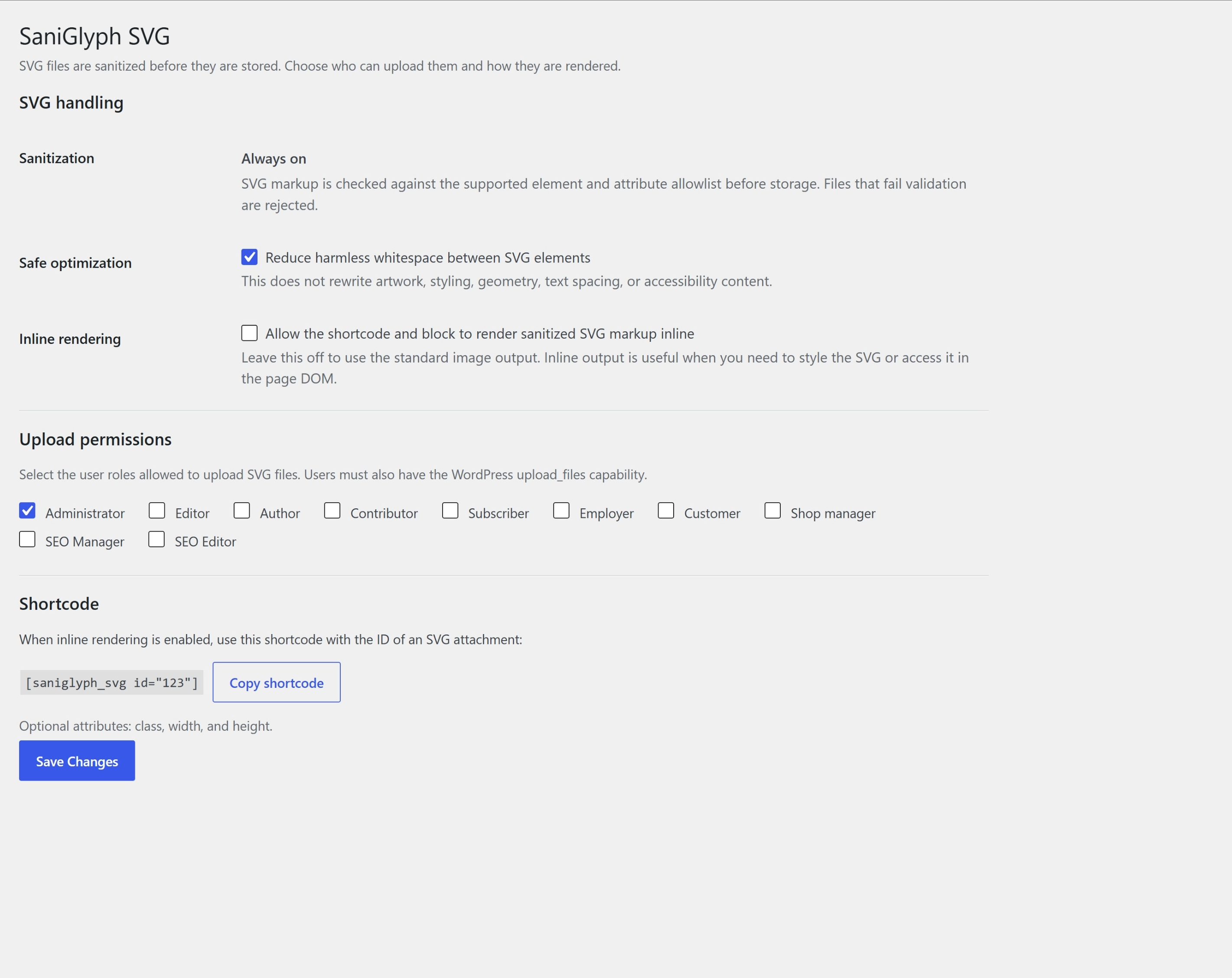
SaniGlyph SVG enables SVG uploads for selected WordPress roles while keeping sanitization permanently enabled.
SVG files are XML-based and can contain active or externally referenced content. SaniGlyph SVG uses a fail-closed, allowlist-based validation pipeline before an uploaded SVG is stored. Unsafe or unsupported SVGs are rejected rather than silently rewritten. Valid SVGs keep their original fills, strokes, CSS, gradients, XML formatting, and exporter-specific presentation markup.
Features
- Always-on SVG sanitization. It cannot be disabled from the settings screen.
- Plain
.svguploads only. Compressed.svgzuploads are intentionally not enabled. - Conservative optimization that preserves geometry, text spacing, and title/description accessibility content.
- Role-based upload permissions in addition to WordPress’ normal
upload_filescapability; administrators are the secure default for new installs. - SVG dimensions and previews in the Media Library.
- Optional inline rendering through the
[saniglyph_svg]shortcode. - Dynamic Inline SVG block for the block editor.
- No external services, telemetry, tracking, or remote code.
Inline shortcode
Enable inline rendering under Settings > SaniGlyph SVG, then use:
[saniglyph_svg id="123"]
Optional attributes:
[saniglyph_svg id="123" class="site-logo" width="160" height="48"]
Inline output is validated again at render time and escaped with a dedicated SVG KSES allowlist immediately before WordPress renders it. Scoped CSS rules preserve approved fills, strokes, gradients, filters, and local fragment references without changing KSES behavior elsewhere on the site.
What makes SaniGlyph different?
SaniGlyph focuses on a narrow security-and-fidelity workflow rather than merely adding the SVG MIME type. It rejects the complete upload when unsupported active content is found instead of silently removing pieces from the artwork. Accepted files pass validation before storage, again after optional optimization, and again before inline output. Inline shortcode and block callbacks then apply WordPress KSES output escaping with SVG-specific rules scoped to that single render operation.
Details
Related plugins
Plugins that also contain the tag block
Spectra Gutenberg Blocks – Website Builder for the Block Editor

Breadcrumb NavXT

WP Go Maps (formerly WP Google Maps)

Otter Blocks – Gutenberg Blocks, Page Builder for Gutenberg Editor & FSE

PDF Embedder

Layout Grid Block

About
Plugin for that tries to help you find the WordPress plugin you are looking for.
| Please enjoy an image of Crush (this awesome turtle) and have a lovely day! |  |
We do not own any plugin listed on this site and do not work for or work with WordPress.com or it's associated companies. We simply provide a searchable list of the available WordPress plugins.