


Save & Go
Save & Go (Save and Go) adds a sleek, modern save button to the post editor that, in a single click, saves the current post and immediately takes you where you want to go next. It works in both the block editor (Gutenberg) and the classic editor — same settings, same behavior, everywhere.
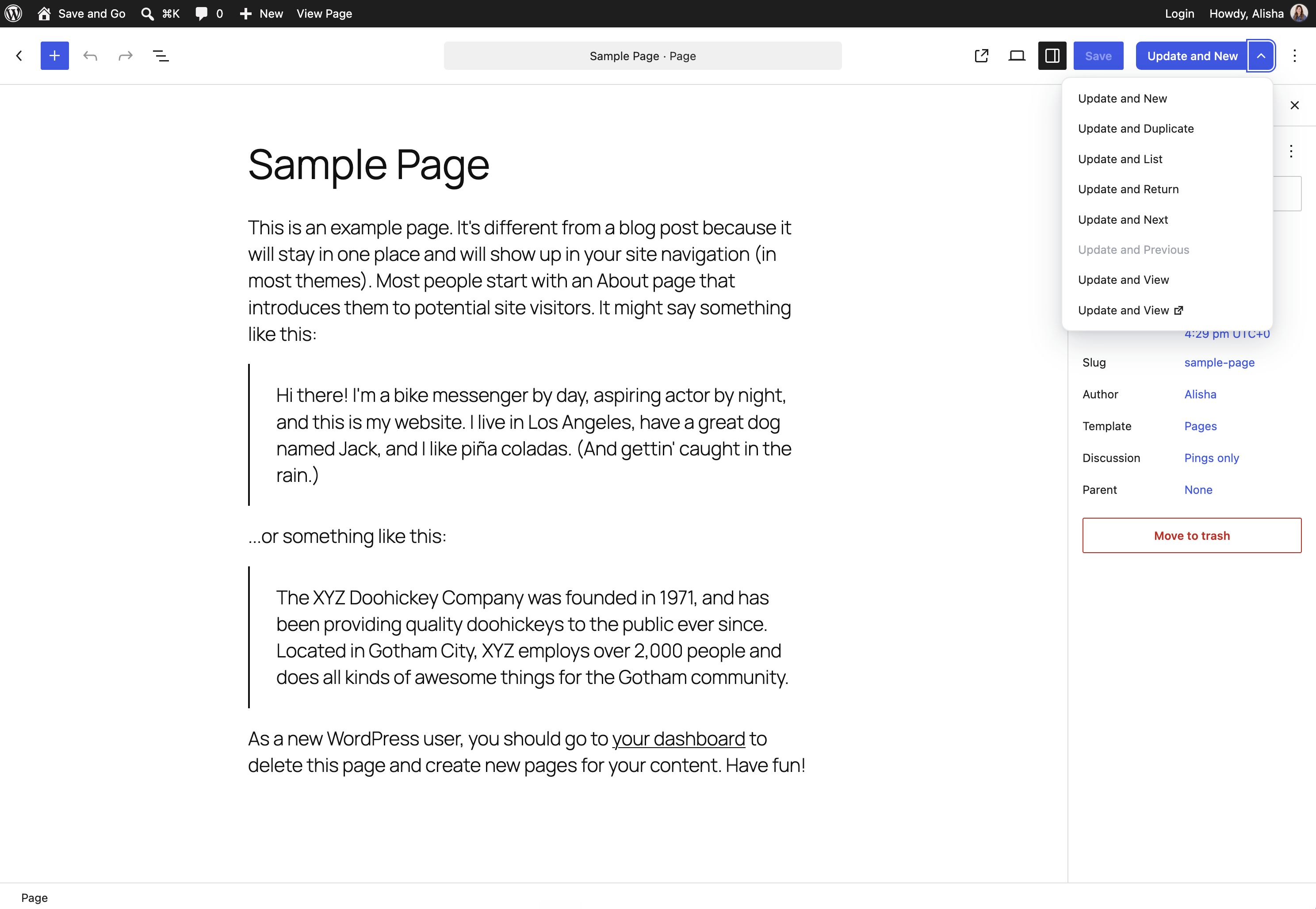
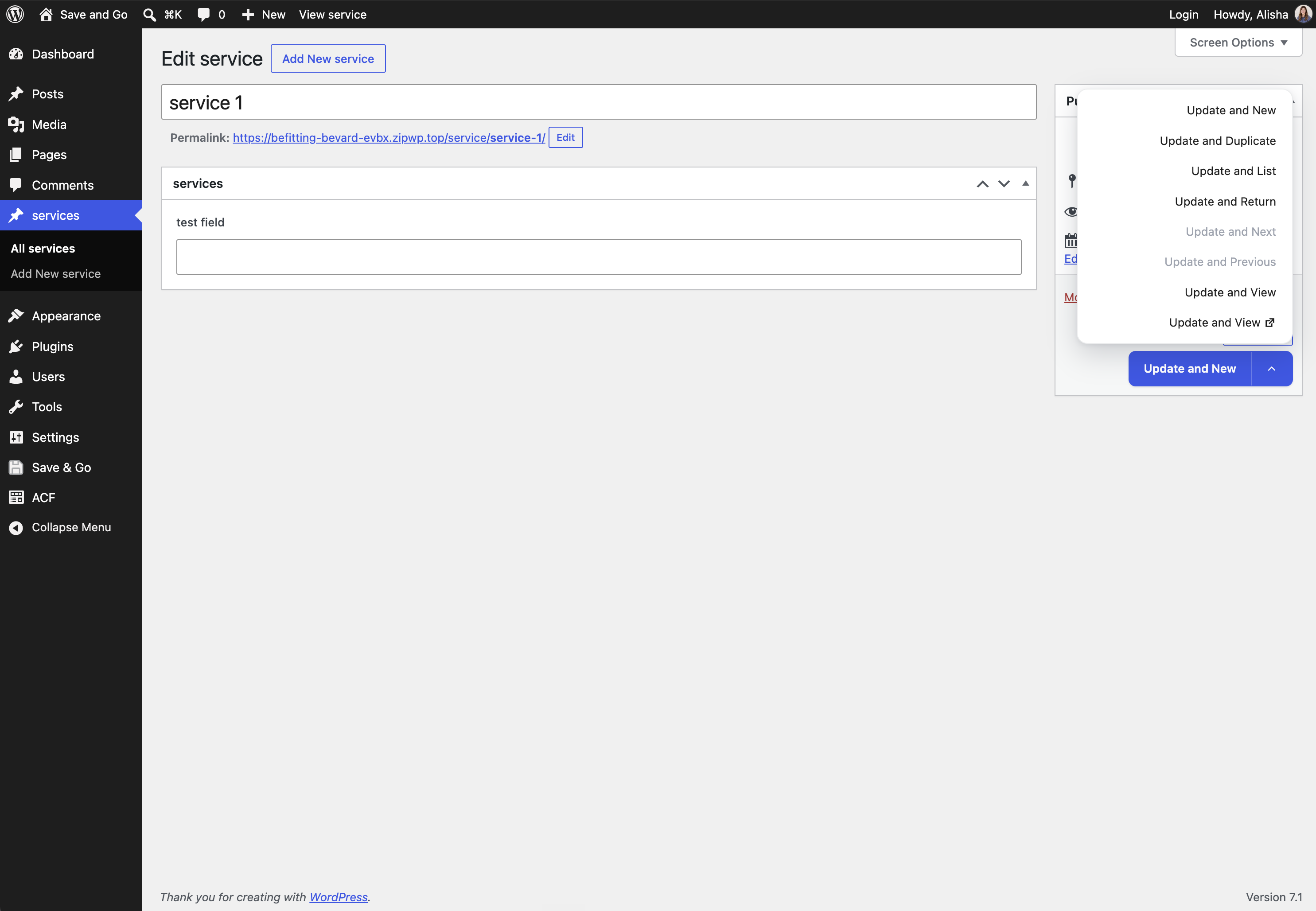
The following actions are available:
- Save and New: saves the current post and goes to the New Post screen.
- Save and Duplicate: saves the post, duplicates it (as a draft) and opens the duplicate’s edit screen.
- Save and List (a.k.a. Save and Close): saves the post and goes back to the posts list — keeping your filters and pagination.
- Save and Return: saves the post and returns you to the page you were on just before, no matter which page.
- Save and Next: saves the post and opens the next post’s edit screen.
- Save and Previous: saves the post and opens the previous post’s edit screen.
- Save and View (same or new window): saves the post and shows the post’s page on your site.
Save & Go saves you a lot of time when you have multiple posts, pages or custom posts to create or modify. It works with posts, pages and custom post types, on single sites and multisite.
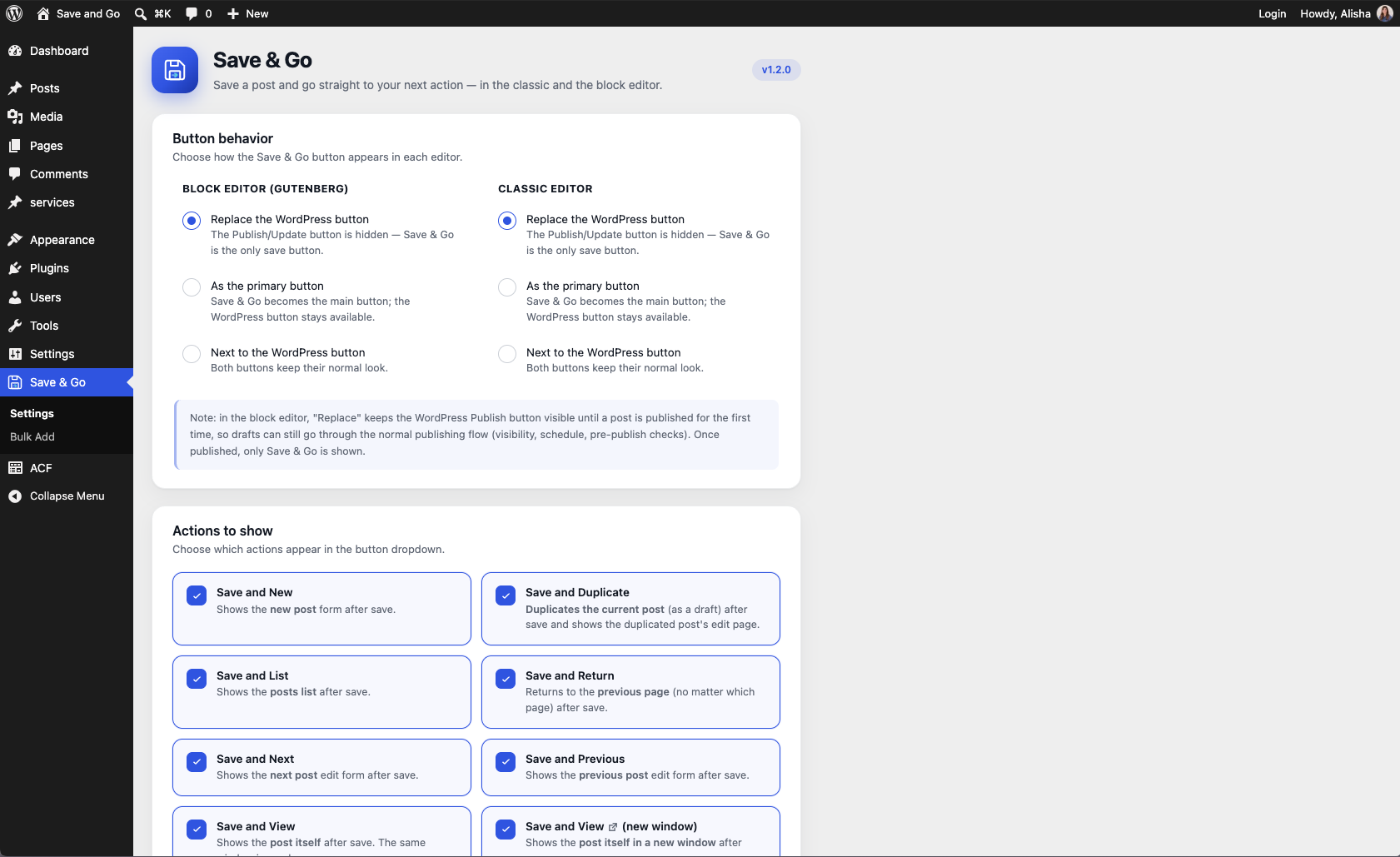
Through the plugin’s modern settings page (its own “Save & Go” menu in the admin sidebar), you can choose which actions to show, which one is the default, and whether the Save & Go button is displayed as the primary button — with separate toggles for the block editor and the classic editor, so you can make it the default in one, the other, or both.
Bulk Add
Already know all the pages or posts your site needs? The Bulk Add page (Save & Go > Bulk Add in the admin menu) lets you create many posts, pages or custom post type entries at once: one row per post, with its title, an optional slug (auto-formatted as you type — spaces become dashes) and a status (Published, Draft, Pending review or Private). Type them in, click once, and fill in the content later.
Block editor (Gutenberg) support
Unlike older plugins of this kind, Save & Go is built for the block editor: the button sits right in the editor’s header next to the Publish button, waits for the save to finish, and then takes you to your next action. No page tricks, no disabling Gutenberg.
For developers
Extra actions can be registered from your own plugin or theme through the save_and_go_load_actions filter — add an instance of a class extending Save_And_Go_Action to the array and it will show up in the settings and in the button.
Credits
Save & Go is based on the “Improved Save Button” plugin by Label Blanc (GPLv3), rewritten and extended by Alisha Thomas with block editor support, a modernized interface and hardened code.
Details


About
Plugin for that tries to help you find the WordPress plugin you are looking for.
| Please enjoy an image of Crush (this awesome turtle) and have a lovely day! |  |
We do not own any plugin listed on this site and do not work for or work with WordPress.com or it's associated companies. We simply provide a searchable list of the available WordPress plugins.