


sBird Post Slug Block
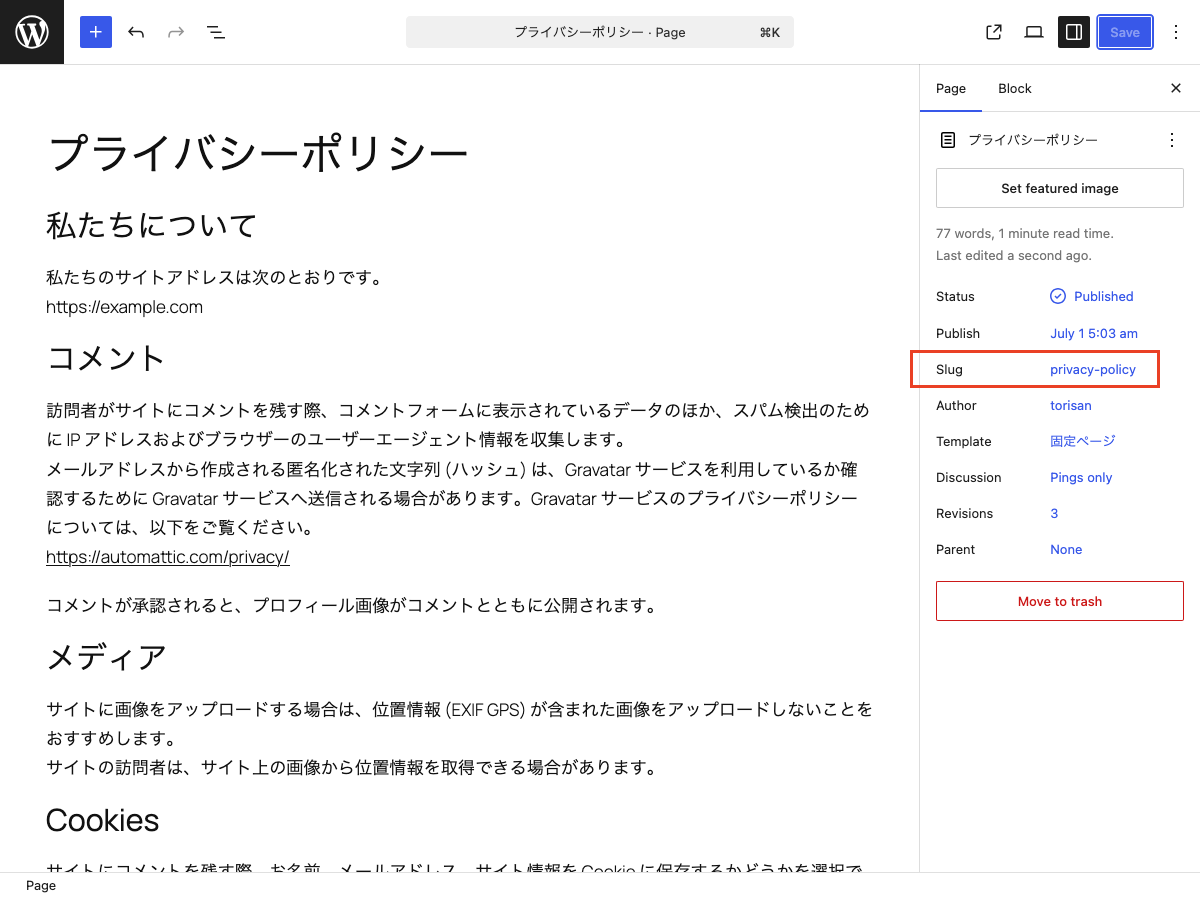
This block is designed for use in templates in the Site Editor. It displays the current post’s slug on single posts and pages. On archive pages, it displays the slug of the current category or custom post type.
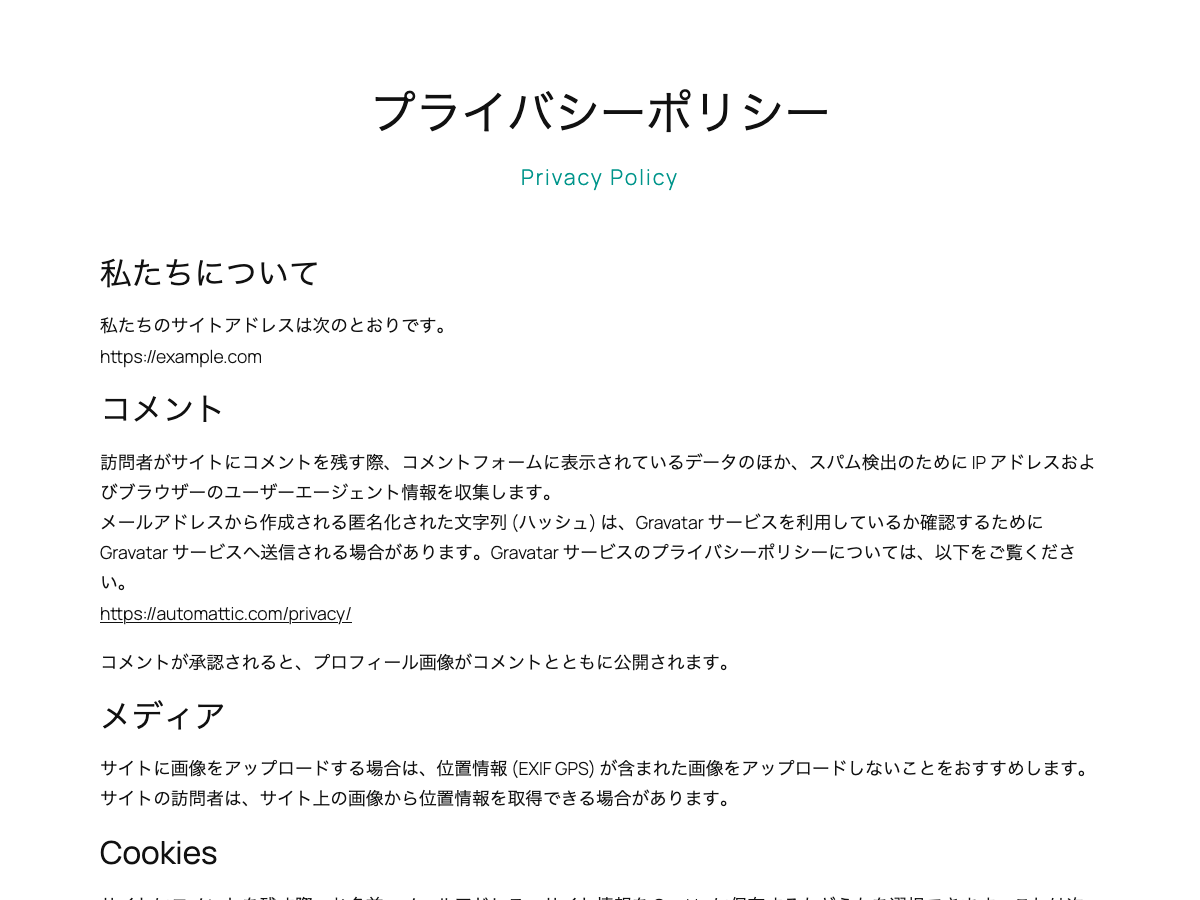
Hyphens in slugs are displayed as spaces.
You can use the displayed slug as supporting text for headings or as a design accent.
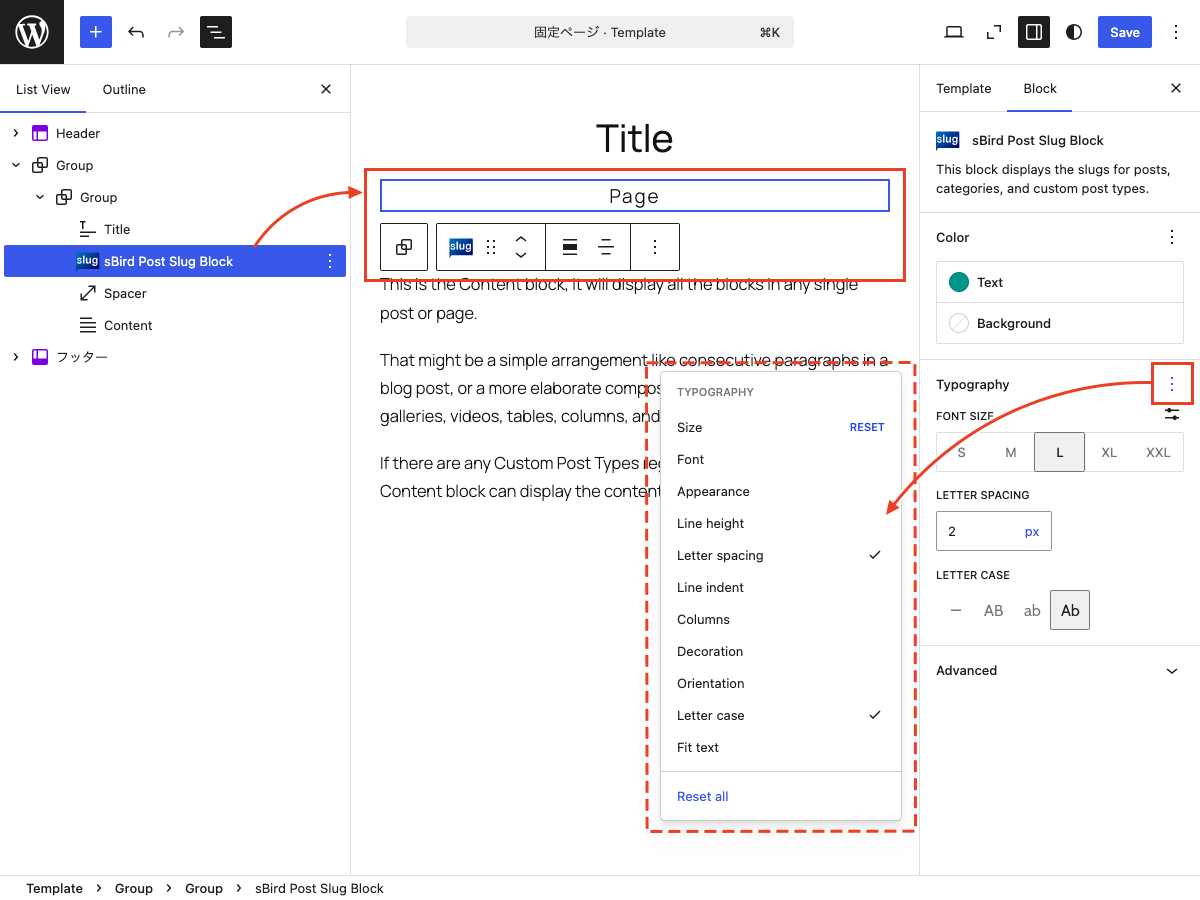
It extends the core Paragraph block, so you can use the same styling options available to Paragraph blocks.
Usage
- Add the “sBird Post Slug Block” to a template in the Site Editor.
- You can use the block on single posts, pages, and archive pages.
- As with the Paragraph block, you can customize the text color, background color, font size, and typography.
Details
Related plugins
Plugins that also contain the tag block
Spectra Gutenberg Blocks – Website Builder for the Block Editor

Breadcrumb NavXT

WP Go Maps (formerly WP Google Maps)

Otter Blocks – Gutenberg Blocks, Page Builder for Gutenberg Editor & FSE

PDF Embedder

Layout Grid Block

About
Plugin for that tries to help you find the WordPress plugin you are looking for.
| Please enjoy an image of Crush (this awesome turtle) and have a lovely day! |  |
We do not own any plugin listed on this site and do not work for or work with WordPress.com or it's associated companies. We simply provide a searchable list of the available WordPress plugins.