



Scruter CMP
Scruter CMP shows a consent banner on your site, holds back the trackers until the visitor agrees, and keeps a proof of every choice. This plugin installs it on WordPress:
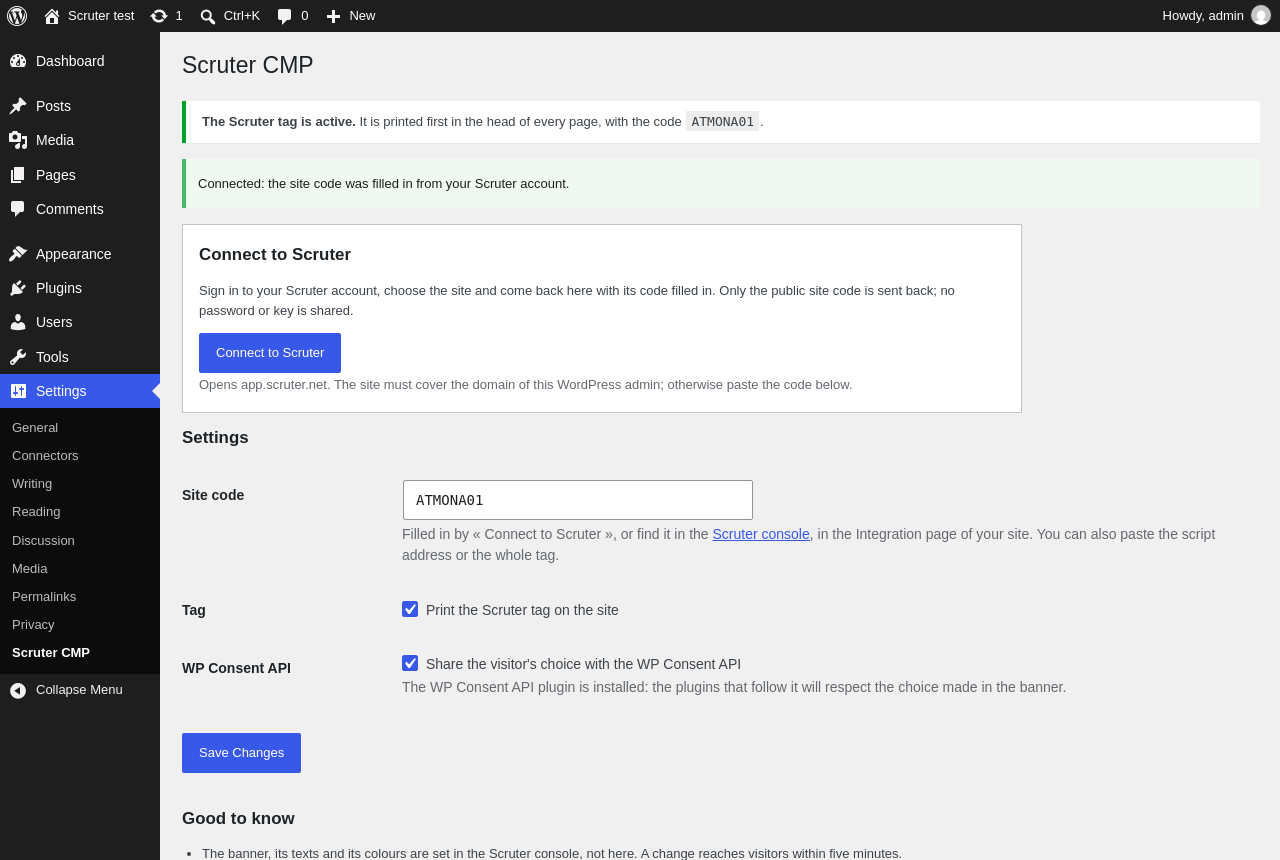
- prints the Scruter tag first in the head of every page, before any other script, so trackers are blocked before they can run;
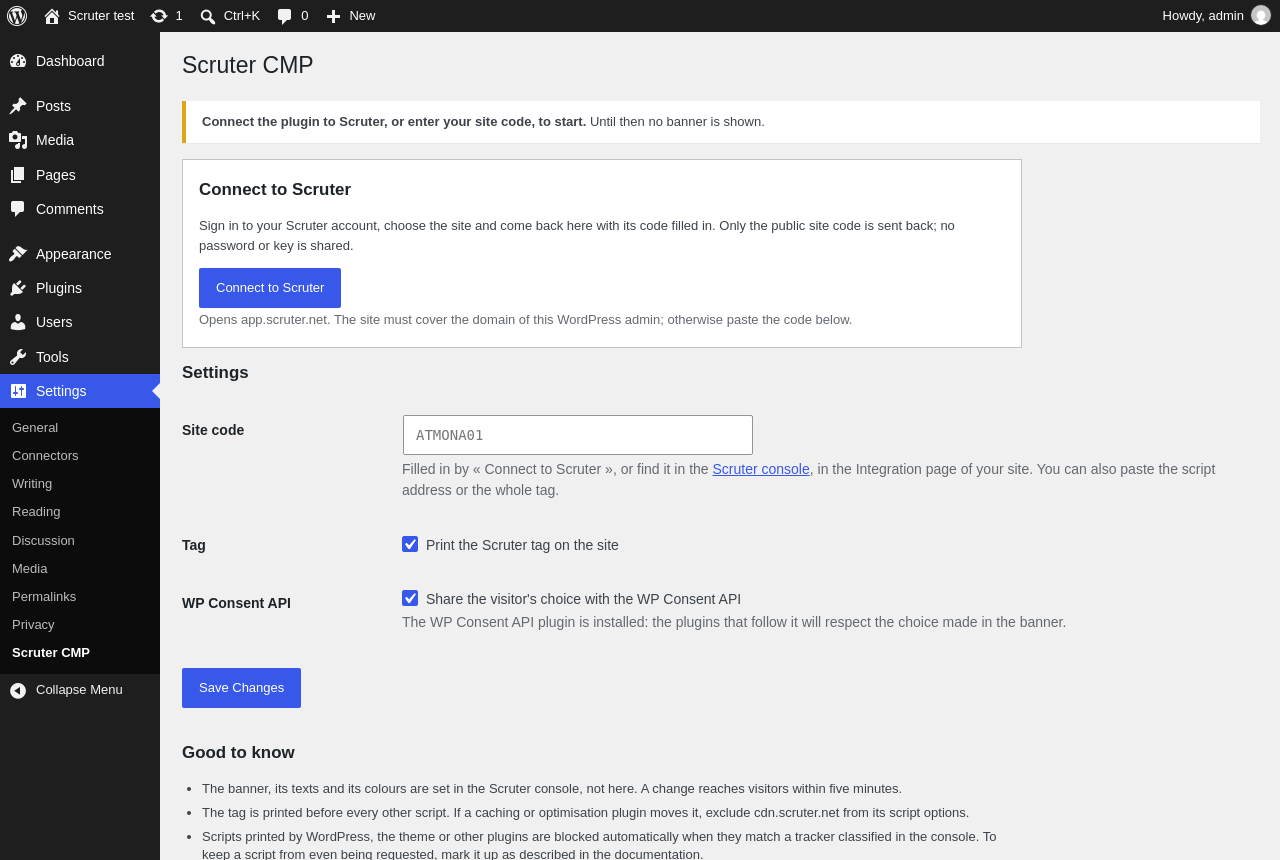
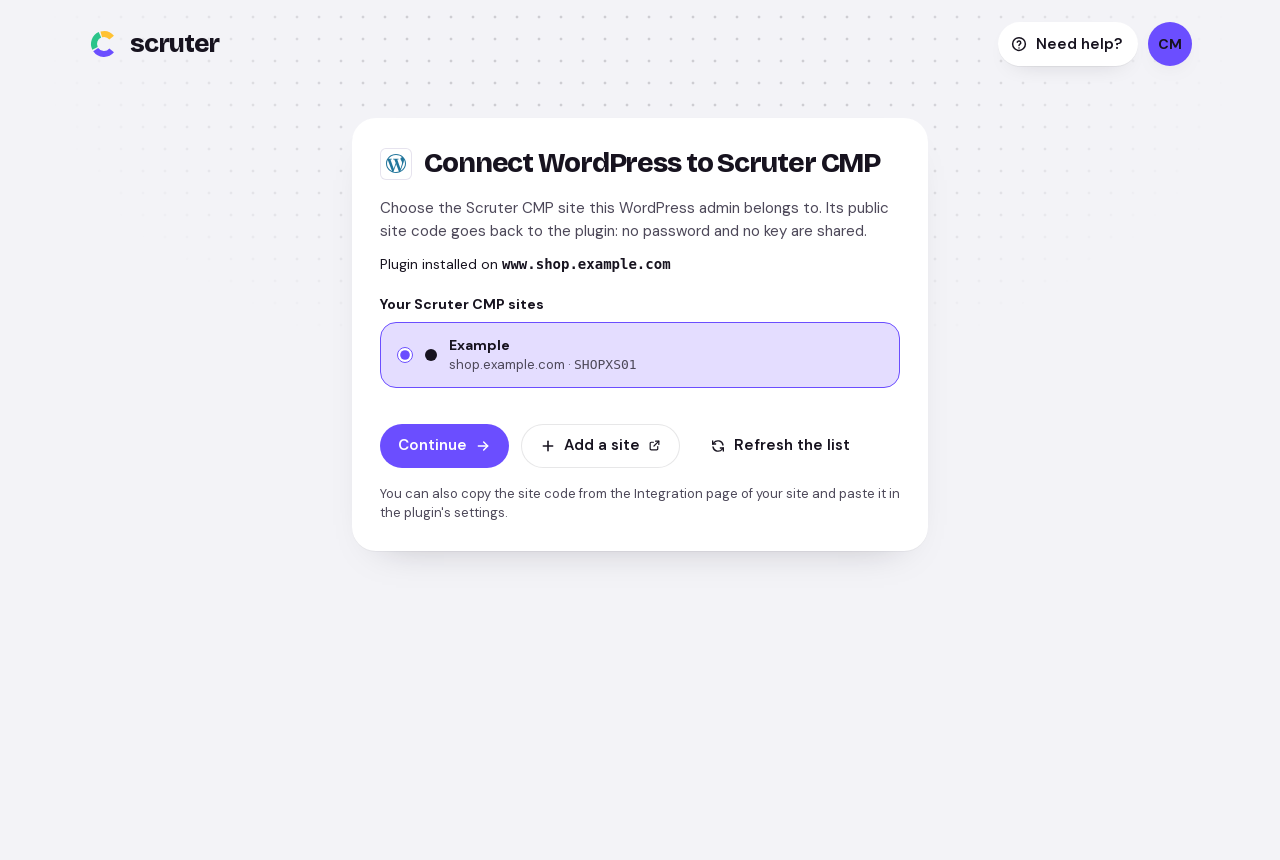
- « Connect to Scruter »: one click opens your Scruter account, you choose the site and come back with its code filled in (or paste the code yourself, Settings › Scruter CMP);
- shares the visitor’s choice with the WP Consent API, so that plugins that follow it (analytics, maps, forms…) respect the banner;
- keeps the tag in place against caching and optimisation plugins (it is never deferred, delayed or combined).
The banner, its texts, its colours, the classification of the trackers, Google Consent Mode and the IAB TCF are set in the Scruter console, not in WordPress. A change reaches visitors within five minutes.
You need a Scruter CMP account and a site: scruter.net/cmp.
How the choice reaches the WP Consent API
When the WP Consent API plugin is active, the choice made in the banner is copied to its categories on each page load and on each decision:
- necessary: functional (always allowed);
- functional and personalization: preferences;
- analytics: statistics and statistics-anonymous;
- advertising: marketing.
Embedded contents and custom purposes have no category in the API: the Scruter script holds them back itself.
External services
This plugin connects your site to Scruter CMP, a consent management service operated by Scruter (a European company, servers in the European Union). It is the plugin’s purpose: without a Scruter CMP site, the plugin prints nothing.
1. The Scruter CMP site script, on the public pages of your site. Once a site code is set and the tag is switched on, every page of the public site includes https://cdn.scruter.net/cmp/<site code>.js (not the WordPress admin, the feeds or the embeds). The visitor’s browser loads it from the Scruter CDN on each page view: it shows the consent banner, blocks the trackers until the visitor agrees and records the choice. What reaches Scruter: the usual HTTP request (the visitor’s IP address and user agent are used to answer and are not stored), the address of the page, and, when the visitor decides, the choice made (consent proof: date, banner version, purposes accepted or refused). Scruter sets no cookie other than the first-party scruter_consent cookie that stores the visitor’s choice (and scruter_tcf when the IAB TCF is enabled for the site).
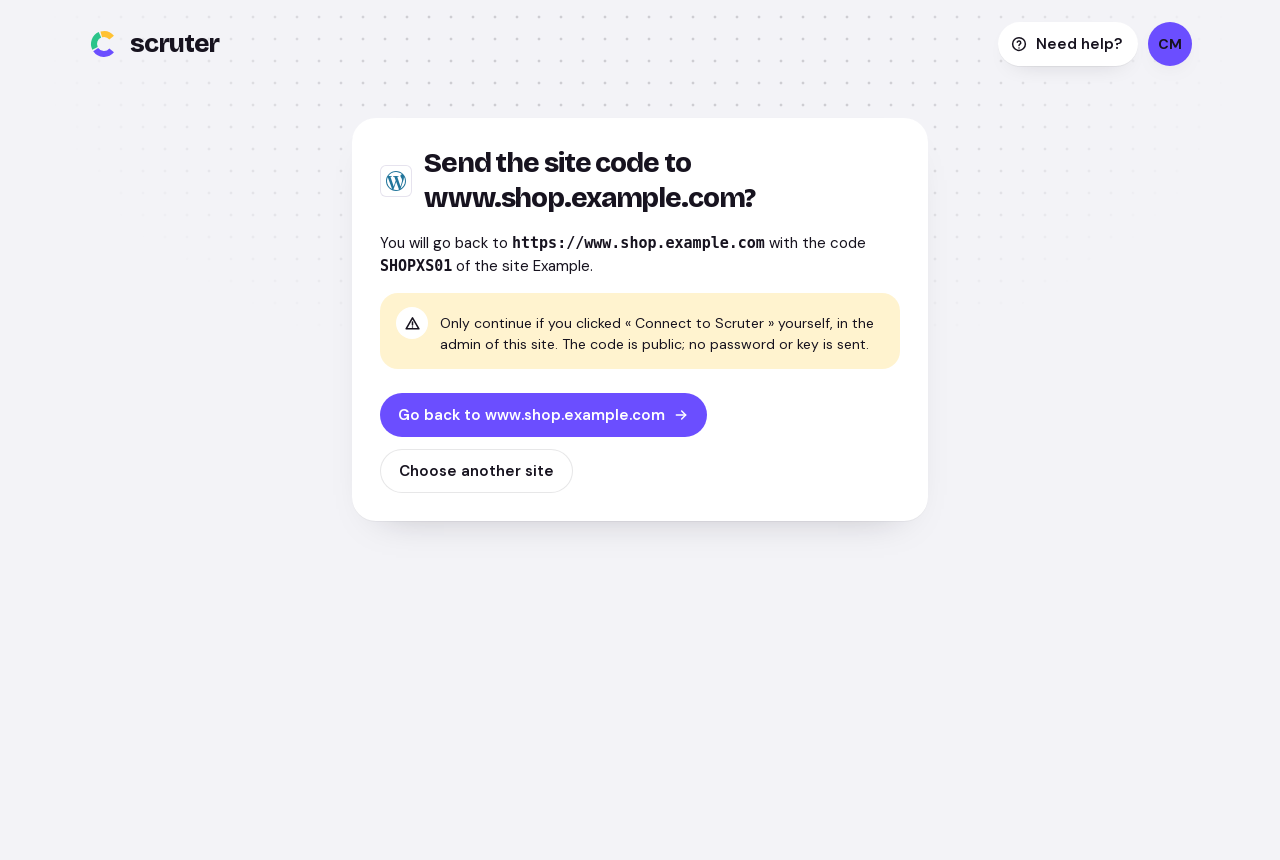
2. The Scruter console, when an administrator clicks « Connect to Scruter ». The browser of the administrator goes to https://app.scruter.net/integrations/connect with the address of this settings page and a random, single-use value; after signing in and choosing the site, the console sends the browser back with the site’s public code. Nothing about your WordPress installation, its users or its content is sent, and nothing happens unless the administrator clicks the button.
The plugin itself makes no request from your server.
Service provided by Scruter: terms of use, privacy policy, data processing agreement.
Details
Related plugins
Plugins that also contain the tag consent
Complianz – GDPR/CCPA Cookie Consent

Cookie Notice & Compliance for GDPR / CCPA

CookieAdmin – Cookie Consent Banner

WP Consent API

WPConsent – Cookie Consent Banner for Privacy Compliance (GDPR / CCPA)

TermsFeed AutoTerms: Privacy Policy Generator, Cookie Consent, GDPR, CCPA, Terms & Conditions, Disclaimers, Cookies Policy, EULA


About
Plugin for that tries to help you find the WordPress plugin you are looking for.
| Please enjoy an image of Crush (this awesome turtle) and have a lovely day! |  |
We do not own any plugin listed on this site and do not work for or work with WordPress.com or it's associated companies. We simply provide a searchable list of the available WordPress plugins.