



SeatHive Event Ticketing
SeatHive turns your WordPress site into a complete ticketing system — free, with no license key and no commission per ticket.
- Ticket types — Regular, VIP, Early bird, Family pack… each with its own price, quota, per-order limit and sales end date.
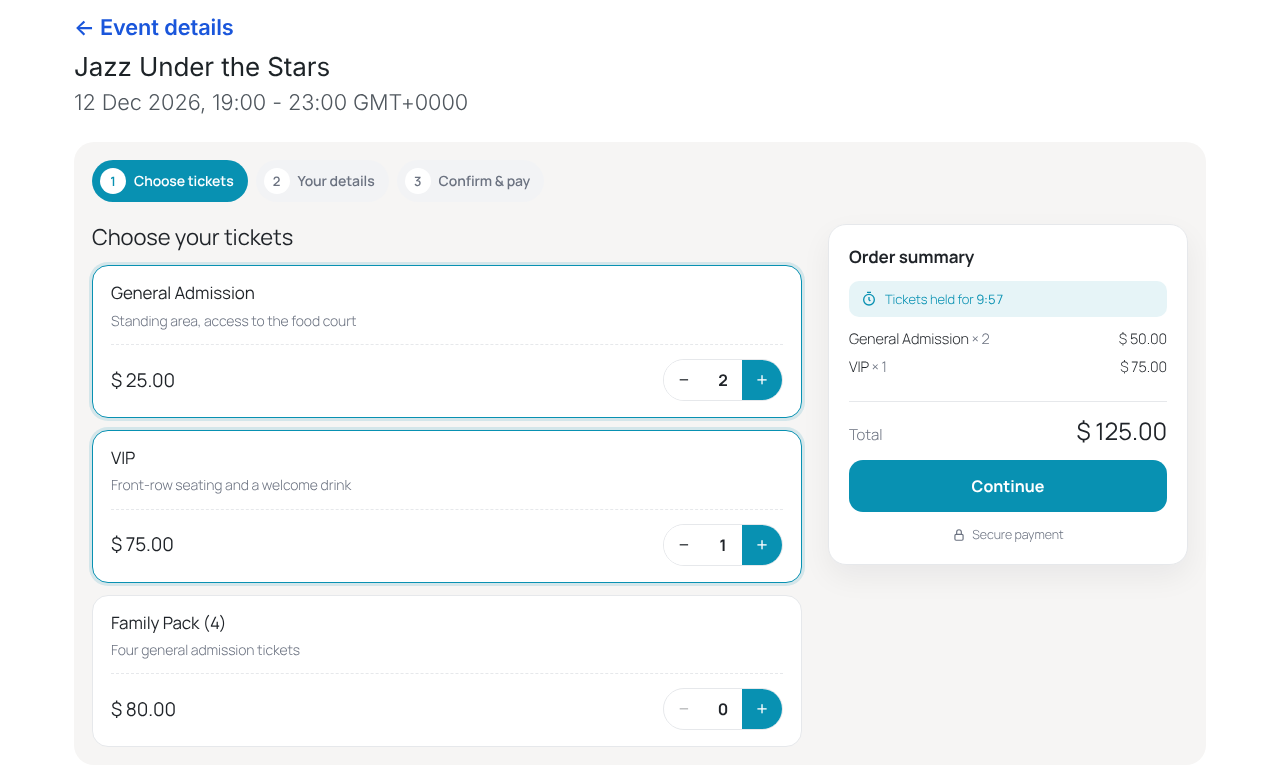
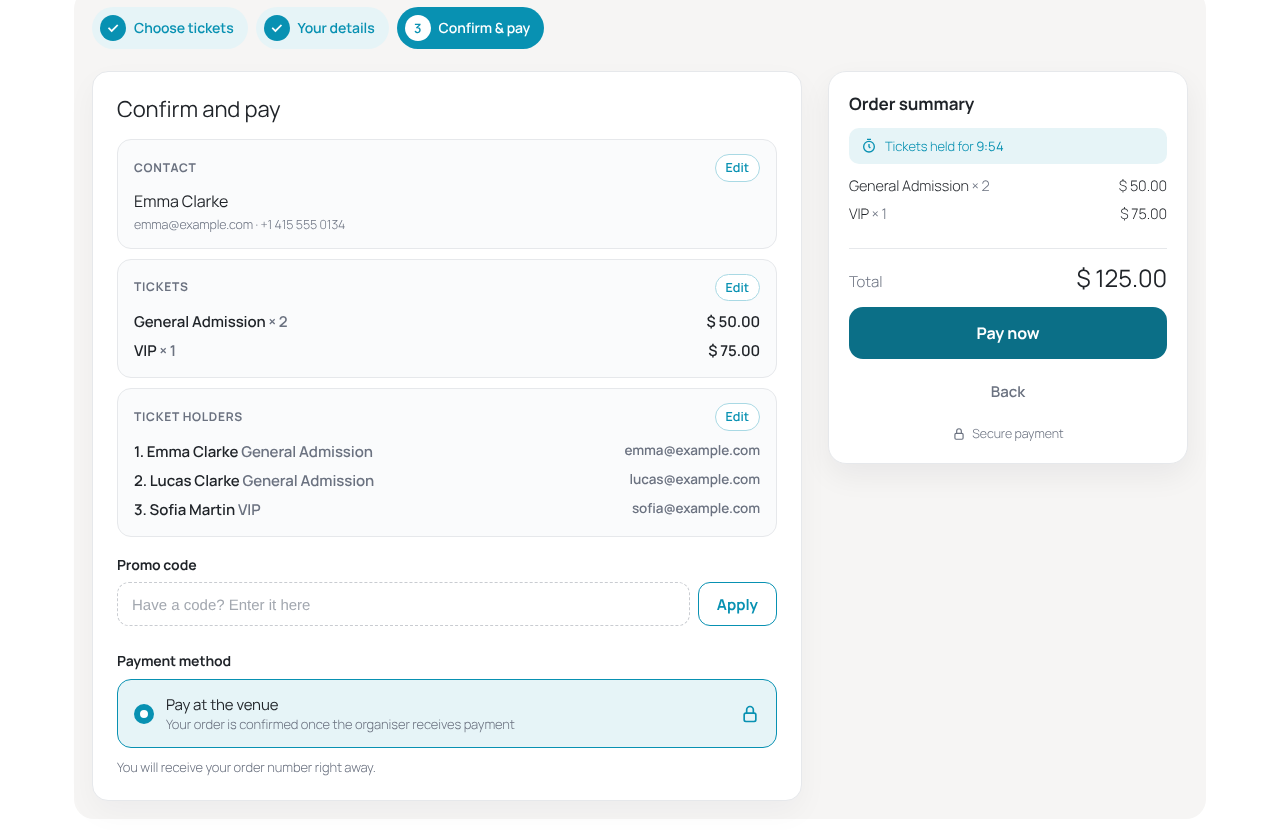
- Fast 3-step checkout — mobile friendly, with promo codes, taxes, fees and a waitlist.
- Payments — DOKU, Xendit (QRIS, virtual accounts, e-wallets), Stripe, PayPal, Mollie and pay at the venue. Money goes straight to your own merchant account.
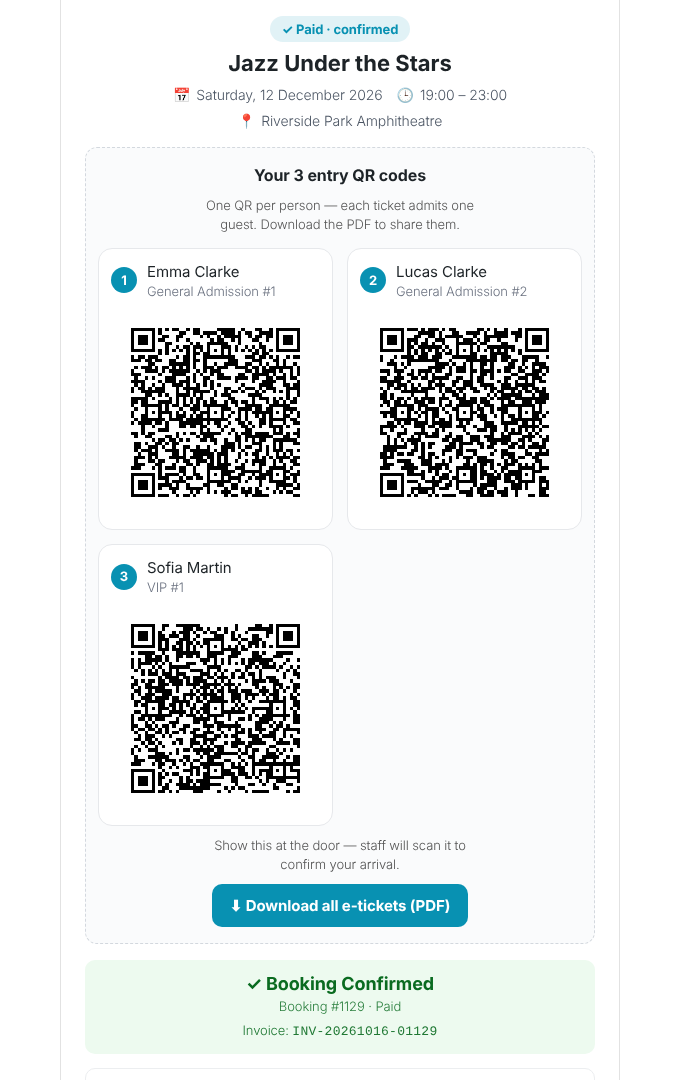
- One QR per guest — every ticket carries the holder’s name; the buyer receives all tickets in one PDF with the event details.
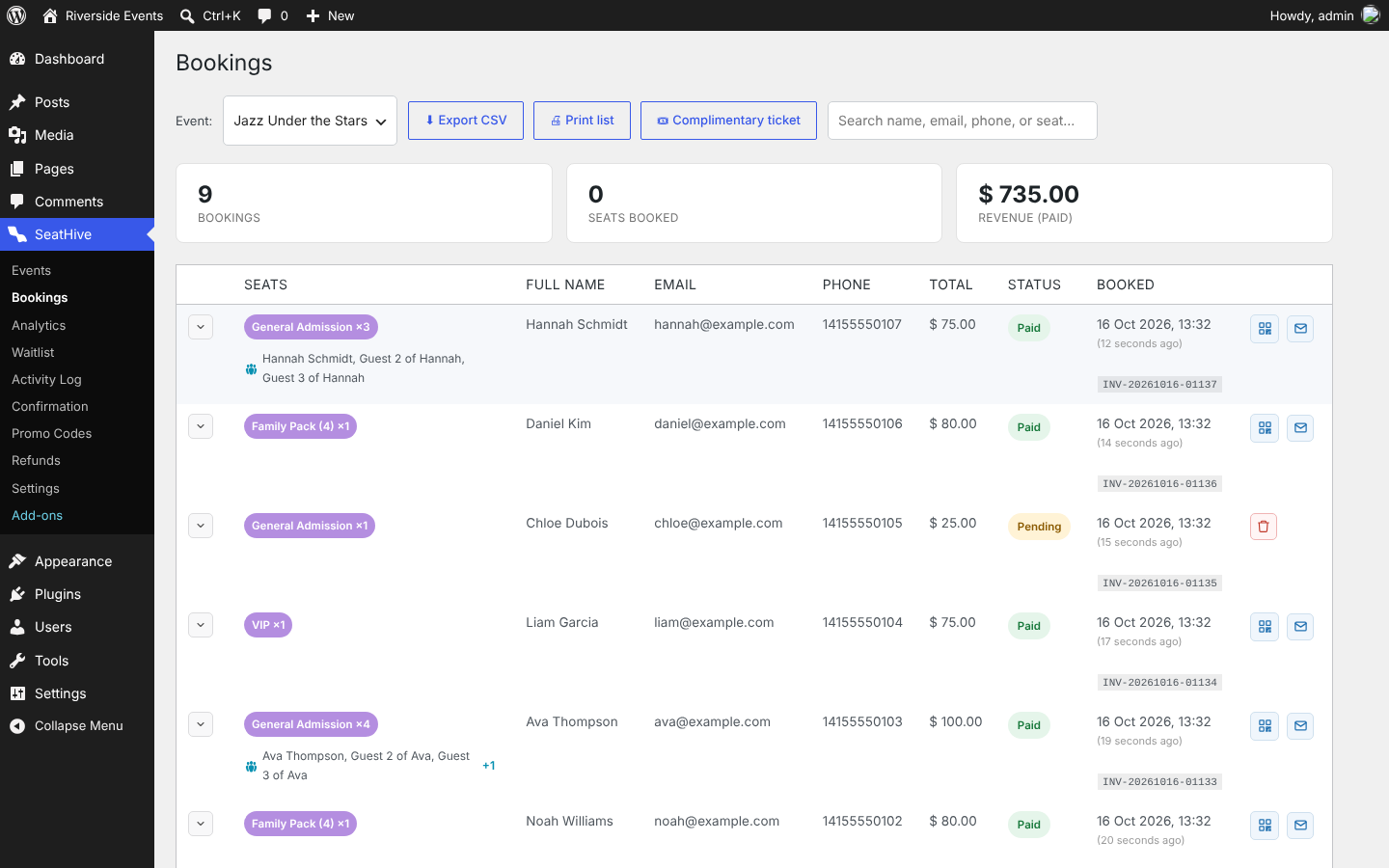
- Complimentary tickets — issue free or pay-at-the-door tickets from the dashboard.
- Check-in from any phone — green / amber / red answers, offline mode, and a live arrivals dashboard.
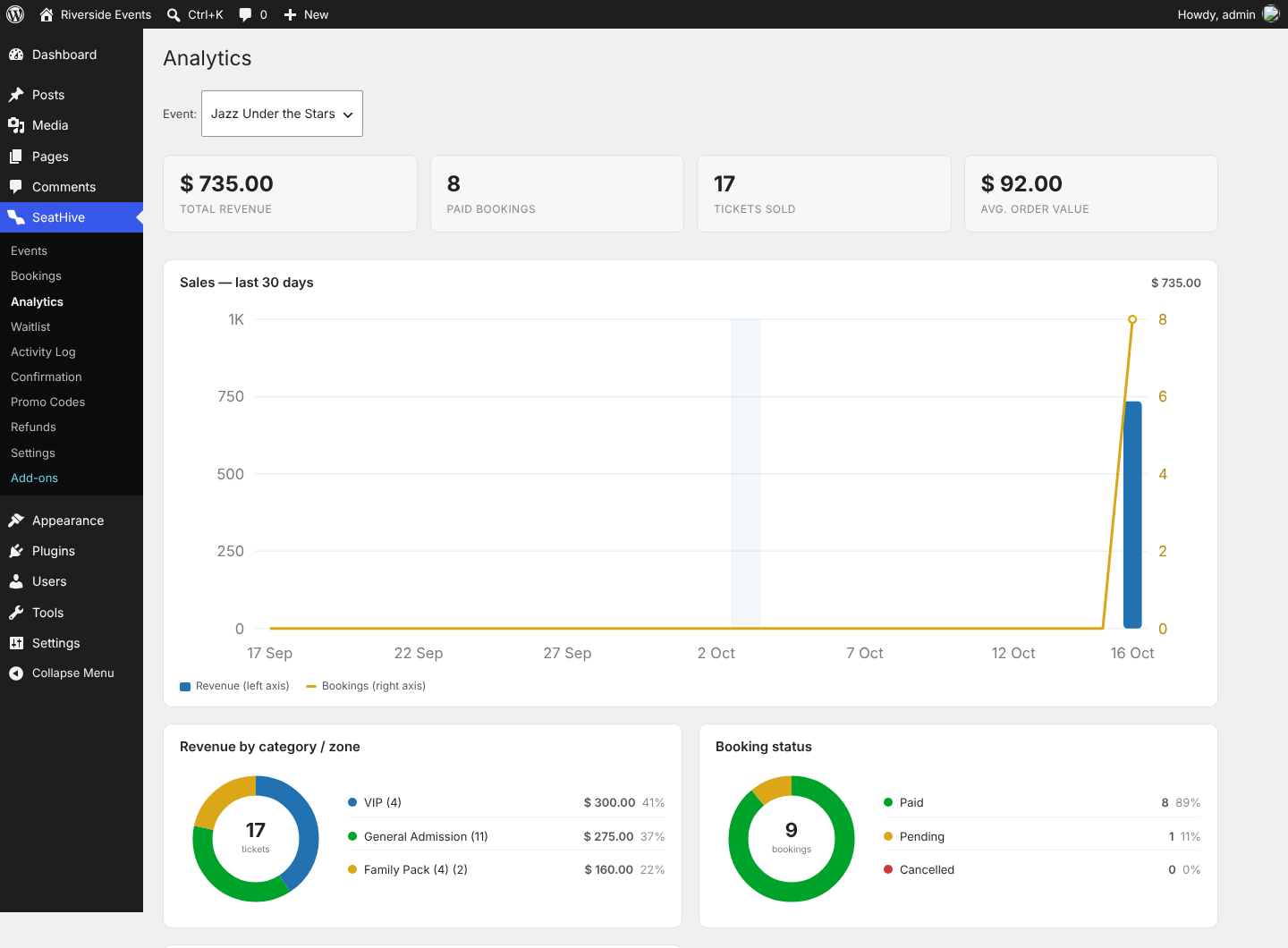
- Reports — bookings, attendee lists, CSV export, analytics and an activity log.
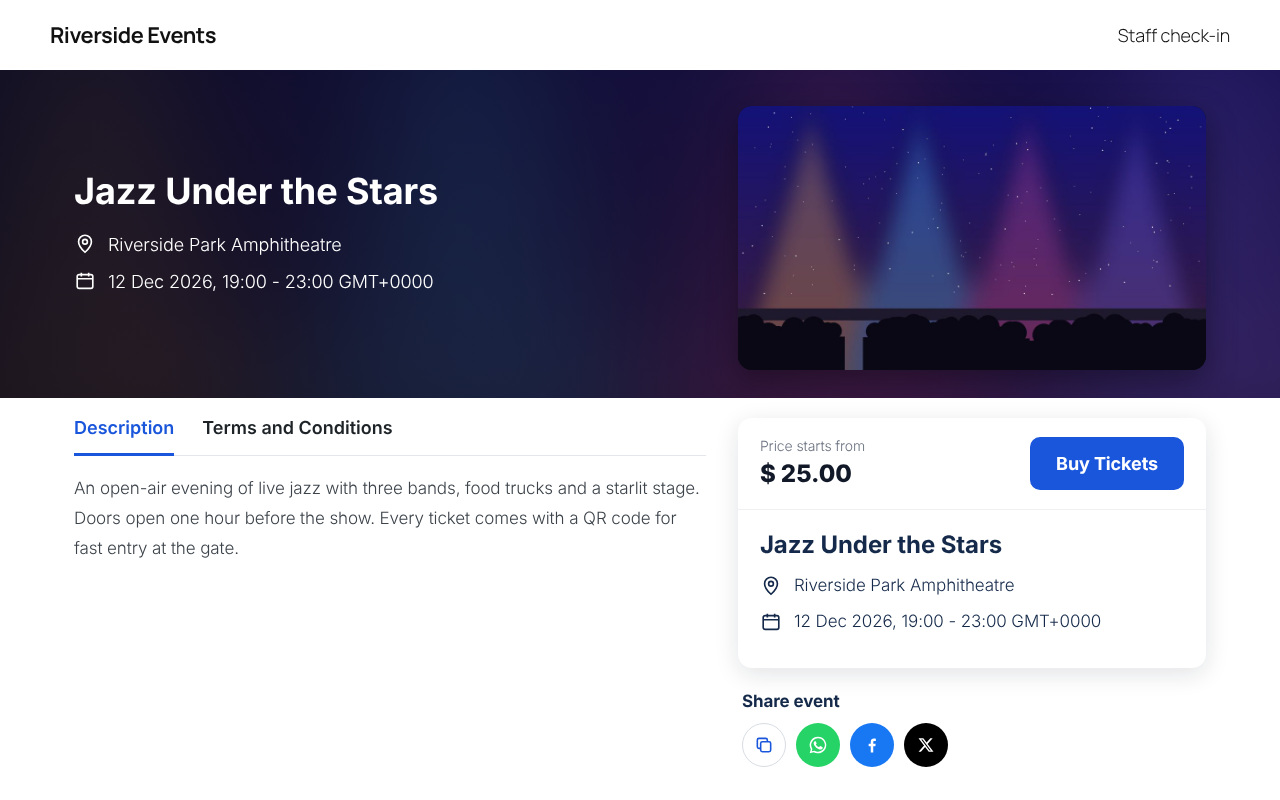
- Your look — colours, fonts and layout of the event page, checkout, receipt and door screens.
- Translation ready.
Optional: Seating Map add-on
Want buyers to pick their own seats? The separate SeatWP Seating Map add-on from https://seatwp.com/ adds a drag-and-drop Chart Builder, seat categories, ready-made venue layouts and a seat-picking checkout. See SeatHive Add-ons in your dashboard. SeatHive itself never requires it — everything listed above is included for free.
External services
SeatHive does not contact any outside service on a default install. Each service below is used only after you switch it on in SeatHive Settings and enter your own account keys. The data listed is sent only at the moment described.
DOKU (payment gateway)
What it is: DOKU, an Indonesian payment gateway (virtual accounts, QRIS, e-wallets, cards). Used to take online payments when you select DOKU as your gateway.
What is sent and when: when a buyer clicks “Pay”, the booking total, currency, invoice number, the buyer’s name, email and phone number, and your site’s return and notification URLs are sent to api.doku.com (api-sandbox.doku.com in test mode) to create the payment page. If a payment notification is late, the plugin asks DOKU for that order’s payment status (invoice number only). Your DOKU Client ID and signed request headers are sent with each request.
Provided by PT Nusa Satu Inti Artha (DOKU): Terms and conditions · Privacy policy
Xendit (payment gateway)
What it is: Xendit, a payment gateway for Southeast Asia. Used to take online payments when you select Xendit.
What is sent and when: when a buyer clicks “Pay”, the booking total, currency, invoice number, the buyer’s name, email and phone number, and your site’s return URLs are sent to api.xendit.co to create an invoice. Your Xendit secret key authenticates the request.
Provided by Xendit: Terms and conditions · Privacy policy
Stripe (payment gateway)
What it is: Stripe, a card and wallet payment processor. Used to take online payments when you select Stripe.
What is sent and when: when a buyer clicks “Pay”, the booking total, currency, invoice number, ticket description, the buyer’s email and your site’s return URLs are sent to api.stripe.com to create a Checkout Session. Your Stripe secret key authenticates the request.
Provided by Stripe, Inc.: Services agreement · Privacy policy
PayPal (payment gateway)
What it is: PayPal. Used to take online payments when you select PayPal.
What is sent and when: when a buyer clicks “Pay”, your PayPal client ID and secret are exchanged for an access token, then the booking total, charge currency, invoice number and your site’s return URLs are sent to api-m.paypal.com (api-m.sandbox.paypal.com in sandbox mode) to create the order; after the buyer approves, the order ID is sent again to capture the payment.
Provided by PayPal: User agreement · Privacy statement
Mollie (payment gateway)
What it is: Mollie, a European payment provider. Used to take online payments when you select Mollie.
What is sent and when: when a buyer clicks “Pay”, the booking total, charge currency, invoice number, description and your site’s return and webhook URLs are sent to api.mollie.com to create the payment; when Mollie calls the webhook, the plugin reads that payment’s status from api.mollie.com (payment ID only). Your Mollie API key authenticates each request.
Provided by Mollie B.V.: User agreement · Privacy statement
Google Fonts
What it is: Google Fonts, a web font library. Used only when you pick one of the Google Fonts in Settings Display or in the event description editor.
What is sent and when: each time a page using that font is shown, the visitor’s browser loads the font from fonts.googleapis.com / fonts.gstatic.com, which receives the visitor’s IP address and browser details. The default font (“match the visitor’s device”) makes no outside request.
Provided by Google LLC: Terms of service · Privacy policy
Your own email (SMTP) server
If you turn on Settings Email Use SMTP, booking emails (buyer name, email address, booking and ticket details) are sent through the mail server you entered, using the login you provided. Nothing is sent to us.
Links only (no data is sent until the visitor clicks)
The share buttons on the event page open WhatsApp (wa.me), Facebook and X with the event link, and “Add to Google Calendar” opens calendar.google.com with the event title, time and venue. The Add-ons screen links to https://seatwp.com/ . These are ordinary links: nothing is sent unless the visitor clicks them.
Details
Related plugins
Plugins that also contain the tag check-in
Init User Engine – Gamified, Fast, Frontend-First

GT Foursquare

OBERON – WP Add-in
QR Code Companion for EventON

BitForgeNet Guest Tickets and Door Check-in

Circumflex Booking Events

About
Plugin for that tries to help you find the WordPress plugin you are looking for.
| Please enjoy an image of Crush (this awesome turtle) and have a lovely day! |  |
We do not own any plugin listed on this site and do not work for or work with WordPress.com or it's associated companies. We simply provide a searchable list of the available WordPress plugins.