



SERVIT Analytics
SERVIT Analytics records visits server-side without cookies, without external services and without storing personal data (IP addresses). All data stays in your own WordPress database.
Dashboard features
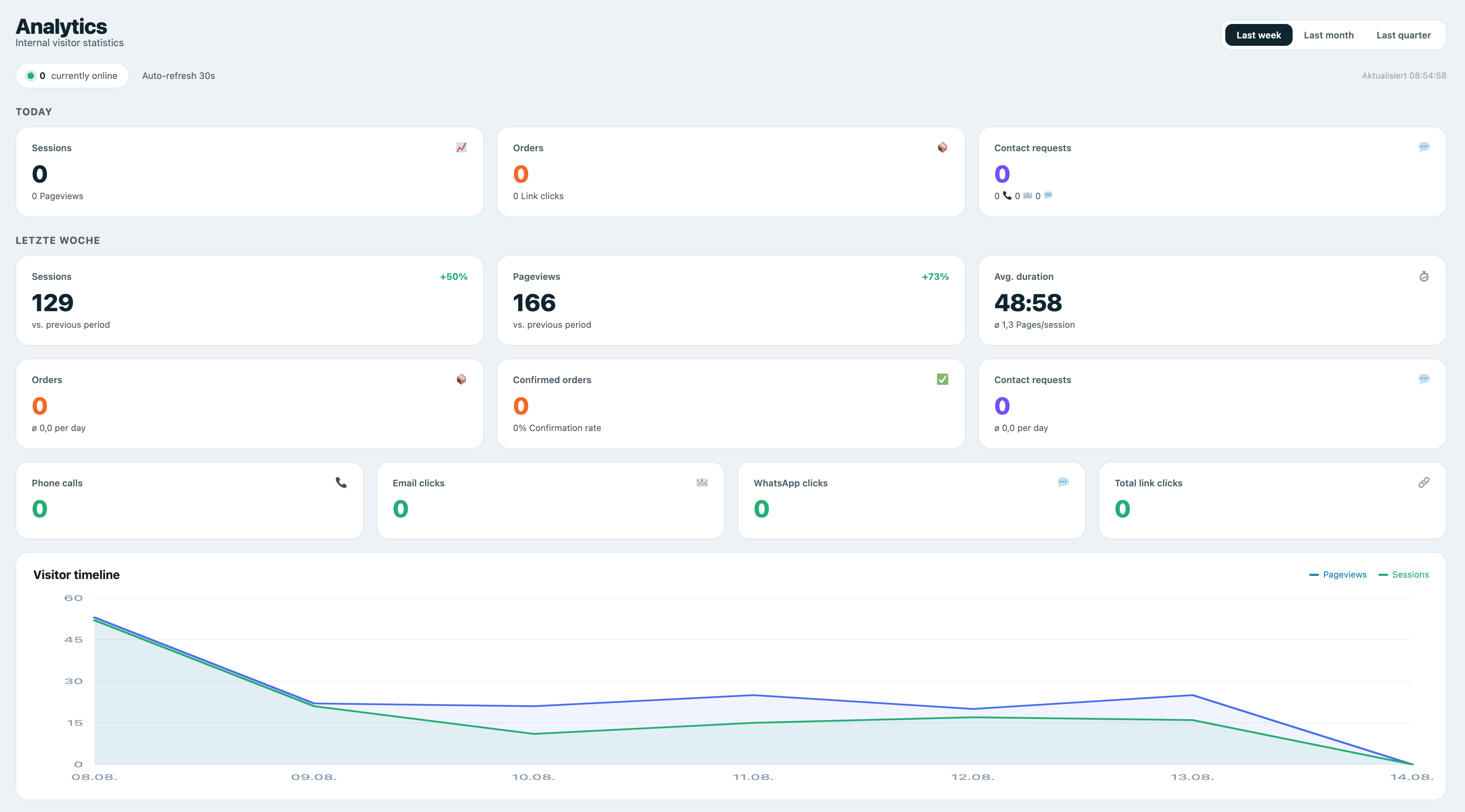
- KPI tiles: sessions today/total, pageviews, average duration, pages/session, online visitors (live)
- Conversions: orders, confirmed orders, confirmation rate, contact requests
- Visitor timeline (pageviews & sessions) as area chart
- Orders & contact requests as bar chart
- Traffic sources (Google, Bing, Direct, Referral, …)
- Page types (freely configurable via regex)
- Devices (mobile/desktop/tablet) as donut chart
- Top pages today
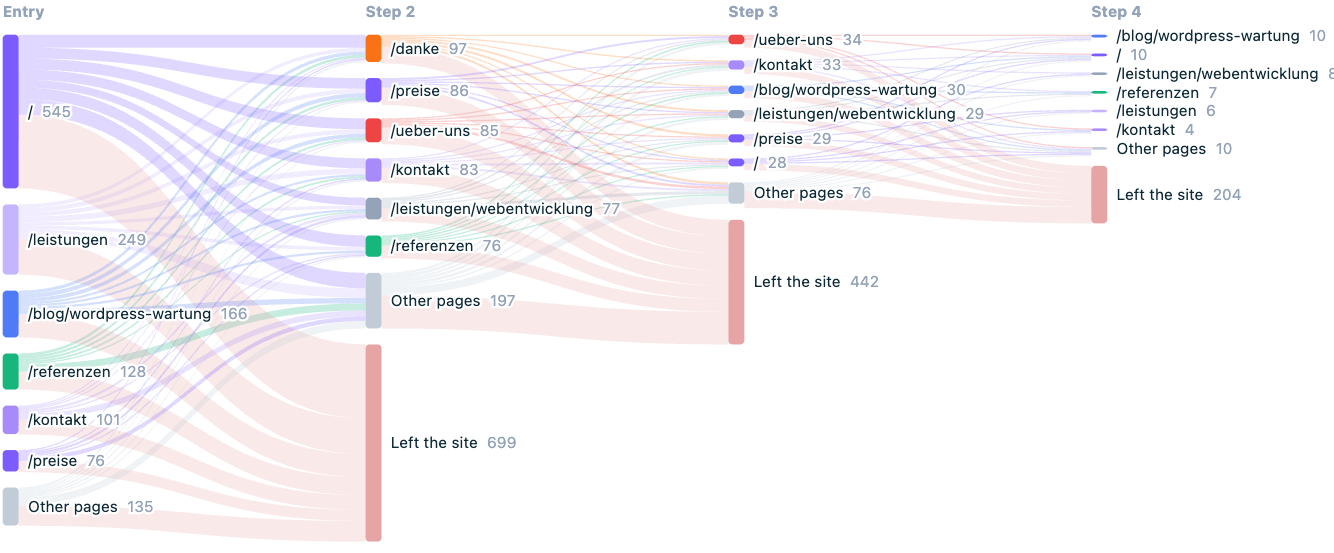
- Visitor flow: entry page, the pages visited next and where sessions end, as a Sankey diagram
- Entry and exit pages with bounce rate and exit rate
- Daily details table
- Period switcher (week / month / quarter) and auto-refresh every 30 s
Visitor flow
The visitor flow shows the path visitors take through your site: which page they arrive on, which pages they open next and at which point they leave. It is drawn as a Sankey diagram over the first four steps of a session, with the most-used pages per step and everything else merged into one node.
Below it, two tables list the entry pages with their bounce rate and the exit pages with their exit rate, so you can see which pages bring visitors in and which ones end the visit.
This works on data you have already collected — no extra tracking and no additional data is stored for it. Pages imported from Statify are not included, because an imported row is a single view without a real session.
Privacy (GDPR)
- Cookieless — the session ID is stored only in the browser’s sessionStorage and is cleared when the tab closes.
- No IP storage — a daily-rotating, non-reversible hash is used to count unique visitors.
- Optional: respect Do-Not-Track, exclude logged-in roles, bot filter.
- No external scripts, no CDN, no Chart.js — all charts are rendered locally as SVG.
Conversions / Events
Track conversions via PHP (e.g. after a contact form submission):
do_action( 'servit_analytics_event', 'contact', array( 'label' => 'Contact Form' ) );
do_action( 'servit_analytics_event', 'order', array( 'value' => 49.90 ) );
do_action( 'servit_analytics_event', 'order_confirmed', array( 'value' => 49.90 ) );
Or via JavaScript on the frontend:
ServitAnalytics.track( 'contact', { label: 'Contact Form' } );
The JavaScript helper is limited to non-monetary events (contact requests and tel/mailto/WhatsApp clicks) and is rate limited. Orders and their values are recorded server-side only — via the PHP hook above or the automatic shop integrations — so revenue figures cannot be forged from the browser.
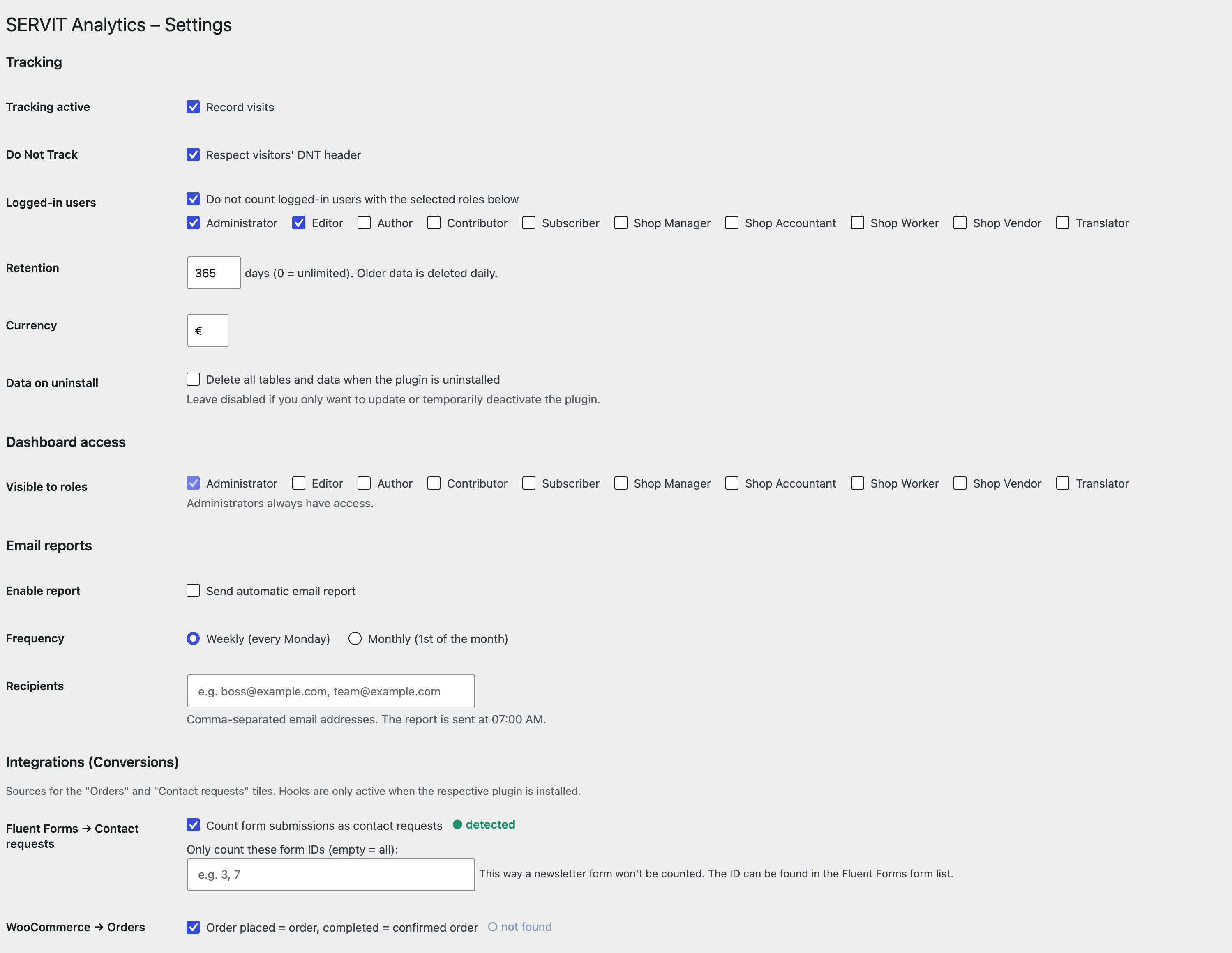
Automatic integrations (individually toggleable under Analytics > Settings):
- Fluent Forms — each form submission counts as a contact request (optionally limited to specific form IDs).
- WooCommerce — new order = order event, completed = confirmed order.
- Easy Digital Downloads — purchase = order, completed = confirmed order.
- FluentBooking — booking = order, confirmed = confirmed order.
Hooks are only active when the respective plugin is installed. The status (detected / not found) is shown in the settings.
Ads / Campaign Tracking
Tag your ads with UTM parameters (e.g. ?utm_source=google&utm_medium=cpc&utm_campaign=summer_sale) or rely on automatically detected click IDs (gclid, gbraid/wbraid, fbclid, msclkid, ttclid, li_fat_id).
- The campaign is stored cookieless in localStorage (last-touch) and attributed to a later order/contact within the attribution window — including server-side conversions (Fluent Forms, WooCommerce) via visitor-hash backfill.
- Paid clicks appear cleanly separated in the traffic sources (e.g. “Google Ads” instead of “Google”).
- The dashboard shows a campaign table: sessions, orders, contacts, conversion rate, cost, revenue, ROAS and CPA.
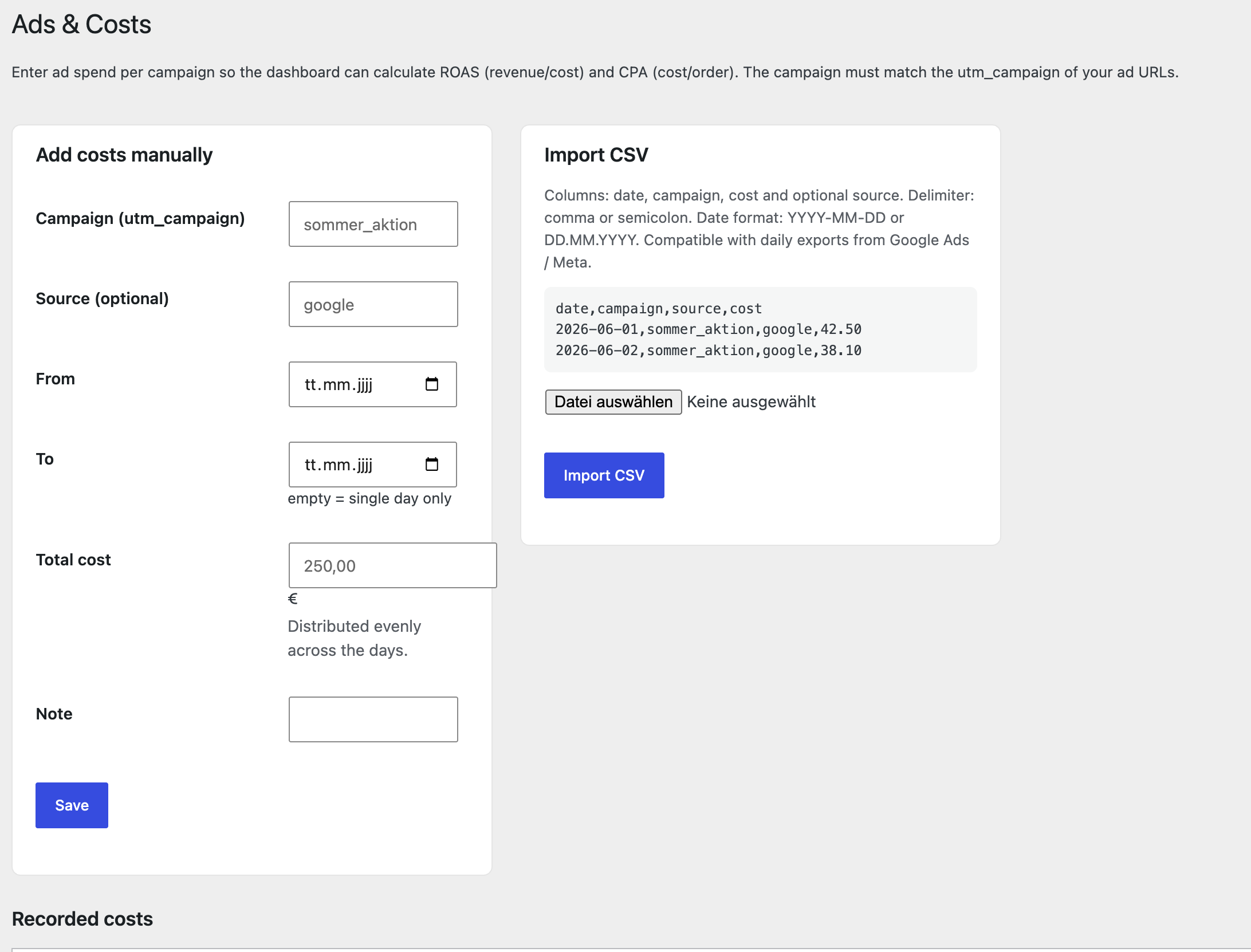
Manage ad spend under Analytics > Ads & Costs — either manually per campaign/period or via CSV import (columns: date, campaign, cost, optional source; compatible with the daily export from Google Ads / Meta). The dashboard then calculates ROAS (revenue/cost) and CPA (cost/order).
Privacy note: click IDs and localStorage attribution may require consent in some jurisdictions. This implementation is deliberately cookieless and without a consent banner; legal classification is the responsibility of the site operator.
Import from Statify
Under Analytics > Statify Import, existing Statify data can be migrated. For each Statify row, the date, path (mapped to page type) and referrer (mapped to source) are imported. The import runs in batches (even for very large tables) and is repeatable without creating duplicates.
Important: Statify tracks neither devices nor sessions. Imported days therefore show no device breakdown; each historical pageview counts as one session. Sources and page types are fully preserved. Do not uninstall Statify before importing — otherwise the data is lost.
Third-Party Services
This plugin does not connect to any external service, API or CDN. All data is processed and stored locally in your WordPress database. No data is sent to or received from third-party servers. There are no remote requests of any kind.
Data Storage
The plugin creates three custom database tables ({prefix}_servit_analytics_views, {prefix}_servit_analytics_events, {prefix}_servit_analytics_ad_costs) to store pageviews, conversion events and ad spend data. No personal data (IP addresses, usernames) is stored. Visitor uniqueness is determined by a daily-rotating, non-reversible SHA-1 hash that cannot be traced back to an individual.
All data can be deleted by enabling “Delete all tables and data when the plugin is uninstalled” in the settings before uninstalling the plugin.
Details

Related plugins
Plugins that also contain the tag analytics
Site Kit by Google – Analytics, Search Console, AdSense, Speed

MonsterInsights – Google Analytics Dashboard for WordPress (Website Stats Made Easy)

WP Statistics – Simple, privacy-friendly Google Analytics alternative

GA Google Analytics – Connect Google Analytics to WordPress

Head, Footer and Post Injections

ExactMetrics – Google Analytics Dashboard for WordPress (Website Stats Plugin)


About
Plugin for that tries to help you find the WordPress plugin you are looking for.
| Please enjoy an image of Crush (this awesome turtle) and have a lovely day! |  |
We do not own any plugin listed on this site and do not work for or work with WordPress.com or it's associated companies. We simply provide a searchable list of the available WordPress plugins.