


Sharelumo – Share to X
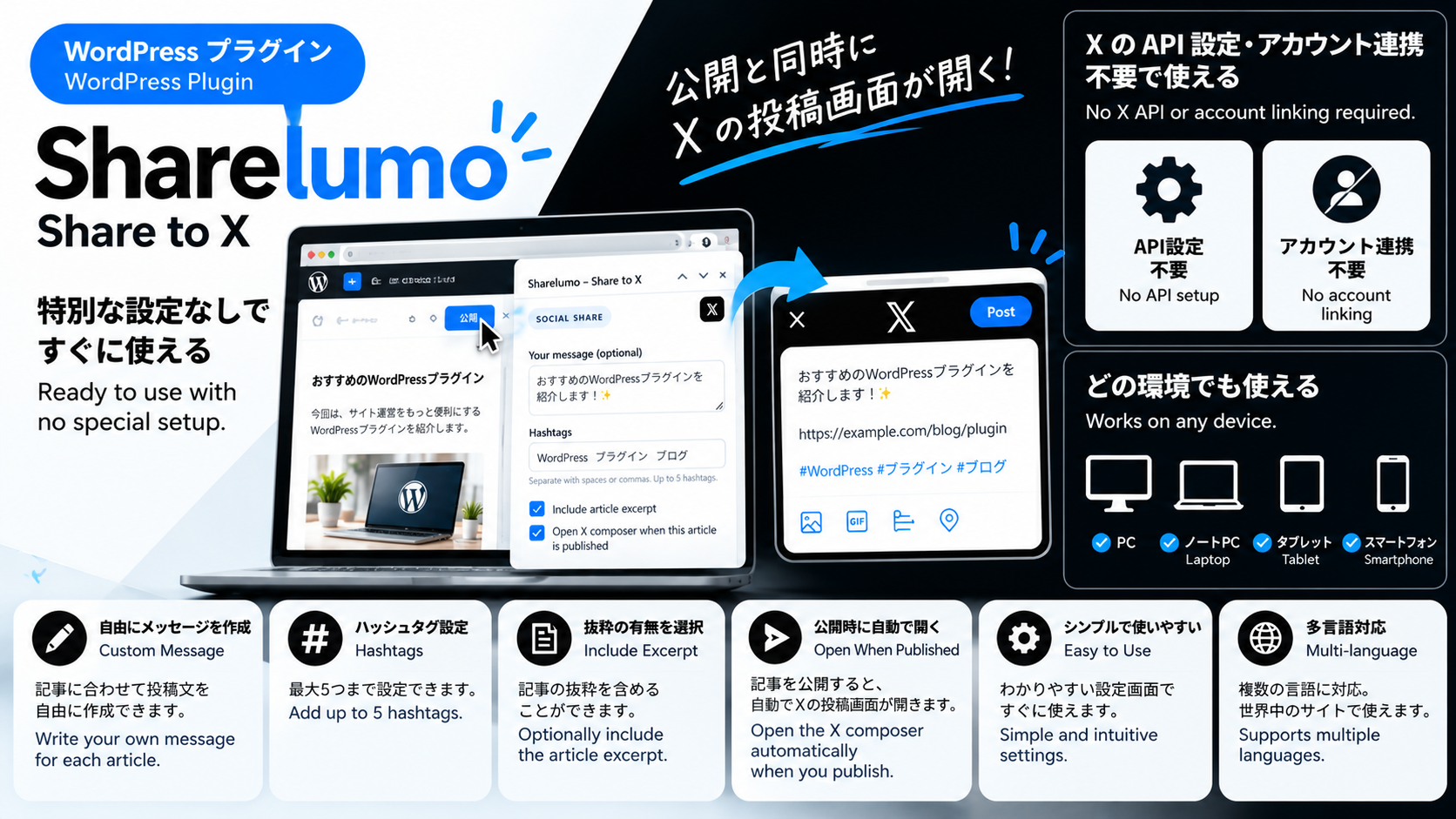
Sharelumo – Share to X helps you reuse your WordPress posts on X (formerly Twitter) without an X API key or an external scheduling service.
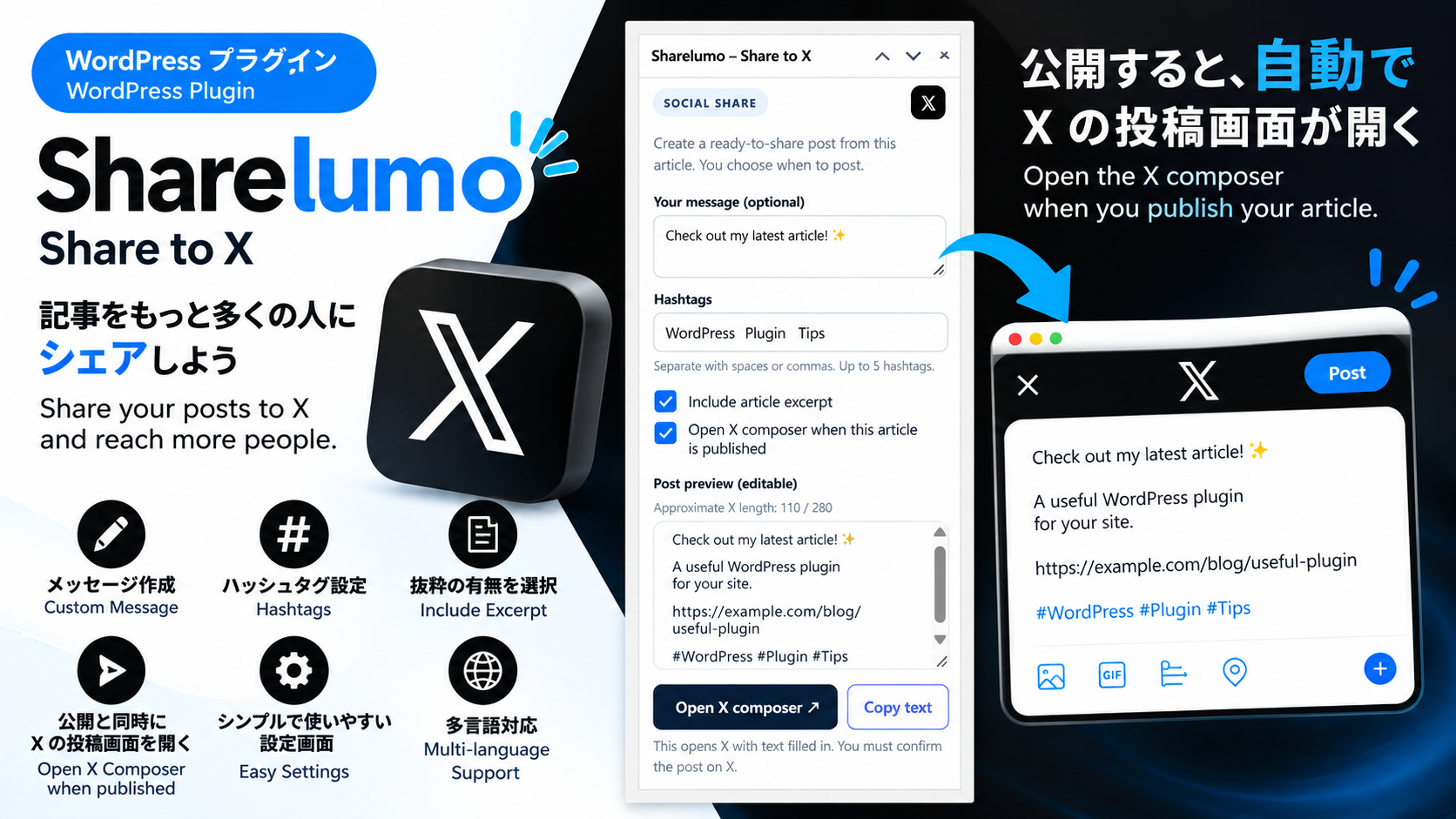
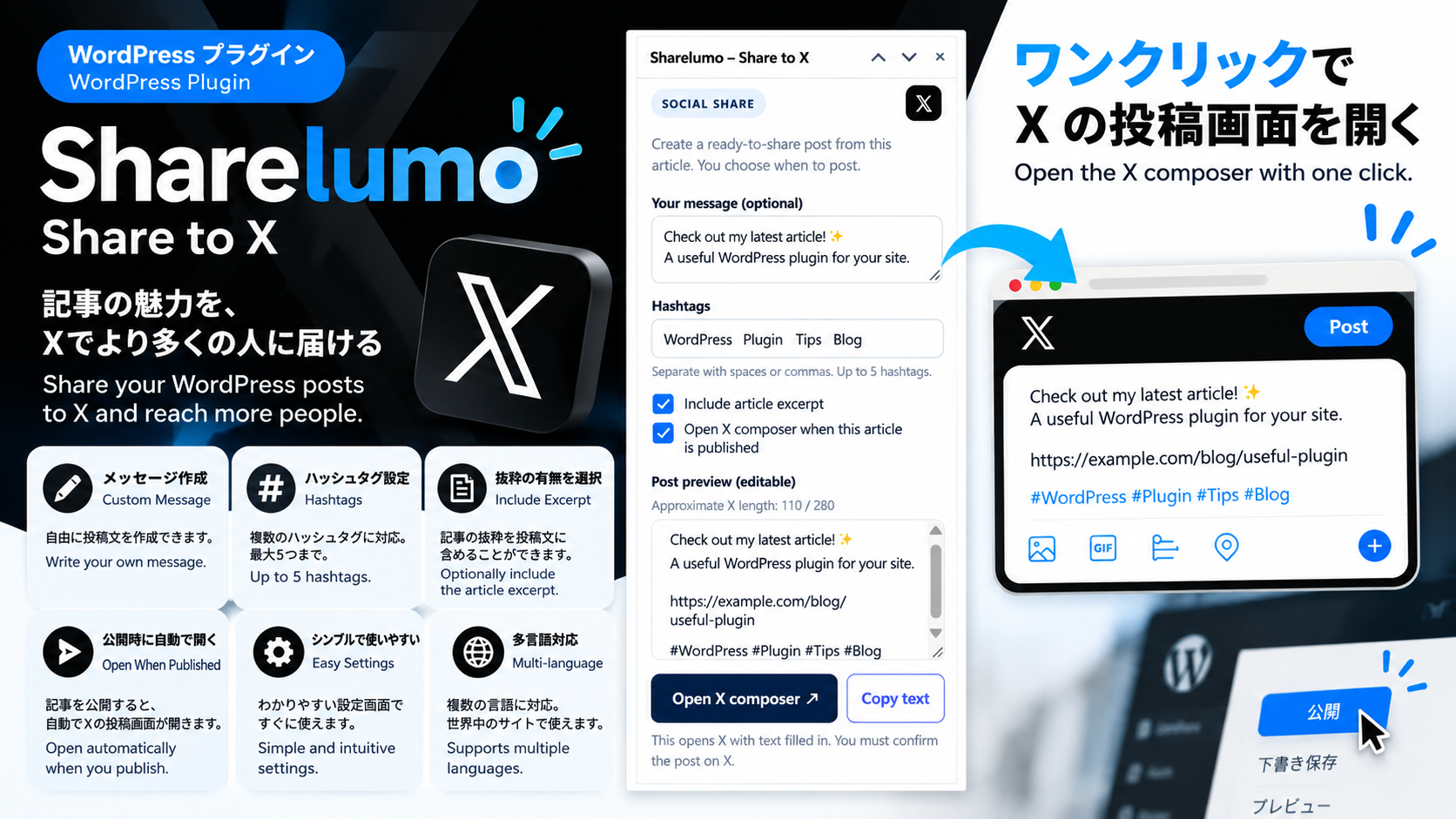
It prepares the article title, public link, an optional message, optional excerpt, and hashtags. One button opens X’s post composer with the text filled in. When publishing a new article, an optional browser tab can prepare the X composer immediately after WordPress confirms publication. You always review and confirm the final post on X.
Features:
* Dedicated panel in the WordPress block editor and meta box in the classic editor.
* Optional introductory message and excerpt, with an automatic article-body fallback when the manual excerpt is blank.
* Publish-time X composer handoff, with a visible after-publish share button if the browser blocks the tab.
* Browser pop-up settings may prevent automatic tab opening; X’s final Post action is always manual.
* Editable hashtags (initially suggested from existing post tags).
* Editable local post preview, reset option, and approximate X-length indicator.
* One-click open of the X composer, plus copy-to-clipboard.
* ‘Share to X’ quick link from the Posts list for published articles.
* Restricts one-click sharing to published articles with a public URL.
* No credentials, X API, external scheduling service, tracker, or automatic posting to X.
* Display-language settings with automatic WordPress site-language detection and manual language selection. Bundled translations cover Japanese, Spanish, French, German, Italian, Brazilian Portuguese, Korean, Simplified Chinese, Traditional Chinese, Russian and Indonesian, in addition to the English interface.
日本語
WordPressの公開済み記事を、Xに手動で紹介するためのシンプルなプラグインです。X APIやBufferなどの外部サービスは不要です。
- 投稿編集画面に「Sharelumo – Share to X」パネルを追加。
- 記事タイトル・公開URL・ハッシュタグ入りの投稿文を作成。
- 任意の紹介文・抜粋を追加可能。抜粋未入力時は本文から自動抽出。
- 記事公開時にXの投稿画面を開くオプション。開けない場合も公開後の案内ボタンからXへ進めます。
- 編集できる投稿文プレビュー、コピー、文字数の目安を表示。
- 記事一覧からも「Xの投稿画面を開く」操作が可能。
- 投稿の最終確定はXの画面で手動実行(Xへの自動送信は行いません)。
Language settings
Open Settings from the plugin entry on the Plugins screen, or go to Settings > Sharelumo – Share to X. Choose Automatic to follow the WordPress site language, or select a language explicitly. Save changes and reload any open article editor tabs. This site-wide setting changes only Sharelumo’s interface; it does not translate article content, sharing text, WordPress itself or the X website. Translations for all languages in the selector are included in this ZIP, so no separate language-pack download is required. Installed WordPress.org translations are also supported, with bundled translations filling missing strings. Unsupported languages fall back to English.
表示言語の設定
プラグイン一覧の「設定」、または「設定 Sharelumo – Share to X」から表示言語を選べます。初期設定の「自動」はWordPressのサイト言語に合わせます。保存後、開いている記事編集画面を再読み込みしてください。変更されるのはSharelumoの画面表示だけで、記事本文や投稿文、WordPress本体、Xのサイトは翻訳されません。選択欄にある全言語の翻訳をZIPに同梱しているため、翻訳パックの追加ダウンロードは不要です。英語・日本語・スペイン語・フランス語・ドイツ語・イタリア語・ポルトガル語(ブラジル)・韓国語・中国語(簡体字/繁体字)・ロシア語・インドネシア語に対応しています。インストール済みのWordPress.org翻訳にも対応し、不足する文言は同梱翻訳で補います。未対応の言語は英語で表示します。
External services
This plugin uses the X (formerly Twitter) web intent service at https://twitter.com/intent/tweet to open a composer. Your browser sends the composed text, article title, public URL, and any message, excerpt or hashtags you include to X when you click a share action, or after publication if you explicitly enable the publish-time option. That option is off by default for each editor session. X may require you to sign in. The plugin never collects your X password, and X requires you to confirm the final post.
- Service: https://x.com/
- Terms: https://x.com/en/tos
- Privacy: https://x.com/en/privacy
X is a third-party service. This plugin is not affiliated with or endorsed by X Corp.
外部サービスについて
Xの投稿画面を開く際、投稿文・記事タイトル・公開URL・追加した紹介文・抜粋・ハッシュタグがブラウザからXへ送信されます。公開時に開く機能は編集画面を開くたびに初期状態ではオフで、ご自身でオンにした場合のみ動作します。Xへのログインと最後の投稿操作はX上で行います。予約公開の時刻にバックグラウンドでXへ投稿する機能はありません。
Details


About
Plugin for that tries to help you find the WordPress plugin you are looking for.
| Please enjoy an image of Crush (this awesome turtle) and have a lovely day! |  |
We do not own any plugin listed on this site and do not work for or work with WordPress.com or it's associated companies. We simply provide a searchable list of the available WordPress plugins.