


Shabnam Tornado Database Maintenance
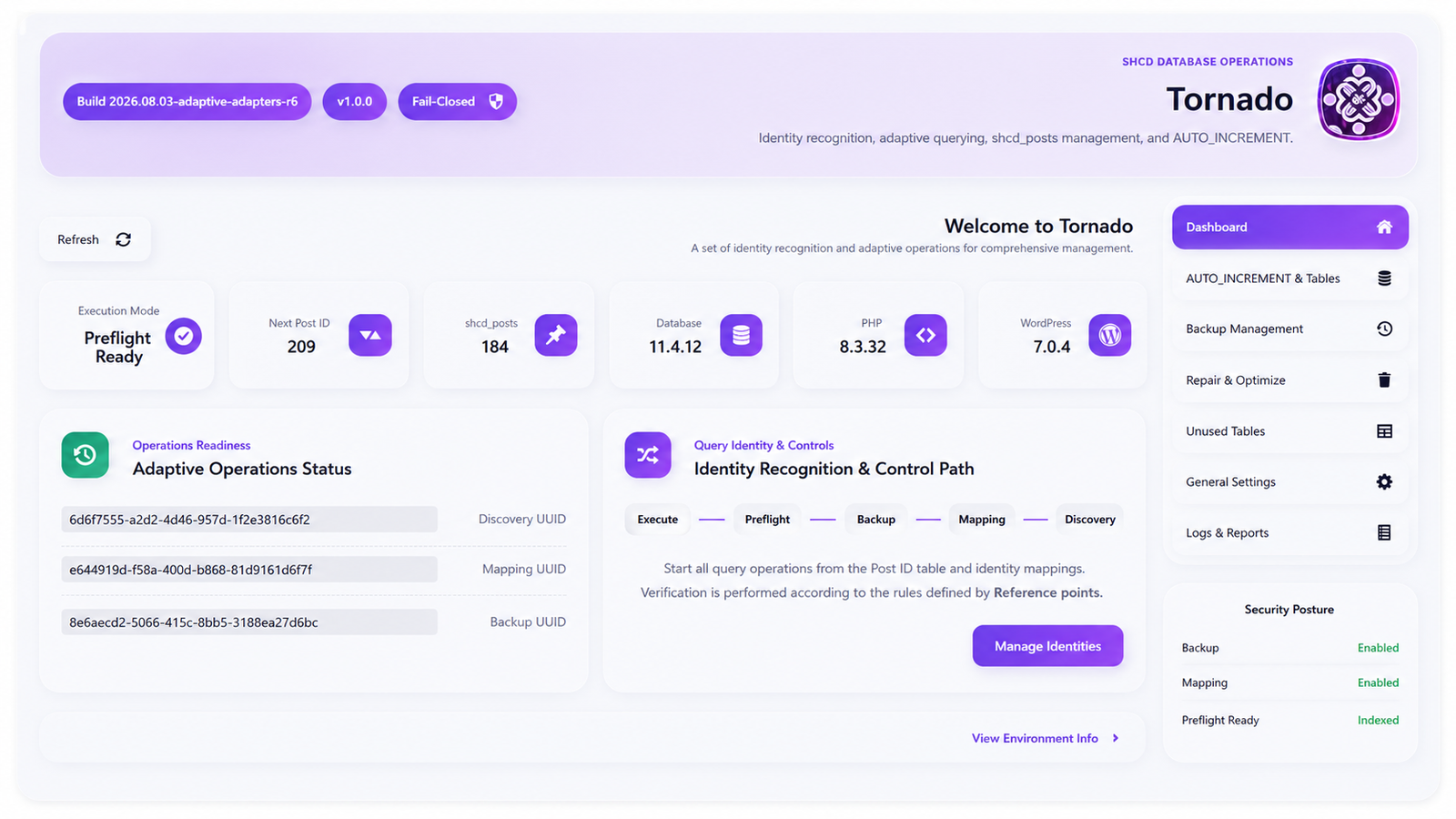
Shabnam Tornado Database Maintenance is a database inspection and maintenance toolkit for WordPress administrators and developers. It combines preview-first cleanup, integrity checks, verified logical backups, reference discovery, and an optional controlled Post ID reindex workflow.
The plugin reads the active WordPress table names from $wpdb. It does not assume the default wp_ prefix, so installations using custom prefixes such as shcd_ are supported.
Post ID reindexing is an advanced, destructive operation. It is disabled by default, is not required for ordinary cleanup, and should be tested on a staging copy before use on a production site.
Main features
- Database schema discovery through
INFORMATION_SCHEMA, including tables, columns, indexes, engines, and foreign keys. - Preview-first cleanup for revisions, auto drafts, trash, autosaves, pending revisions, expired transients, and supported orphaned records.
- Configurable WordPress revision retention and an optional independent revision archive.
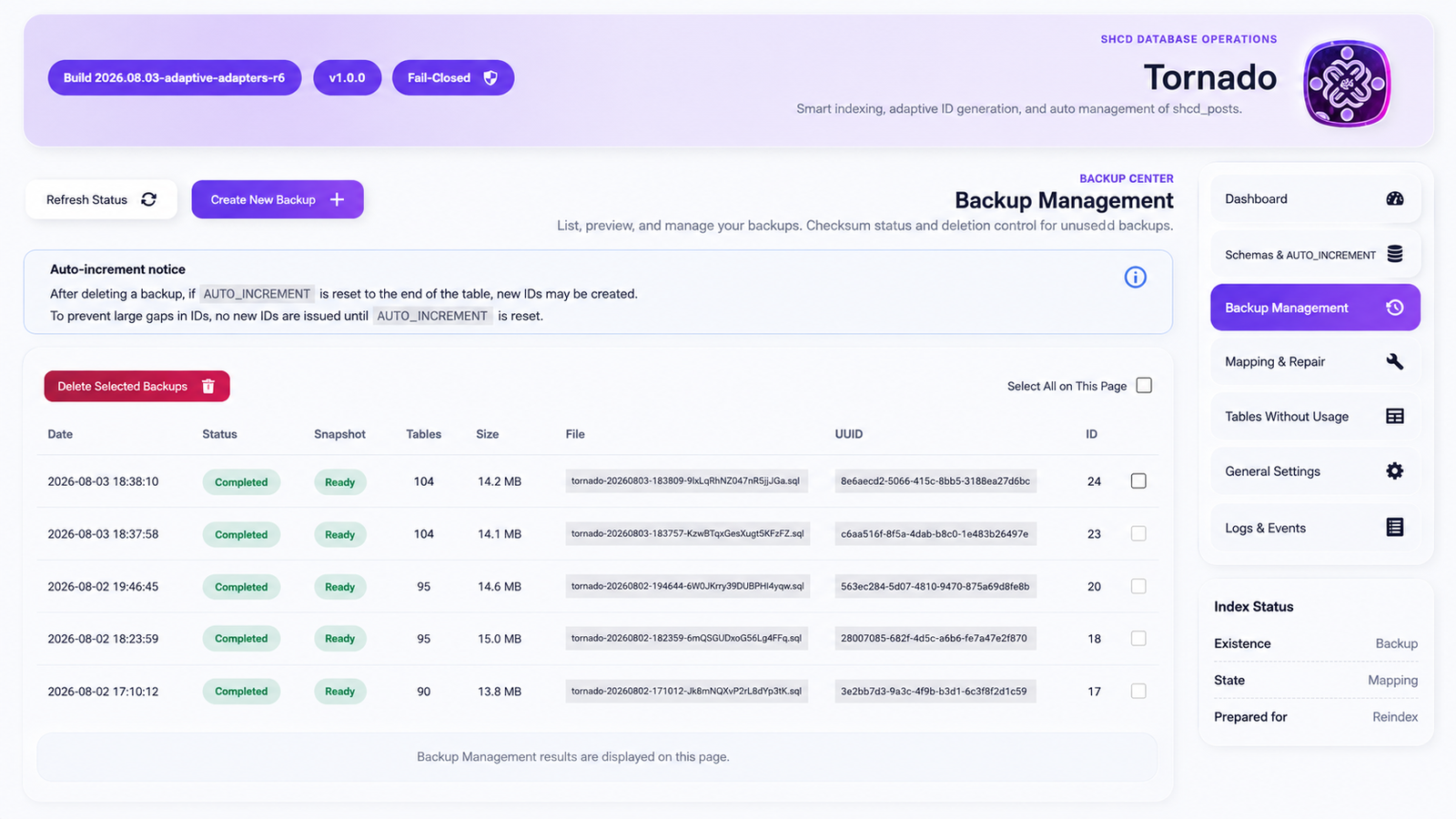
- Logical SQL backups with file checksums, database fingerprints, and consistency reporting.
- Integrity checks for WordPress core relationships and supported plugin data.
- Dry-run reports before destructive maintenance.
- Controlled
AUTO_INCREMENTnormalization without renumbering existing rows. - Reversible quarantine for suspected unused plugin tables before permanent deletion.
- Audit logs, operation reports, retention controls, and WP-CLI commands.
- Optional repair and cache rebuilding for Elementor-related data after a completed reindex.
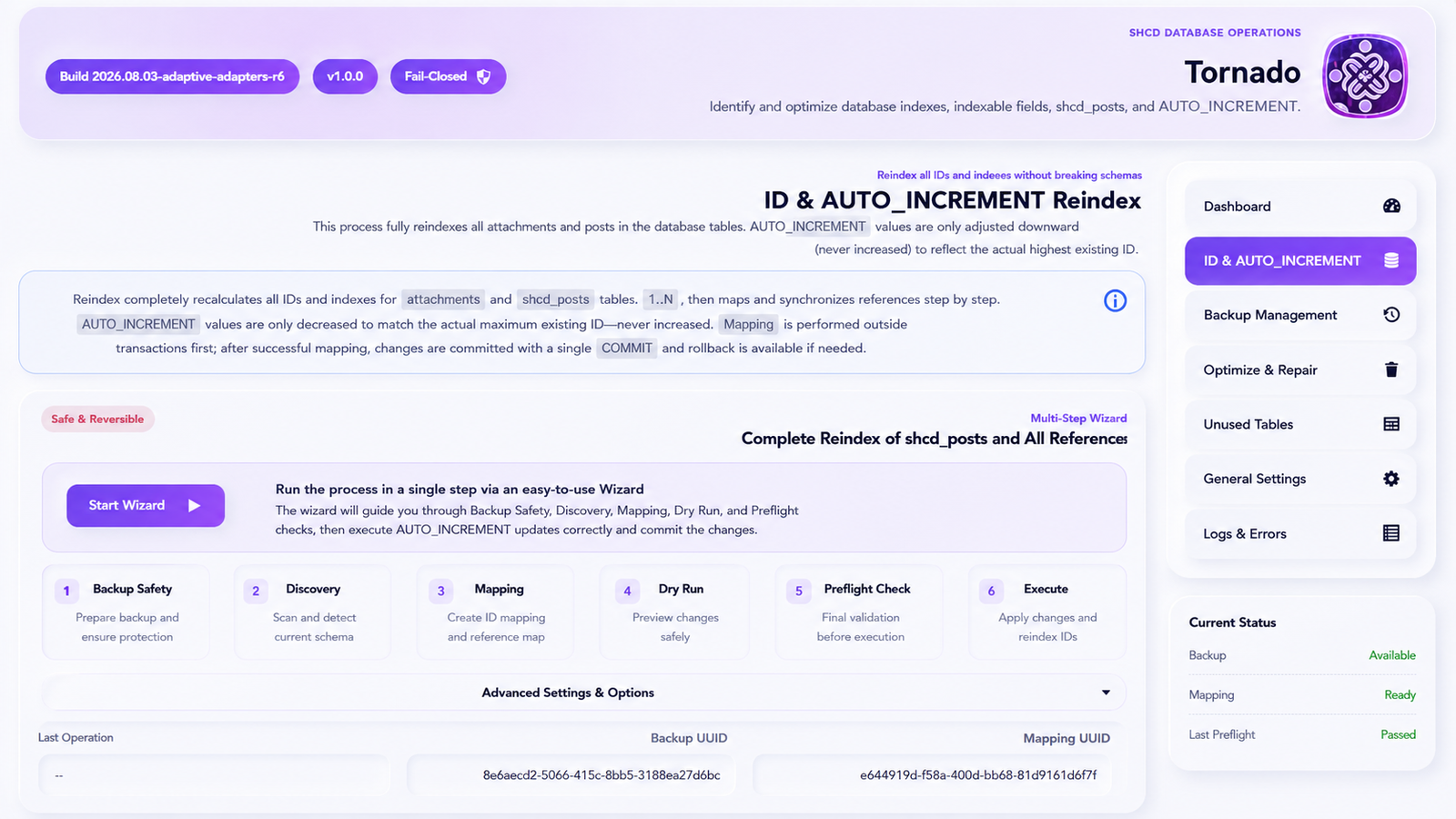
Controlled Post ID reindexing
The optional reindex workflow creates a dense 1..N sequence for rows in the active $wpdb->posts table. This includes posts, pages, custom post types, revisions, and Media Library attachments that still exist when the mapping is created.
Tornado uses a collision-resistant two-phase mapping:
- Build an immutable Old ID to Temporary ID to Final ID mapping from the current Posts table.
- Move registered references from Old IDs to Temporary IDs.
- Move the Posts primary keys from Old IDs to Temporary IDs.
- Move registered references from Temporary IDs to Final IDs.
- Move the Posts primary keys from Temporary IDs to Final IDs.
- Verify reference parity, row counts, sequence boundaries, zero gaps, and the final
AUTO_INCREMENTvalue.
The Posts table is the source of truth for the mapping. Adapters synchronize references; they do not independently choose or renumber the Posts primary-key sequence.
Reindex execution requires matching Discovery, Mapping, and Backup fingerprints. It also requires supported transactional tables, successful Preflight checks, administrator capabilities, a REST nonce, a session-bound one-time authorization token, and an explicit confirmation phrase. Blocking failures before commit cause the operation to stop or roll back.
Adaptive plugin-reference detection
Tornado includes dedicated reference handling for known relationships and a conservative adaptive detector for conventional plugin tables.
The adaptive detector can evaluate:
- Integer columns with semantic names such as
post_id,page_id,product_id, orattachment_id. - Polymorphic pairs such as
object_idwithobject_type, orelement_idwithelement_type. - Strictly formatted ID lists in semantically named columns.
- Supported JSON and PHP-serialized paths that clearly represent WordPress object IDs.
- Explicit foreign keys that reference the active Posts table.
Detection is evidence-based. The plugin checks column type, naming, mapping intersection, row resolution, table scope, and compatible WordPress post types. Ambiguous, encrypted, compressed, binary, proprietary, remotely stored, or free-text references are not guessed. They remain blocking until an administrator selects an explicit policy or a dedicated adapter is provided.
Plugin and builder compatibility
Tornado includes dedicated or structured handling for selected WordPress, WooCommerce, Elementor, Gutenberg, and Rank Math relationships. It also exposes an adapter registration hook for site-specific integrations.
Compatibility does not mean that every extension or external system can be detected automatically. IDs copied to a CRM, ERP, payment gateway, search service, mobile application, custom API, arbitrary HTML, shortcode, URL, or remote database may remain outside WordPress and must be reviewed separately.
Cleanup and revision management
Cleanup operations provide a Preview before deletion and operate in bounded batches. Supported cleanup categories include:
- All revisions or only revisions beyond the configured retention limit.
- Auto drafts, trash, autosaves, and optionally aged pending revisions.
- Orphaned post meta, comments, comment meta, user meta, term meta, and term relationships.
- Selected WooCommerce orphaned lookup and permission data.
- Expired transients.
- Stale local media rows covered by the plugin’s explicit media policies.
The optional revision archive stores selected snapshots in Tornado’s own table instead of keeping ordinary WordPress revision rows indefinitely. Elementor and WooCommerce content can be included according to the configured archive policy. This archive does not replace Elementor’s complete editor history or an external backup.
Backups and recovery
Tornado creates local logical SQL backups and verifies the resulting file with SHA-256. By default, backup files are stored below the directory returned by wp_upload_dir() in a Tornado-owned directory with a persisted random storage token, restrictive file permissions, and Apache/IIS deny files. A site administrator may explicitly provide SHCD_TORNADO_DBM_BACKUP_DIR for a custom storage location. A backup records the Posts ID fingerprint, schema fingerprint, consistency status, and storage classification.
A backup is accepted for reindex only when the required snapshot and protected-storage checks pass. Mixed storage engines or an insufficiently protected custom backup location can produce warnings or prevent the backup from being accepted for reindex.
Full database restore is intentionally available through WP-CLI rather than a browser request, reducing the risk of HTTP timeout or connection loss during import.
Important limitations
- Network-wide Multisite reindexing is not supported.
- WooCommerce HPOS order-ID reindexing is not supported.
- Legacy WooCommerce order IDs are not reindexed unless the related advanced option is explicitly enabled.
- Unknown proprietary data is not rewritten without sufficient evidence or an adapter.
- Remote systems and copied IDs outside the WordPress database cannot be discovered reliably.
- A successful local backup is not a substitute for an independently tested hosting or infrastructure backup.
Privacy
Tornado does not send site data to an external service and does not include usage tracking or telemetry. Administration requests are made to the site’s own WordPress REST API.
The plugin stores operational data locally, including settings, discoveries, mappings, backup records, jobs, logs, revision archives, and short-lived authorization data. SQL backup files may contain the complete database and must be treated as sensitive data.
Uninstall removes scheduled events and plugin capabilities. Operational tables and backup files are removed only when the corresponding uninstall options are enabled by an administrator.
Requirements
- WordPress 7.0 or later.
- PHP 8.3 or later.
- A MySQL-compatible database that provides the required
INFORMATION_SCHEMAmetadata. - InnoDB for every base table in the active database when creating a backup that will be accepted for reindex.
- Sufficient database privileges for the selected operation. Discovery and cleanup require fewer privileges than backup, quarantine, restore, or reindex.
- Enough disk space for a complete logical database backup.
WP-CLI
Tornado registers commands under wp shcd-tornado-dbm when WP-CLI is available. Examples include:
wp shcd-tornado-dbm discoverwp shcd-tornado-dbm mapping buildwp shcd-tornado-dbm dry-run <mapping-uuid>wp shcd-tornado-dbm backup createwp shcd-tornado-dbm integrity checkwp shcd-tornado-dbm cleanup previewwp shcd-tornado-dbm cleanup execute --yeswp shcd-tornado-dbm tables scan-unusedwp shcd-tornado-dbm reindex preparewp shcd-tornado-dbm reindex preflight <mapping-uuid> <backup-uuid>
Destructive WP-CLI commands require their documented confirmation arguments. Use wp help shcd-tornado-dbm for the commands available in the installed version.
Details
Related plugins
Plugins that also contain the tag backup
All-in-One WP Migration and Backup

UpdraftPlus: WP Backup & Migration Plugin

Jetpack – WP Security, Backup, Speed, & Growth

ManageWP Worker

WPvivid — Backup, Migration & Staging

Backuply – Backup, Restore, Migrate and Clone


About
Plugin for that tries to help you find the WordPress plugin you are looking for.
| Please enjoy an image of Crush (this awesome turtle) and have a lovely day! |  |
We do not own any plugin listed on this site and do not work for or work with WordPress.com or it's associated companies. We simply provide a searchable list of the available WordPress plugins.