


Shed Booking
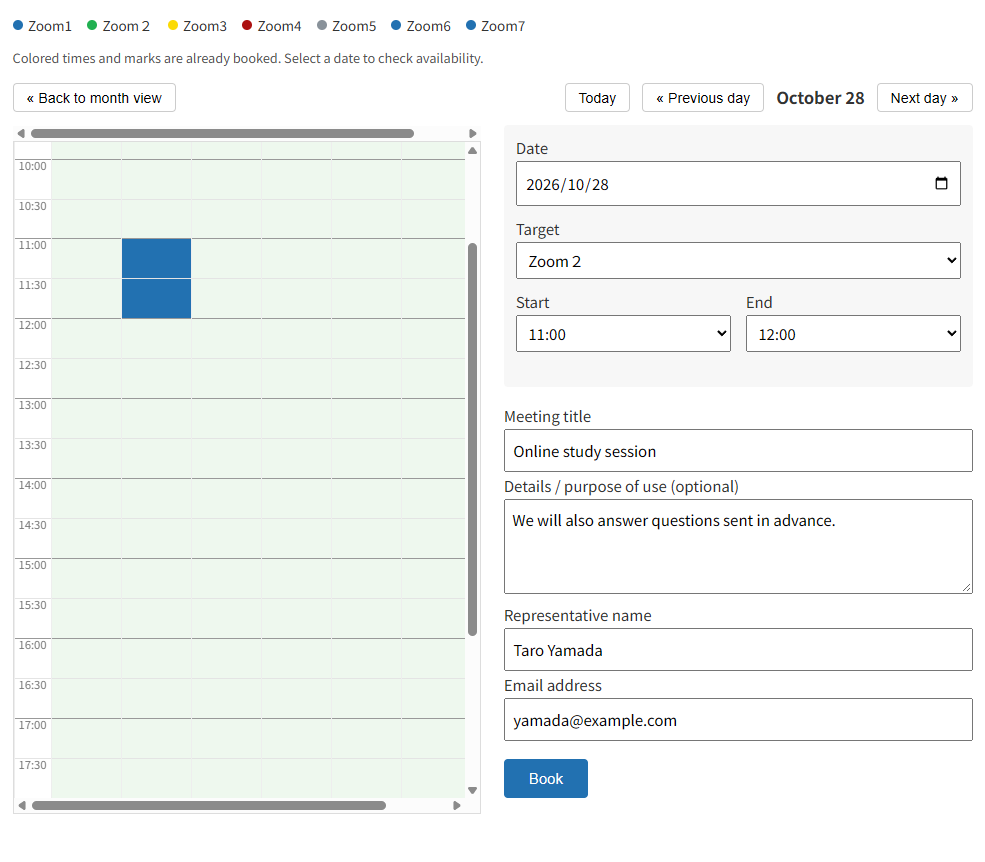
Shed Booking lets visitors reserve a bookable target (a room, a piece of equipment, a Zoom account, and so on) for a period of time. Place the [shedbook_calendar] shortcode on a page to show a month and day calendar where visitors pick a time slot and submit their details.
Main features
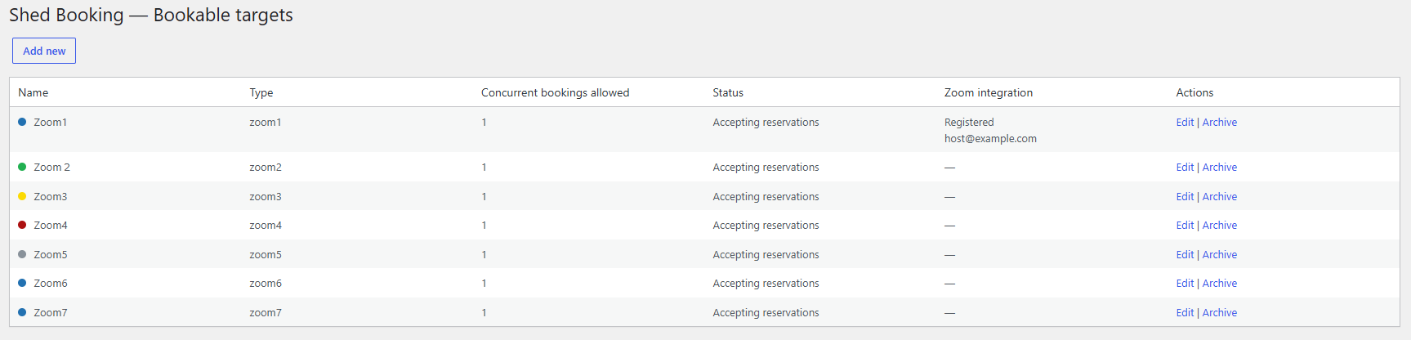
- Month and day calendar with a time slot of 5 to 60 minutes (set in the settings screen) and a mobile-friendly day view
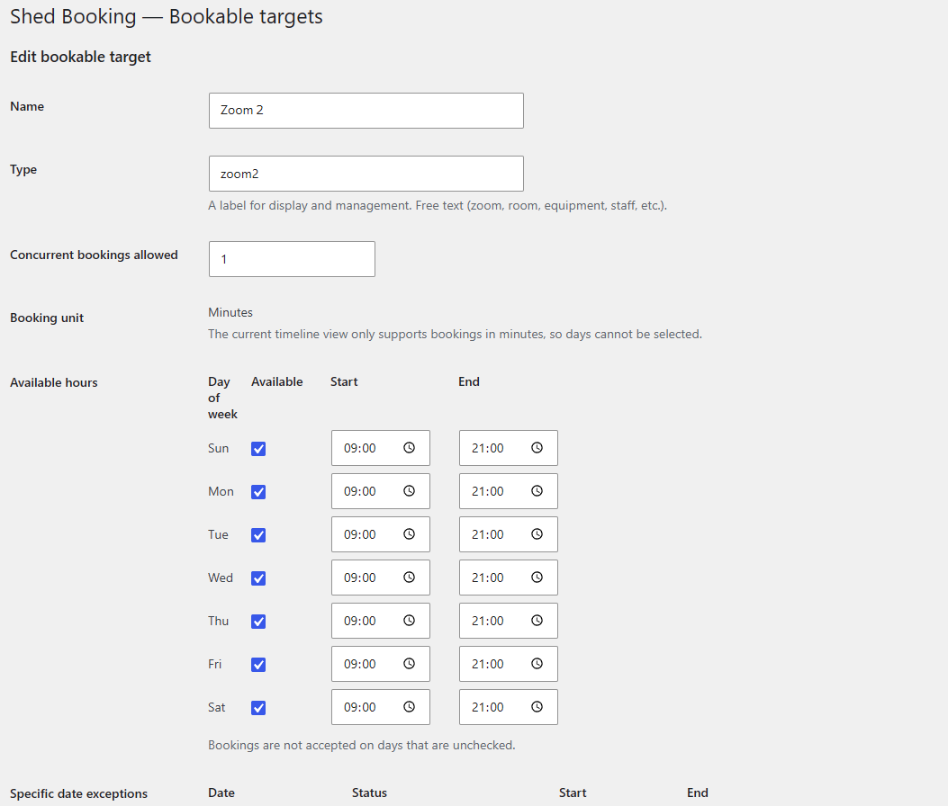
- Bookable targets with weekly available hours, date-specific exceptions, capacity, and preparation time before and after a booking
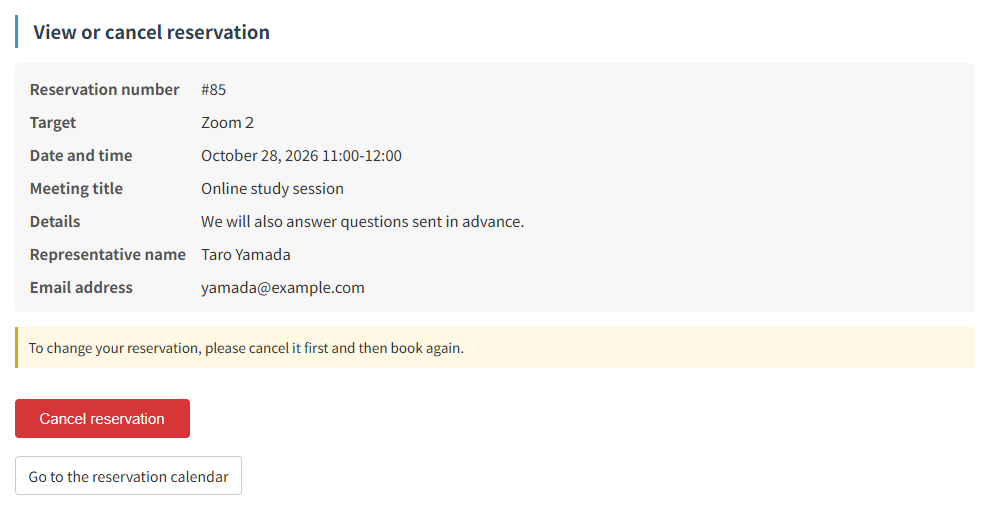
- Confirmation and cancellation with email notifications. Each reservation includes a link to review or cancel the booking without creating an account
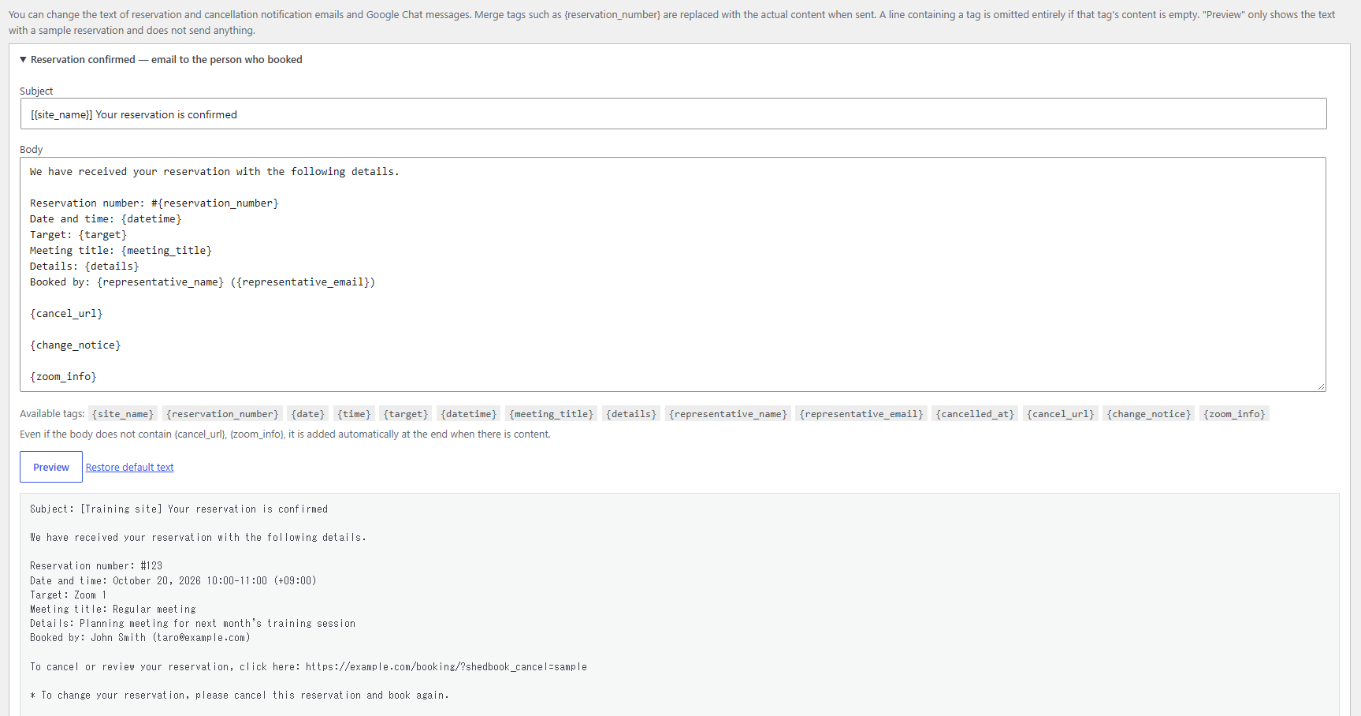
- Editable notification text for the confirmation and cancellation emails (visitor and notification recipients) and the Google Chat message, with merge tags and a preview
- Notifications to the people in charge by email (TO and CC) and by Google Chat webhook, with “send test” buttons
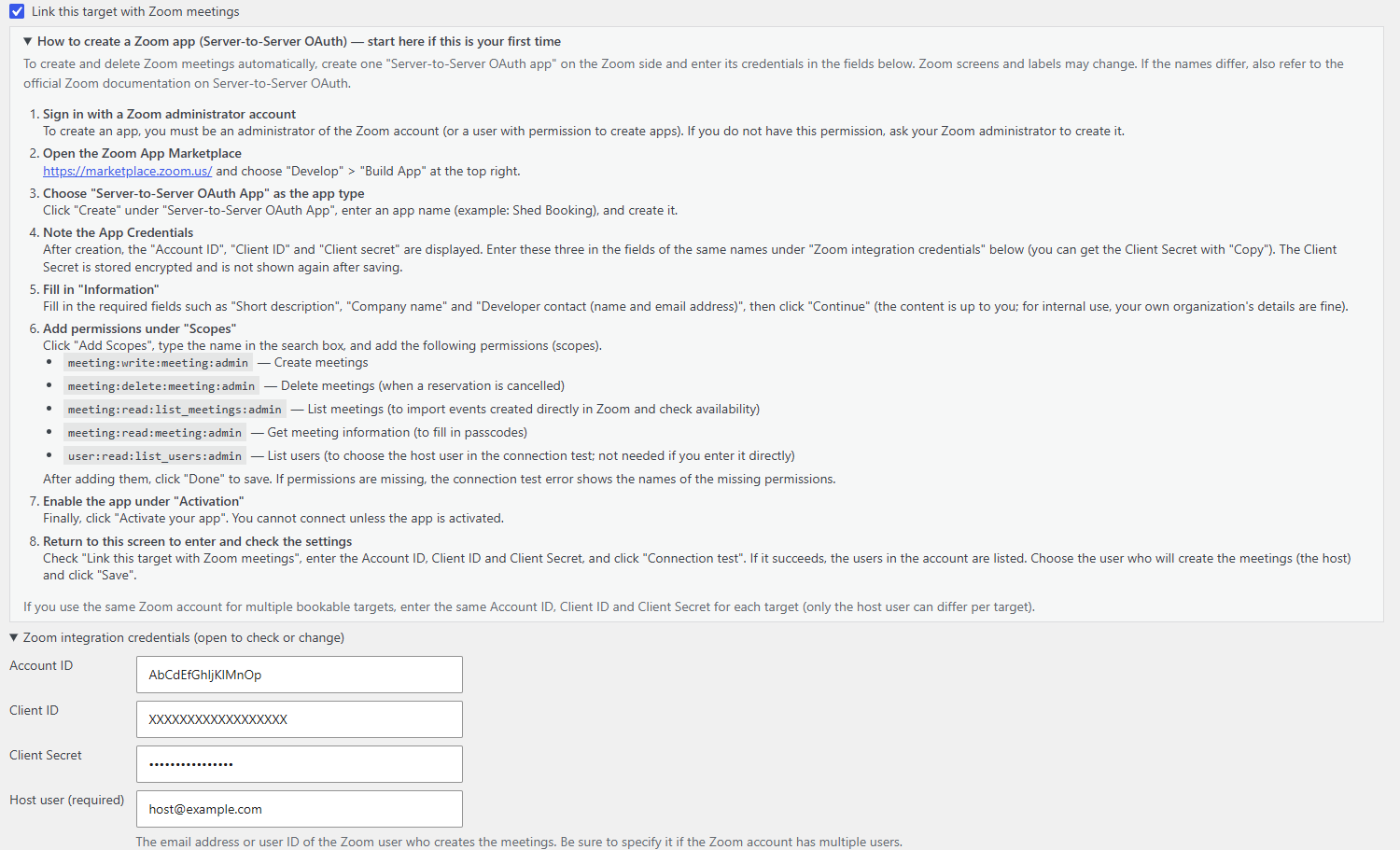
- Zoom integration (optional) using Server-to-Server OAuth. The plugin creates a Zoom meeting for each reservation and includes the joining details in the confirmation email and the booking completion screen. Cancelling a reservation also deletes the associated Zoom meeting. Existing Zoom meetings are imported to help prevent overlapping bookings. Zoom credentials are stored encrypted
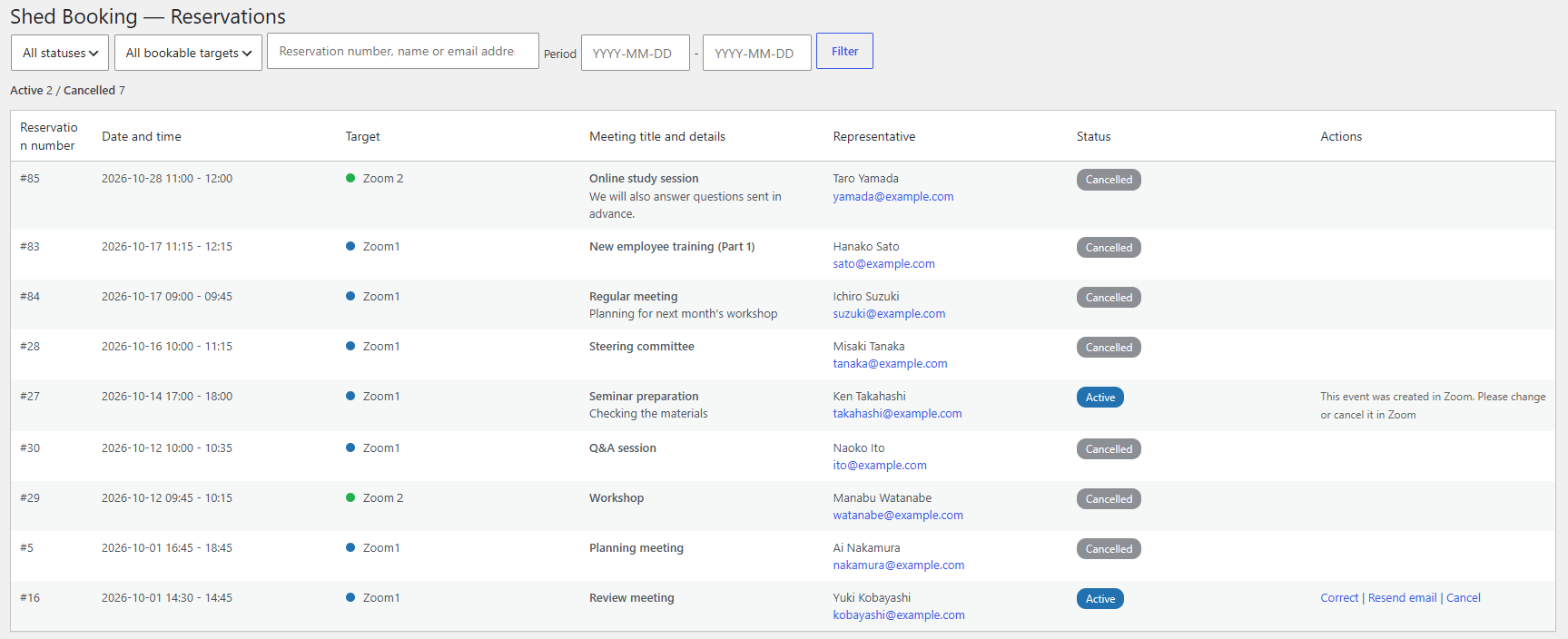
- Admin reservation list with search, date range, status badges, correction of a visitor’s name and email address, resend of the confirmation email, and warnings for failed emails or sync problems
- Abuse protection for the public form: rate limits per IP address and per email address, and a hidden honeypot field
- Optional spam protection through the separate Shed Turnstile plugin, which adds Cloudflare Turnstile to the booking form
Shed Booking is an independent project and is not affiliated with, endorsed by, or sponsored by Zoom Video Communications, Inc. or Google LLC. Zoom is a trademark of Zoom Video Communications, Inc. Google and Google Chat are trademarks of Google LLC.
If you need customization, please contact us via wpshed.jp.
External services
All external integrations are optional. Basic booking works without any external service.
The plugin communicates with an external service only when the site administrator has configured or enabled the matching integration. The services, the data sent and the circumstances of the transmission are described below.
Zoom (optional) — Used to create, read and delete Zoom meetings for bookable targets that the administrator has linked to a Zoom account. The administrator creates a Server-to-Server OAuth app in their own Zoom account and enters its credentials in the plugin. The plugin calls the Zoom API (https://zoom.us/oauth/token and https://api.zoom.us/v2/): when it requests an access token, when a reservation needs a meeting, when a reservation is cancelled, and when it synchronizes the existing meetings of the account. Data sent: the Zoom Account ID, Client ID and Client Secret (to obtain an access token), and for each reservation the meeting topic, start time, duration and an identifier containing the reservation number. The topic is the meeting title entered by the visitor (or “Reservation” if none was entered), so it can contain whatever the visitor typed there. The visitor’s name and email address are not sent to Zoom. Terms of Service / Privacy Statement
Google Chat (optional) — When the administrator enters a Google Chat (or compatible) webhook URL (https only), the plugin sends a short message to that URL each time a reservation is created or cancelled. The message contains the date, time and bookable target name only, not the visitor’s name, email address or meeting details. The destination is whatever webhook the administrator enters. Terms of Service / Privacy Policy
Cloudflare Turnstile (optional) — Available only through the separate Shed Turnstile plugin, which must be installed and configured; it is not needed for basic booking. When it is active, the visitor’s browser loads the Turnstile widget from Cloudflare, and the Shed Turnstile plugin sends the response token and the visitor’s IP address (when it can be determined) to Cloudflare (https://challenges.cloudflare.com/turnstile/v0/siteverify) to verify the submission. See the Shed Turnstile readme for details. Terms of Service / Privacy Policy
Details

Related plugins
Plugins that also contain the tag booking
LatePoint – Calendar Booking Plugin for Appointments and Events

Booking for Appointments and Events Calendar – Amelia

Online Scheduling and Appointment Booking System – Bookly

Appointment Booking Calendar — Simply Schedule Appointments Booking Plugin

Fluent Booking – The Ultimate Appointments Scheduling, Events Booking, Events Calendar Solution

SimplyBook.me – Booking and reservations calendar


About
Plugin for that tries to help you find the WordPress plugin you are looking for.
| Please enjoy an image of Crush (this awesome turtle) and have a lovely day! |  |
We do not own any plugin listed on this site and do not work for or work with WordPress.com or it's associated companies. We simply provide a searchable list of the available WordPress plugins.