



Shiftbox – Site Migration & Backup
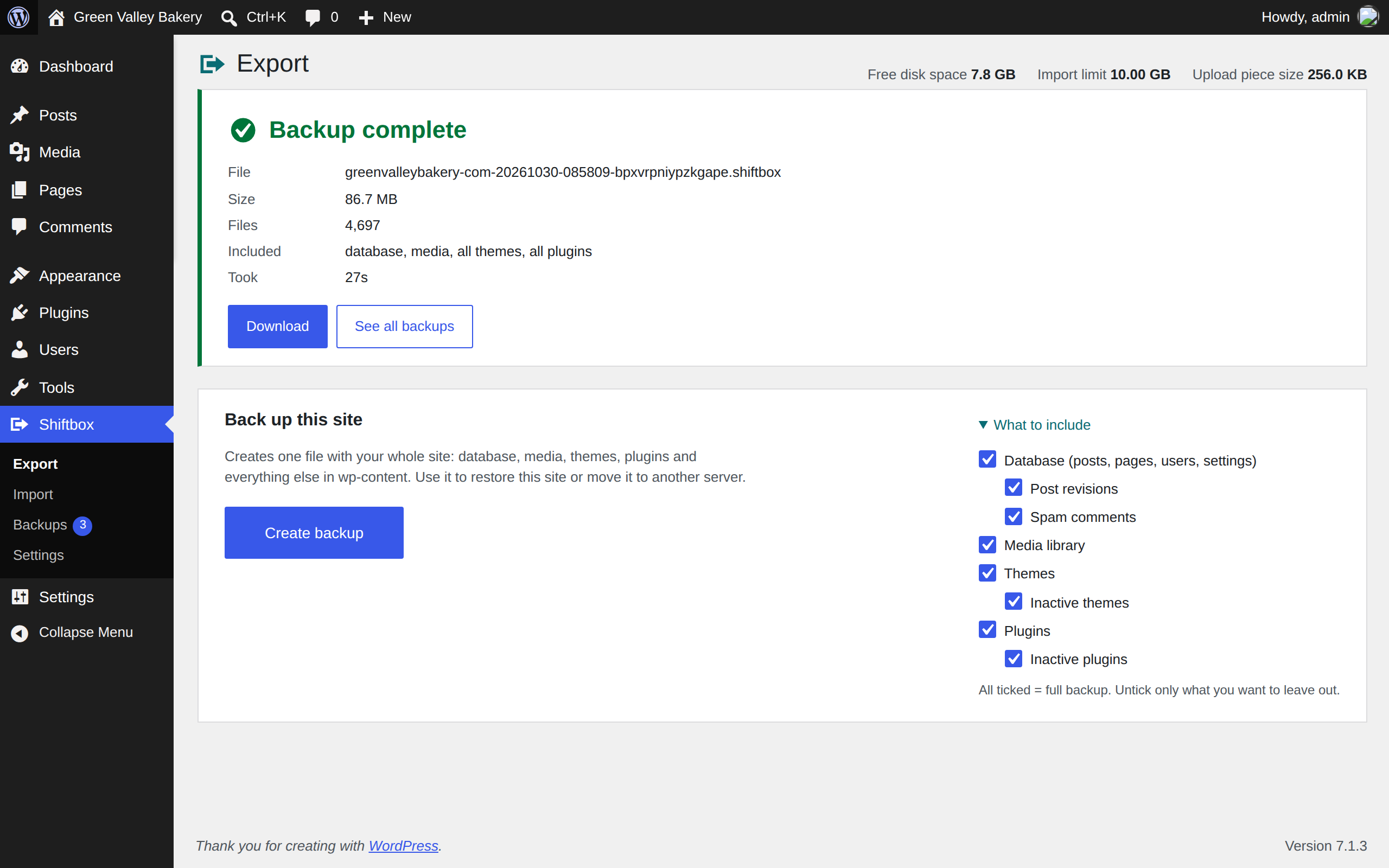
Shiftbox packs your database, media, themes and plugins into one .shiftbox file. Download it, upload it to another site, and Shiftbox moves everything over and updates every link and file path to the new address.
No size cap
There is no built-in import limit. Your server’s upload limit does not matter either: Shiftbox sends the file in pieces that always fit what the server accepts. You can set your own import and backup limits in Settings (for example 10 MB, 10 GB or unlimited).
Uploads and downloads that resume
If your connection drops halfway through a 5 GB upload, Shiftbox continues from where it stopped, even after you reload the page. Downloads support HTTP ranges, so browsers and download managers can resume them too.
Your site stays up while restoring
Most migration tools overwrite your live database and files step by step, so a failure halfway leaves a broken site. Shiftbox unpacks files into a staging folder and loads the database into temporary tables. Your live site keeps working the whole time. Only the last step switches everything over, and it takes seconds.
Switching from All-in-One WP Migration?
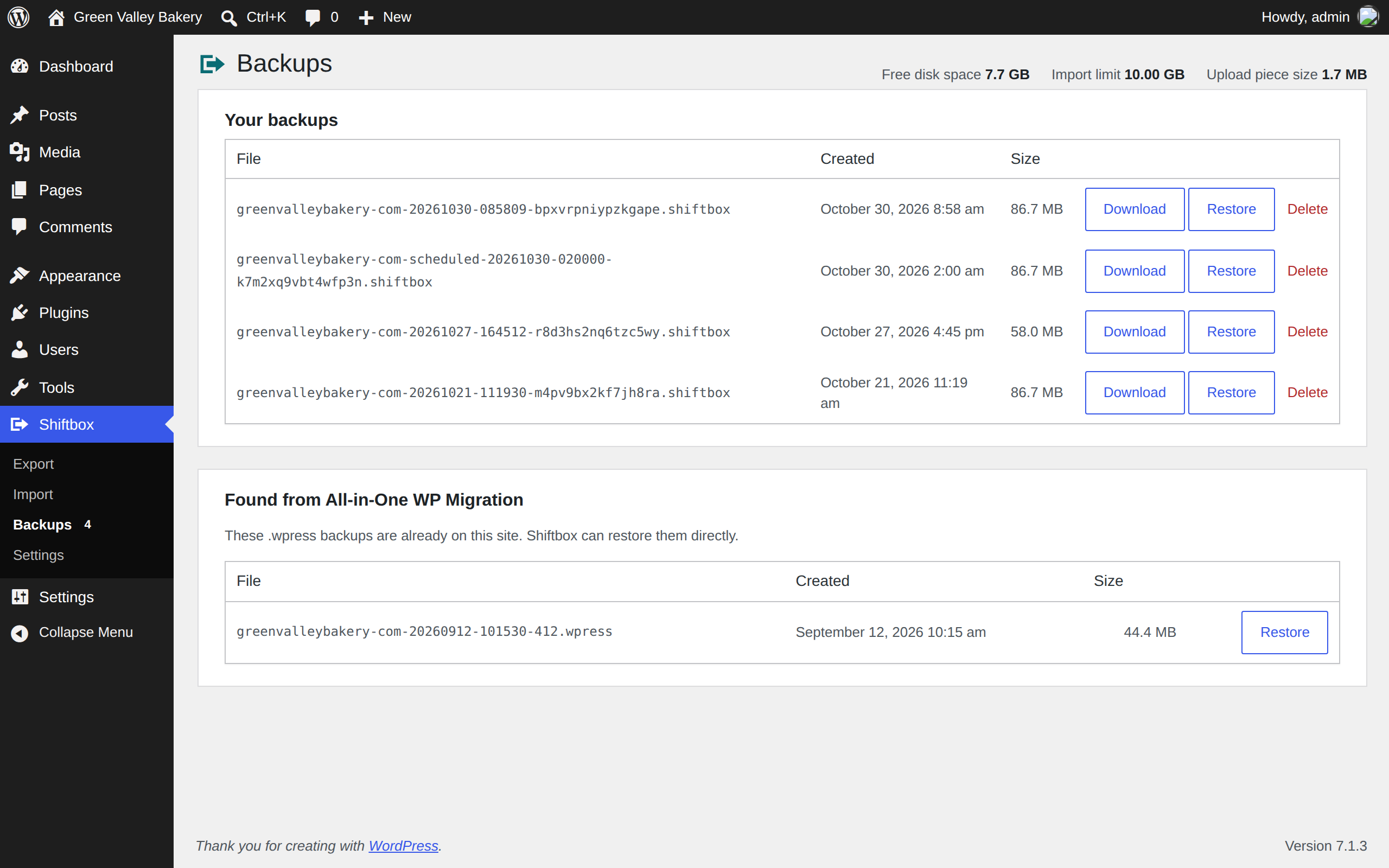
Shiftbox restores .wpress backups too. Upload one on the Import page, or open Shiftbox > Backups: any .wpress files already saved on the site by All-in-One WP Migration are listed there with a Restore button. Compressed backups are supported; password-protected ones are not.
Restore is free
Restoring a backup from the list, or from a file you upload, is included. So are scheduled backups.
Built for shared hosting
- Work is done in short steps, so PHP time limits do not stop a large backup or restore.
- Three performance modes: Safe, Balanced and Turbo.
- An optional speed cap keeps transfers from slowing down your site for visitors.
- Upload pieces grow on fast connections and shrink when the server pushes back.
Careful with your data
- Links inside serialized data (widgets, page builders, theme options) are updated without breaking them. Serialized data is parsed, never unserialized, so no PHP objects are created.
- Moving between different table prefixes, and from MySQL 8 to MariaDB, is handled automatically.
- Cache drop-ins and hosting-specific must-use plugins are not copied to a new server.
- Backups are stored in a protected folder with long random file names.
- Every action checks permissions and a security token.
Features
- Full-site backup and restore
- Move to a new domain, server or local install
- Leave out media, themes, plugins, the database, inactive plugins or themes, post revisions and spam comments
- Daily or weekly automatic backups with retention
- Restores .wpress backups from All-in-One WP Migration
- Optional backup of the current site before every restore
- Import and backup size limits you control
- Works with PHP 7.4 and newer
Details



Related plugins
Plugins that also contain the tag backup
All-in-One WP Migration and Backup

UpdraftPlus: WP Backup & Migration Plugin

Jetpack – WP Security, Backup, Speed, & Growth

ManageWP Worker

WPvivid — Backup, Migration & Staging

Backuply – Backup, Restore, Migrate and Clone


About
Plugin for that tries to help you find the WordPress plugin you are looking for.
| Please enjoy an image of Crush (this awesome turtle) and have a lovely day! |  |
We do not own any plugin listed on this site and do not work for or work with WordPress.com or it's associated companies. We simply provide a searchable list of the available WordPress plugins.