


Simple Coming Soon
Simple Coming Soon is the easiest way to hide your site from visitors while you work on it. Features Pro-level design controls, Auto-Launch Timer, and a handy Admin Bar Status Indicator.
🔥 Key Features:
- Tabbed Settings UI: New organized interface for easier customization.
- SEO & Visibility: Set custom Meta Titles and Descriptions for Google.
- One-Click Enable/Disable: Instantly turn maintenance mode on or off.
- Pro Action Button: Add a CTA button with full design control (Hover Colors, Border Width, and Smart Padding Fallbacks).
- Analytics Integration: Add Google Analytics (GA4), Facebook Pixel, or other tracking scripts.
- Modern Social Icons: Support for TikTok, YouTube, LinkedIn, X (Twitter), Facebook, and Instagram.
- Shadow Presets: Apply professional shadow styles (Soft, Medium, Retro, Deep).
- Smart Countdown: Responsive countdown clock with Screen Reader support.
- Auto-Launch Mode: Automatically publish your site when the countdown ends.
- Secret Bypass Link: Share a “Magic Link” (e.g.,
/?secret=clientview) to let clients see the site without an account. - Frosted Glass Effect: Modern Apple-style “Glassmorphism” look with Blur and Opacity controls.
- Admin Status Indicator: Quickly see if your site is “Locked” or “Live” via the WP Admin Bar.
- SEO Friendly: Sends a proper 503 HTTP status code to search engines.
Usage
1. How to Enable/Disable:
* Go to Settings > Coming Soon.
* Use the top toggle “Enable Coming Soon Mode” to turn the page on or off.
* Blue = Active (Visitors see Coming Soon page), Grey = Disabled (Site is live).
2. Designing the “Glass” Effect:
* Go to the Design tab.
* Upload a high-quality Background Image.
* Adjust Content Opacity (try 85%) and Background Blur (try 10px) to create the frosted glass look.
3. Setting up the Countdown & Auto-Launch:
* Go to the Elements tab.
* Check “Enable Timer” and pick your launch date/time.
* Important: Check “Auto-Launch” if you want the plugin to automatically disable itself when the timer hits zero.
4. Sharing with Clients (Secret Access):
* Go to the Advanced tab.
* Enter a secret keyword (e.g., preview) in the Bypass Keyword field.
* Save changes and copy the “Magic Link” generated below the field. Anyone with this link can see the real site.
5. Adding Tracking (GA4/Pixel):
* Go to the Advanced tab.
* Paste your code into the Header Scripts box. It will only load on the Coming Soon page.
Details


Related plugins
Plugins that also contain the tag coming-soon
Maintenance

LightStart – Maintenance Mode, Coming Soon and Landing Page Builder

CMP – Coming Soon & Maintenance Plugin by NiteoThemes

Minimal Coming Soon – Coming Soon Page

WP Maintenance

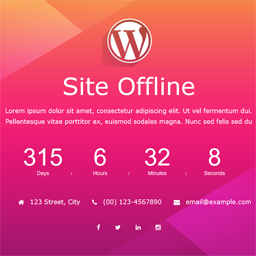
Site Offline Or Coming Soon Or Maintenance Mode

About
Plugin for that tries to help you find the WordPress plugin you are looking for.
| Please enjoy an image of Crush (this awesome turtle) and have a lovely day! |  |
We do not own any plugin listed on this site and do not work for or work with WordPress.com or it's associated companies. We simply provide a searchable list of the available WordPress plugins.