


Simple Website Redirect
The Simple Website Redirect plugin allows to you redirect an entire website (except the WordPress backend) to another website.
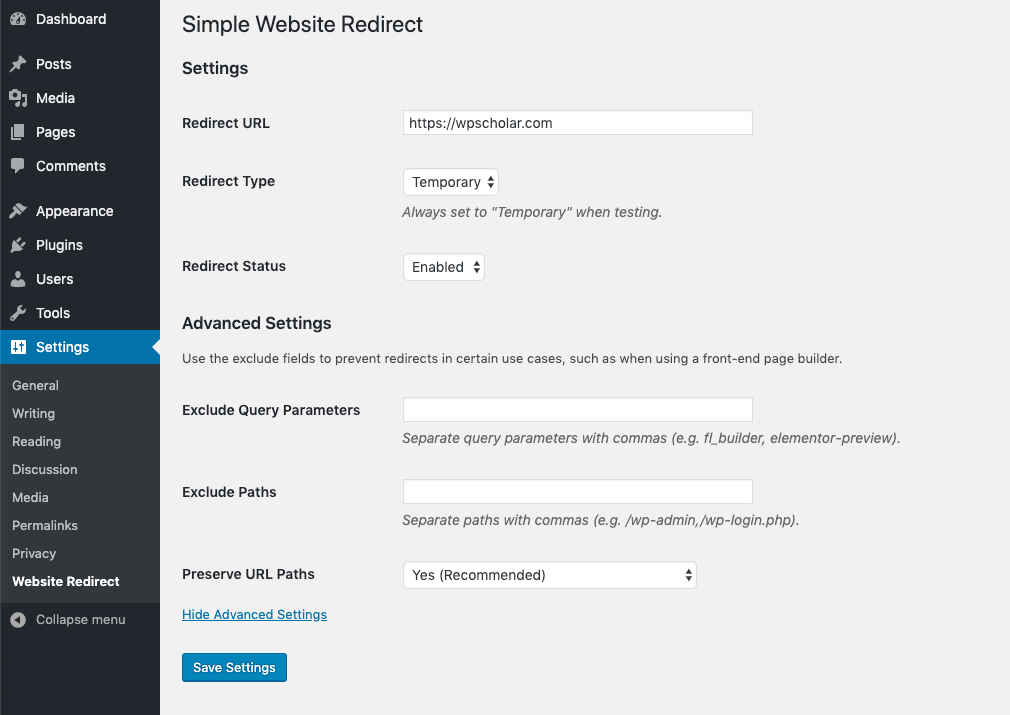
The URL path and query string is preserved when redirecting to the new site. Ideally, the new site would handle any one-off redirects where a URL for an old page should point to a new page. The Redirection plugin is great for this purpose.
Find out more about website redirects for SEO.
Usage Instructions
Using this plugin is simple:
- Install the plugin
- Activate the plugin
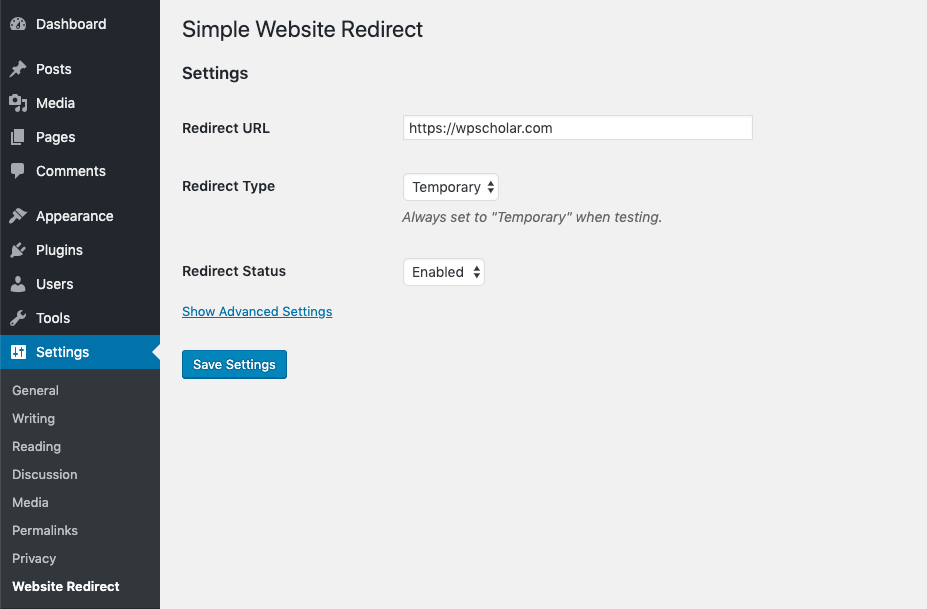
- Go to ‘Settings’ in the WordPress admin menu and then click on ‘Website Redirect’.
- Enter the URL you want to redirect the site to, set the desired redirection type, set the status to ‘Enabled’ and save your changes!
Note: Redirection type can either be ‘Temporary’ or ‘Permanent’. It is recommended that you start with ‘Temporary’ while testing and then convert to ‘Permanent’ after testing for maximum SEO benefit. Please be aware that browsers cache permanent redirects.
Details
Related plugins
Plugins that also contain the tag forward
Quick Page/Post Redirect Plugin

Speedy Page Redirect

Test Email Redirector

Sticky CPT

EasyRedirect

WP-To-Blox


About
Plugin for that tries to help you find the WordPress plugin you are looking for.
| Please enjoy an image of Crush (this awesome turtle) and have a lovely day! |  |
We do not own any plugin listed on this site and do not work for or work with WordPress.com or it's associated companies. We simply provide a searchable list of the available WordPress plugins.