

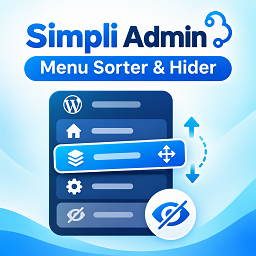
Simpli Admin Menu Sorter & Hider
Simpli Admin Menu Sorter & Hider helps you organize the menu in the WordPress administration area. From one settings screen, you can change the order of top-level sidebar items, rearrange their submenus, and hide entries you do not need to see.
WordPress sites often gain extra admin menus as themes and plugins are installed. This plugin lets you keep the sidebar focused on the screens you use most, without editing theme files or creating custom code.
What You Can Do
- Reorder top-level menus: Drag menu items into the sequence that works best for your daily tasks.
- Reorder submenus: Arrange the child pages within a parent menu using drag and drop.
- Hide sidebar entries: Choose which top-level menus or individual submenu items should not appear in the admin sidebar.
- Save changes in the dashboard: Apply your choices using the Save Changes button on the settings page.
- Restore the defaults: Remove your custom ordering and visibility rules with Reset to Default.
- Keep settings between visits: The plugin stores its menu preferences in a WordPress option so your chosen layout is applied on later admin visits.
How to Use It
- Activate the plugin and open Settings > Admin Menu Sorter.
- Drag top-level menu rows to rearrange them. If a menu has submenus, drag those items within their parent section as well.
- Use the visibility toggles to hide individual menus or submenus from the sidebar.
- Click Save Changes and let the admin page refresh to apply your choices.
- To remove saved customizations, choose Reset to Default.
The settings screen displays menus available in the current WordPress admin environment, including menus added by installed plugins when they are registered there.
Site-Wide Menu Preferences
The saved order and visibility preferences are site-wide, not separate presets for individual users or roles. WordPress still decides which admin pages each user is permitted to access.
Important: Hiding a menu only hides its sidebar link. It does not revoke the user’s permission to access that page. Anyone with the relevant capability may still open the page through its direct URL. Do not use this plugin as an access-control or security tool.
Simple Administration
The plugin runs in the WordPress admin area. It provides a drag-and-drop settings interface, saves settings via WordPress AJAX with administrator permission checks, and does not add a visitor-facing widget or change your website’s public content.
If you prefer the native WordPress menu layout later, the reset option clears the saved customizations.
Details
Related plugins
Plugins that also contain the tag admin
Redux Framework

Loginizer

LightStart – Maintenance Mode, Coming Soon and Landing Page Builder

Admin Menu Editor

White Label CMS

InfiniteWP Client


About
Plugin for that tries to help you find the WordPress plugin you are looking for.
| Please enjoy an image of Crush (this awesome turtle) and have a lovely day! |  |
We do not own any plugin listed on this site and do not work for or work with WordPress.com or it's associated companies. We simply provide a searchable list of the available WordPress plugins.