

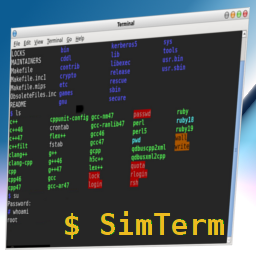
SimTerm
Show the world how you use the command line with this plugin. Designed for tech blogs, tutorials and sections
where terminal commands matter.
This plugin, make a shortcode: [simterm][/simterm] and shows the text inside as in a terminal session, including
some typing animation and separating user input and program output.
By defaults commands have a $ symbol as the first character of the line and user input has the > (greater than)
symbol.
You can also specify the color of the line using ##red## , ##blue## , ##green## or ##yellow## or even a custom
delay for this line with ##delay=[ms]## with the amount of milliseconds to sleep.
To create the effect it uses “Show Your Terms” by Kande Bofim, a tiny and library agnostic Javascript.
Details


Related plugins
Plugins that also contain the tag bash
WPTerm
Simpler Syntax Highlighter


About
Plugin for that tries to help you find the WordPress plugin you are looking for.
| Please enjoy an image of Crush (this awesome turtle) and have a lovely day! |  |
We do not own any plugin listed on this site and do not work for or work with WordPress.com or it's associated companies. We simply provide a searchable list of the available WordPress plugins.