

This plugin is outdated and might not be supported anymore
Back

Reset Complete Site
Details
View on WordPress
Back
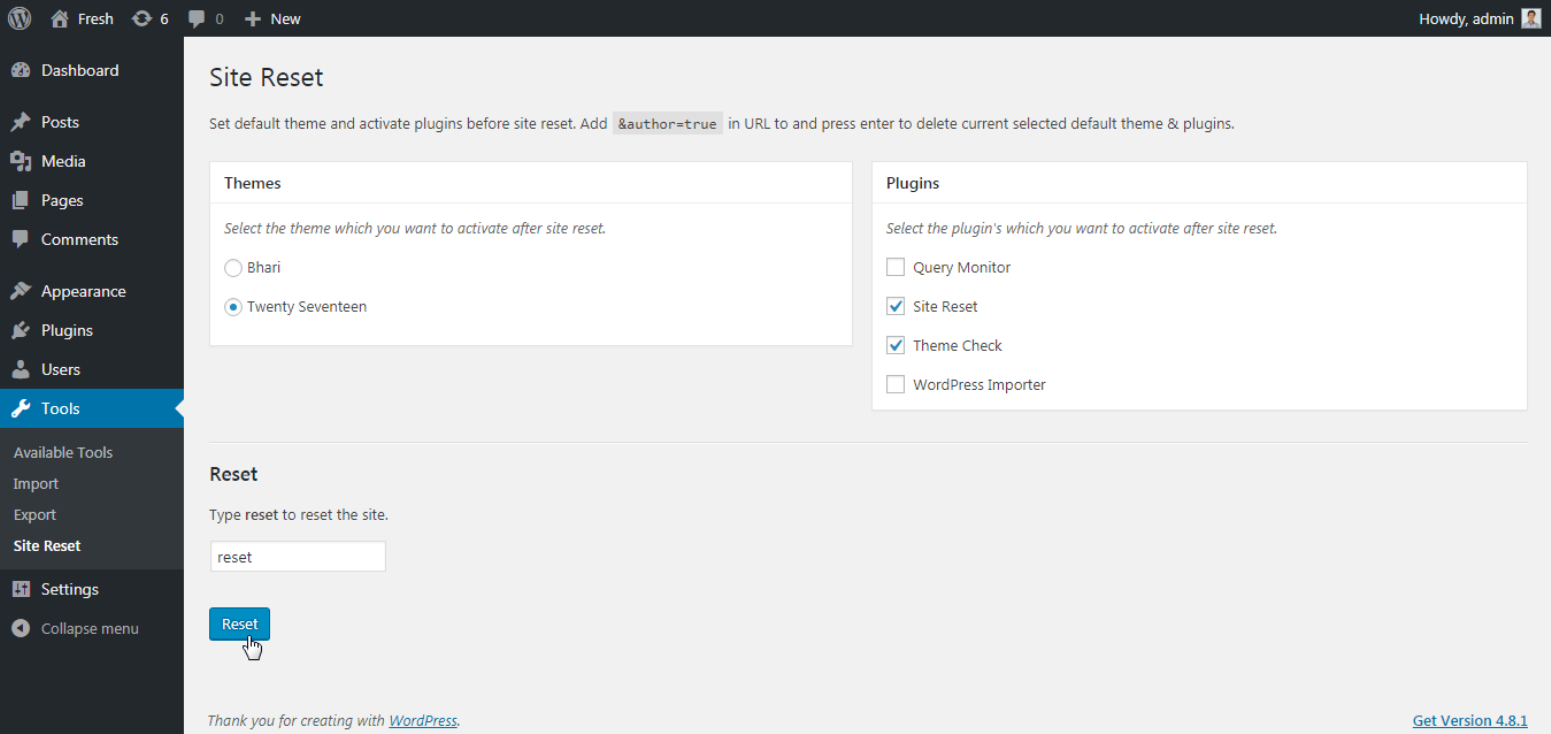
Select your favorite theme and active plugin’s which you want to see after site reset.
Note: ‘Reset Complete Site’ plugin not support multisite.
How to use?
- Goto
tools -> Site Reset. - Select theme which you want to activate after site reset.
- Select plugins which you want to activate after site reset.
- Type
resetin input box - From popup confirmation box select
Ok - Done! Your site will be reset with your selected theme and plugins.
Extend Site Reset plugin on Github
Details
Plugin code:
site-reset
Plugin version:
1.2.1
Author:
Outdated:
Yes
WP version:
4.4 or higher
PHP version:
or higher
Test up to WP version:
5.7.12
Total installations:
10
Last updated:
2021-04-10
Rating:
Times rated:
1
site-reset

Related plugins
Plugins that also contain the tag site-reset
ZeroState


About
Plugin for that tries to help you find the WordPress plugin you are looking for.
| Please enjoy an image of Crush (this awesome turtle) and have a lovely day! |  |
We do not own any plugin listed on this site and do not work for or work with WordPress.com or it's associated companies. We simply provide a searchable list of the available WordPress plugins.