


smartest.email
smartest.email brings your workspace’s signup forms to WordPress. Connect securely, choose a form and publish it using the native block editor or a shortcode. Campaigns, contacts, consent records and email delivery stay in smartest.email.
The plugin supports individual WordPress installations. WordPress multisite is not supported yet. A smartest.email account, HTTPS and at least one active double opt-in form with required consent and a privacy policy URL are required. The plugin is free; access to the external smartest.email service is subject to the account’s plan and limits. No paid checkout or plan entitlement is introduced by this plugin.
Features:
- Secure connection using OAuth authorization codes, S256 PKCE and rotating refresh tokens; no shared client secret or API key to paste.
- Native “smartest.email signup form” block and [smartest_email_form id=”FORM_UUID”] shortcode.
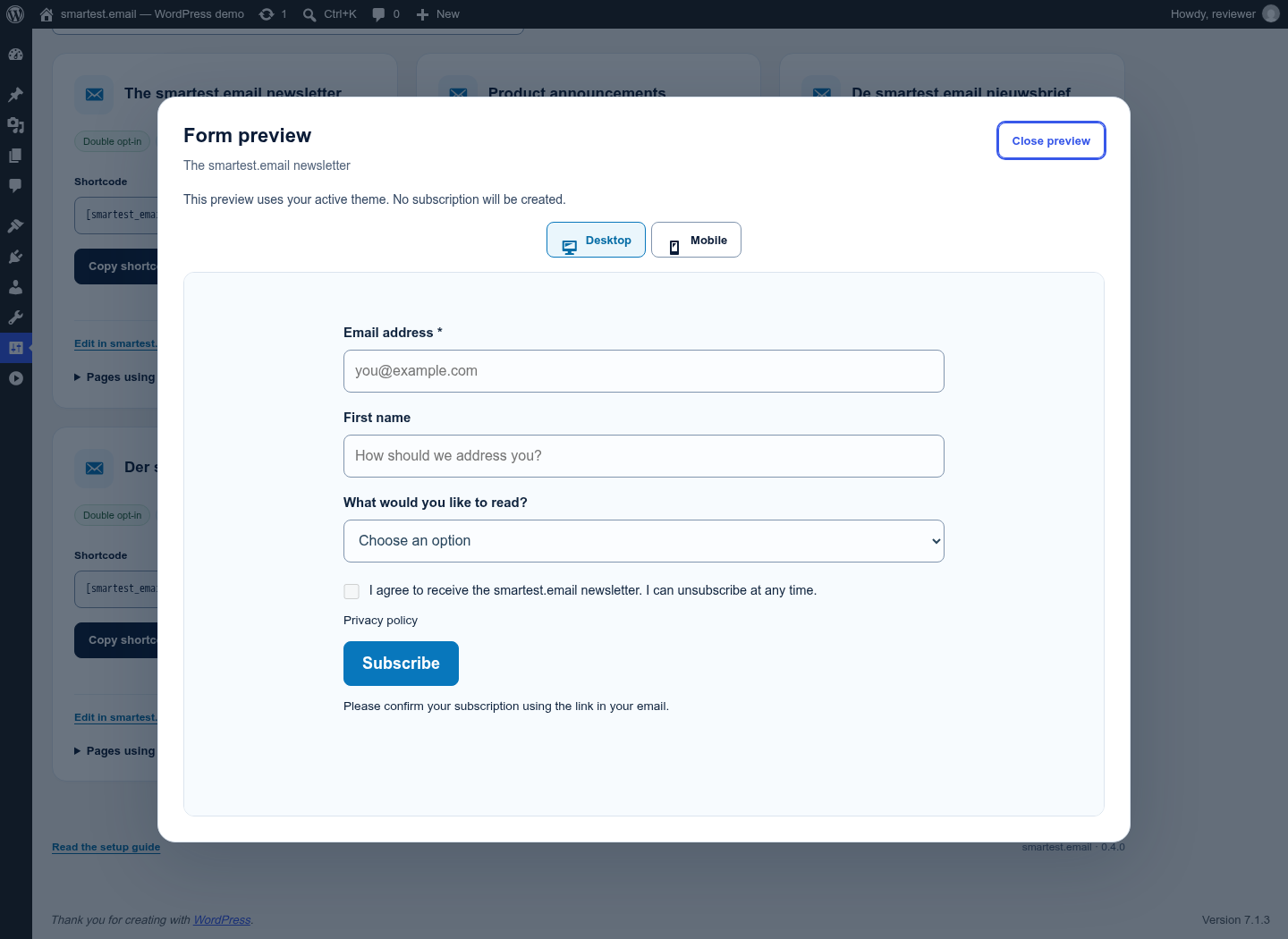
- Searchable form selection and non-submitting desktop/mobile previews using the active website theme.
- Use your site theme, smartest.email styling or a custom palette, with site defaults and per-placement overrides.
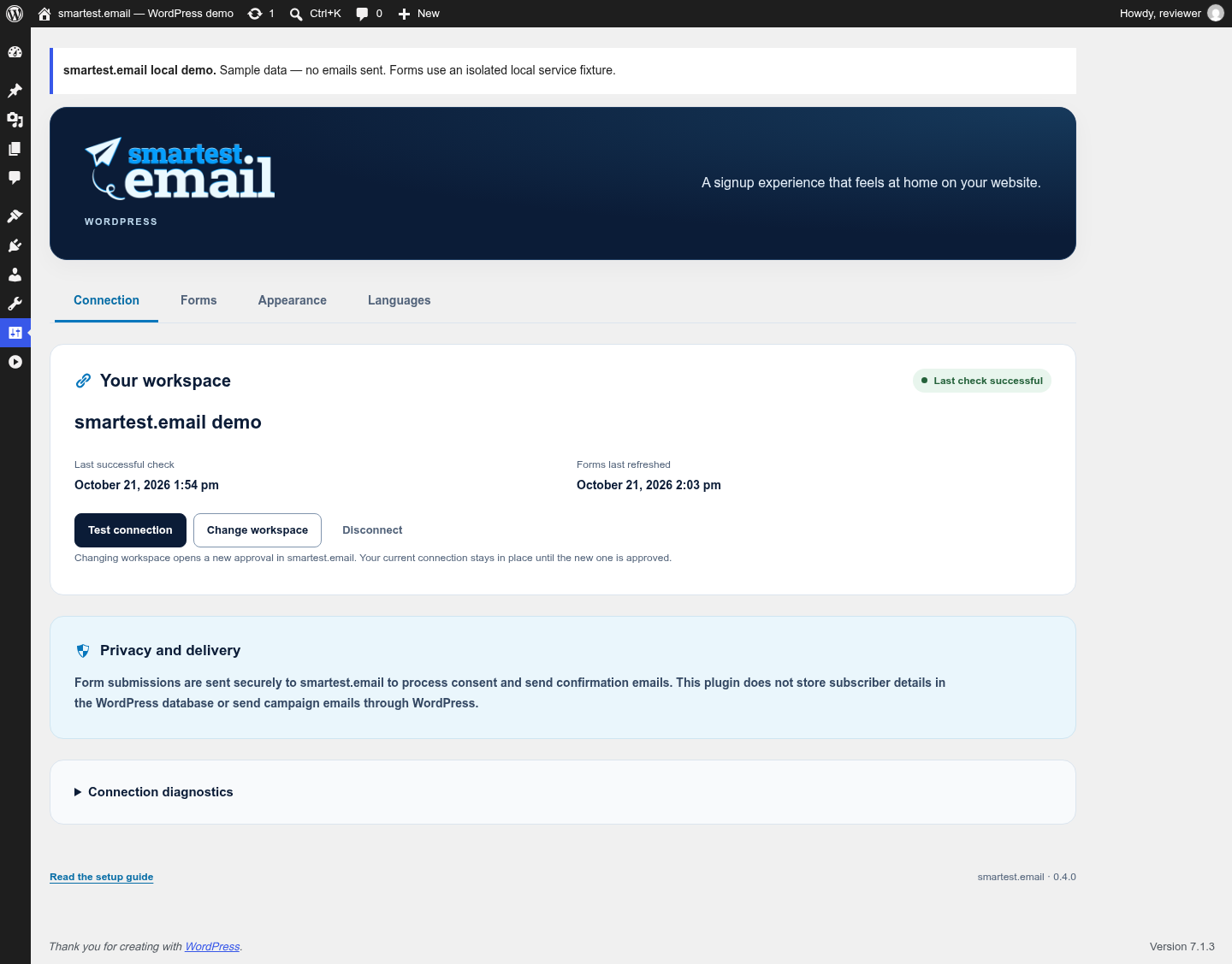
- Separate Connection, Forms, Appearance and Languages settings, with connection checks and safe diagnostics.
- Language-to-form mappings and an explicit fallback, using the page language from WordPress, Polylang or WPML.
- Responsive stacked/two-column fields, standard/full width, custom button labels and full-width buttons, with matching shortcode options.
- Native block color, typography and spacing controls where supported by your theme.
- Searchable form cards, mapped-language badges, links to edit forms and known page placements, and shortcode copying with a manual-copy fallback.
- Current form fields, consent copy and privacy policy link from smartest.email.
- Accessible labels, browser validation, readable status messages and styles that work with your theme.
- Email confirmation before a new contact becomes subscribed. Existing unsubscribed or suppressed addresses are not reactivated.
- Idempotent retries after network failures. An uncertain submission keeps its original payload and identifiers in page memory until resolved or the page is closed.
- Local nonces, signed short-lived form contexts, honeypot and request limits. These complement the service’s subscription limits; they are not a CAPTCHA.
- Connection status, refreshable form list and local disconnection.
- WordPress controls and messages in 19 locales, including right-to-left Arabic.
External service
This plugin connects to the smartest.email service at https://smartest.email and https://api.smartest.email.
When a site administrator connects, the browser opens smartest.email for approval. WordPress then exchanges the returned code for access and refresh tokens. The plugin sends authenticated requests to retrieve the connected workspace’s name and eligible form definitions. It sends token refresh and revocation requests when needed.
When a visitor explicitly submits a form, the plugin sends the declared form fields (including the email address), the current consent text, a consent timestamp, the selected form ID, a random installation ID and a random submission ID to smartest.email. smartest.email records consent, enforces suppression and sends any required confirmation email. The plugin does not send the visitor’s IP address to smartest.email.
OAuth credentials are encrypted with WordPress salts and stored in a non-autoloaded option. Changing those salts requires reconnecting. Cached form definitions expire after five minutes. Local anti-abuse counters store salted hashes of visitor IP addresses for up to six minutes; raw IP addresses are not stored by this plugin. Subscriber fields are not persisted in WordPress, plugin logs, localStorage or sessionStorage. Other site infrastructure may keep its own request logs.
Appearance preferences, language mappings and safe connection diagnostics (timestamps and a limited error category) are stored locally. Previewing a form does not send a subscription. An authenticated preview loads the active theme’s styles and fonts; theme assets retain their usual hosts.
Disconnect before deleting the plugin to revoke the service grant. If revocation cannot be confirmed, the local credentials are still removed and a notice explains how to revoke the connection in smartest.email. Uninstall removes local plugin options and database-backed transients; cached transient entries in an external object cache expire normally. Uninstall does not delete contacts, consent records or forms in smartest.email.
Service and support: https://smartest.email
Setup guide: https://smartest.email/docs/integrations/wordpress
Privacy policy: https://smartest.email/privacy
Terms: https://smartest.email/terms
Details


Related plugins
Plugins that also contain the tag double-opt-in
Double Opt-In for Contact Form 7 & Avada – Secure, GDPR-Compliant Email Verification

maennchen1 Newsletter Germany

Australcode Email Marketing

Hafenstudios Leadlotse – Form & Lead Manager

MDO Lite

maennchen1 Newsletter Germany Signup


About
Plugin for that tries to help you find the WordPress plugin you are looking for.
| Please enjoy an image of Crush (this awesome turtle) and have a lovely day! |  |
We do not own any plugin listed on this site and do not work for or work with WordPress.com or it's associated companies. We simply provide a searchable list of the available WordPress plugins.