

Snippelio – SEO Description Editor
日本語:WordPressのメタディスクリプションを、編集画面で丁寧に整える
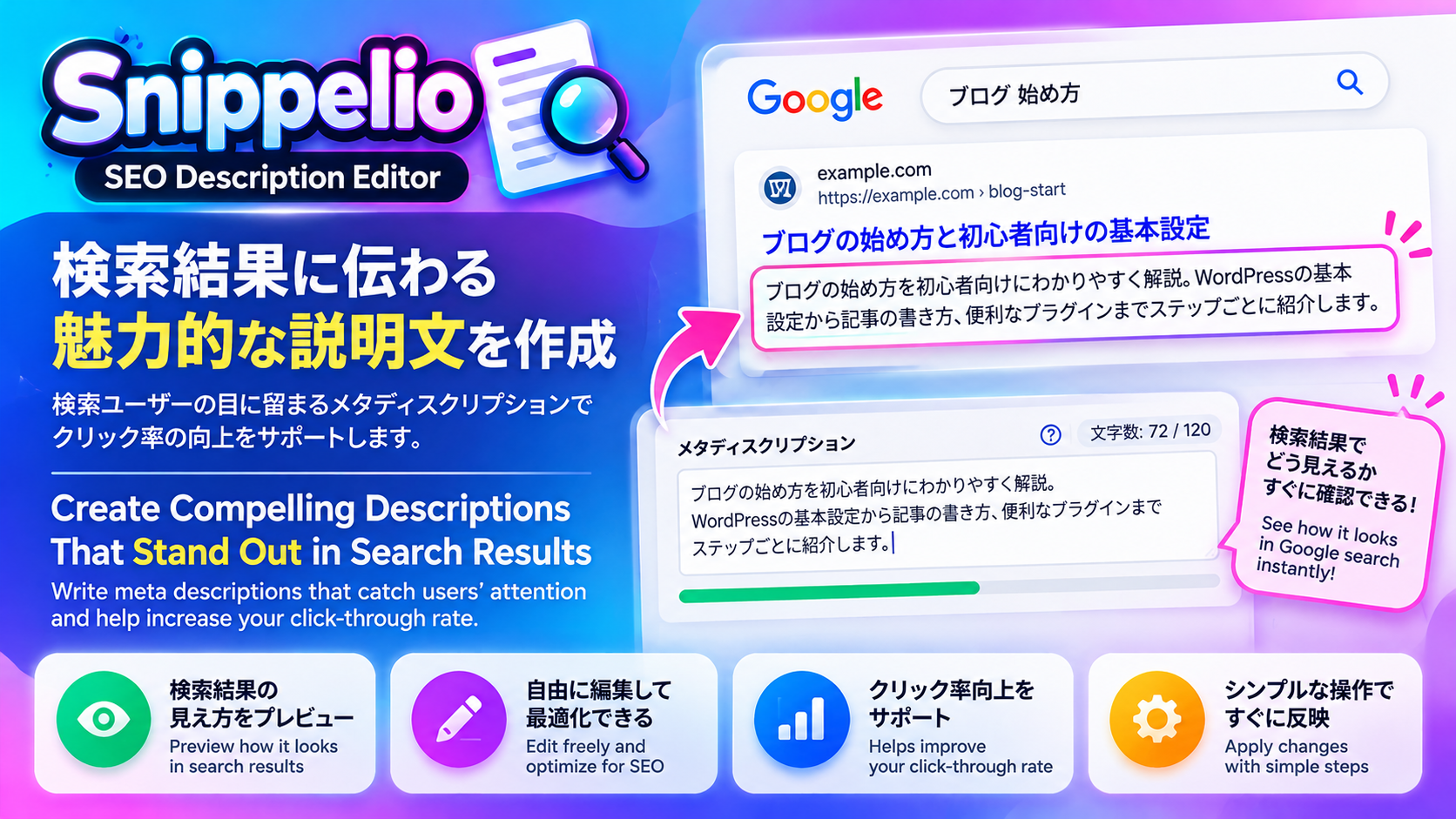
Snippelio – SEO Description Editorは、WordPressの投稿・固定ページに専用の入力パネルを追加し、メタディスクリプションの作成・保存・見直しを支援するプラグインです。記事を書く流れの中で、そのページで何がわかるのか、どのような読者に役立つのかを、自分の言葉で整理できます。
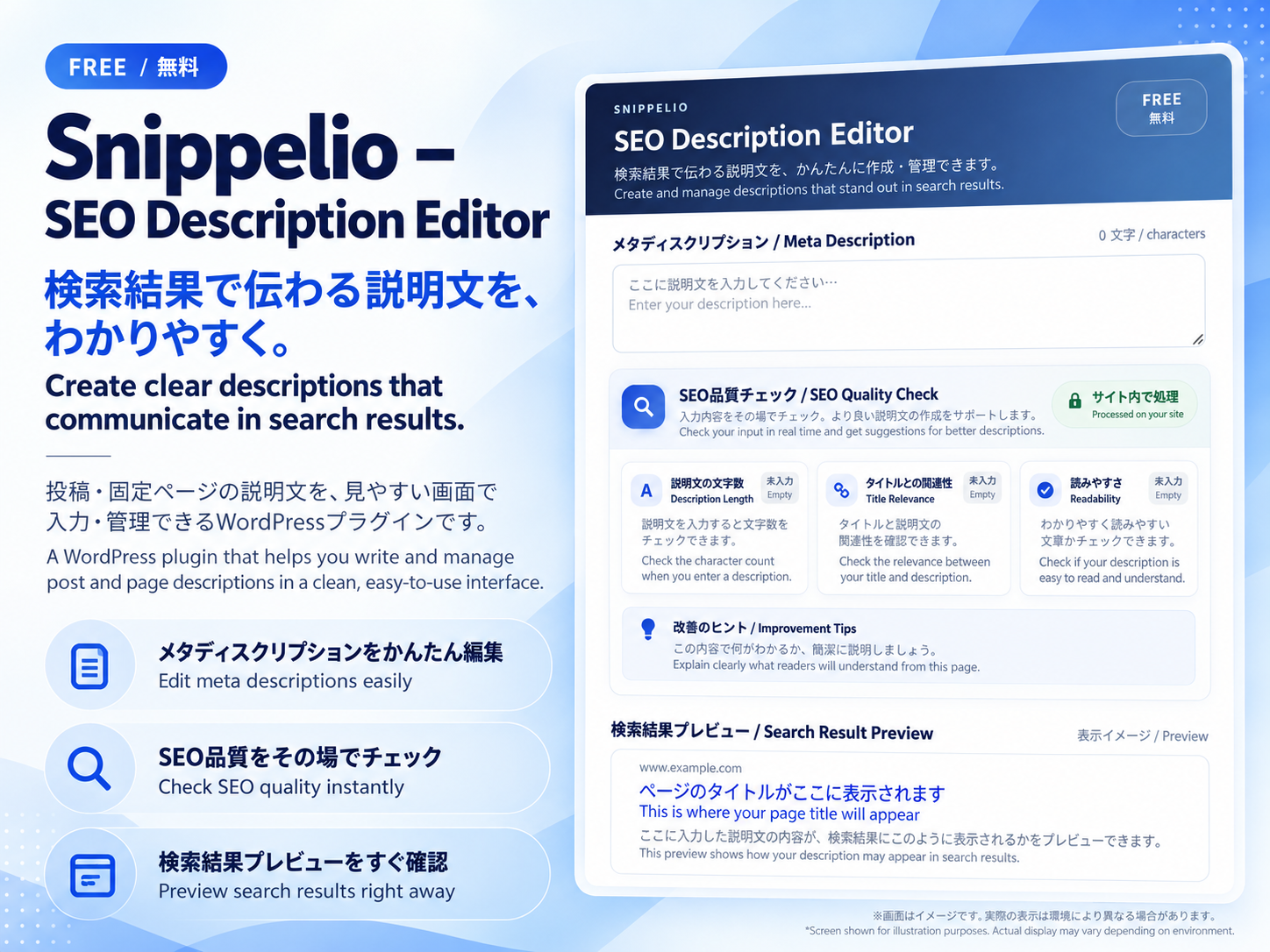
文字数だけでなく、タイトルの語句との一致や、空白・記号の使い方を入力中に確認できます。改善のヒントと検索結果の表示イメージを参考に、記事の内容に沿った、わかりやすいSEO説明文を仕上げたい方に向いています。
主な機能
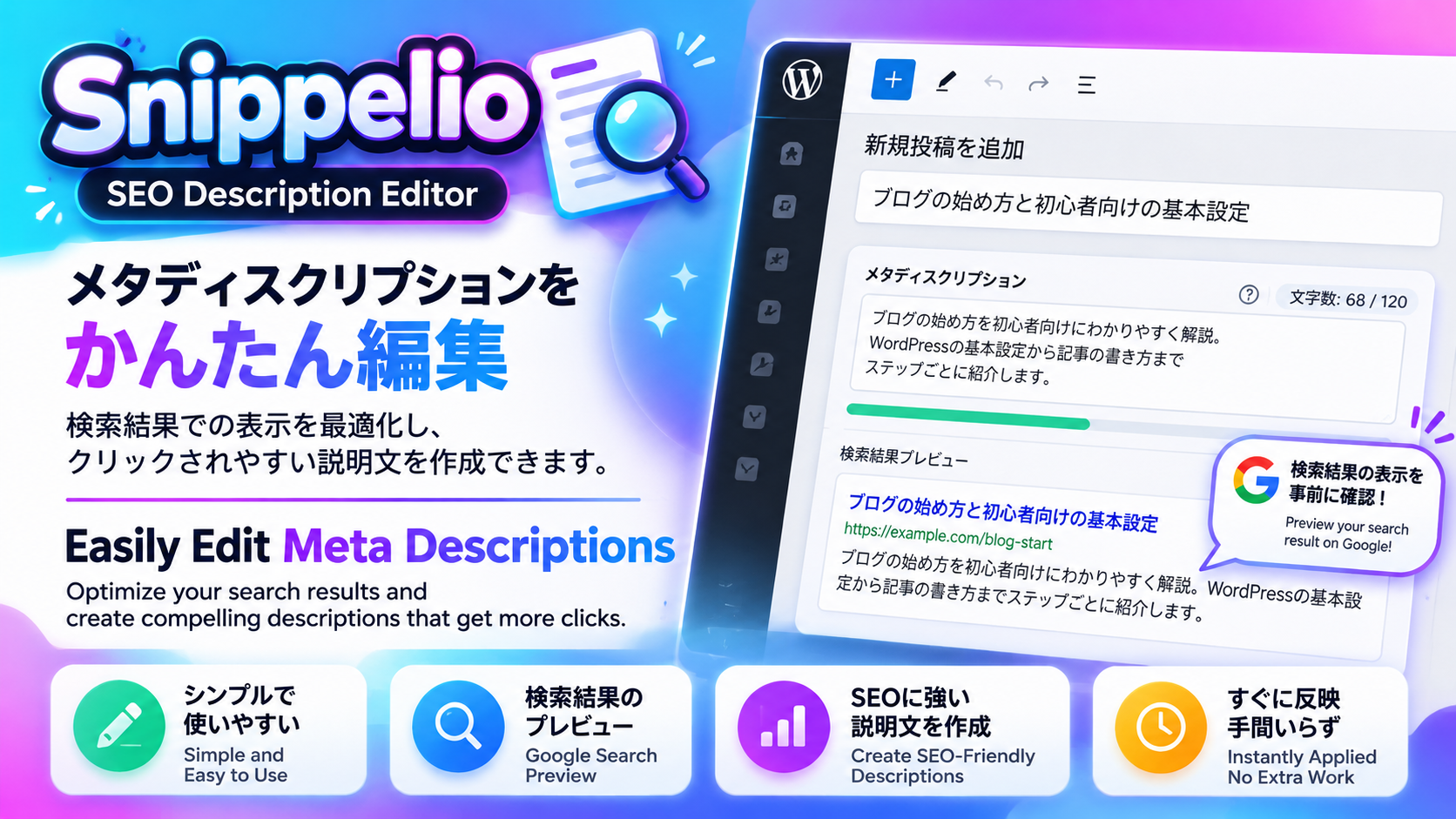
- 投稿・固定ページの編集画面から、ページごとのメタディスクリプションを手動で作成・編集できます。
- 入力に合わせて文字数を表示し、文章量についての目安を案内します。
- タイトルに含まれる語句と説明文を簡易比較し、主題が伝わる文章かを見直すきっかけを提供します。
- 連続する記号や余分な空白・改行を簡易チェックし、文章を整えるヒントを表示します。
- 現在のタイトルと説明文を使った、検索結果のプレビューを確認できます。
- 説明文は投稿・固定ページの保存や更新とともに保存され、あとから編集画面で修正できます。
- 対象となる公開ページでは、保存済みの説明文をHTMLのmeta descriptionタグとして出力します。
- 対応する他のSEOプラグインを検出した場合は、重複出力を避けるためSnippelio側のタグ出力を停止します。
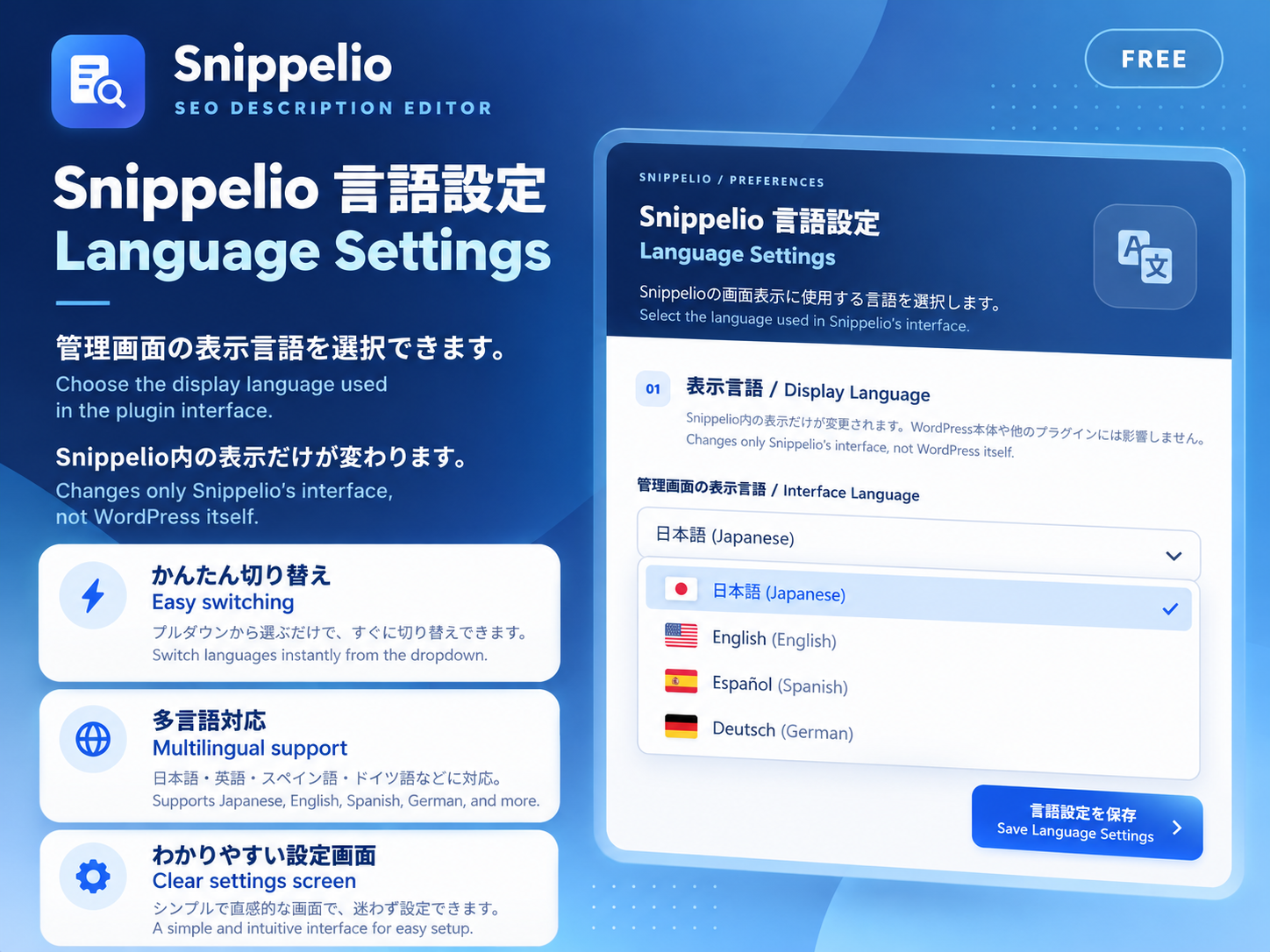
- 設定画面から日本語・英語・スペイン語・フランス語・ドイツ語・ポルトガル語・韓国語・簡体字中国語を選択できます。
こんな使い方に
ブログ記事の要点、解説記事で学べる内容、固定ページで案内するサービスなどを、ページごとの説明文としてまとめたいときに利用できます。記事の公開前に確認するだけでなく、既存記事の内容を更新したときに、説明文も内容に合わせて見直せます。
Snippelioは、メタディスクリプションの編集に用途を絞ったツールです。サイト全体のSEO設定、サイトマップ、構造化データ、SNS用OGPの管理機能は含みません。文章の自動生成や自動翻訳も行いません。
保存・出力と他のSEOプラグインについて
入力した説明文は、投稿の保存・更新を行うことでWordPressの投稿メタデータに保存されます。入力するだけで保存が完了するわけではありません。アップデート後も既存の保存先を引き継ぐため、保存済みの説明文を引き続き利用できます。
タグ出力の対象は、公開済みでパスワードが設定されていない投稿・固定ページの個別ページです。説明文が空の場合は出力しません。カテゴリー一覧、検索結果一覧、投稿一覧ページ、カスタム投稿タイプは対象外です。
Yoast SEO、Rank Math、All in One SEO、SEOPress、The SEO Frameworkの検出に対応しています。検出中もSnippelioで編集・保存できますが、Snippelio自身のタグは出力しません。他のSEOプラグインで出力したい場合は、作成した文章をそのプラグインの説明文欄へコピーしてください。自動同期は行いません。検出対象外のプラグインやテーマがタグを出力する場合は、重複していないか別途確認してください。
プライバシーとチェックの意味
文章のチェックはブラウザー内で行います。Snippelioは、説明文の作成や判定のために記事を外部サービスへ送信しません。AIサービス、APIキー、外部アカウント、クラウド処理、訪問者の追跡は不要です。
文字数の判定は編集上の目安であり、Googleの表示上限を測定するものではありません。タイトルとの比較は語句の一致、読みやすさの判定は空白や記号などの簡易チェックです。意味の理解、事実確認、専門的な文章評価は行いません。プレビューは参考表示であり、実際の検索結果の再現や、検索順位・クリック率の向上を保証するものではありません。Googleが別の文章をスニペットとして表示する場合もあります。
English: Write clearer WordPress meta descriptions in your editor
Snippelio – SEO Description Editor adds a dedicated meta description panel to WordPress posts and pages. It helps you write, save and revisit a concise explanation of your content while you work in the editor. Describe what readers will find, identify the page’s main subject and refine the wording in your own voice.
Live feedback combines a character count, basic title-term matching, simple formatting checks and practical writing tips. An illustrative search-result preview places your current title and description together so you can review how they read as a pair.
Key features
- Manually write and edit a separate meta description for each post or page.
- See the character count and approximate editorial length guidance as you type.
- Compare terms from the title with your description to help review topic alignment.
- Check for repeated punctuation, excess spacing and line breaks.
- Receive writing tips and view an illustrative search snippet preview.
- Save descriptions with the post or page and refine them during later edits.
- Output a meta description tag on eligible published posts and pages.
- Pause Snippelio’s tag output when a supported SEO plugin is detected.
- Choose Japanese, English, Spanish, French, German, Portuguese, Korean or Simplified Chinese for the interface.
A focused workflow for content authors
Use Snippelio when summarizing a blog article, explaining the value of a tutorial or describing a service on a WordPress page. You can review the description before publishing and return to it whenever the underlying content changes.
This plugin focuses on manual meta description editing. It does not manage site-wide SEO settings, XML sitemaps, structured data or social Open Graph tags. It does not automatically generate or translate text.
Saving, output and SEO plugin compatibility
Save or update the post to store your description as WordPress post metadata. Typing alone does not complete the save. Updates keep the existing storage field, allowing previously saved descriptions to remain available.
Snippelio outputs a non-empty saved description only on individual published posts and pages that have no password. Category archives, search-result listings, the posts index and custom post types are outside its output scope.
Detection covers Yoast SEO, Rank Math, All in One SEO, SEOPress and The SEO Framework. When one is detected, editing and saving remain available, but Snippelio does not output its own tag. Copy the text to the other plugin’s description field if you want that plugin to publish it; descriptions are not synchronized automatically. Check separately for duplicate tags produced by themes or plugins outside this detection list.
Privacy and the meaning of the checks
Editorial checks run in your browser. Snippelio does not send article content to an external service for writing or analysis. No AI service, API key, external account, visitor tracking or cloud processing is required.
Length feedback is approximate writing guidance, not a measurement of Google’s display limit. Title relevance uses term matching; readability feedback checks basic formatting. These checks do not understand meaning or verify facts. The preview is illustrative, and neither the checks nor the preview guarantee search appearance, higher rankings or more clicks. Google may choose different page text for a snippet.
Details
Related plugins
Plugins that also contain the tag description
Smart SEO Tool – SEO优化插件

Custom Post Type Editor

Shipping Method Description for WooCommerce

Page Meta

Simple Meta Tags

TP Product Description in Loop for Woocommerce


About
Plugin for that tries to help you find the WordPress plugin you are looking for.
| Please enjoy an image of Crush (this awesome turtle) and have a lovely day! |  |
We do not own any plugin listed on this site and do not work for or work with WordPress.com or it's associated companies. We simply provide a searchable list of the available WordPress plugins.