


Back
SoftIcon Poll
Details
View on WordPress
Back
SoftIcon Poll adds a Poll block to the block editor. Write the question and the answers right in the block, publish, and visitors vote. The votes stay in your own WordPress database: no sign-up, no outside service, and no data sent anywhere.
Why choose SoftIcon Poll?
- Block first – the question and answers are edited in place, and the results can be previewed in the editor with your colors.
- Your data stays with you – votes are saved in a table on your own site. Nothing is sent to another server.
- Works with caching plugins – the page can be cached; the vote and the results come from your site’s REST API.
- One vote per person – by account for logged-in visitors, otherwise by a browser cookie and a scrambled code made from the IP address. The IP address itself is never saved.
- Accessible – real radio buttons and checkboxes, full keyboard use, and the results are read out to screen readers.
Features
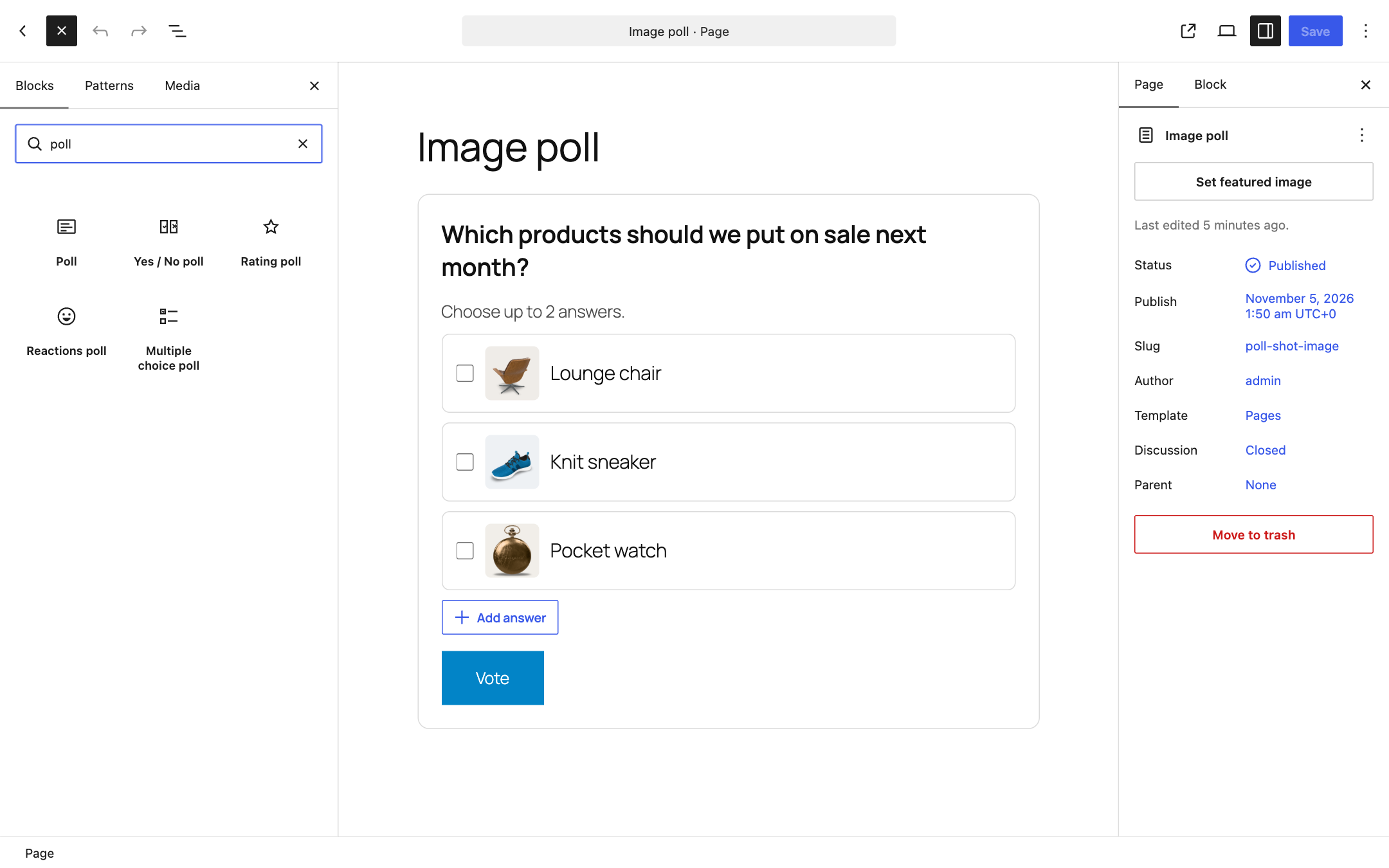
- Question and any number of answers, with an optional image for each answer
- Ready-made polls in the inserter: Yes / No, Rating, Reactions (emoji) and Multiple choice
- One answer, or several answers with an optional limit (“Choose up to 2 answers”)
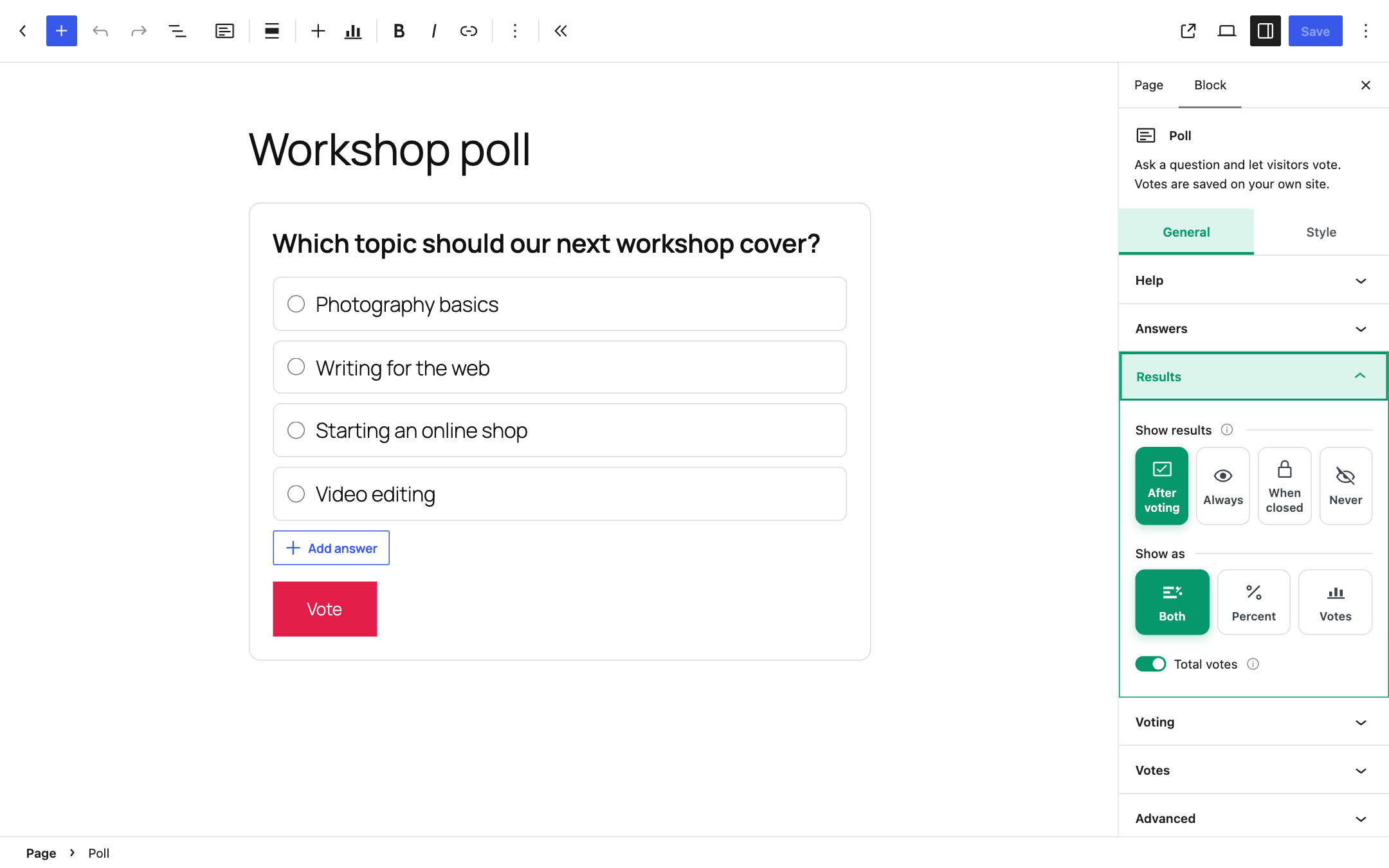
- Show the results after voting, always (with a “View results” link), only when the poll is closed, or never
- Results as percent, number of votes or both, with animated bars and the total number of votes
- End date and time, or close the poll by hand
- Only logged-in users can vote (optional); others get a link to log in and come back
- Current results and a “Reset votes” button in the block settings
- Colors for the background, text, accent, bars and border; wide and full width alignment
- Works in posts, pages, synced patterns, templates and template parts (for example a poll in the footer of every page)
- Translation ready and right-to-left ready
Details
Plugin code:
softicon-poll
Plugin version:
1.0.0
Author:
Outdated:
No
WP version:
6.5 or higher
PHP version:
7.4 or higher
Test up to WP version:
7.1.4
Total installations:
0
Last updated:
2026-11-05
Rating:
Times rated:
0
poll
poll-block
survey
vote
voting




Related plugins
Plugins that also contain the tag poll
WP-Polls

YOP Poll

Quiz, Poll & Survey Maker by Opinion Stage

Interact: Embed A Quiz On Your Site

SurveyX Builder – Easy Feedback, Poll, Quiz & Survey

TotalPoll for Polls and Contests


About
Plugin for that tries to help you find the WordPress plugin you are looking for.
| Please enjoy an image of Crush (this awesome turtle) and have a lovely day! |  |
We do not own any plugin listed on this site and do not work for or work with WordPress.com or it's associated companies. We simply provide a searchable list of the available WordPress plugins.