


Back
Minimum Order Notice for WooCommerce
Details
View on WordPress
Back
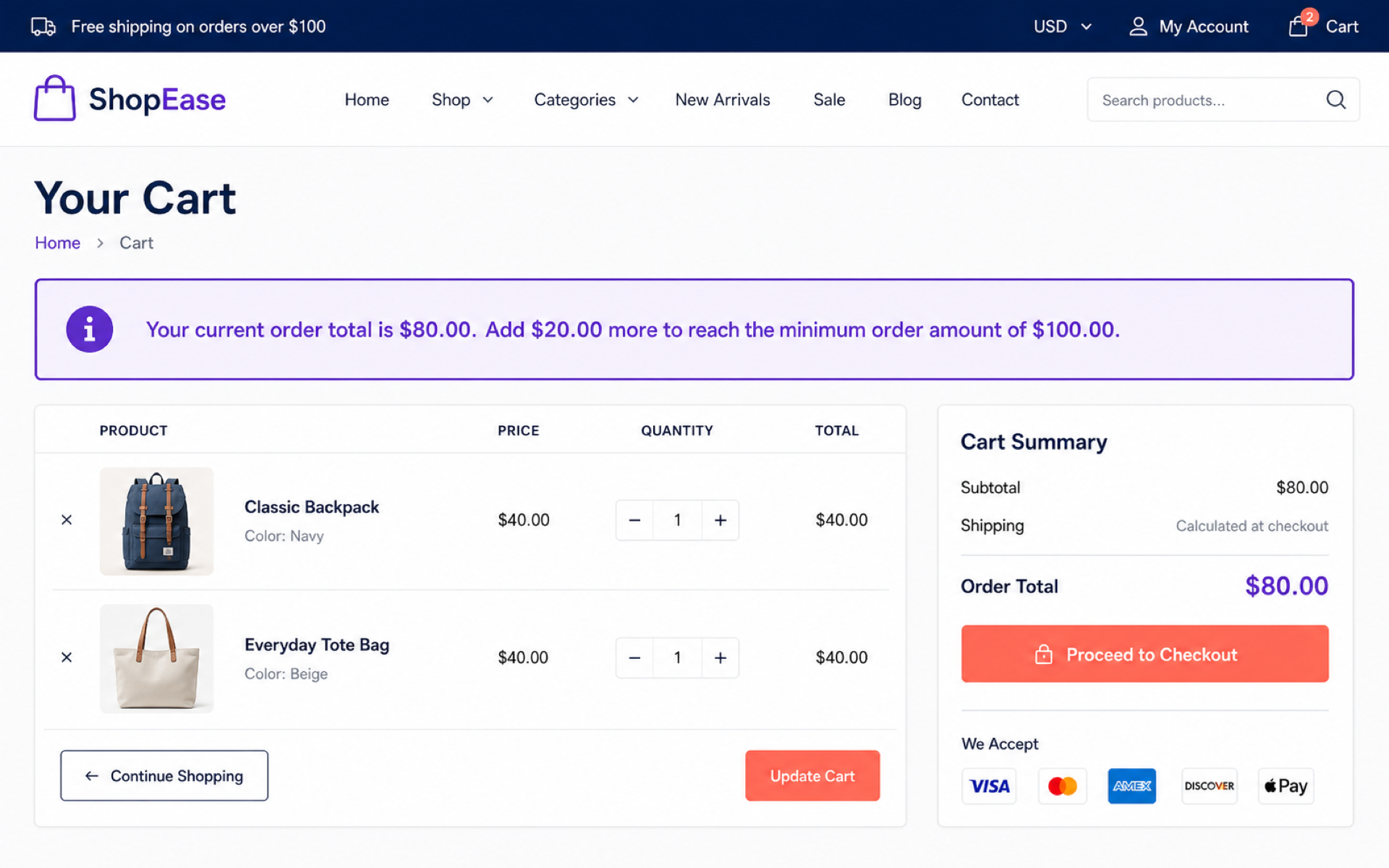
Minimum Order Notice for WooCommerce plugin helps WooCommerce store owners communicate a minimum order requirement before customers reach the final checkout step.
You can set a minimum order amount, choose which cart value should be compared, customize the notice text, and decide whether checkout should be blocked while the cart is below the minimum.
Features
- Set a custom minimum order amount.
- Compare against cart subtotal, discounted subtotal, or cart total.
- Show a notice on the cart page.
- Optionally show a notice on the shop archive.
- Show a notice before the checkout form.
- Optionally prevent checkout while the cart is below the minimum amount.
- Customize customer-facing notice and checkout error messages.
- Use dynamic placeholders for the cart total, remaining amount, and minimum amount.
- Compatible with WooCommerce High-Performance Order Storage (HPOS).
Message placeholders
You can use these placeholders in the notice fields:
{cart_total}– The current cart amount used for comparison.{remaining_amount}– The amount the customer still needs to add.{minimum_amount}– The configured minimum order amount.
Details
Plugin code:
sohan-minimum-order-notice
Plugin version:
1.0.0
Author:
Outdated:
No
WP version:
6.0 or higher
PHP version:
7.4 or higher
Test up to WP version:
7.0.1
Total installations:
0
Last updated:
2026-07-15
Rating:
Times rated:
1
cart-notice
checkout-notice
minimum-order
order-minimum
woocommerce

Related plugins
Plugins that also contain the tag cart-notice
Cart Notices for WooCommerce

Devpulse Shipping Bar for WooCommerce


About
Plugin for that tries to help you find the WordPress plugin you are looking for.
| Please enjoy an image of Crush (this awesome turtle) and have a lovely day! |  |
We do not own any plugin listed on this site and do not work for or work with WordPress.com or it's associated companies. We simply provide a searchable list of the available WordPress plugins.