


SRI Shield
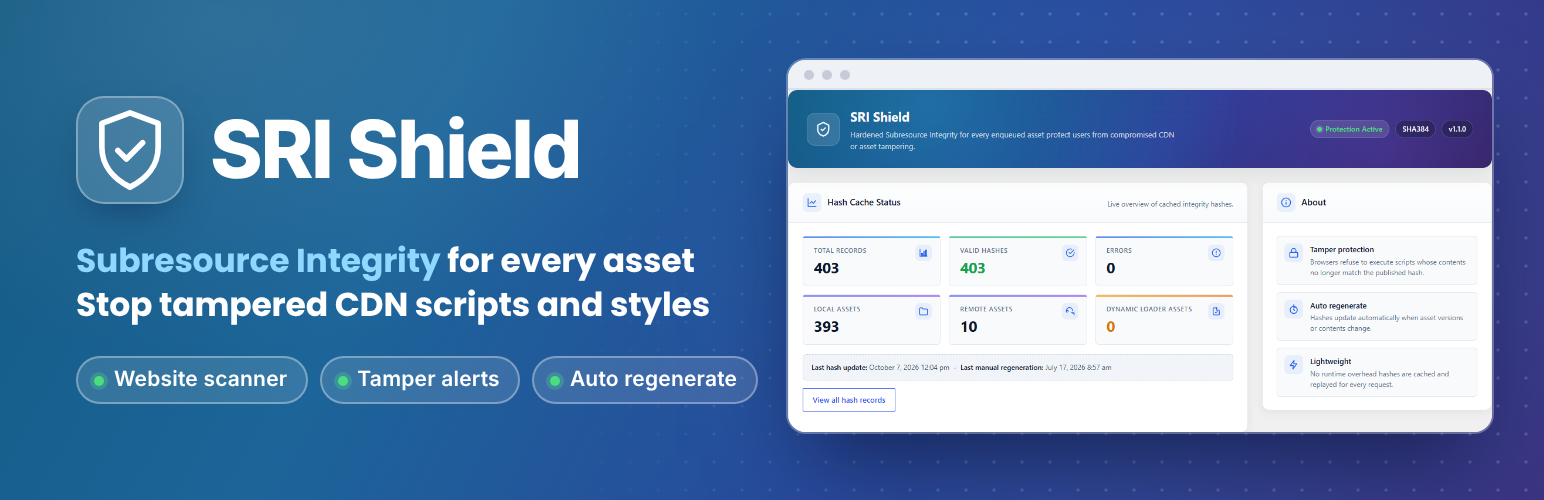
Add Subresource Integrity hashes to enqueued scripts and styles, approve changed files before they are trusted, and scan pages for missing SRI.
🛡️ Subresource Integrity for Your Enqueued Assets
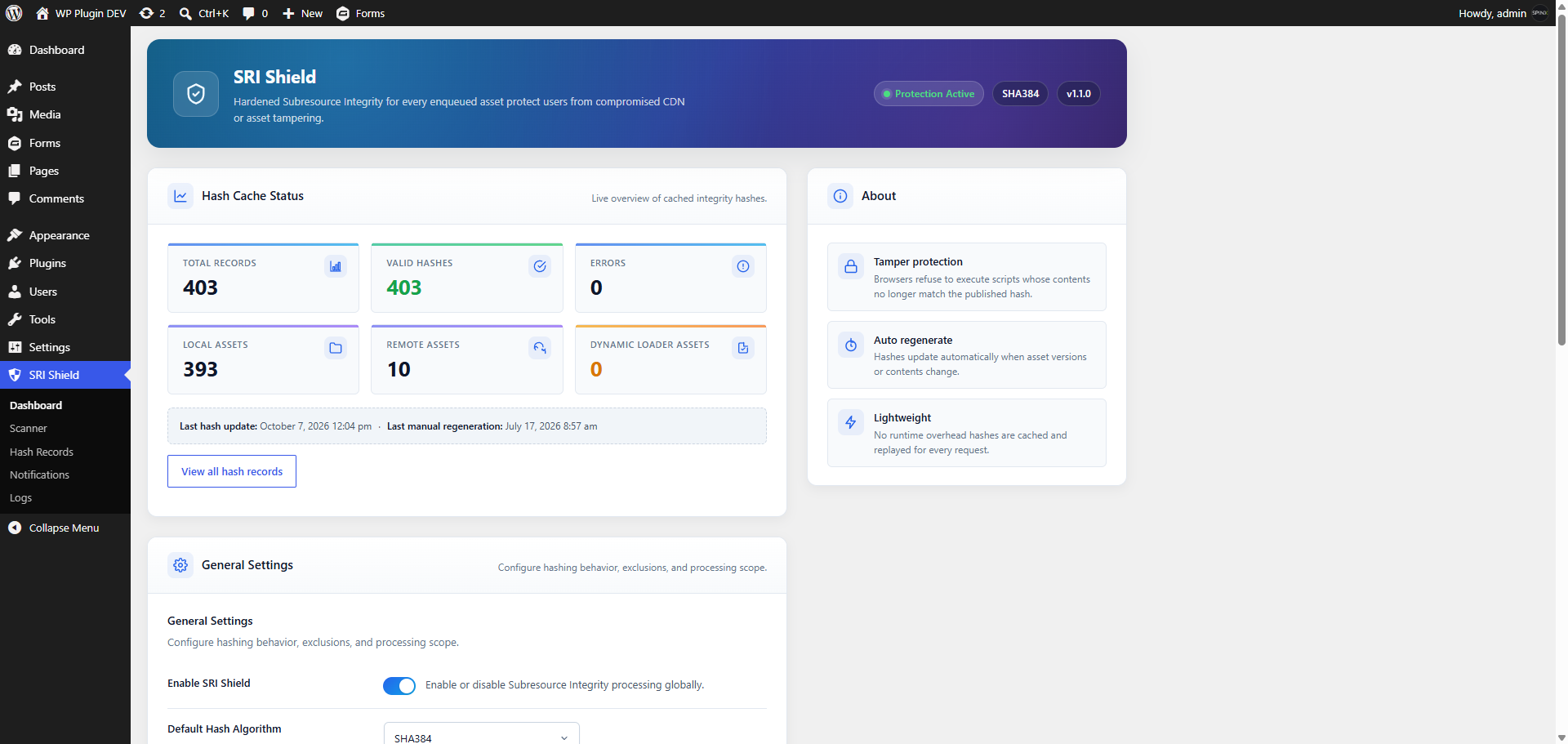
SRI Shield records a cryptographic hash (an SRI hash) for each enqueued script and stylesheet the first time it is served, and adds the integrity and crossorigin attributes to its tag. A visitor’s browser compares each file it downloads with that hash and refuses to use a file whose content does not match.
Changed files wait for your approval. When a protected file’s content changes — after a theme, plugin, or WordPress update, or because the file was modified — SRI Shield keeps serving the previously trusted hash and flags the change for review. Browsers refuse the changed file until an administrator compares the trusted and proposed hashes and either approves the new hash or keeps the trusted one. SRI Shield never re-trusts a changed file on its own.
What SRI does and does not do. SRI confirms that a file’s content matches a hash; it does not judge whether a file is safe. The first hash for each file is taken from the content the file has at that moment, so a file that was already compromised when it was first hashed is not detected. Generating hashes automatically is not, by itself, protection against malicious changes — that is why changes require review.
✨ Why Choose SRI Shield?
- Automatic Enrollment — Enqueued scripts and stylesheets receive an integrity hash the first time they are served.
- Review Before Trust — A changed file keeps its trusted hash until you approve the new one.
- Local and External Coverage — Files from your theme and plugins, and files loaded from CDNs and other remote services that your server can fetch.
- Page-by-Page Verification — The scanner checks every script and stylesheet tag on every scanned page.
- Alerts — Branded email reports when a scan finds a problem.
- Invisible to Visitors — No new buttons, messages, or layout changes.
⚙️ How It Works
- Enroll — The first time your site serves an enqueued script or stylesheet, SRI Shield hashes its current content and stores that hash as trusted.
- Protect — The
integrityandcrossoriginattributes are added to the file’s tag. - Verify — Each visitor’s browser compares the file it received against the hash and blocks it if they do not match.
- Detect changes — With Change Detection on, SRI Shield notices when a local file’s modification time or size changes and hashes it again. Scans and re-checks compare every stored hash with freshly fetched content, including remote files.
- Review — Changed files are listed under
Hash Records > Changes Awaiting Reviewwith the trusted and proposed hashes side by side. Approve the new hash once you have confirmed the change is expected, or keep the trusted hash. - Monitor — Run the scanner to check your pages. If it finds a problem, it can alert you by email.
🧩 Features at a Glance
-
Automatic SRI Enrollment — Generates SRI hashes for enqueued CSS and JavaScript the first time they are served and injects the
integrityandcrossoriginattributes through WordPress loader hooks. -
Change Review — When a protected file’s content changes, the trusted hash stays in place and the change waits for an administrator. Approving re-fetches the file and succeeds only if it still produces the exact hash you reviewed. Every approval and dismissal is recorded in the Logs.
-
Local, CDN & Remote File Support — Covers assets hosted on your own site and assets hosted on CDNs and other remote services, when they are accessible from your server.
-
Three Hash Algorithms — Choose SHA-256, SHA-384, or SHA-512. SHA-384 is the default and is recommended for almost all sites. Changing the algorithm re-encodes a stored hash only after the file’s content is confirmed unchanged.
-
Change Detection — Optionally checks local files for changes (modification time and size) as pages load, so changed files are flagged without waiting for a scan.
-
Stored Hashes — Hashes are stored in a database table (with a short-lived cache for remote files) and reused, so files are not re-hashed on every visit.
-
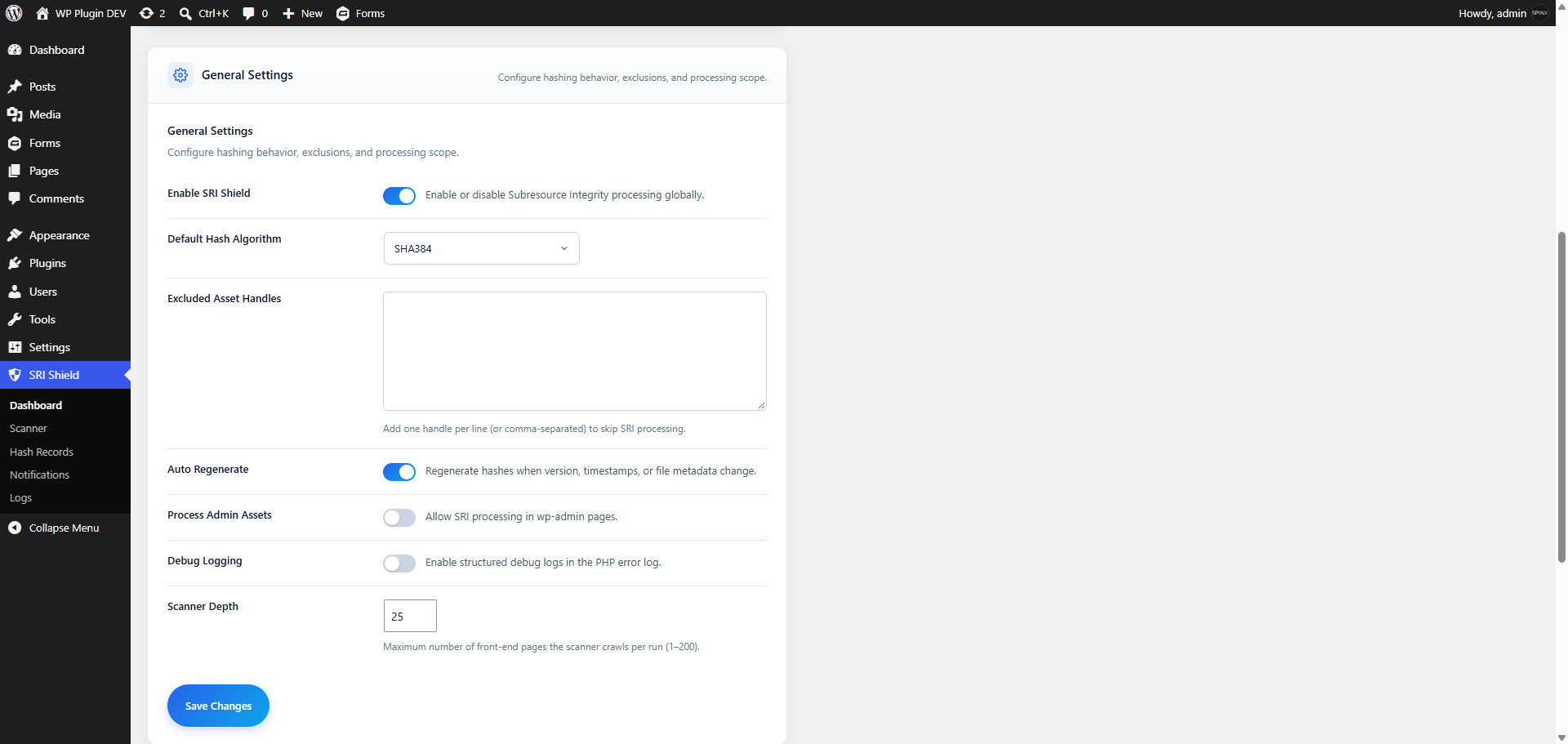
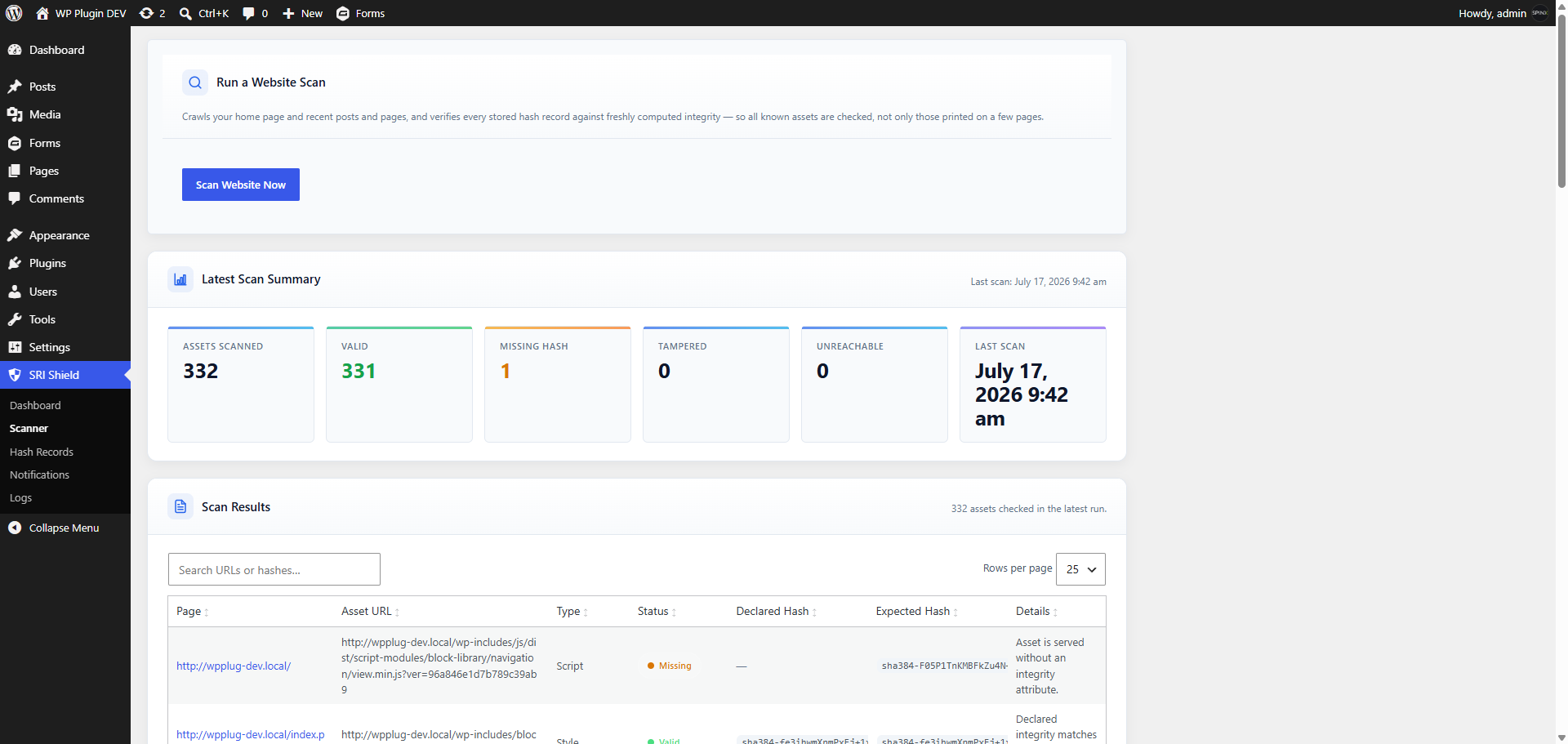
Website Scanner — Fetches your home page and recent posts and pages and analyzes the HTML your server returns. Every script and stylesheet tag on every page is checked on its own, so a file that is protected on one page and unprotected on another is reported on the page where it is unprotected. Results: Valid, Missing, Invalid attribute, Hash mismatch, Crossorigin missing, or Unreachable. Scan depth is adjustable from 1 to 200 pages per run (default 25).
-
Email Alerts — Sends a responsive HTML email when a scan finds a problem, to the address you choose (your site admin email by default).
-
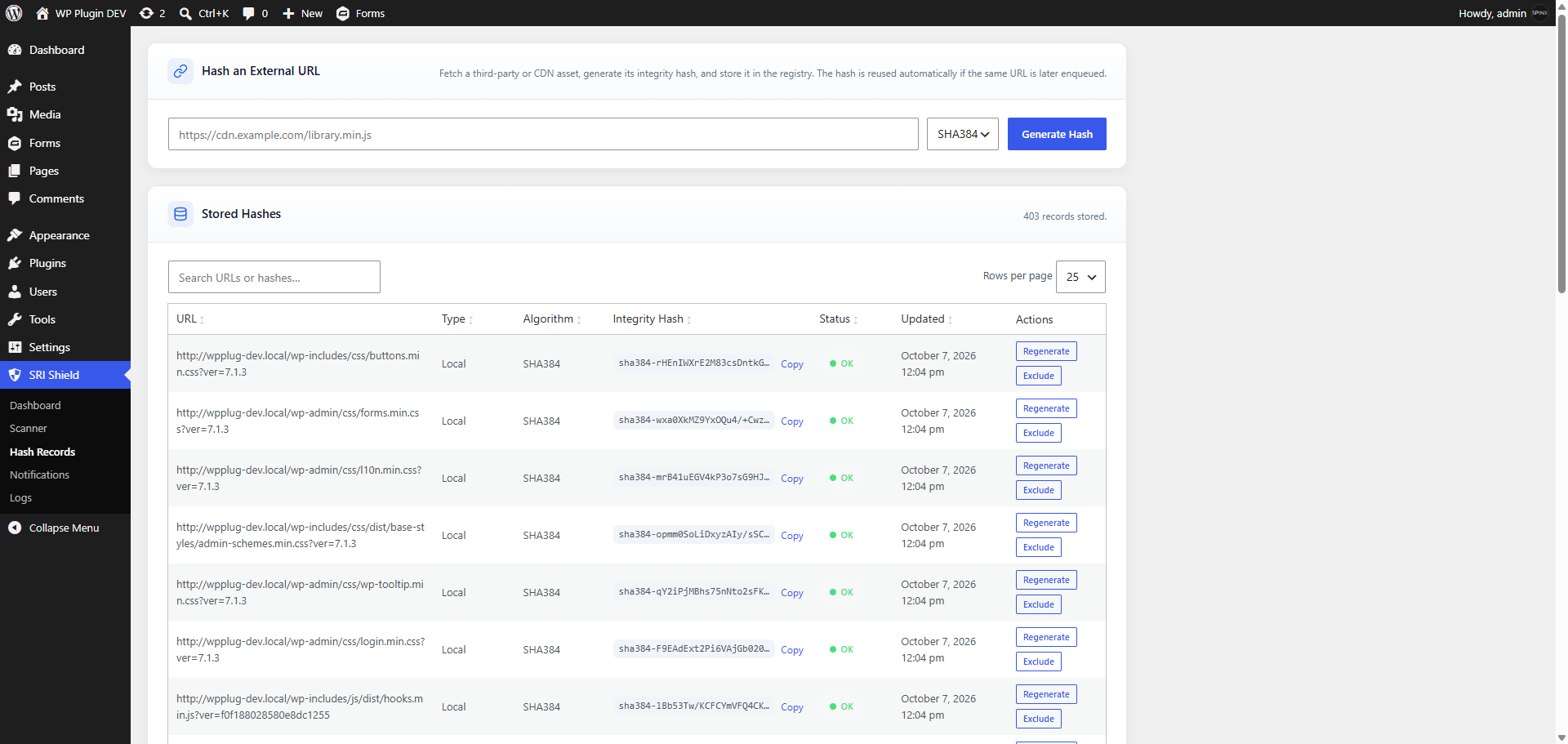
Hash Records — Every enrolled file with its URL, type, algorithm, trusted integrity hash, status, and last-updated time, plus a Copy button for the hash and the list of changes awaiting review.
-
Hash an External URL — Enter the address of an external file to hash it on demand. If the URL is already stored, it is re-checked instead and any change waits for review.
-
Exclusions — Skip specific assets by handle, or exclude and re-include individual files from Hash Records.
-
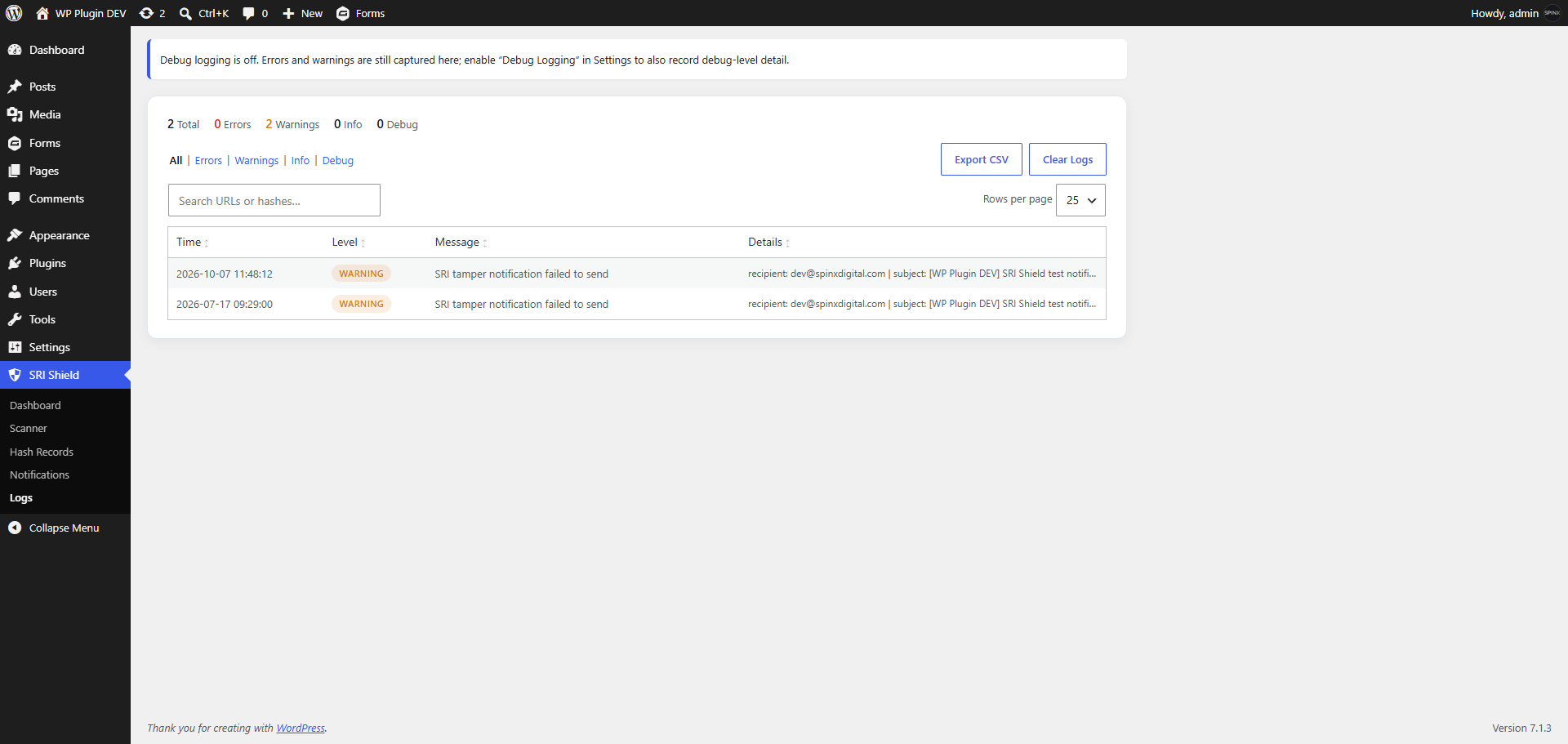
Activity Logs — A record of plugin activity, including every hash approval and dismissal, with export, plus optional structured debug logging.
-
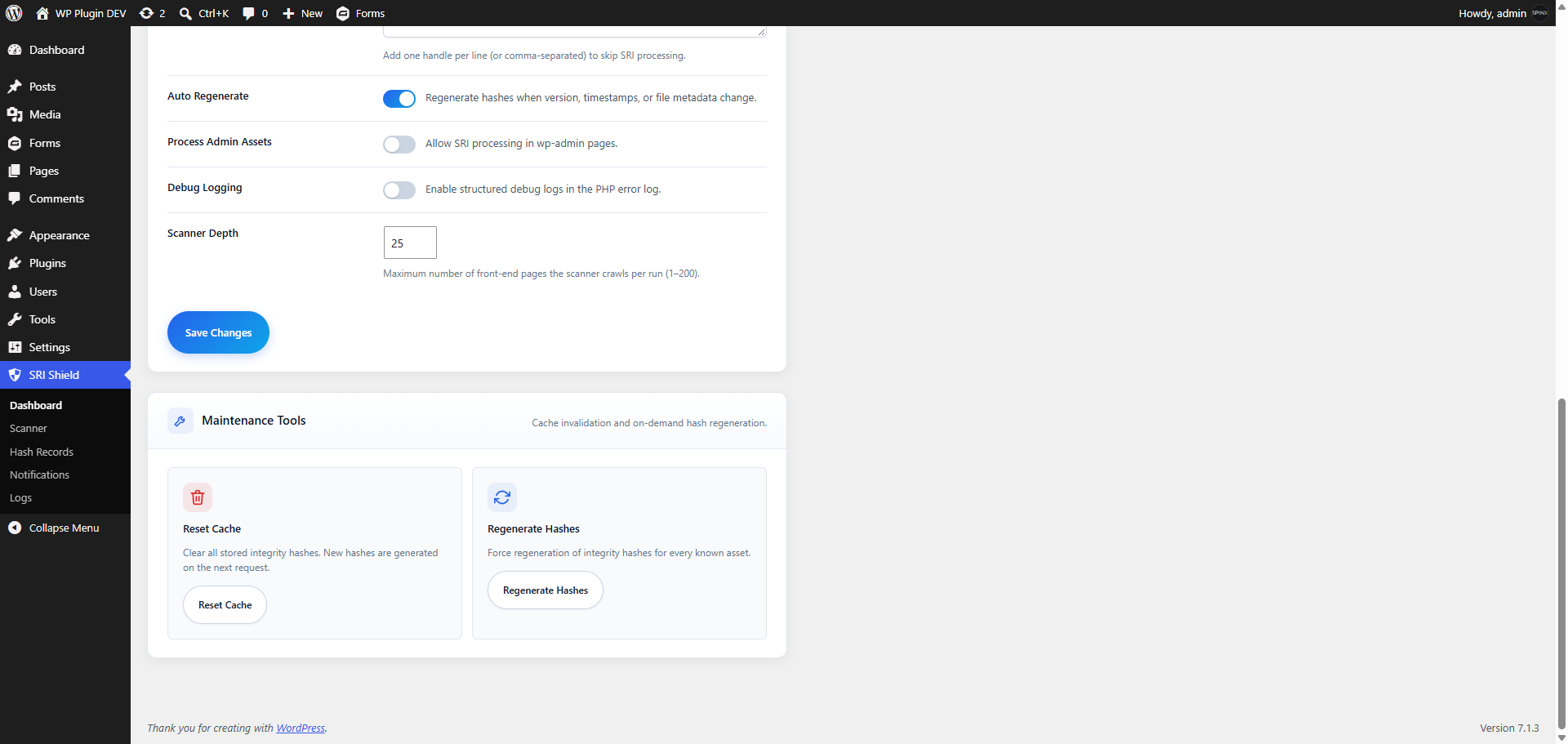
Maintenance Tools — Reset Cache (clears cached lookups and failed-asset records; trusted hashes and pending reviews are kept) and Re-check Hashes (hashes every registered asset again; changes are flagged for review).
-
Optional Admin Coverage — Extend integrity attributes to the WordPress admin area as well as the public site.
-
Multisite Ready — Multisite-compatible activation, and it cleans up after itself on uninstall.
-
Developer Hooks — Filters and actions to override the algorithm per handle, exclude handles dynamically, change the
crossoriginattribute, add scan URLs, customize alert emails, and react to scan, change, and approval events.
🔍 Scan Results
Run a scan and every script and stylesheet on your checked pages, plus every stored hash record, gets a result:
- Valid — The integrity attribute is valid and matches the content currently served.
- Missing — The file is served without an integrity attribute on that page.
- Invalid attribute — The integrity attribute is empty or contains no valid hash, so browsers load the file without an integrity check.
- Hash mismatch — The content no longer matches the declared or trusted hash, so browsers refuse it. This can come from a legitimate update or from a modification. For a stored record, the change is listed under Hash Records for review.
- Crossorigin missing — A cross-origin file has a correct hash but no
crossoriginattribute, so browsers cannot verify it and refuse to load it. - Unreachable — The file could not be fetched to be checked. Its trusted hash, if any, is kept.
Scanner scope: the scanner analyzes the HTML your server returns. It does not run JavaScript, so scripts and stylesheets added at runtime — for example by tag managers, consent tools, or lazy loaders — are not detected. It also cannot check whether a remote host sends the CORS headers that cross-origin SRI requires.
The Scanner keeps a short history of recent scans, and stored results can be cleared whenever you like.
📧 Alerts That Match Your Brand
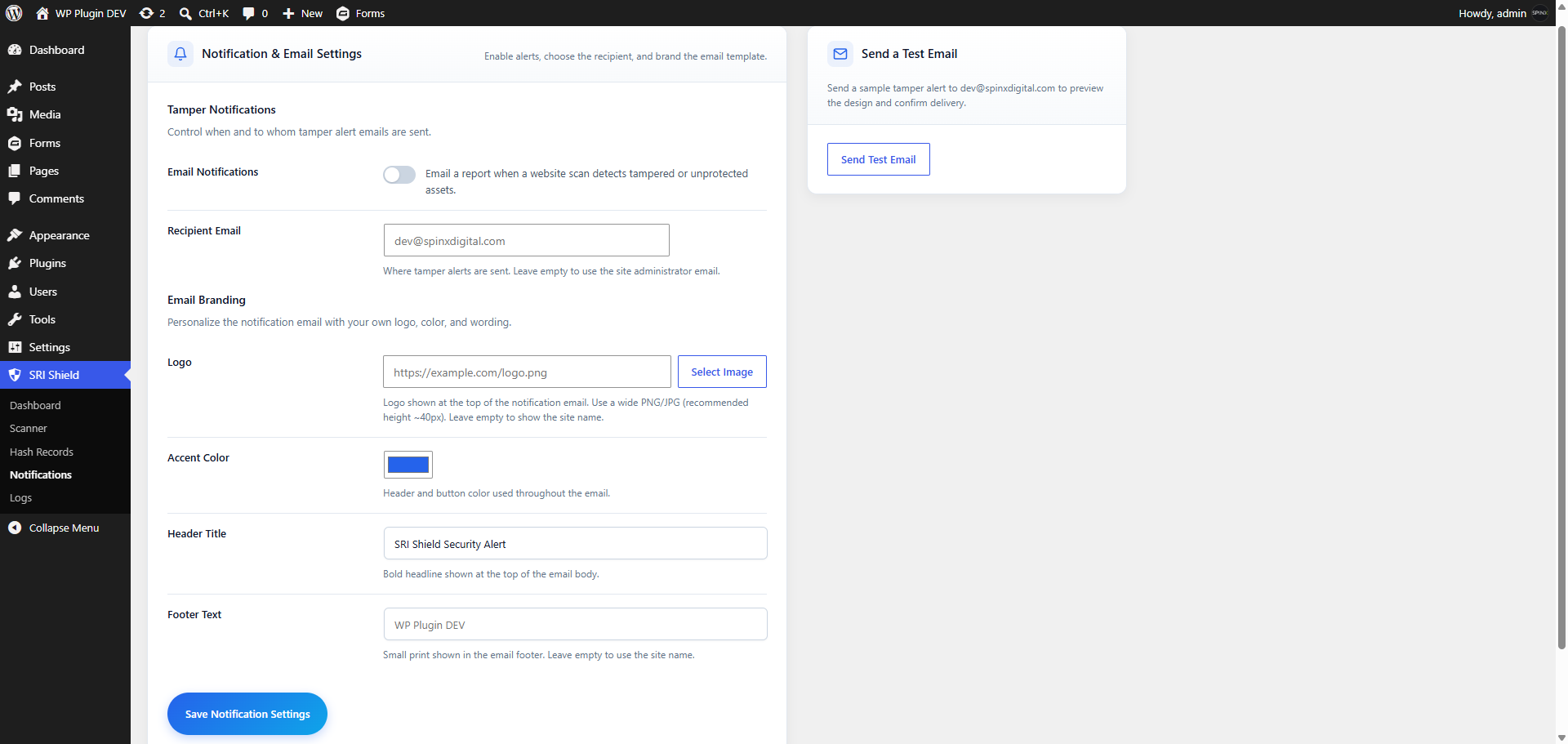
Alert emails are fully brandable from the Notifications screen:
- Logo — shown at the top of the email (your site name is used if none is set).
- Accent Color — the header and button color (default blue, #2563EB).
- Header Title — the headline of the email (default “SRI Shield Security Alert”).
- Footer Text — small print at the bottom (default: your site name).
- Recipient — the address that receives alerts (default: your site admin email).
- Send Test Email — preview the design and confirm delivery before you rely on alerts.
🔐 Built for Administrators
SRI Shield is an administrative tool. Every screen, setting, and review action is restricted to users who can manage site options — the Administrator role on a standard WordPress site. Editors, Authors, Contributors, Subscribers, and visitors never see the plugin’s controls and cannot approve hash changes.
🔒 Privacy & External Services
SRI Shield runs inside your own WordPress site. To do its job, it makes the following requests from your server:
- Your own pages — the Scanner requests pages of your own website to check the files they load.
- Files your site already uses — to hash or verify a remote script or stylesheet (for example one hosted on a CDN), the plugin requests that file from its own address using a secure HTTP request. This is the same file your visitors’ browsers already download.
- Alert emails — notifications are sent using your site’s own email setup, to the recipient you choose.
💡 Best For
- Sites that load scripts or styles from CDNs and other third-party services.
- Site owners who want to be told when a protected file changes, and to decide whether to trust the change.
- Agencies and teams that need an auditable record of enrolled files and approved changes.
- Developers who want hooks to tune hashing, scanning, and alert emails.
Developer Filters and Actions
Below are commonly used extension points.
Override whether the plugin is enabled
add_filter( 'sri_shield_enabled', function ( $enabled ) {
    return $enabled;
} );
Exclude handles dynamically
add_filter( 'sri_shield_excluded_handles', function ( $handles ) {
    $handles[] = 'my-dynamic-handle';
    return $handles;
} );
Override the algorithm by handle
add_filter( 'sri_shield_hash_algorithm', function ( $algorithm, $handle, $url, $type ) {
    if ( 'critical-script' === $handle ) {
        return 'sha512';
    }
    return $algorithm;
}, 10, 4 );
Change the crossorigin attribute
add_filter( 'sri_shield_crossorigin_attribute', function ( $crossorigin, $handle ) {
    if ( 'local-only-asset' === $handle ) {
        return '';
    }
    return $crossorigin;
}, 10, 2 );
Modify a hash when it becomes trusted
Applied when an asset is first enrolled and when an administrator approves a change.
add_filter( 'sri_shield_generated_hash', function ( $integrity, $handle ) {
    return $integrity;
}, 10, 2 );
Observe cache, hash, and review events
add_action( 'sri_shield_hash_generated', function ( $handle, $record ) {
    // An asset was enrolled.
}, 10, 2 );
add_action( 'sri_shield_hash_failed', function ( $handle, $record ) {
    // Alerting.
}, 10, 2 );
add_action( 'sri_shield_asset_changed', function ( $record, $context ) {
    // Content no longer matches the trusted hash; $record['pending_integrity'] holds the proposed hash.
}, 10, 2 );
add_action( 'sri_shield_hash_approved', function ( $record, $previous_integrity, $user_id ) {
    // An administrator approved a change.
}, 10, 3 );
add_action( 'sri_shield_hash_change_dismissed', function ( $record, $user_id ) {
    // An administrator kept the trusted hash.
}, 10, 2 );
add_action( 'sri_shield_cache_cleared', function () {
    // External cache sync.
} );
React to scanner findings
add_action( 'sri_shield_tamper_detected', function ( $finding ) {
    // Fired for each hash mismatch. $finding includes page_url, asset_url, declared_integrity, expected_integrity, etc.
} );
add_action( 'sri_shield_scan_completed', function ( $summary, $findings ) {
    // Fired once per scan with the run summary and problem findings.
}, 10, 2 );
Customize the scanner and notification emails
add_filter( 'sri_shield_scan_urls', function ( $urls ) {
    $urls[] = home_url( '/checkout/' );
    return $urls;
} );
add_filter( 'sri_shield_email_subject', function ( $subject, $summary, $findings ) {
    return $subject;
}, 10, 3 );
add_filter( 'sri_shield_email_recipient', function ( $recipient ) {
    return $recipient;
} );
Details
Related plugins
Plugins that also contain the tag hardening
NETSENSAI Shield

SAR One Click Security

Security Hardener

Dessky Security

Secure HTTP Headers

Wonderful Secure Cleanup


About
Plugin for that tries to help you find the WordPress plugin you are looking for.
| Please enjoy an image of Crush (this awesome turtle) and have a lovely day! |  |
We do not own any plugin listed on this site and do not work for or work with WordPress.com or it's associated companies. We simply provide a searchable list of the available WordPress plugins.