

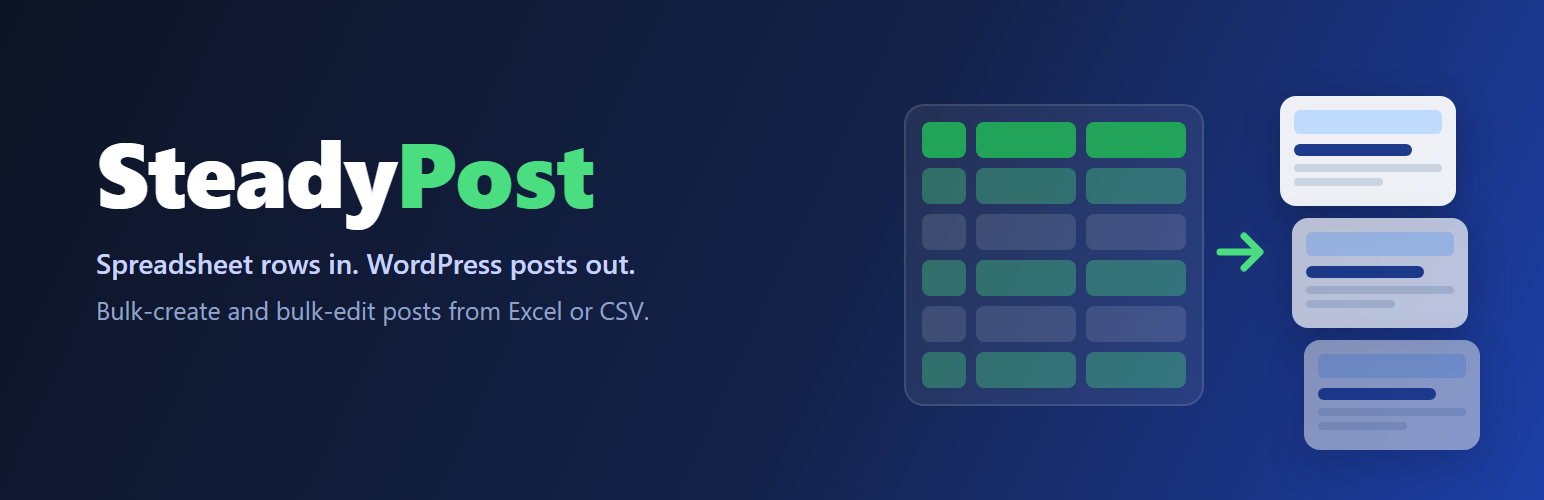

SteadyPost
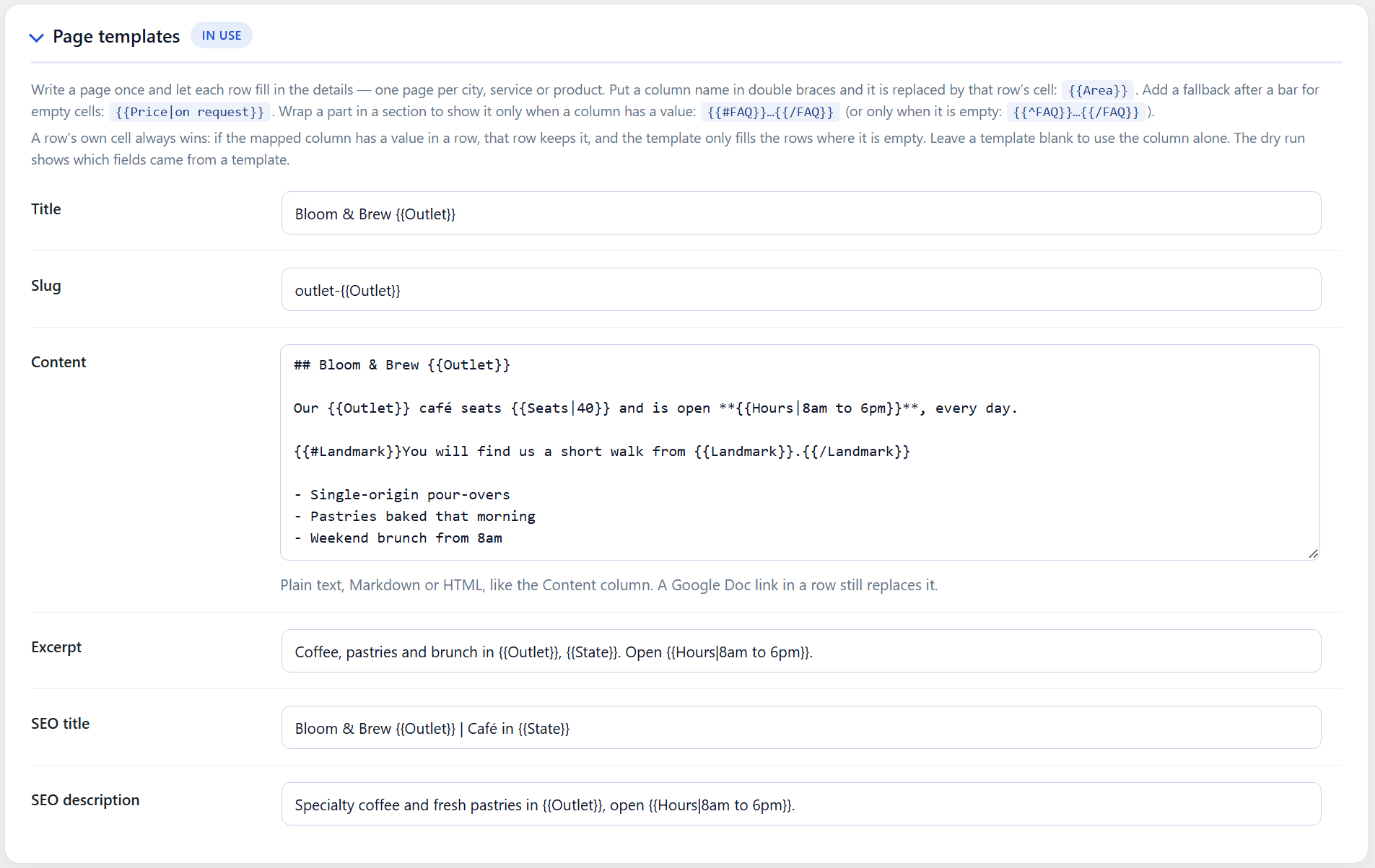
SteadyPost turns a spreadsheet into WordPress posts. Each row is a post; each column is a field — title, content, excerpt, slug, status, categories, tags, featured image, publish date, author, and SEO title, description and keywords.
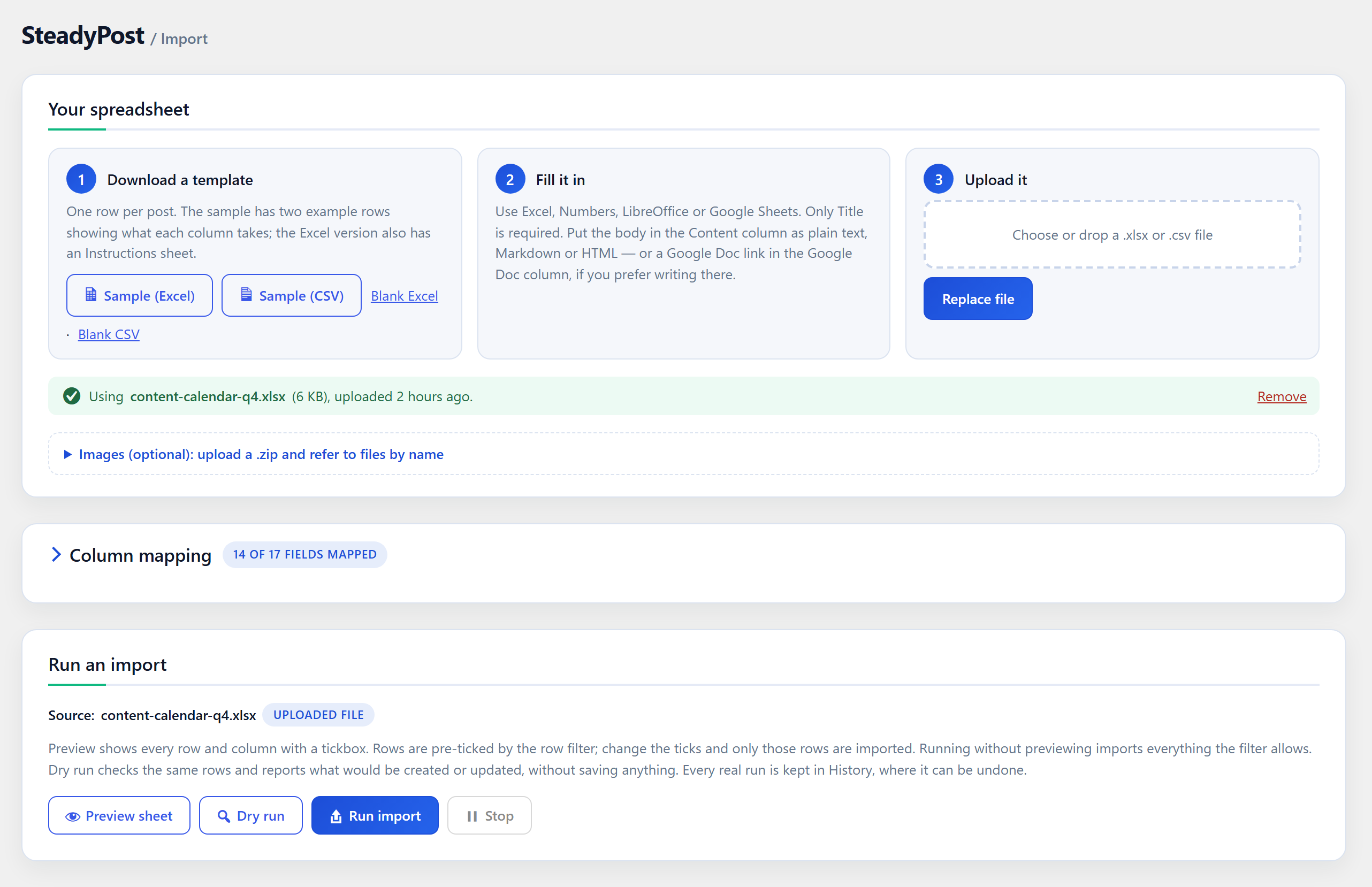
It works on its own. Download a sample or blank template (Excel or CSV), fill it in with any spreadsheet app, and upload it back. No account or external service is needed.
Importing
- Templates — Excel templates come with a frozen header row, a Status dropdown and an Instructions sheet. Columns for your site’s own custom fields and custom taxonomies are included automatically.
- Automatic column mapping — template columns map themselves. Any other spreadsheet can be mapped field by field, right on the Import screen.
- Content as plain text, Markdown or HTML — detected per row. Block-editor markup is kept exactly as it is.
- Images by filename — upload a zip of images and refer to
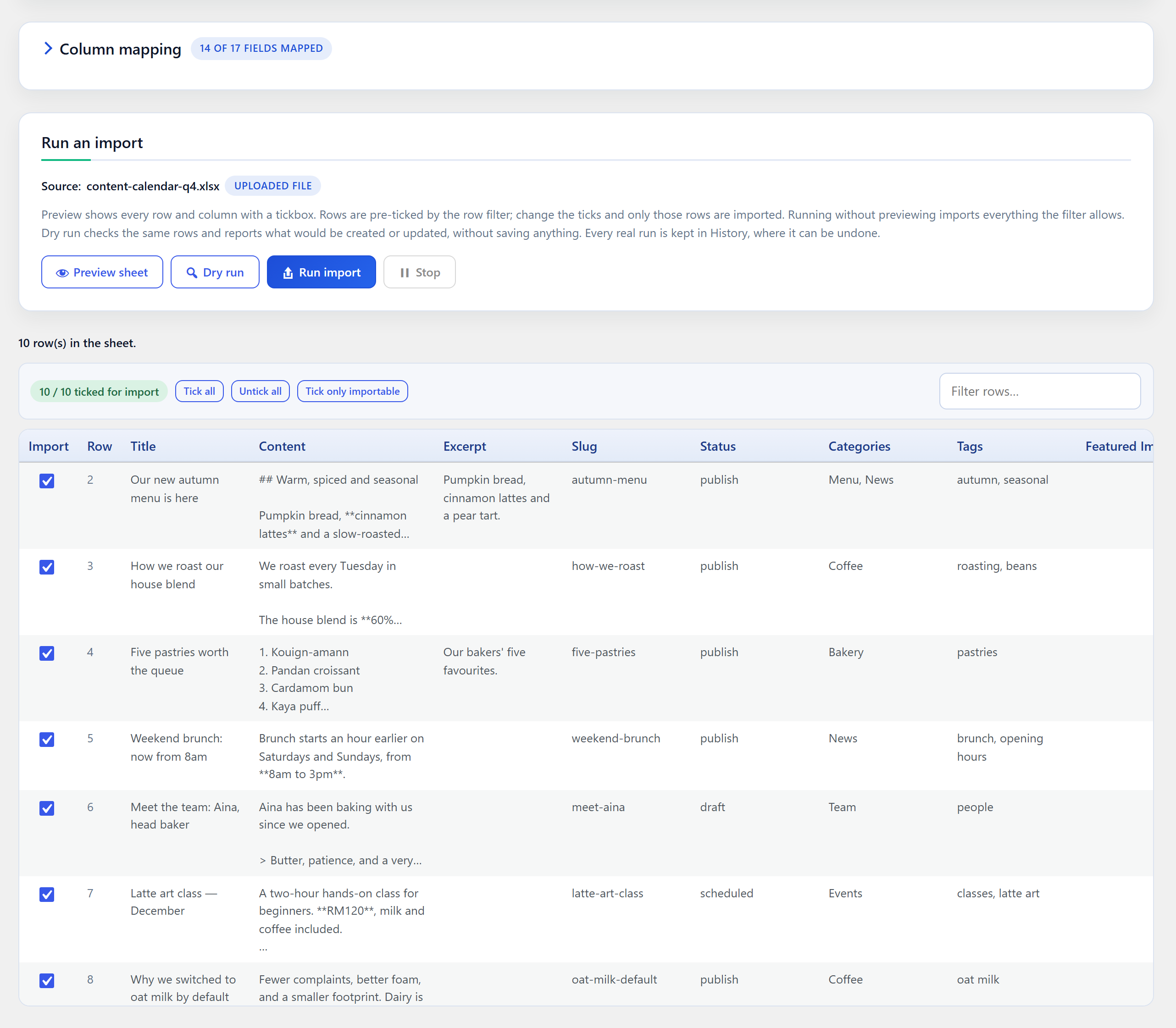
hero.jpgin a row, or reuse an image already in your media library. Each image is added to the library once. - Preview and pick rows — see every row and column before importing, tick exactly the rows you want, or let a “ready” column decide.
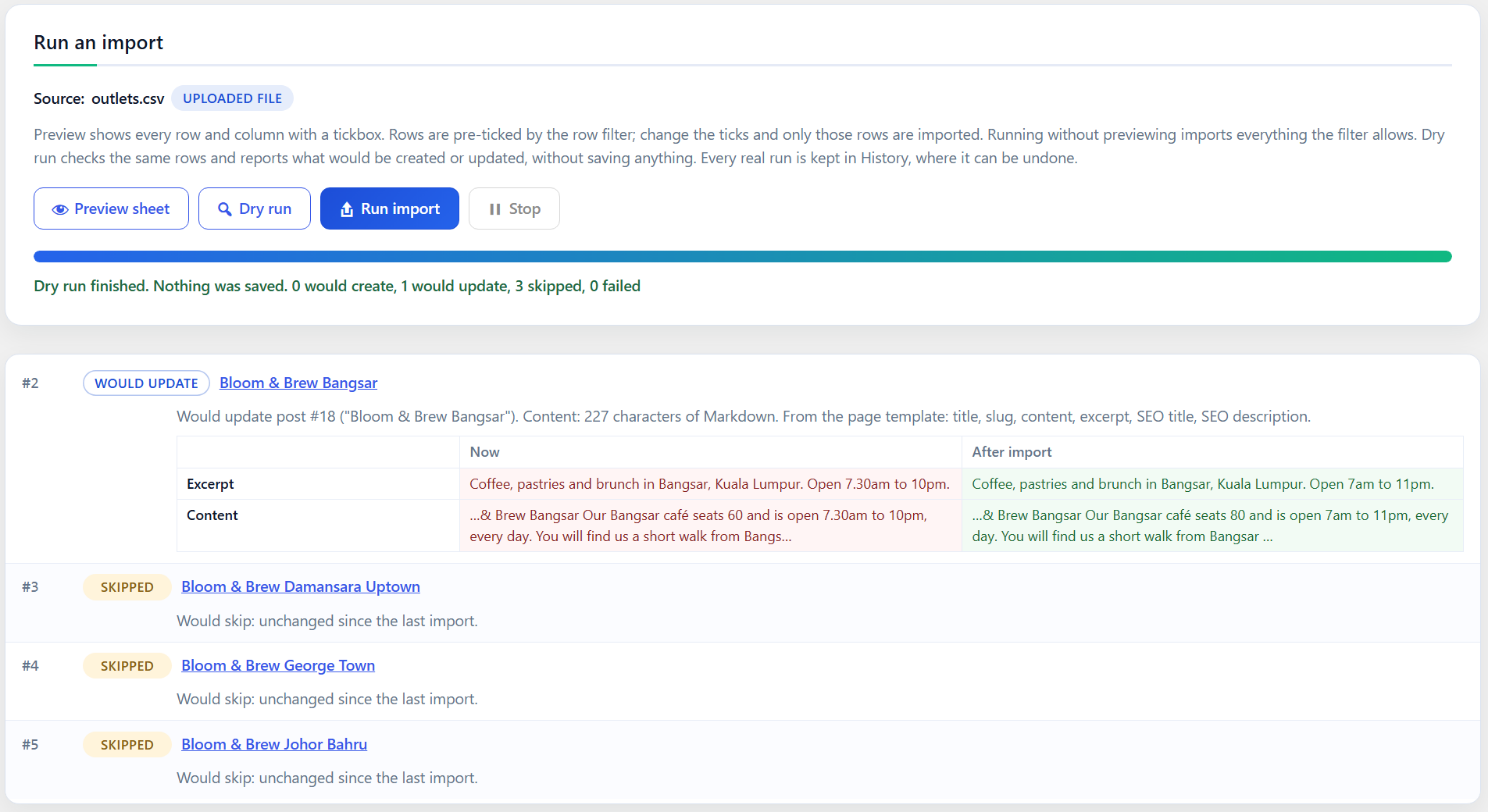
- Dry run — find out what would be created or updated, which categories are new and which authors or images are missing, without saving anything.
- Safe re-imports — running the same sheet again updates the posts it created instead of duplicating them.
Editing in bulk
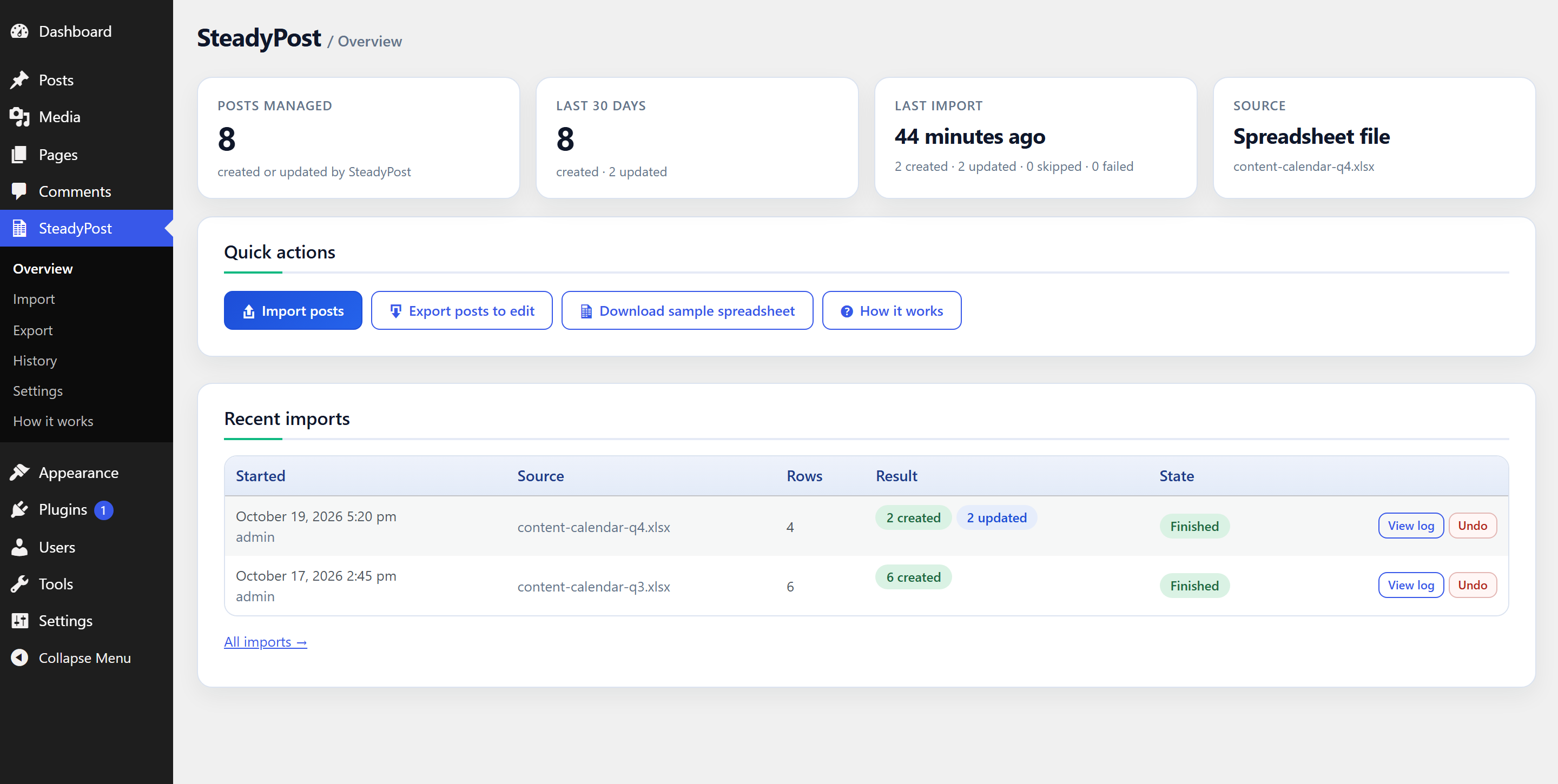
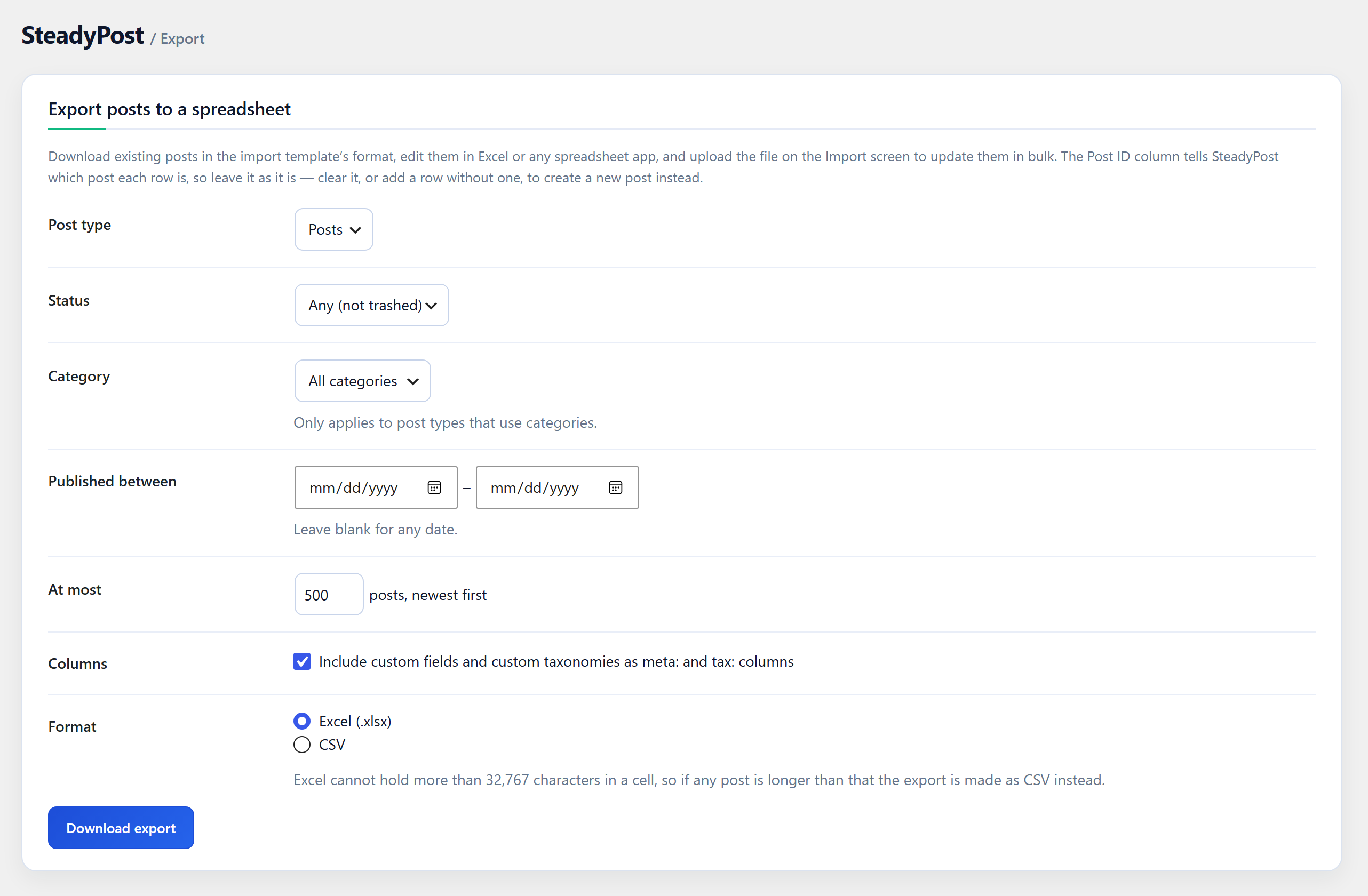
- Export existing posts — any post type, filtered by status, category and date — to Excel or CSV, edit them, and upload the file to update them all at once. This works for posts SteadyPost did not create, too.
History and undo
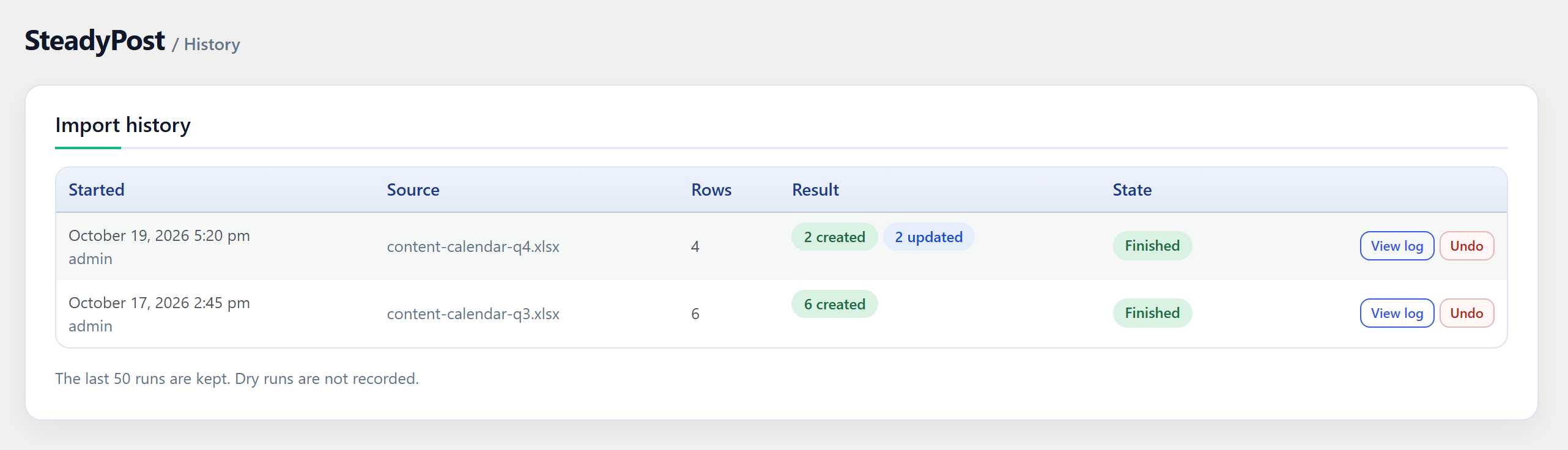
- Every import is recorded with its full row-by-row log.
- Undo a run: the posts it created go to the Trash, and the posts it updated are restored to the revision saved just before the import changed them.
SEO plugins
SEO columns are written to whichever SEO plugin is active: Yoast SEO, Rank Math or SEOPress, as well as Mikado/Qode theme SEO fields or meta keys you name yourself.
Optional: Google Sheets and Google Docs
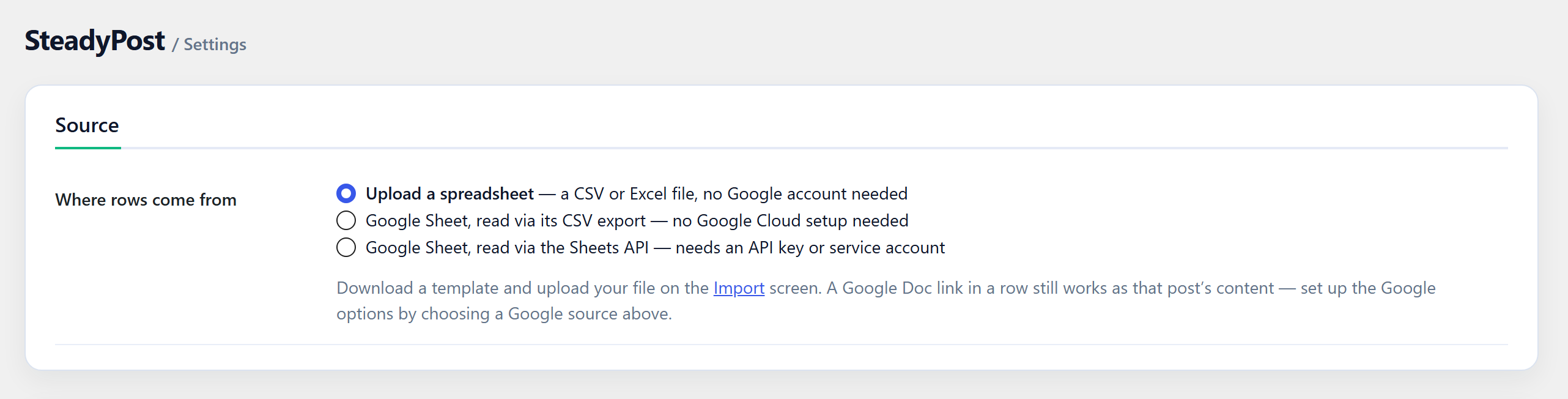
Instead of uploading a file, SteadyPost can read rows straight from a Google Sheet — anonymously for link-shared files, or as a Google service account for privately shared ones — and re-import it on a schedule. Any row can point at a Google Doc to use as the post body, with its headings, formatting, links, tables and images. See External services below.
Privacy
SteadyPost adds no tracking and sends no data anywhere unless you use the optional Google features. Uploaded spreadsheets are stored in a private folder in wp-content/uploads that is blocked from the web, and replaced each time you upload a new one.
External services
SteadyPost connects to Google only when you choose to. If you import from an uploaded CSV or Excel file and leave the Google Doc column empty, it makes no outside requests at all. Requests to images on other sites are made only for image URLs you put in your spreadsheet.
Google Sheets — used when Settings Source is set to a Google Sheet. When you open the Settings screen, preview, run an import or a scheduled sync runs, SteadyPost requests the sheet’s contents. It sends the spreadsheet ID from the URL you entered, your Sheets API key if you set one, and your site’s address in the User-Agent header.
https://docs.google.com/spreadsheets/d/{id}/export— CSV and XLSX exports of the sheet.https://sheets.googleapis.com/v4/spreadsheets/{id}— the Google Sheets API, in Sheets API mode.
Google Docs and Google Drive — used when a row links a Google Doc as its content, or names a Google Drive image. During the import of that row, SteadyPost downloads the document as HTML, or the image file. It sends the document or file ID from the link.
https://docs.google.com/document/d/{id}/exporthttps://drive.google.com/uc
Google OAuth — used only if you connect a Google service account to read privately shared files. To get an access token, SteadyPost sends https://oauth2.googleapis.com/token a request signed with the service account’s private key. It contains the service account’s email address and the read-only access it asks for. The key itself is never sent. Tokens are requested when a Google file is read and when the Settings screen checks the connection.
These services are provided by Google: Google Terms of Service, Google Privacy Policy, Google APIs Terms of Service.
Details
Related plugins
Plugins that also contain the tag bulk-edit
BEAR – Bulk Editor and Products Manager Professional for WooCommerce by Pluginus.Net

ACF Quick Edit Fields

PW WooCommerce Bulk Edit

Media Library Helper — Bulk edit image ALT, caption & description

Bulk Edit Products for WooCommerce – WP Sheet Editor
Bulk remove posts from category


About
Plugin for that tries to help you find the WordPress plugin you are looking for.
| Please enjoy an image of Crush (this awesome turtle) and have a lovely day! |  |
We do not own any plugin listed on this site and do not work for or work with WordPress.com or it's associated companies. We simply provide a searchable list of the available WordPress plugins.