



Stillgate — Editorial Freeze for Deployments
Deploying a WordPress site — syncing a database, pushing files, running a
migration — usually needs a window where the database will not change
underneath you. In practice, editors keep working, and a post, upload, or
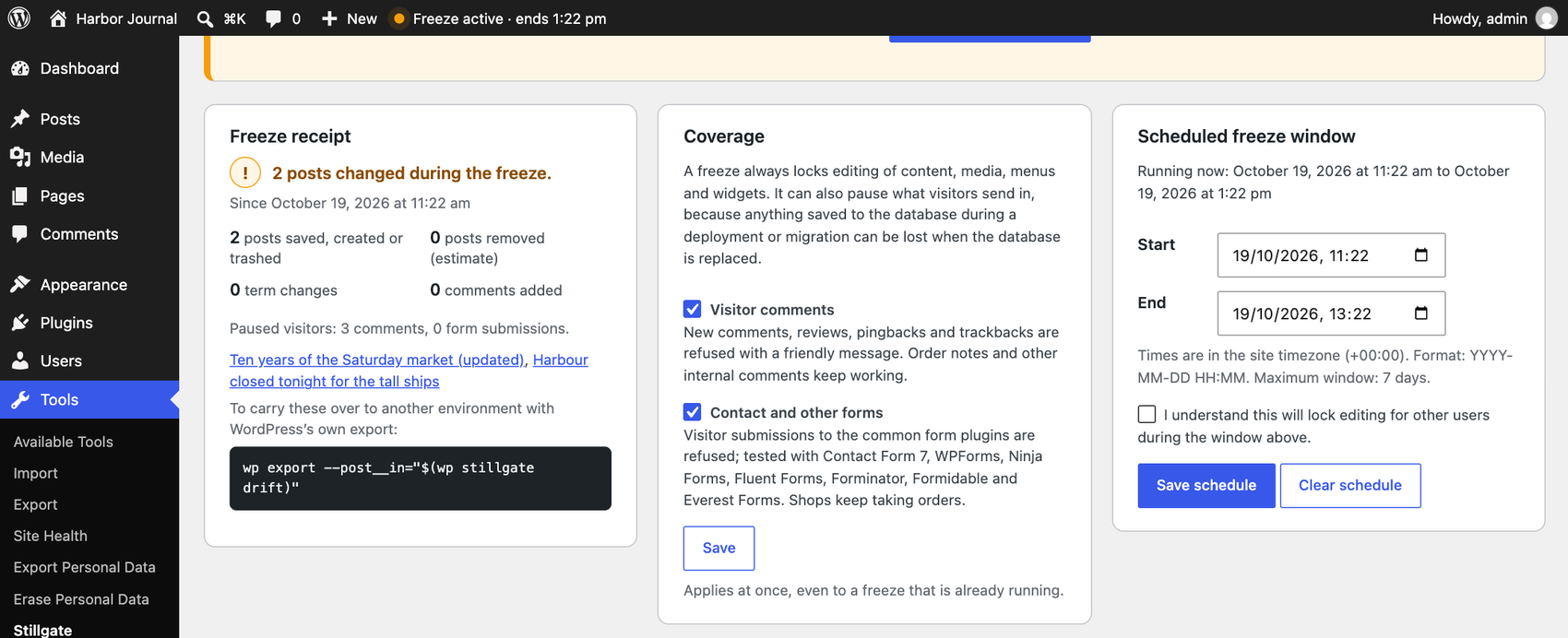
menu change made mid-sync can be silently lost. Stillgate puts the
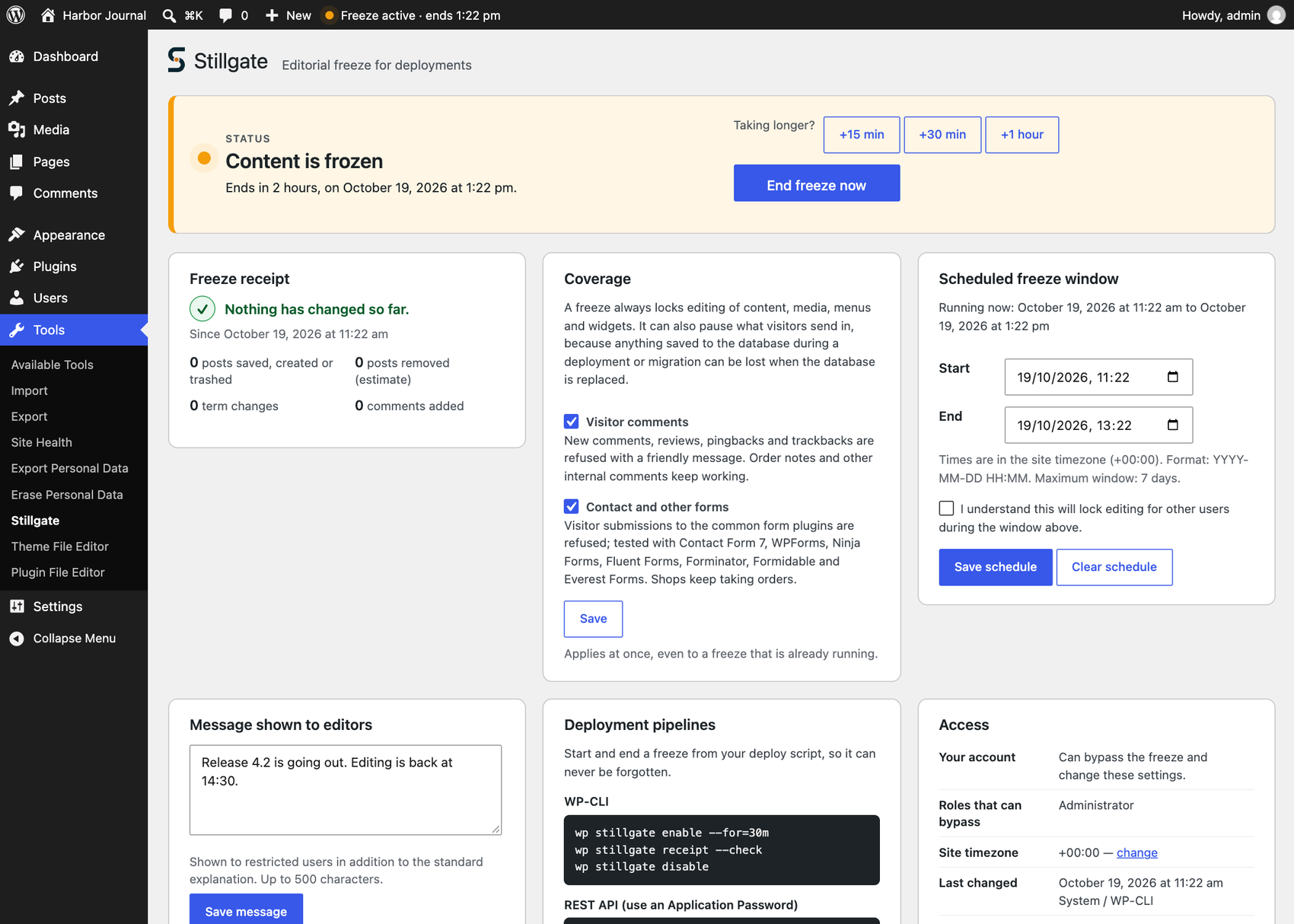
backend into a controlled editorial freeze during that window, while the
public frontend keeps working normally the whole time.
What a freeze does
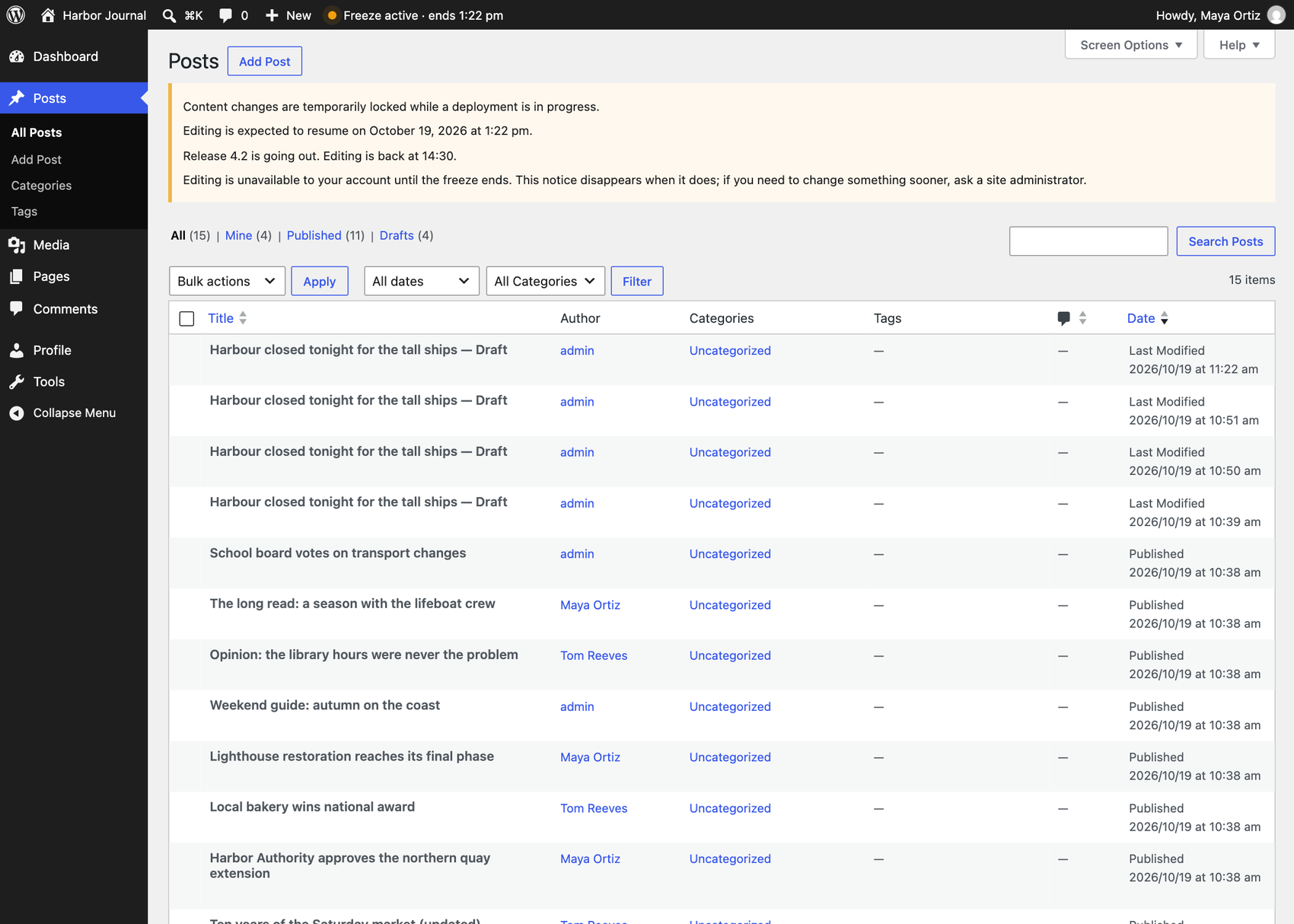
While active, a logged-in user without the deployment_guard_bypass
capability is blocked from creating, editing, deleting, or restoring
protected content — posts, pages, custom post types, media, revisions,
taxonomies and terms, navigation menus, widgets, or the Customizer —
through classic wp-admin, the block editor, the REST API, and XML-RPC;
WP-CLI commands and WP-Cron events are blocked from the same content
changes. Scheduled posts of a protected type do not publish while the
freeze is active; they remain scheduled and publish normally, through
WordPress’s own mechanism, once it ends.
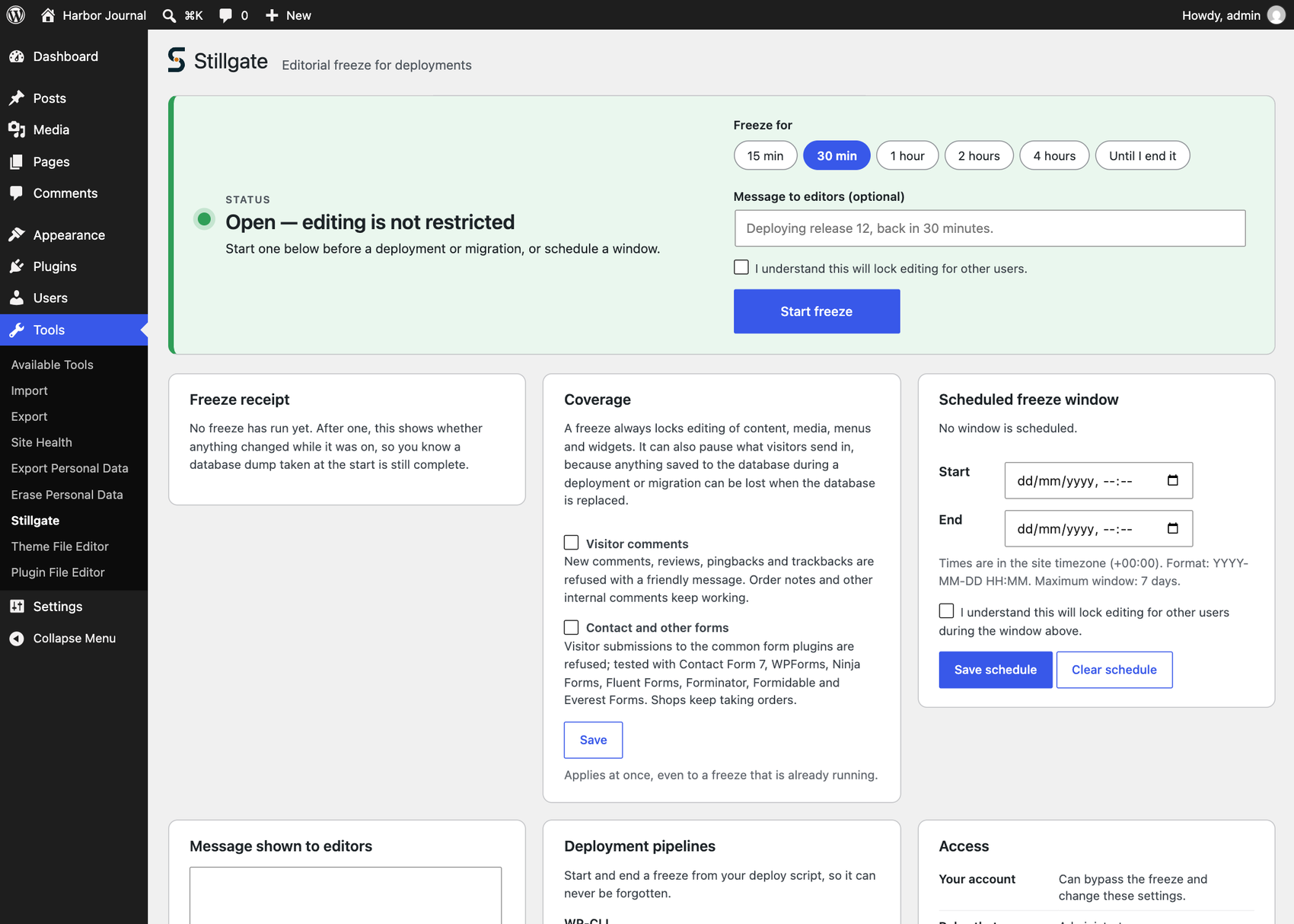
A freeze can be turned on immediately, or configured as a scheduled window
in the site’s own timezone. Whether it is active is computed from the
current time and stored configuration on every relevant request — it never
depends on a WP-Cron event firing on time.
Bypass is capability-based, not role-based
Roles with manage_options (Administrator, by default) receive the
deployment_guard_bypass capability automatically on activation — the
check is against the capability, never hardcoded to a role’s name, so a
custom role can be granted it too. A bypass holder can keep working during
a freeze, though their own changes can still be lost if a deployment
proceeds concurrently; the freeze protects everyone else’s content.
WP-CLI is not exempt. wp post update, wp term create, wp media, and equivalent commands from other plugins are blocked the same
import
way during a freeze; --user=<account with bypass> is the explicit way to
act as a specific person from the command line. Stillgate’s own wp commands keep working,
stillgate status|enable|disable|schedule
because they only change Stillgate’s own state.
Security and privacy
Stillgate makes no outbound HTTP requests, sends no data to any
external service, requires no account or license key, and collects no
telemetry. It uses no custom database table — two options, both removed on
uninstall — and its small internal activity log never stores request
payloads, message bodies, or IP addresses.
Known limitations, stated plainly
- A bypass holder’s own changes are not protected from being overwritten.
- Freeze state lives in the database; a database import during a migration
can lift or copy it. TheDEPLOYMENT_GUARD_FORCEconstant in
wp-config.php (the booleantrueorfalse; any other value is
ignored) forces the freeze on or off independently of the stored state,
for exactly this situation. - With a persistent object cache not shared between WP-CLI and web
workers, a CLI-issued change may needwp cache flushto take effect
immediately for web requests; a long-running PHP process keeps the state
it read until it restarts. - Changes that go around WordPress’s own content functions and capability
checks are not blocked: direct database queries, third-party code that
writes content without checking the user’s capabilities, plugin REST
routes with controllers of their own, and directwp_publish_post()
calls. - In WP-CLI and WP-Cron, post meta, term assignments to existing terms,
widgets, menu locations, theme mods and other options are not blocked,
nor are term updates and deletions made during a cron event. - Automated writes to protected content fail while a freeze is active:
cron jobs such as emptying the trash or updating products, and plugin
activation routines run through WP-CLI. - Restricted users cannot preview drafts of protected content during a
freeze. - WP-Cron keeps running; unrelated events are unaffected, and only
publishing protected scheduled content is held back specifically. - Comments, Notes, users, plugins, themes, and general site settings are
out of scope. - Operates per site on Multisite in this version; there is no
network-wide freeze screen yet, and network activation or deactivation
affects the current site’s state only.
Full architecture notes, the complete enforcement matrix, and every hook
this plugin exposes are documented in the GitHub repository.
Details
Related plugins
Plugins that also contain the tag deployment
Custom Database Applications by Caspio

Deployer for Git

Deploy with NetlifyPress

Caspio Deployment Plugin

SitePush

WP Deploy Flow


About
Plugin for that tries to help you find the WordPress plugin you are looking for.
| Please enjoy an image of Crush (this awesome turtle) and have a lovely day! |  |
We do not own any plugin listed on this site and do not work for or work with WordPress.com or it's associated companies. We simply provide a searchable list of the available WordPress plugins.