



StudioMeta Voice AI
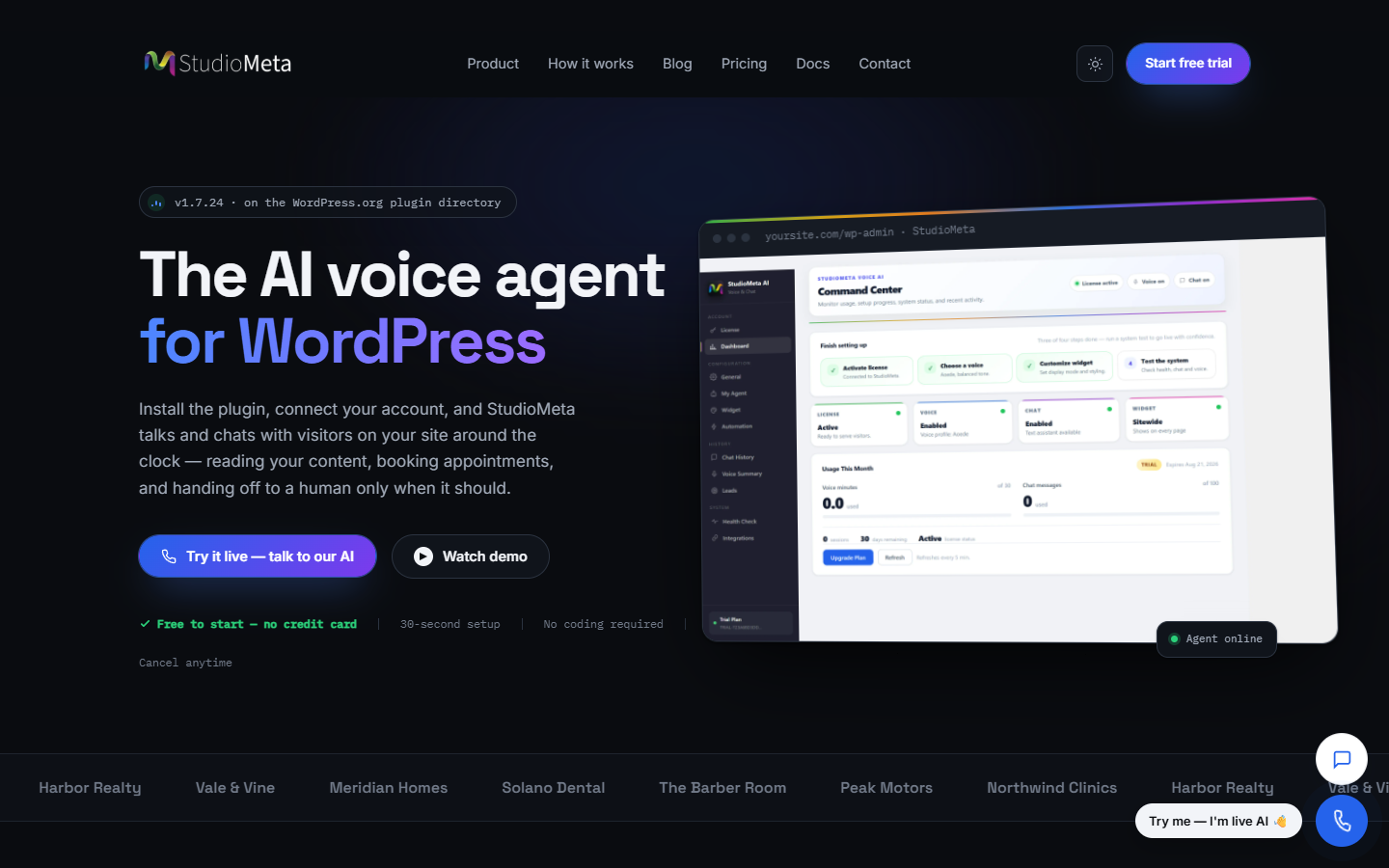
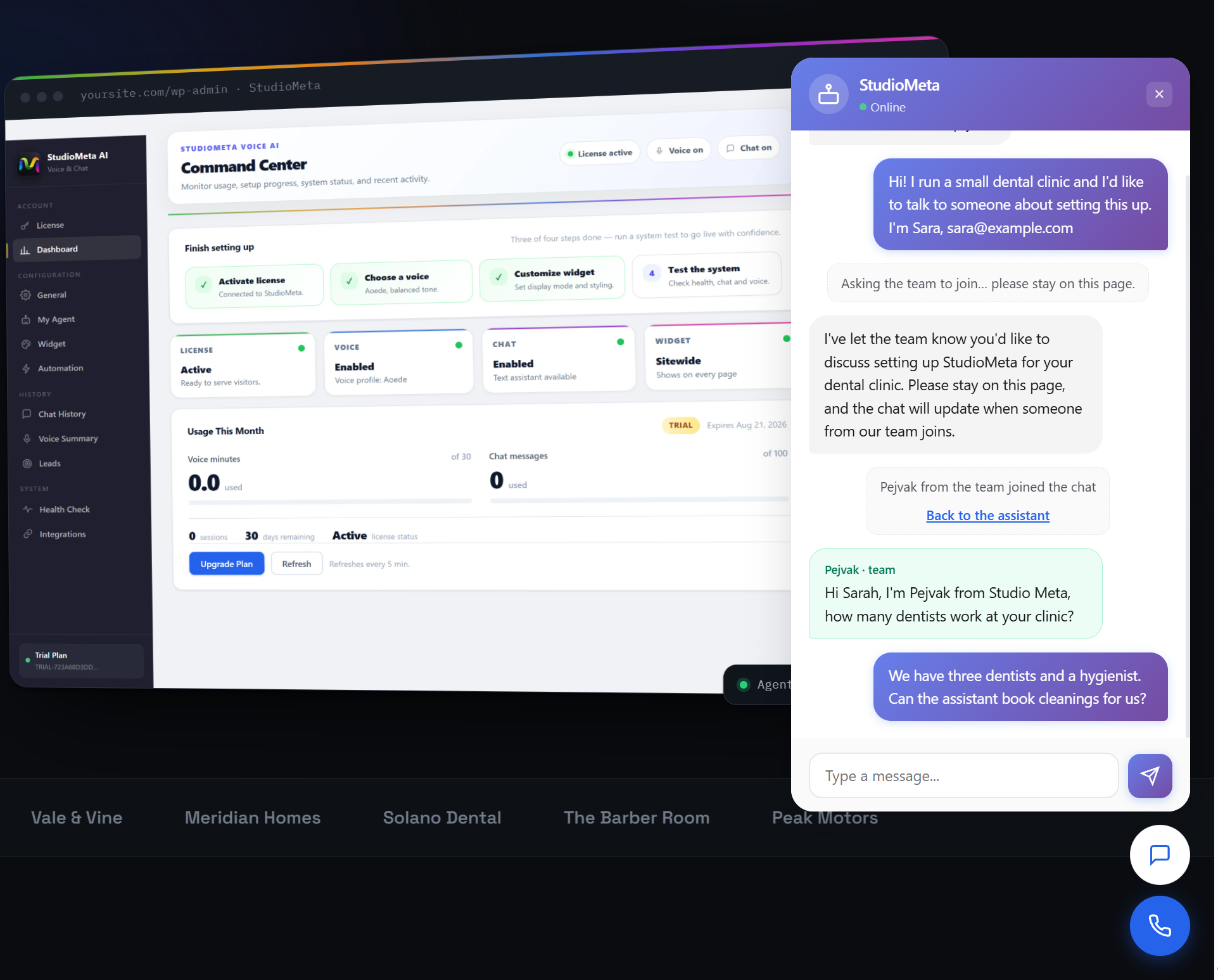
StudioMeta Voice AI adds a natural, conversational voice and chat assistant to your WordPress site. Visitors can have a real spoken conversation with an AI agent trained on your content, or chat by typing — all from a small floating widget.
The assistant understands context, answers in multiple languages, and can be customized to match your brand.
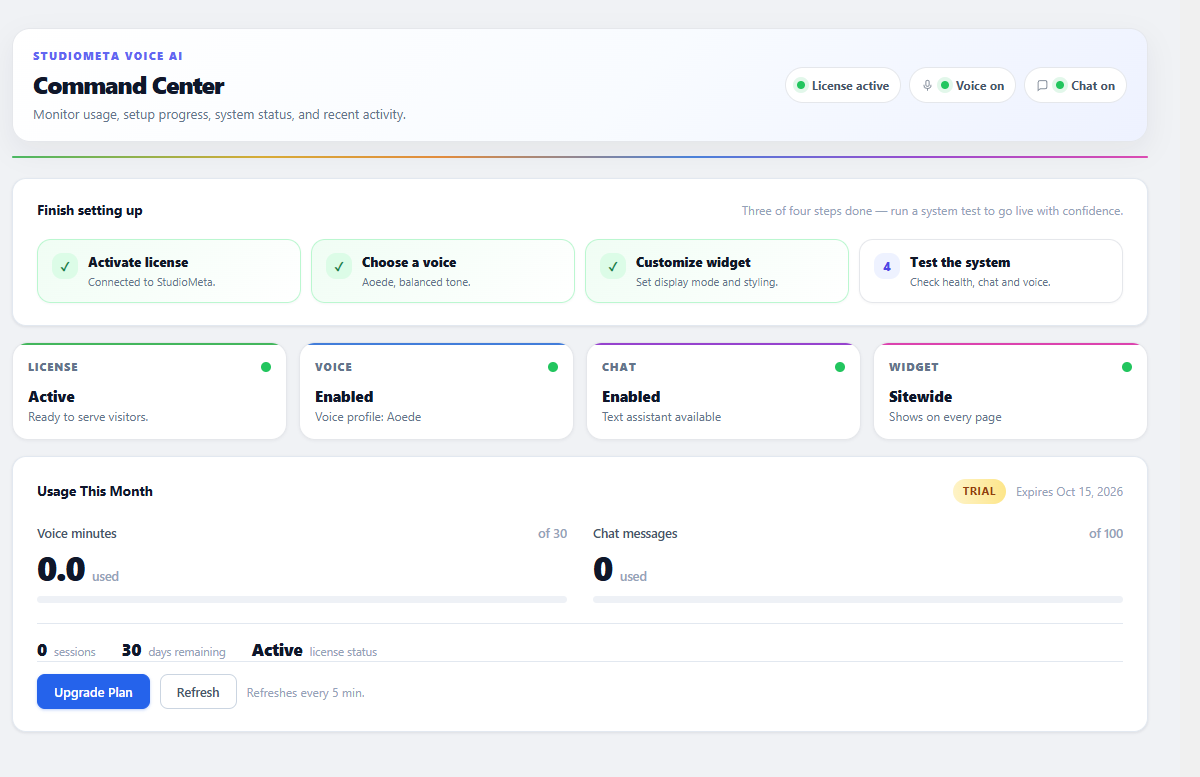
Every install includes a free trial — no signup, no credit card required. Click “Start Free Trial” in the admin panel to activate 30 voice minutes and 100 chat messages before deciding on a paid plan.
Key features
- Voice conversations — visitors talk to your AI agent, the agent talks back (real-time, streaming)
- Text chat — classic chat widget for visitors who prefer typing
- Multi-language — English, Persian (فارسی), Arabic, French, Spanish, and more
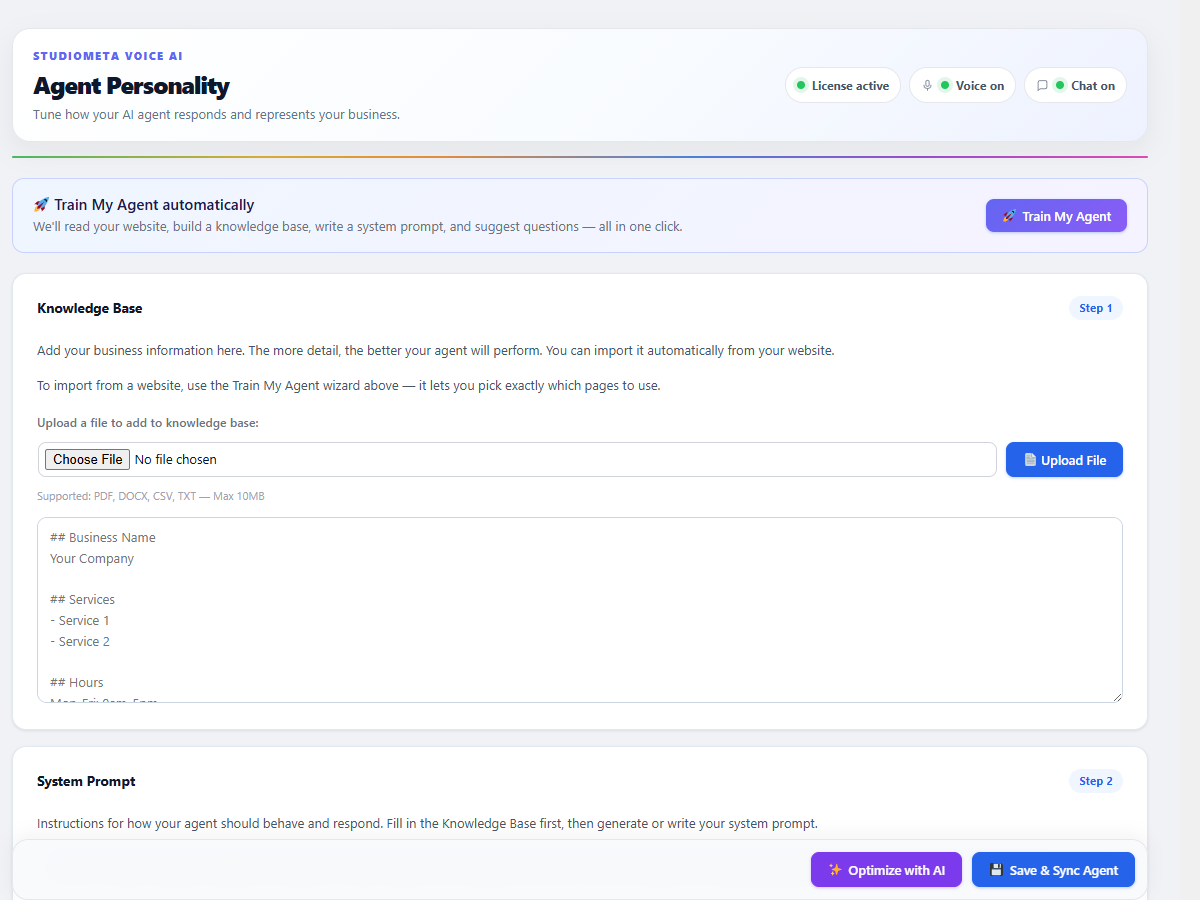
- Knowledge base import — auto-crawl your site to train the agent on your content
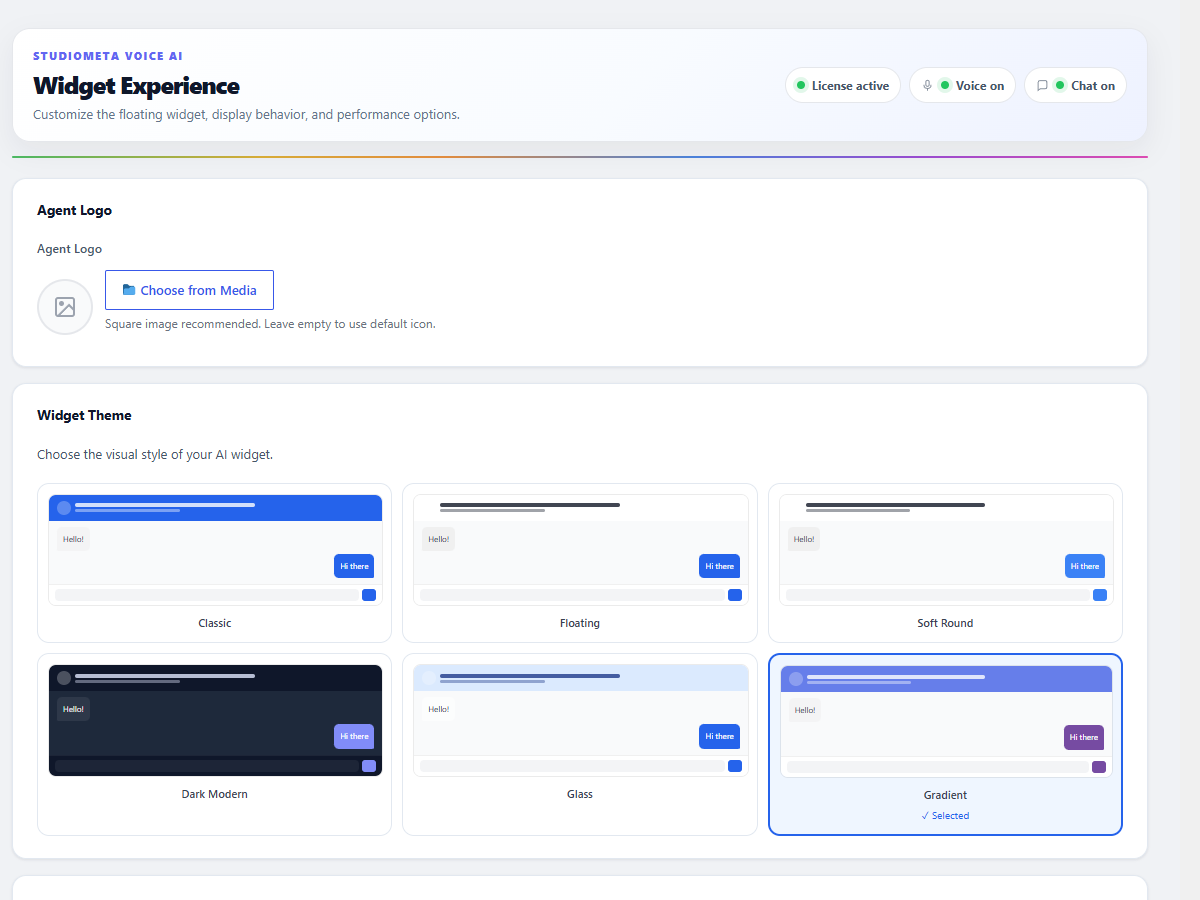
- Customizable widget — color, position (bottom-left/right), style (FAB or pill)
- Suggested questions — chips that prompt visitors with common questions
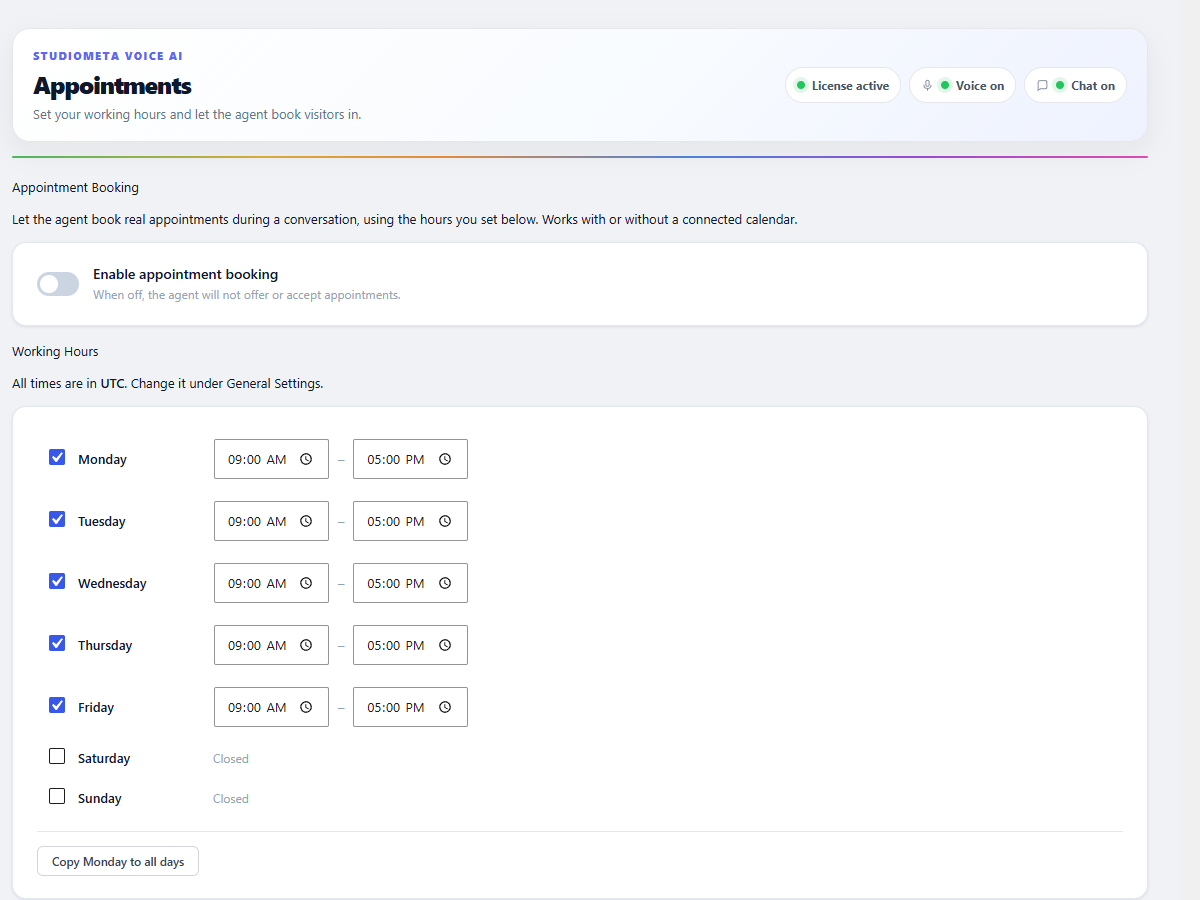
- Agent customization — name, voice, response style, system prompt, timezone
- Custom tools — connect your agent to external APIs via webhooks (n8n, Make, Zapier)
- Usage dashboard — see voice minutes used, sessions, and remaining quota
- Smart fallback — when one quota is exhausted, the other stays available
How the trial works
- Activate the plugin, then click Start Free Trial in the admin panel
- Use 30 voice minutes and 100 chat messages on real visitor conversations
- When the voice quota is exhausted, the chat widget keeps working (and vice versa)
- When both are exhausted, the widget shows an upgrade button linking to our pricing page
Upgrading to a paid plan
If you want unlimited or higher quotas, visit studiometa.io/pricing. After purchase, your widget reactivates automatically within 5 minutes — no need to copy and paste a license key.
External services
This plugin connects to external services provided by StudioMeta to function. This is required because the plugin is an interface to a hosted AI assistant. The following services are used:
1. StudioMeta Voice AI API (api2.studiometa.io)
What it does: Hosts the AI agent. Handles license validation, quota tracking, knowledge base storage, agent configuration, voice/chat session orchestration, and dashboard analytics.
When it is contacted:
- On plugin activation: to issue a free trial license (sends site URL, admin email, business name, site fingerprint, WordPress version, plugin version, language preference)
- When you save settings or agent configuration: to sync your changes to the hosted agent
- When you click “Import KB from Website”: to crawl your public pages and build a knowledge base
- When you click “Optimize with AI”: to improve your system prompt
- When the admin Dashboard loads: to fetch usage statistics
- Every 5 minutes (cached): to check current quota status (decides whether the widget shows voice, chat, both, or an upgrade button)
- When a visitor uses the voice or chat widget: a WebSocket connection is opened to
wss://api2.studiometa.io/voiceto stream audio and messages
Data sent: site URL, admin email, business name, your custom agent configuration (name, voice, system prompt, knowledge base text, suggested questions, custom tools), and during sessions: visitor audio and chat messages (processed only for the duration of the conversation).
Data NOT sent: WordPress user passwords, post content (unless you explicitly import it via “Import KB”), visitor IP addresses, visitor names or accounts.
- Service homepage: https://studiometa.io
- Terms of Service: https://studiometa.io/terms/
- Privacy Policy: https://studiometa.io/privacy-policy-2/
2. StudioMeta Workflow Webhooks (n8n.studiometa.io)
What it does: Sends transactional emails (welcome email on activation, license key email after purchase, usage alerts at 80% and 100%, monthly usage report).
When it is contacted:
- Once on plugin activation: to trigger the welcome email
- When usage thresholds are crossed (server-side): to trigger usage alert emails
Data sent: admin email, site URL, business name, current plan, usage percentages.
- Service homepage: https://studiometa.io
- Terms of Service: https://studiometa.io/terms/
- Privacy Policy: https://studiometa.io/privacy-policy-2/
3. HubSpot (api.hubapi.com) — optional, only if you connect it
What it does: Syncs leads captured by the voice/chat widget (name, email, phone, notes) into your own HubSpot CRM as contacts.
When it is contacted: Only if you explicitly connect HubSpot under Voice AI Integrations by entering your own HubSpot Private App Token. If you never connect it, the plugin never contacts HubSpot.
- When you click “Connect”: one test request to
api.hubapi.comto verify your token - When the widget captures a lead: the lead’s name, email, phone, and notes are sent to
api.hubapi.comto create/update a contact in your HubSpot account
Data sent: your HubSpot Private App Token (stored in your WordPress database, sent only to HubSpot), and captured lead fields (name, email, phone, notes).
- Service homepage: https://www.hubspot.com
- Terms of Service: https://legal.hubspot.com/terms-of-service
- Privacy Policy: https://legal.hubspot.com/privacy-policy
4. Google Gemini Live (indirectly, via api2.studiometa.io)
The AI capabilities are powered by Google’s Gemini Live API. The plugin does not contact Google directly — all requests go through api2.studiometa.io, which forwards them to Google. You do not need a Google account or API key.
- Google Gemini Terms: https://ai.google.dev/terms
- Google Privacy Policy: https://policies.google.com/privacy
How to opt out
If you do not want the plugin to contact these services, simply deactivate and uninstall the plugin. The plugin cannot function without the hosted services because the AI assistant runs on our infrastructure (similar to how an Akismet plugin needs the Akismet service, or a Mailchimp plugin needs Mailchimp).
Source Code
The full source code of this plugin, including the unminified version of widget.js and all build tools, is publicly available on GitHub:
https://github.com/Pejvak2001/studiometa-voice-ai
Details
Related plugins
Plugins that also contain the tag ai-assistant
AI Chatbot for WordPress by Customerly

BuddyBot – OpenAI Assistants, AI Chatbots and Support Agents for WordPress
Site Chat on Telegram

Zeno – AI-Powered Chatbot
Neexa | Sales AI Agent for B2C Businesses

Instant AI Chatbot


About
Plugin for that tries to help you find the WordPress plugin you are looking for.
| Please enjoy an image of Crush (this awesome turtle) and have a lovely day! |  |
We do not own any plugin listed on this site and do not work for or work with WordPress.com or it's associated companies. We simply provide a searchable list of the available WordPress plugins.