

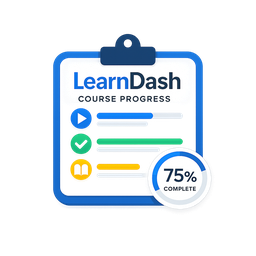
SWR Course Progress for LearnDash
This is a powerful and easy-to-use plugin that allows you to display student progress for any LearnDash course using a simple shortcode.
🎯 Plugin Features
– Easy-to-use shortcode: [swrldcp_course_progress course_id=123]
– Modern UI Design: Professional card-based layout with enhanced visual hierarchy
– Pill-Style Progress Stats: Clean, readable progress indicators for lessons, topics, and quizzes
– Enhanced Progress Circles: Refined visual progress indicators with improved styling
– Improved Admin Interface: Modern form styling with better focus states and responsive design
– Customizable general color to match your brand
– Responsive design: mobile, tablet, and desktop-friendly
– Widget-compatible: embed in sidebars or footer widget areas
– Lightweight and performance-optimized
– Compatible with all major LearnDash themes and templates
🚀 How to Use
1. Install and activate the plugin.
2. Go to Settings > Learndash > Progress Settings.
3. Choose your preferred general color.
4. Use the shortcode to display progress:
– Shortcode: [swrldcp_course_progress course_id=123]
5. Replace the course ID with the actual ID of your LearnDash course.
6. Paste the shortcode into any page, post, or widget area.
That’s it! Your course progress will now display in a clean, visual format.
Support
Need help or have questions? Our dedicated support team is here to help you make the most of this plugin. https://swrice.com/contact-us/
Details
Related plugins
Plugins that also contain the tag course-progress
Kibworks Student Dashboard for LearnDash


About
Plugin for that tries to help you find the WordPress plugin you are looking for.
| Please enjoy an image of Crush (this awesome turtle) and have a lovely day! |  |
We do not own any plugin listed on this site and do not work for or work with WordPress.com or it's associated companies. We simply provide a searchable list of the available WordPress plugins.