

This plugin is outdated and might not be supported anymore
Back

Syntax Highlighting
Details
View on WordPress
Back
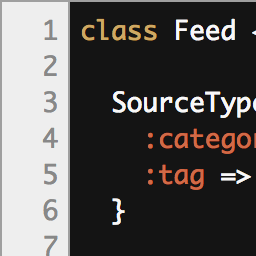
The plugin is based on the javascript library HighLight Js, it offers the possibility to choose among 70 styles of coloring. You can choose a default color in the back office. You can also add a widget to let the choice of coloring to visitors.
Features Include
- Add syntax highlighting to your code snippets.
- Choose style from more than 50 choices.
- A widget allows visitors to make their choice on the front
Configuration
- Activate the plugin through the “Plugins” menu in WordPress.
- Go to the plugin setting page and add the types of articles or add syntax highlighting.
- Then choose a theme for the coloring, demo here :HighLight JS.
- To let visitors change the coloring style, go to your dashboard to add the widget to the sidebar of your choice.
- Finally, when you add a code in a publication, do not forget to check ON in the Syntax Highlighting metabox.
Credits
- Pictures by Hélène titre “graphic designer”
Details
Plugin code:
syntax-highlighting
Plugin version:
0.1
Author:
Outdated:
Yes
WP version:
4.0 or higher
PHP version:
or higher
Test up to WP version:
4.7.29
Total installations:
0
Last updated:
2017-04-26
Rating:
Times rated:
1
highlight
highlight-js
highlighting
syntax
syntax-highlighting
Related plugins
Plugins that also contain the tag highlight
String locator

Prismatic

Custom Highlight Color

CodeColorer
Tooltipy (tooltips for WP)

Code Prettify


About
Plugin for that tries to help you find the WordPress plugin you are looking for.
| Please enjoy an image of Crush (this awesome turtle) and have a lovely day! |  |
We do not own any plugin listed on this site and do not work for or work with WordPress.com or it's associated companies. We simply provide a searchable list of the available WordPress plugins.