

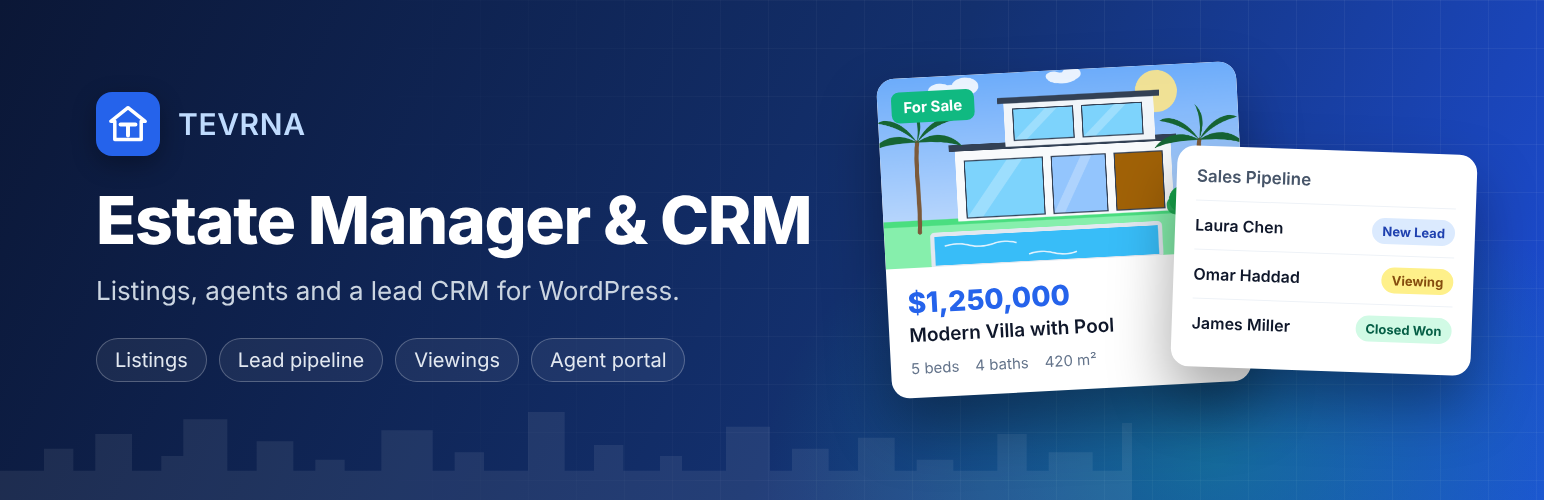

Tevrna Estate Manager & CRM
Tevrna Estate Manager & CRM turns WordPress into a real estate website and a small CRM for your agency. Everything described below is included and fully functional — there are no license keys, trials or usage limits.
Listings
- Property post type with price, area, bedrooms, bathrooms, map coordinates, EPC class, video, floor plan and a photo gallery.
- “Sold”, “Rented”, “Under Offer”, “New”, “Price Reduced” labels and “Featured” properties.
- Property types, status (sale/rent), locations and features taxonomies.
- Features are tagged automatically from keywords in the description (pool, garage, garden…).
- Agent profiles with phone, email and WhatsApp, assigned per property. Agent pages list the agent’s listings automatically.
- CSV import and one-click demo content.
- Schema.org
RealEstateListingmarkup on property pages. - Printable brochure (print or save as PDF from the browser).
Beautiful property pages — with any theme
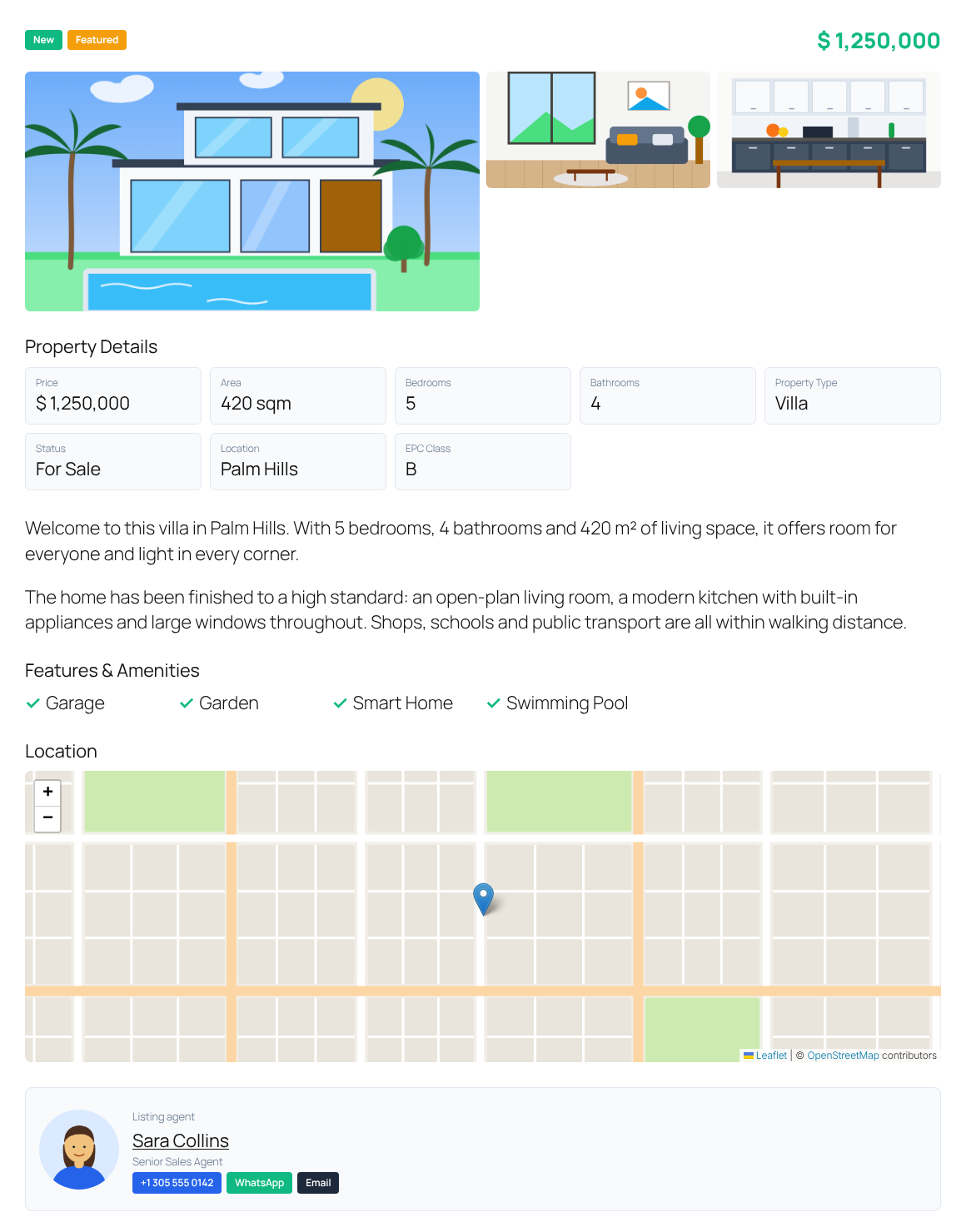
Property and agent pages are laid out automatically: photo gallery with lightbox, key details, features, video, floor plan, location map, agent card, contact and viewing forms and a mortgage calculator. You can turn this off if your theme has its own template.
CRM
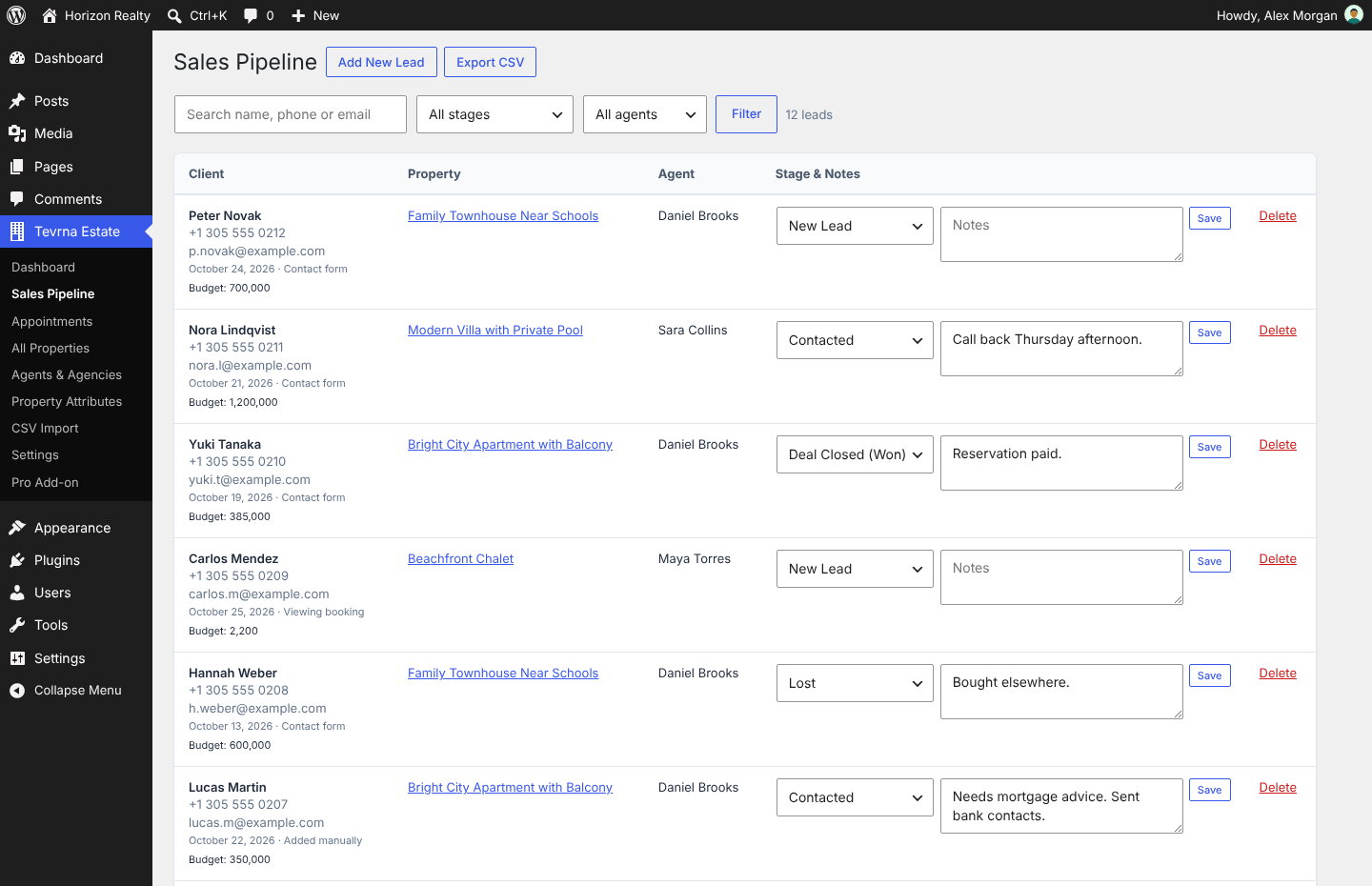
- Sales pipeline: search, filter by stage or agent, change stages, keep notes, delete, export to CSV (UTF-8, opens correctly in Excel).
- Agents only see the leads assigned to them; administrators see everything.
- Duplicate-phone protection so two agents cannot claim the same client.
- Lead source tracking (contact form, viewing booking, manual).
- Viewing appointments with “Add to Google Calendar” links.
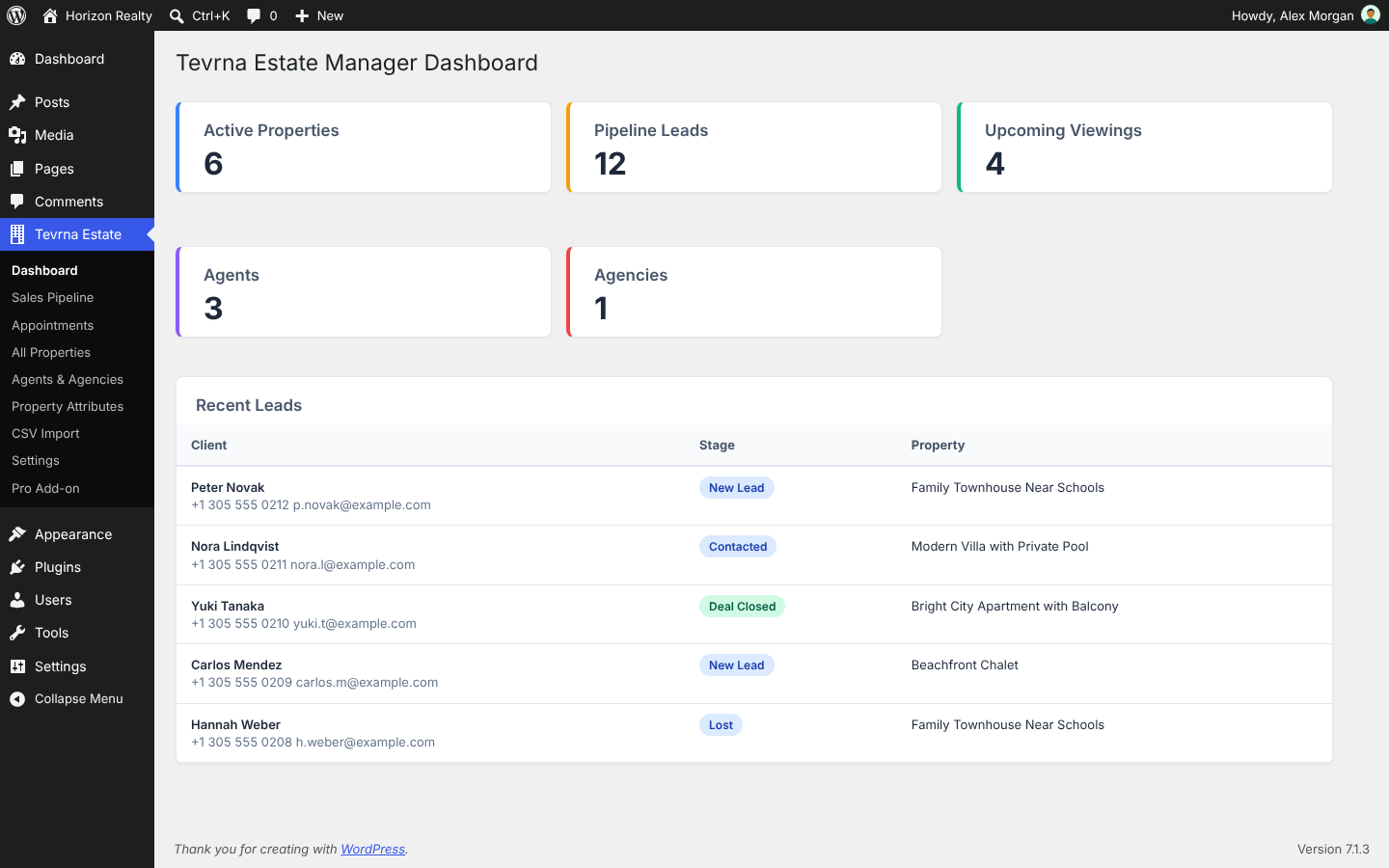
- Leads are created automatically from the contact and viewing forms, and the listing agent is emailed.
Frontend
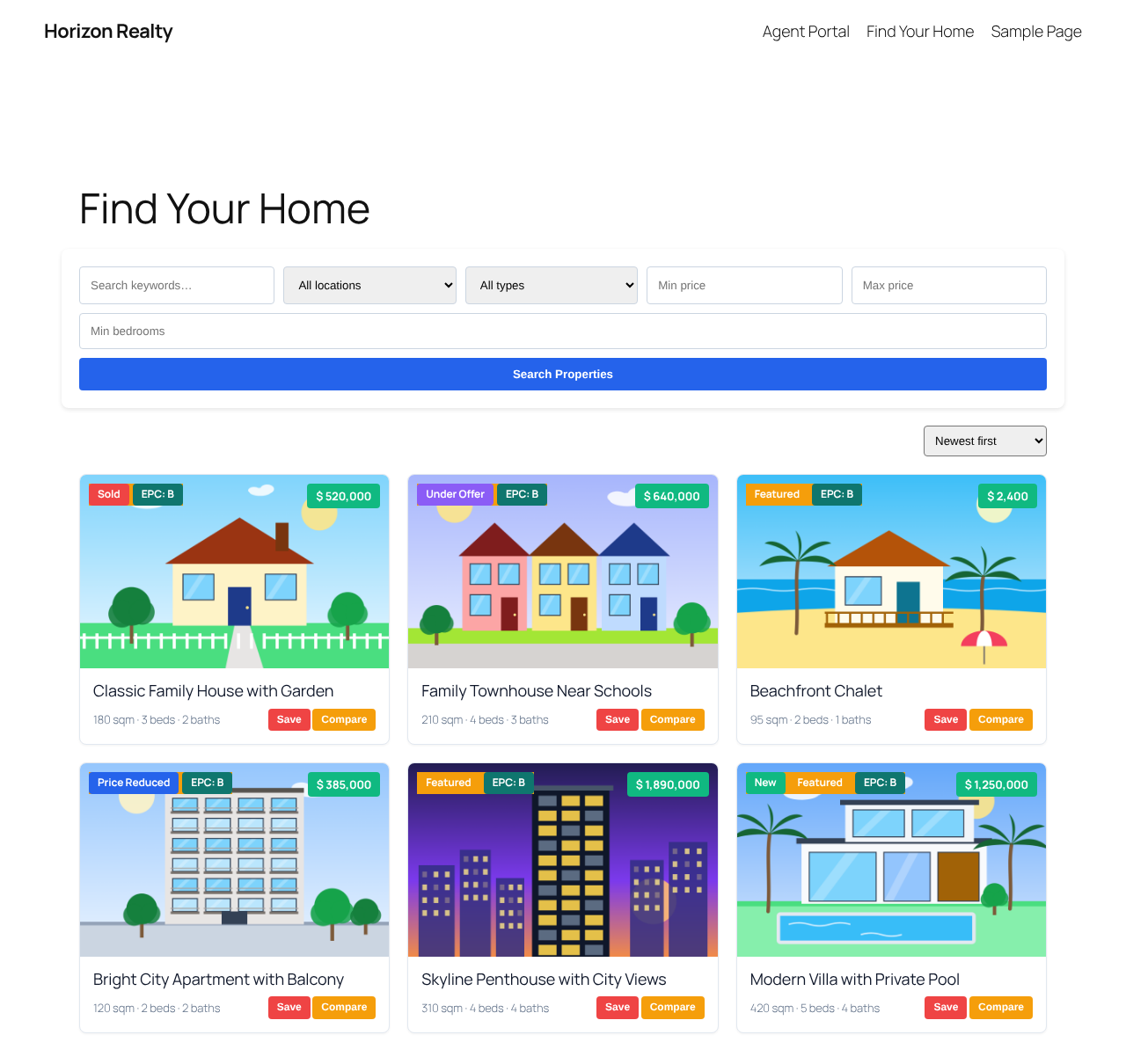
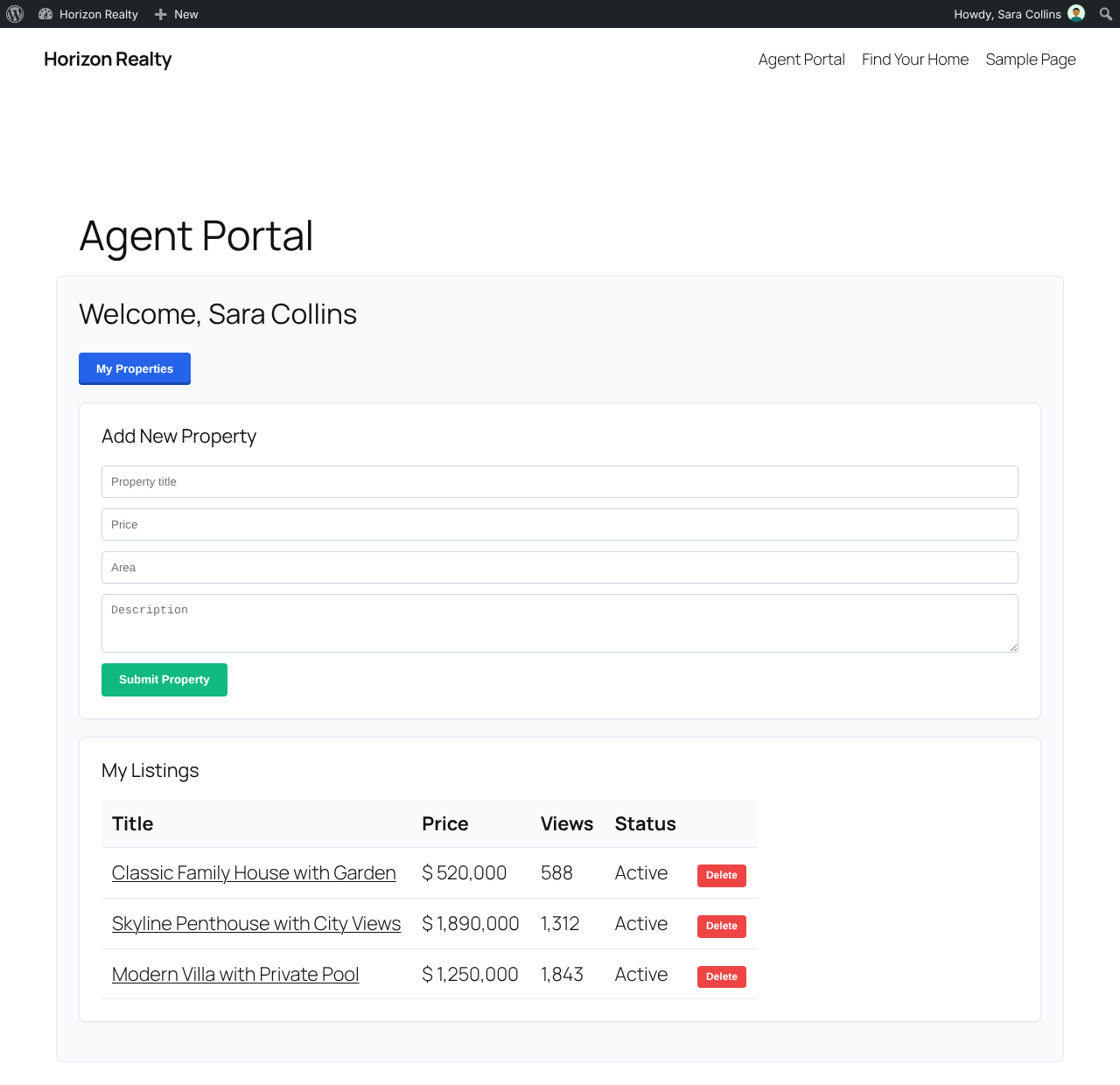
[tevrna_properties_grid]— grid with sorting, badges, wishlist and compare buttons. Filter withfeatured="1",status,type,locationoragent.[tevrna_properties_slider]— lightweight slider (no jQuery).[tevrna_advanced_search]— keyword, location, type, price range and bedroom search, with “save this search”.[tevrna_half_map]— property list next to an interactive map (opt-in, see External services).[tevrna_request_info]and[tevrna_viewing_scheduler]— lead capture forms.[tevrna_mortgage_calculator],[tevrna_brochure_btn],[tevrna_compare_properties].[tevrna_my_wishlist],[tevrna_saved_searches]— for logged-in buyers.[tevrna_authenticate]— login and buyer registration (respects the “Anyone can register” setting).[tevrna_frontend_dashboard]— agent portal to add listings, see view counts and remove listings.- Optional Google reCAPTCHA v2 on all public forms.
Page builders
- 11 blocks for the block editor in a “Tevrna Estate” category (grid, slider, search, map, forms, calculator and more).
- Matching Elementor widgets when Elementor is active.
Languages
- Fully translation-ready, with right-to-left (RTL) layout support. Translations are provided through translate.wordpress.org.
Developers
The plugin provides actions and filters (for example tevrna_em_loaded, tevrna_em_admin_menu, tevrna_em_lead_created, tevrna_em_search_meta_query, tevrna_em_portal_tabs) so themes and other plugins can extend it.
Tevrna also sells a separate add-on plugin with extra modules on its own website. This plugin works completely on its own and does not contain any code from that add-on.
External services
This plugin does not contact any external service by default and does not collect usage data. The services below are only used when the site owner enables or configures them.
OpenStreetMap tile servers (map in [tevrna_half_map])
Used to display the background map tiles of the property map. It is off by default and only active after an administrator ticks “Enable the map and load tiles from OpenStreetMap” under Tevrna Estate Settings. When enabled, the visitor’s browser requests map images from tile.openstreetmap.org each time a page with the map is viewed; this sends the visitor’s IP address, browser user agent and the referring page URL to the OpenStreetMap Foundation. No other data is sent. The map library (Leaflet) itself is bundled with the plugin.
- Service provider: OpenStreetMap Foundation
- Terms of Use: https://osmfoundation.org/wiki/Terms_of_Use
- Tile Usage Policy: https://operations.osmfoundation.org/policies/tiles/
- Privacy Policy: https://osmfoundation.org/wiki/Privacy_Policy
Google reCAPTCHA v2 (spam protection)
Used to protect the login, registration, contact and viewing forms from spam. It is only active when an administrator enters both a reCAPTCHA Site Key and Secret Key in the settings. When active, pages containing these forms load the reCAPTCHA script from google.com, which collects information about the visitor’s browser and interaction for risk analysis. When a form is submitted, your server sends the visitor’s reCAPTCHA response token and your secret key to https://www.google.com/recaptcha/api/siteverify to check it.
- Service provider: Google LLC
- Terms of Service: https://policies.google.com/terms
- Privacy Policy: https://policies.google.com/privacy
Google Calendar links
The Appointments screen and viewing confirmation emails contain an “Add to Google Calendar” link. Nothing is sent automatically: only if a person clicks the link does their browser open calendar.google.com with the appointment title and time pre-filled.
- Service provider: Google LLC
- Terms of Service: https://policies.google.com/terms
- Privacy Policy: https://policies.google.com/privacy
Details
Related plugins
Plugins that also contain the tag agents
WP Propery Listings

Chat Support for Telegram – Bubble & Button with Gutenberg, Elementor and Shortcode

Neptune Real Estate

Ace Social Chat

Mescio for Agents

DecaCrew


About
Plugin for that tries to help you find the WordPress plugin you are looking for.
| Please enjoy an image of Crush (this awesome turtle) and have a lovely day! |  |
We do not own any plugin listed on this site and do not work for or work with WordPress.com or it's associated companies. We simply provide a searchable list of the available WordPress plugins.