


TJ Custom CSS
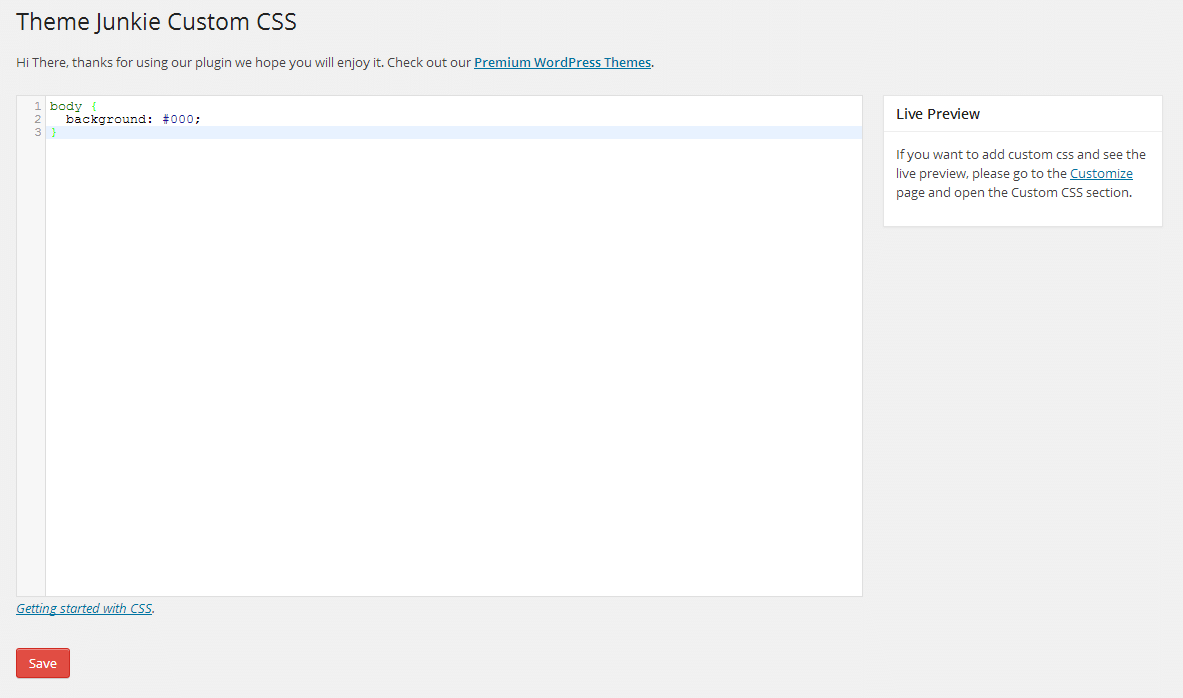
This plugin will enable a custom css manager on administration page to add Custom CSS code to your WordPress website. It will automatically override any theme or plugin default styles. It also very useful if you want to add customization to your website but do not want to edit your theme or plugin css files.
It comes with two ways to add the custom css code:
1. Setting
You can go to Appearance → Custom CSS, then you will see a big box/textarea. Put your css code there.
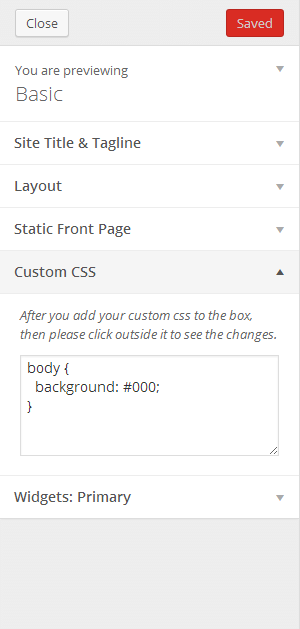
2. Customizer – Live Preview
If you want to see the live preview while you adding the custom css code, then you can go to Appearance → Customize, after that open the Custom CSS section tab.
Features Include:
- No configuration needed
- Live preview
- Easy-to-use
- Child theme alternative to add customization
- Uninstall procedure
Plugin Info
- Developed by Theme Junkie
- Check out the Github repo to contribute.
Details
Related plugins
Plugins that also contain the tag css
WPCode – Insert Headers and Footers + Custom Code Snippets – WordPress Code Manager

Code Snippets

Simple Custom CSS Plugin
Widget CSS Classes
Simple CSS
WP Add Custom CSS


About
Plugin for that tries to help you find the WordPress plugin you are looking for.
| Please enjoy an image of Crush (this awesome turtle) and have a lovely day! |  |
We do not own any plugin listed on this site and do not work for or work with WordPress.com or it's associated companies. We simply provide a searchable list of the available WordPress plugins.