



TicketDrum
TicketDrum turns your WordPress site into your own box office. No WooCommerce required, no paid add-ons, no subscription – one all-in fee of 4.9% + 30p per paid ticket (card processing included), and free tickets are always free.
Everything included:
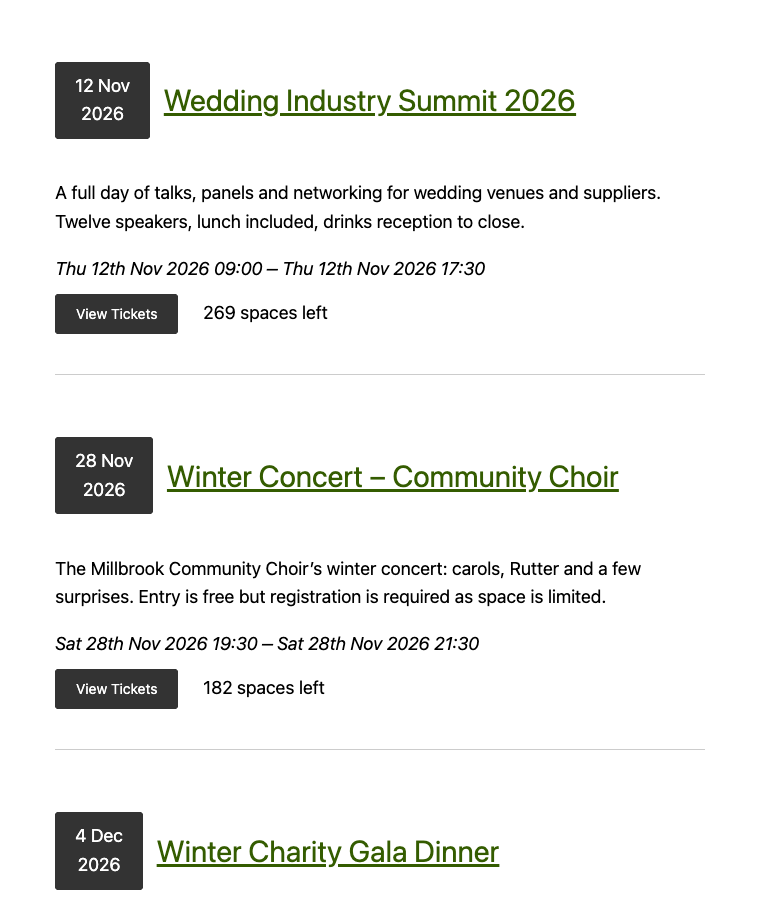
- Sell tickets on your own pages with the TicketDrum block (or a shortcode)
- Payments direct to your own Stripe account – we never hold your money
- PDF tickets with QR codes, attached to every confirmation email
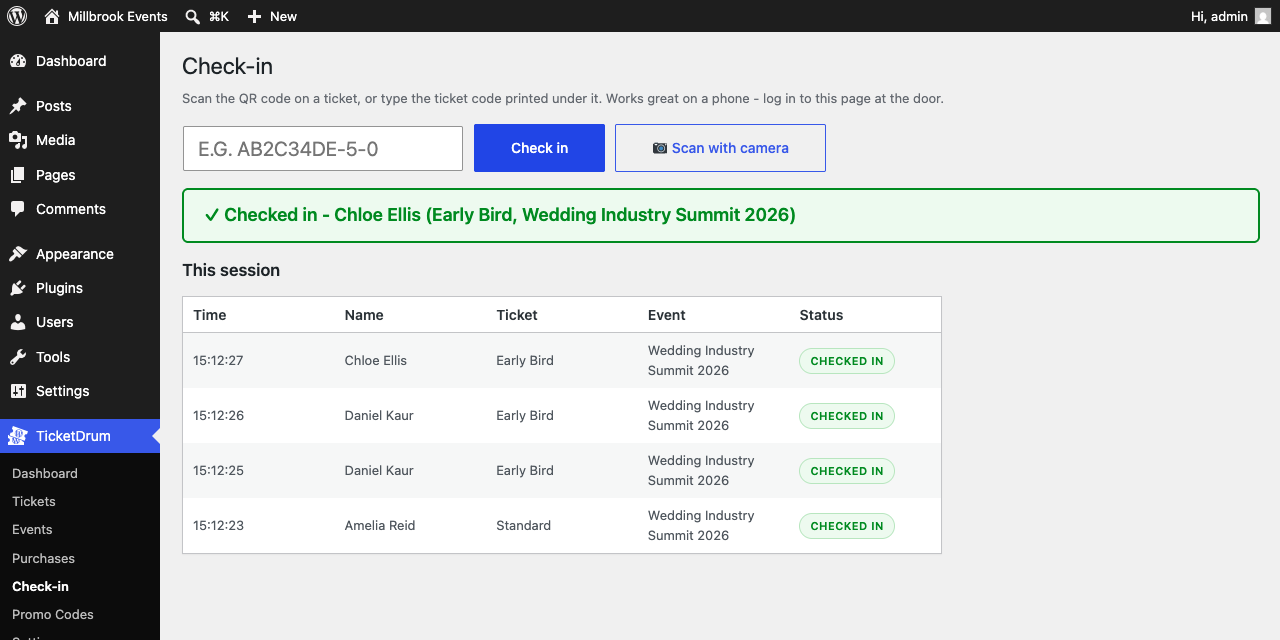
- Door check-in: scan QR codes with your phone camera, no extra app
- Promo codes with usage limits and expiry dates
- Waitlists that automatically email buyers when spaces open up
- One-click refunds (our fee is refunded to you too)
- Printable receipts, automatic Stripe receipts, add-to-calendar files
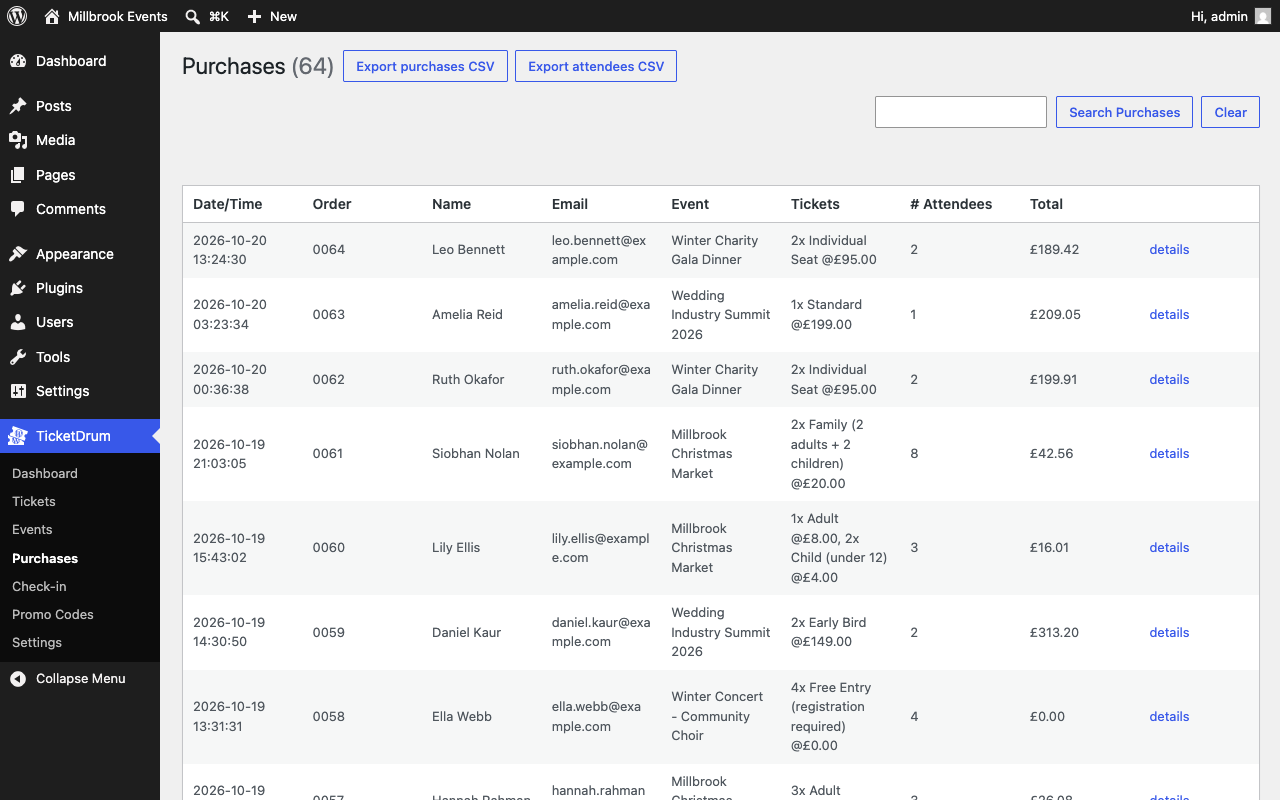
- Custom checkout fields, attendee lists and CSV exports
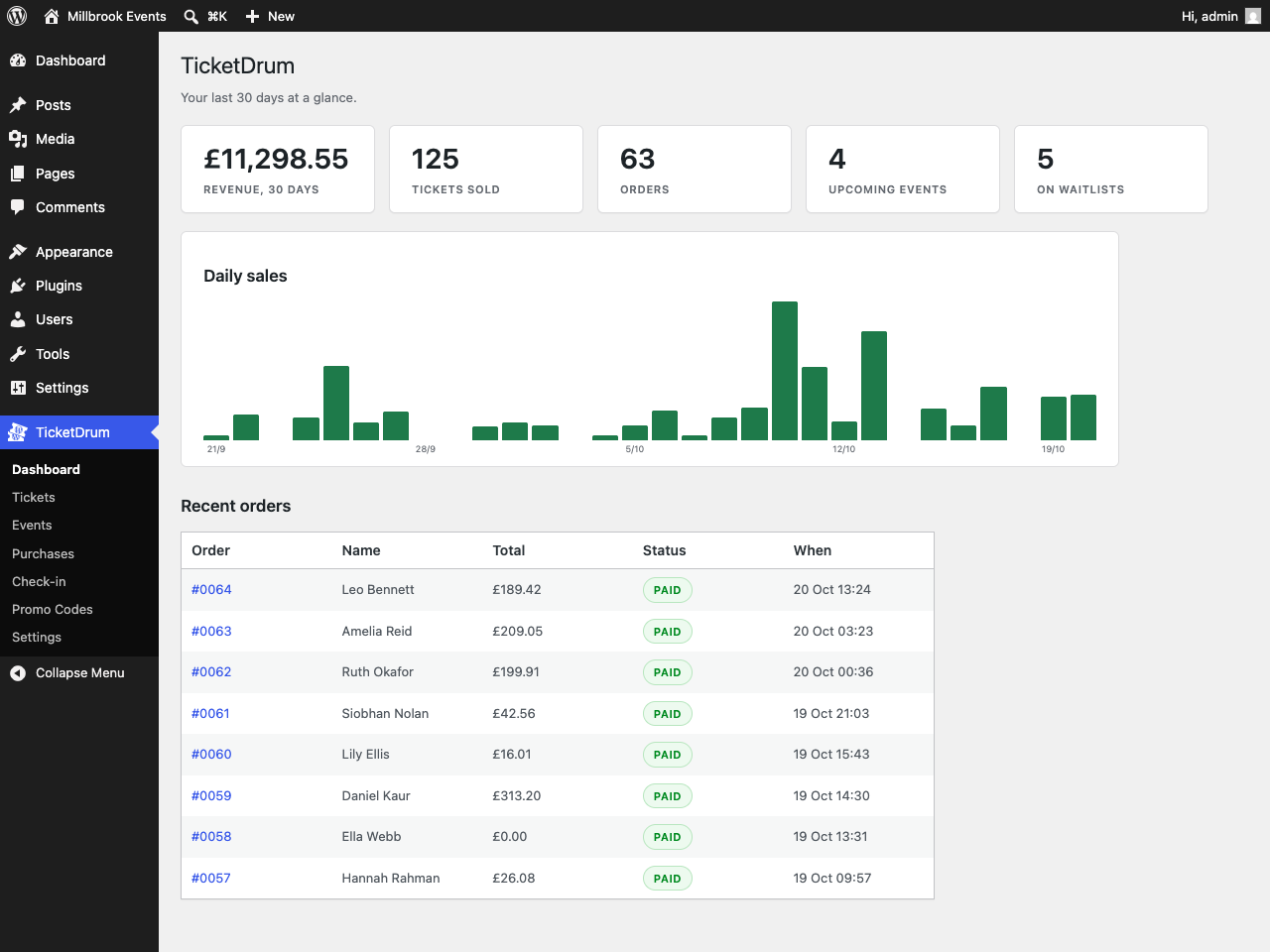
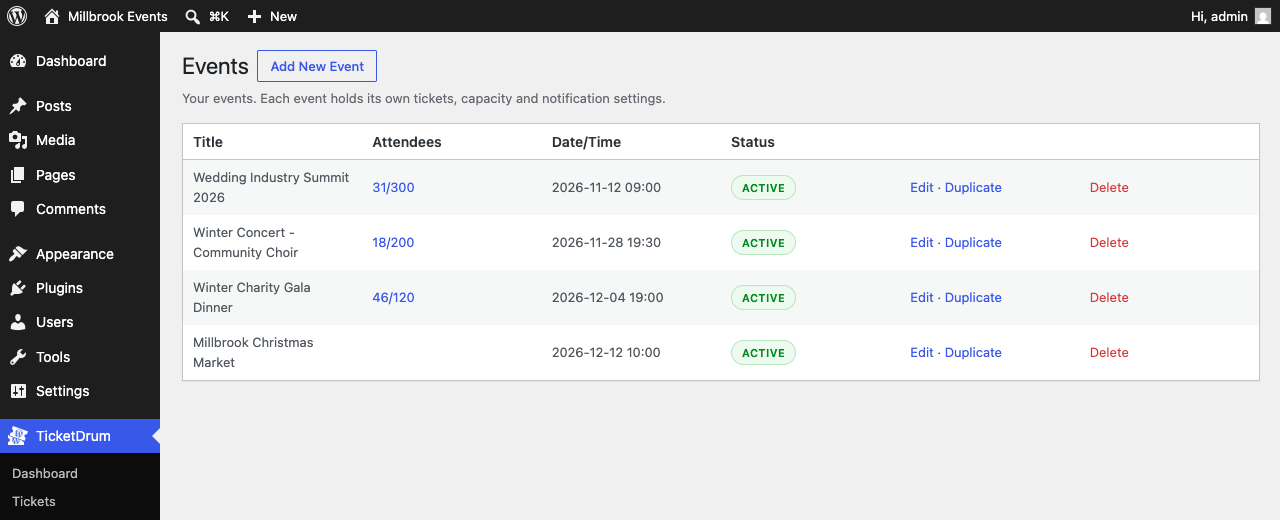
- Sales dashboard, capacity limits and oversell protection
- Event structured data for Google event rich results
Pricing: the plugin is free. We charge 4.9% + 30p (or equivalent in your selling currency) per paid ticket, collected automatically through Stripe – card processing costs are included in that fee. By default the booking fee is paid by the ticket buyer, so you keep 100% of your ticket price.
What works with no connection at all: everything except card payments. Events, ticket types, free tickets, PDF tickets with QR codes, confirmation emails, door check-in, promo codes, waitlists, capacity limits, attendee lists, CSV exports, receipts and calendar files are all produced on your own site and need no account, no key and no connection. Nothing is disabled, time-limited or usage-capped.
Your buyers’ data stays on your site. All email is sent by WordPress itself, so buyer names, email addresses, tickets and receipts are never sent to us. The only personal data that leaves your server is what Stripe needs to take a card payment.
Why card payments need the service: TicketDrum holds the Stripe Connect platform account that your own Stripe account links to. Connecting an account to a platform is an OAuth exchange that Stripe will only complete against that platform’s client ID and client secret, and Stripe issues the resulting connected-account credentials to the platform, not to the site. A platform’s client secret cannot be distributed inside a GPL plugin: it would be readable by everyone who downloaded it, and Stripe’s terms do not allow it. The exchange therefore has to happen on a server we control. That is real processing which the plugin genuinely cannot do locally, not a check standing between you and code you already have.
Clicking Get Started registers your site’s domain and issues an account ID identifying you to that platform. Nothing is sent to ticketdrum.com before you click it.
There is no lock of any kind in this plugin. No feature is disabled, time-limited, usage-capped or held back pending payment. The account ID is not a licence key: nothing verifies it, nothing expires, and removing it simply stops the Stripe Connect handshake from being possible. The service endpoints are ordinary constants (TICKETDRUM_URL and TICKETDRUM_API_URL) which you can redefine in wp-config.php to point somewhere else entirely. All the code is plain, readable PHP with nothing obfuscated or minified.
External services
This plugin uses two external services: the TicketDrum service (operated by us) and Stripe. They are what makes card payment possible. Details of what is sent, when, and why:
1. TicketDrum service (ticketdrum.com / api.ticketdrum.com)
TicketDrum operates the Stripe Connect platform account through which card payments are processed. The plugin sends nothing to the service until you click Get Started on the TicketDrum dashboard. After that, it contacts api.ticketdrum.com in exactly two situations, and in neither is any personal data sent:
- When you click Get Started: your site’s domain name is sent so the service can register the site and issue the account ID that identifies it.
- When you connect or disconnect Stripe (Settings Stripe): your account ID is sent to fetch or revoke the Stripe Connect credentials issued to the platform for your Stripe account.
That is the complete list. No buyer or visitor data, no order data, no email content, no usage statistics, no analytics and no error reports are ever sent. Confirmation emails, tickets and receipts are generated and sent entirely by your own site using WordPress’s own wp_mail function.
Terms of service: https://www.ticketdrum.com/content/terms – Privacy policy: https://www.ticketdrum.com/content/privacy
2. Stripe (api.stripe.com / js.stripe.com)
Stripe processes all card payments; payments go directly to your own connected Stripe account. The checkout page loads Stripe.js from js.stripe.com (required by Stripe for PCI-compliant card collection – card details are entered into Stripe’s own secure fields and never touch your server). When a buyer pays, the order amount, currency, order description and the buyer’s name and email address are sent to api.stripe.com to create and confirm the payment and a customer record in your Stripe account.
Terms of service: https://stripe.com/legal/ssa – Privacy policy: https://stripe.com/privacy
Details


Related plugins
Plugins that also contain the tag event-tickets
Sugar Calendar – Events Calendar, Event Tickets, and Events Management Platform

Eventin – Event Calendar, Event Registration, Tickets & Booking (AI Powered)

Event Tickets with Ticket Scanner

My Tickets – Accessible Event Ticketing

Easy Custom Event Tickets

Ticket Manager – Sell Tickets for Events, Concerts, Conferences, and More with WooCommerce


About
Plugin for that tries to help you find the WordPress plugin you are looking for.
| Please enjoy an image of Crush (this awesome turtle) and have a lovely day! |  |
We do not own any plugin listed on this site and do not work for or work with WordPress.com or it's associated companies. We simply provide a searchable list of the available WordPress plugins.