


TIP Next Post
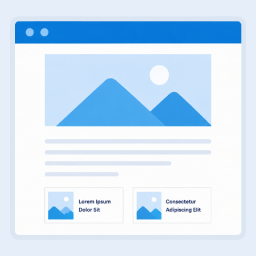
TIP Next Post makes it easy to add previous and next post navigation, helping visitors discover more of your content and decide what to read next.
Help visitors continue browsing by showing clear Previous/Next links at the end of your posts.
Benefits:
Increase page views: Encourage visitors to keep reading instead of leaving after one article.
Improve content discovery: Make it easier to move between your posts.
Simple navigation: Add standard chronological Previous/Next links with minimal setup.
Seamless integration: Display navigation directly after your post content without floating panels or distractions.
Premium features
AI Engine
AI Engine can identify previous and next posts whose meaning and context are most relevant to the current content.Floating navigation
Display previous and next post cards at the sides of the viewport as visitors scroll.Combined inline and floating navigation
Show navigation both after the post content and as floating cards on the same page.Typography controls
Set separate title and navigation-label font sizes for desktop, tablet, and mobile displays.Category and tag navigation methods
Find navigation targets that share categories, tags, or both, including adjacent navigation restricted to matching terms.Post-title navigation methods
Match candidates using the complete post title or its individual words, with optional category or tag filtering.Custom-keyword navigation methods
Select navigation targets using keywords assigned to each post, with optional category or tag filtering.Hide posts without featured images
Exclude candidate posts that do not have a featured image.Placeholder image fallback
Use the bundled placeholder image only when a selected post has no featured image.Exclude specific categories
Exclude navigation candidates assigned to one or more selected categories.Exclude specific tags
Exclude navigation candidates assigned to one or more selected post tags.Exclude specific posts
Exclude individual posts from navigation results and disable navigation on selected articles.Per-post custom keywords
Define keywords for individual posts to control custom-keyword navigation results.Device-based visibility
Choose whether navigation is displayed on desktop, tablet, mobile, or all device types.Order candidates by
For applicable relevance-based methods, order candidate posts by date, title, or randomly.Sort direction
Choose ascending or descending order for applicable relevance-based navigation methods.Shortcode generator
Build and insert a [tnxtp] shortcode from the Classic Editor, choosing its layout, navigation method, up to two posts, target, and rel attributes.AMP-compatible navigation
Render both inline and floating navigation on AMP pages using AMP-compatible output.Custom post type support
Enable navigation for selected custom post types, including WooCommerce products, with per-type search methods, taxonomy filters, and alignment.
Translators
Available Languages
- English (Default)
Details


Related plugins
Plugins that also contain the tag navigation-arrows
Aha Prev Next – Post Navigation & Post Link Arrows

About
Plugin for that tries to help you find the WordPress plugin you are looking for.
| Please enjoy an image of Crush (this awesome turtle) and have a lovely day! |  |
We do not own any plugin listed on this site and do not work for or work with WordPress.com or it's associated companies. We simply provide a searchable list of the available WordPress plugins.