

Titanium Error Intelligence – PHP Error Monitor & Diagnostics
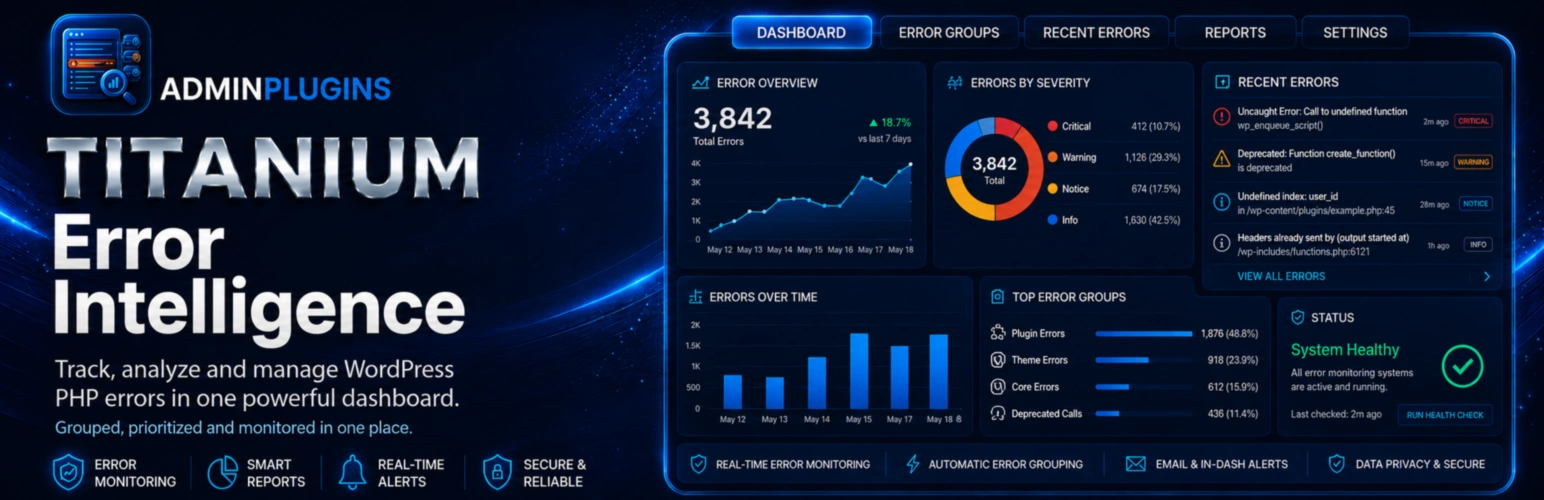
Titanium Error Intelligence is a local WordPress PHP error diagnostics plugin focused on how errors behave, not only on displaying raw log lines.
It fingerprints supported critical errors, groups repeated occurrences and analyses changes in their timing and frequency. The diagnostics layer can identify sudden spikes, recurring patterns, short bursts, persistent errors and errors that have gone quiet. It also tracks the plugin, must-use plugin, theme or WordPress version associated with a grouped error when that information is available locally.
For fatal-style failures that occur after WordPress has initialized, Titanium Error Intelligence can record a small privacy-reduced request-context snapshot and correlate it with the later log scan. This can show whether a grouped error affected frontend, REST API, AJAX, cron, login, wp-admin or WP-CLI execution without storing query strings, POST bodies, IP addresses, usernames or user IDs.
The plugin also includes authenticated debug-log tools and a monitoring self-test, but the primary purpose is grouped error behaviour and impact diagnostics.
What Makes It Different
- Treats the debug log as an input to grouped diagnostics rather than as the end product.
- Compares retained occurrence timing to identify spikes, bursts, persistence and recurring intervals.
- Tracks source-version observations so a grouped error can be compared across plugin, theme or Core version changes.
- Correlates privacy-reduced request context with supported fatal-style errors to show which execution areas are affected.
- Runs locally without sending the retained error history or request-impact data to a bundled external diagnostics service.
Error Behavior Intelligence
- Groups supported fatal, parse, recoverable fatal, uncaught and WordPress database errors by a normalized fingerprint.
- Detects sudden error spikes relative to the retained recent rate.
- Detects recurring timing patterns when recent occurrences have a sufficiently stable interval.
- Detects short bursts and errors that remain active across multiple days.
- Marks recently introduced grouped errors and errors that have gone quiet.
- Keeps recent occurrence timestamps bounded for lightweight behaviour analysis.
- Retains grouped error intelligence for up to seven days.
- Limits stored history on unusually noisy sites.
Version-aware Error Lifecycle
- Records the locally installed source version when an error is observed.
- Supports plugins, must-use plugins, themes and WordPress Core.
- Shows the first observed source version and the most recent error version.
- Shows when an error continues after a source version changes.
- Shows when the installed source version has changed and no recurrence has yet been recorded on that version.
- Performs no remote version lookup.
Request Impact Map
- Correlates available fatal-style request context with a grouped error.
- Separates frontend, REST API, AJAX, cron, login, wp-admin and WP-CLI contexts.
- Stores a normalized route shape rather than a raw query-bearing URL.
- Removes query strings before storage.
- Replaces numeric IDs, email addresses, UUIDs, long hashes, token-like values and sensitive route parameters with placeholders where detected.
- Does not store IP addresses, request bodies, usernames or user IDs.
- Fatal-request correlation keeps only a WordPress/content-relative source file location where possible, otherwise only the filename; full server paths are not retained in request context.
- Can show the most frequently affected normalized local route shapes for a grouped error.
- Request-impact metadata follows the same seven-day retention window as grouped error history.
Monitoring Self-Test
The built-in self-test checks the local monitoring pipeline without deliberately generating a PHP error. It checks:
- WP_DEBUG status.
- WP_DEBUG_LOG status.
- Configured log-directory writability.
- Whether a harmless marker reaches the configured PHP error log.
- Whether Titanium Error Intelligence can read that marker back.
- Whether the five-minute background monitor is scheduled.
- Whether local intelligence storage is writable.
- Whether the local Site Watch health API is available.
Log and Debug Tools
- Detects a custom WP_DEBUG_LOG path.
- Uses wp-content/debug.log when no custom path is configured.
- Supports absolute custom log paths outside the public web root.
- Can create a plugin-specific private log directory outside the public web root and move the active log there.
- Enables or disables WordPress debug logging and on-screen error display.
- Lists supported log and text files only in the configured directory; subdirectories are not scanned.
- Reads a bounded tail of large logs for the browser viewer.
- Searches and filters the currently loaded lines in the browser.
- Auto-refresh can wait for a configured log file that does not exist yet and load it when WordPress creates it.
- Renames, empties, deletes and downloads allowed log files through authenticated administrator actions.
- Includes a bounded browser editor for smaller files.
- Keeps the background monitor cursor aligned after primary-log edits, clears, renames and deletes.
- Optionally removes plugin data on uninstall.
- Never recursively deletes unrelated files from a private log directory.
Titanium Site Watch Integration
Titanium Error Intelligence exposes a compact local health summary for optional Titanium integrations. The summary contains grouped error metadata and behaviour counts such as spikes, periodic errors, bursts, persistence and frontend/API impact.
The integration summary does not expose raw stack traces, SQL queries or absolute server paths.
The public integration function is:
titanium_error_intelligence_get_health_summary()
Local by Default
Titanium Error Intelligence does not send error history or request-impact data to a bundled external service and does not make remote version lookups. Its diagnostics data is stored in the WordPress installation.
External Services
Titanium Error Intelligence does not connect to or send data to any external service. Its More Plugins page contains normal links to related plugins on WordPress.org; those links are opened only when an administrator chooses to visit them.
Privacy
Titanium Error Intelligence is local by default and does not use a bundled external diagnostics service.
The plugin stores small preferences, a monitoring cursor, grouped critical-error history for up to seven days, bounded recent occurrence timestamps, component-version observations and temporary request context used for local correlation.
Request context deliberately excludes IP addresses, URL query strings, POST bodies, usernames and user IDs. Stored route shapes are normalized to reduce the chance of retaining identifiers in URL path segments. Fatal-request correlation stores only a WordPress/content-relative source file location where possible, otherwise a filename, rather than a full server path.
The Titanium Suite dark-mode preference is stored only in the current browser’s local storage.
Details


Related plugins
Plugins that also contain the tag debugging
Freesoul Deactivate Plugins – Disable plugins on individual WordPress pages

Fatal Error Notify
WP Safe Mode

Debug Log Viewer

WP PHP Console

Ray


About
Plugin for that tries to help you find the WordPress plugin you are looking for.
| Please enjoy an image of Crush (this awesome turtle) and have a lovely day! |  |
We do not own any plugin listed on this site and do not work for or work with WordPress.com or it's associated companies. We simply provide a searchable list of the available WordPress plugins.