

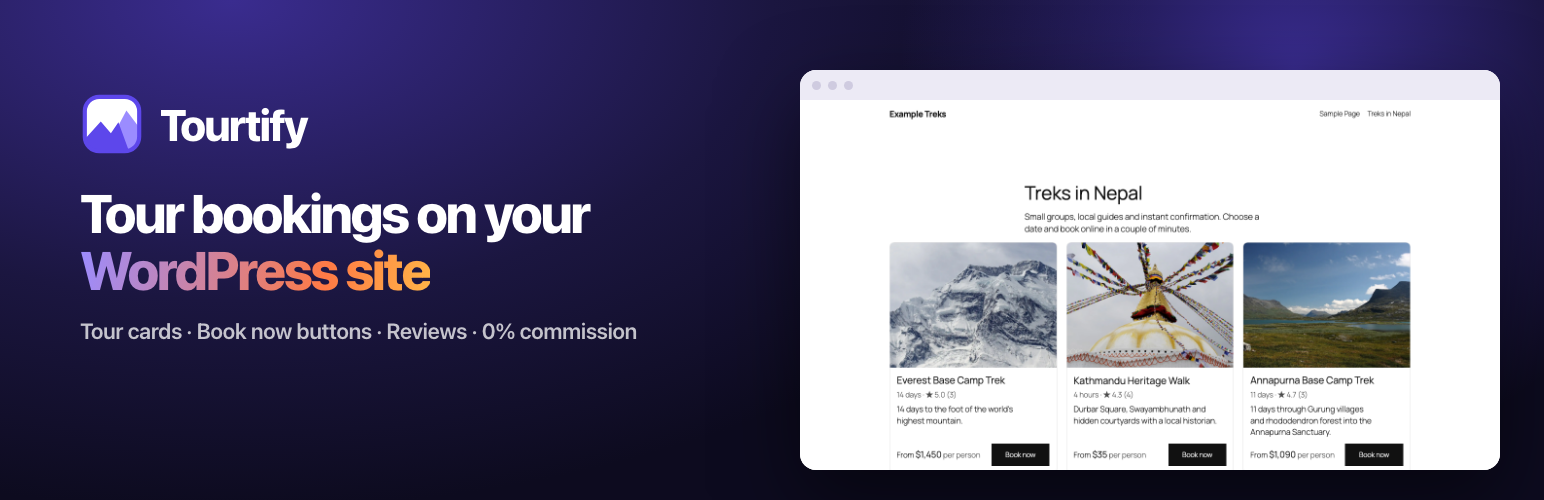

Tourtify – Tour & Activity Booking
Tourtify is booking software for tour and activity companies. This plugin puts your Tourtify tours on the WordPress site you already have: travellers see your tours, prices and reviews on your own pages, pick a date in a booking window that opens over the page, and pay on your secure checkout. You keep your theme, your pages and your SEO, and Tourtify takes 0% commission on bookings.
Why tour operators choose Tourtify
- No commission, ever. A monthly plan and nothing per booking. Payments go straight into your own Stripe, PayPal or regional payment account.
- Your website stays yours. Tour cards are real HTML on your own domain, styled by your theme, so they help your SEO.
- Booking without leaving the page. The booking window opens over your page with live availability, so travellers don’t bounce to another site to book.
- One system behind it. Bookings, departures, guides, manifests, waivers, reviews and reports are in one place, not spread across spreadsheets.
- Set up in minutes. Click Connect with Tourtify, choose your business, and add your tours with one click.
What the plugin adds to WordPress
Tour cards (block and shortcode)
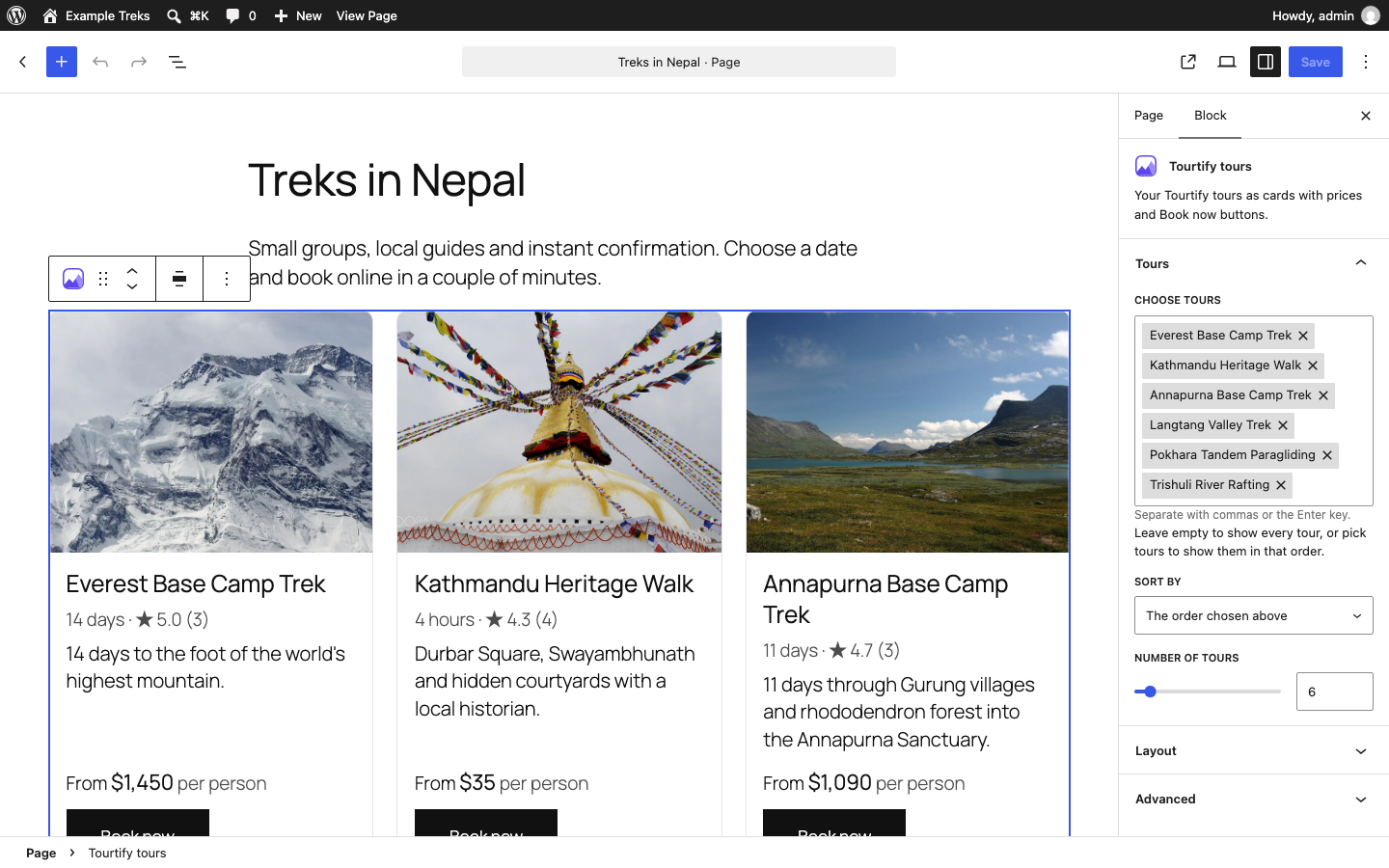
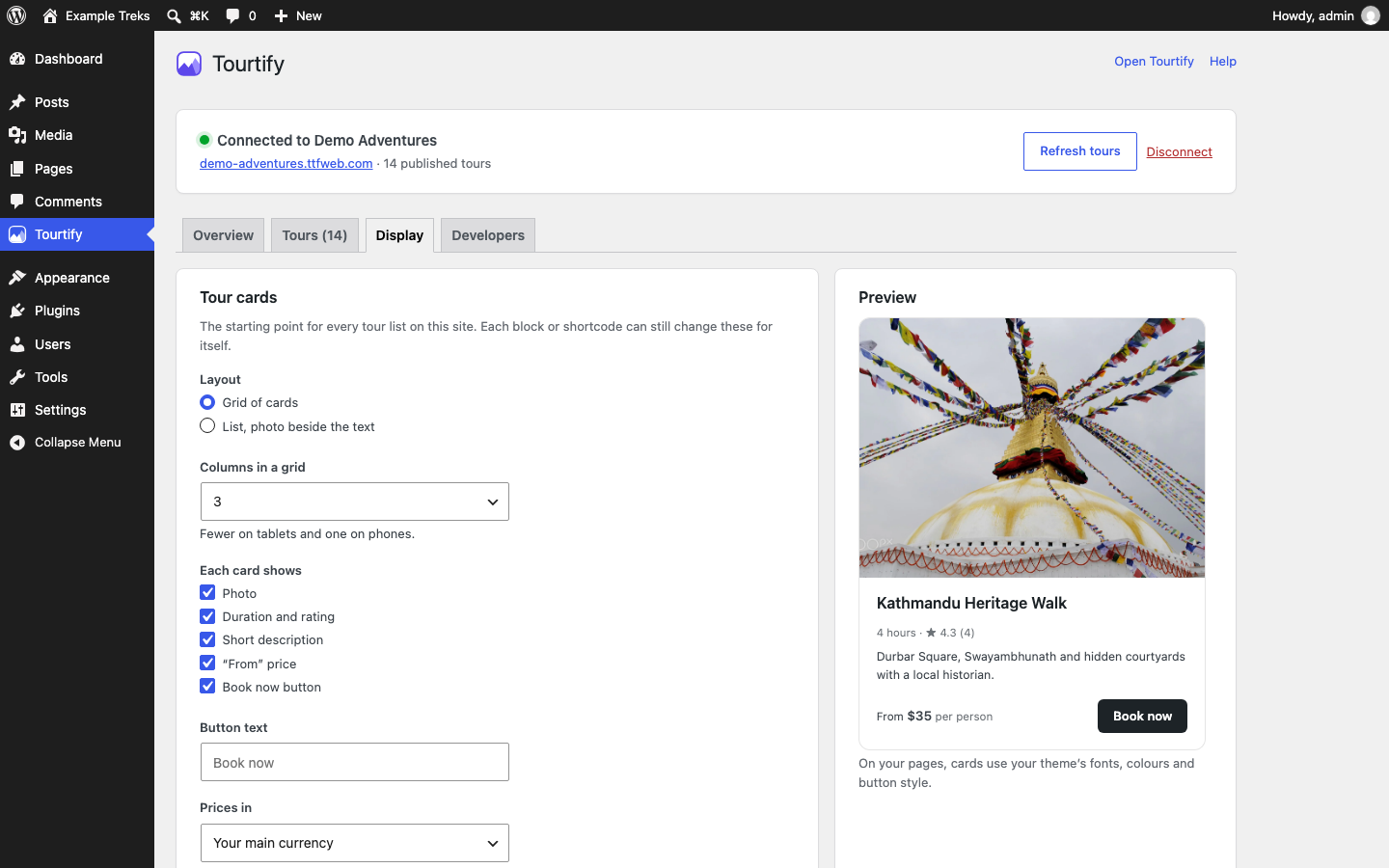
Show all your tours, or only one destination, activity or category, or hand-picked tours. Each card shows the photo, duration, rating, a short description, the “from” price and a Book now button. Grid or list layout, one to four columns, sorted by price, duration, rating, name or next departure. Cards stack on phones and use your theme’s fonts, colours and button style.
Book now buttons (block and shortcode)
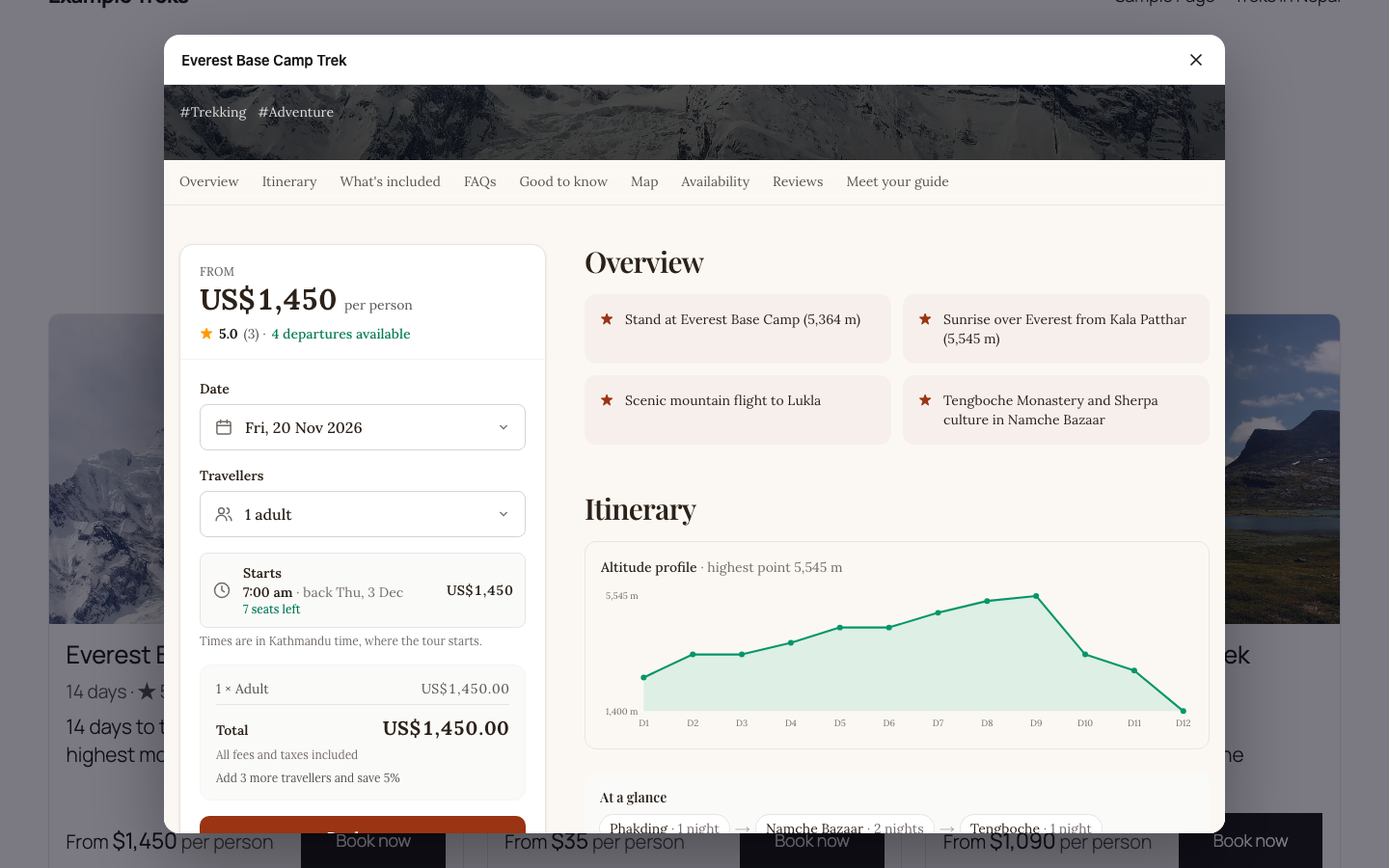
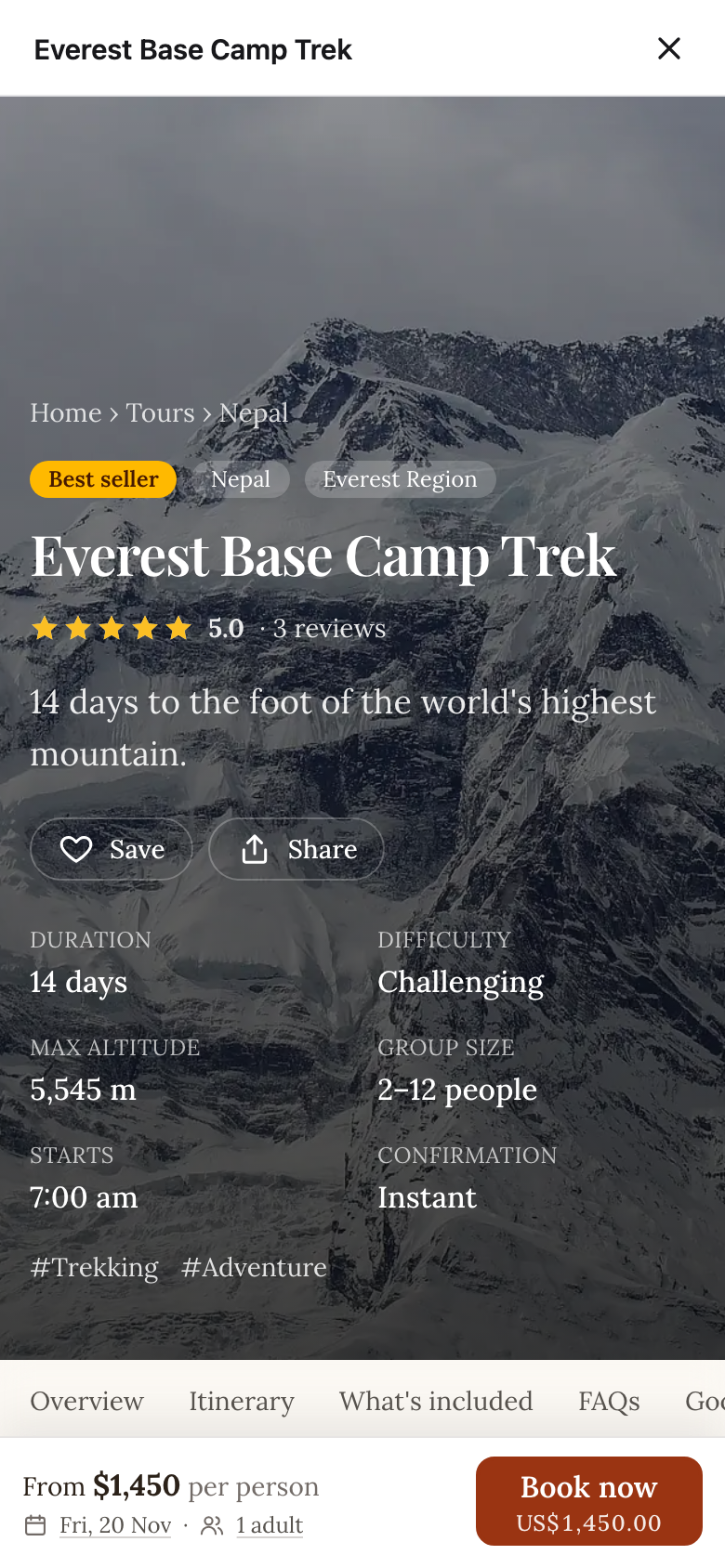
Put a Book now button for any tour anywhere: in a hero, a sidebar, a blog post or a pricing table. Clicking it opens the tour’s booking window over your page: dates with live seats, travellers, pricing options, extras and deposits. On phones it opens full screen.
Reviews (block and shortcode)
Your rating badge or your latest verified traveller reviews, for all tours or one tour, in a light or dark style.
Ready-made layouts
A tours section, a featured tour and a reviews band, under Patterns › Tourtify in the block inserter. Or click Create a Tours page and get a finished draft page with your tours and reviews.
Display settings with a live preview
Under WP Admin › Tourtify › Display, choose the layout, columns, which parts each card shows, the button text and the currency, and see the result as you change it. Every block and shortcode can override these for itself.
A dashboard in WP Admin
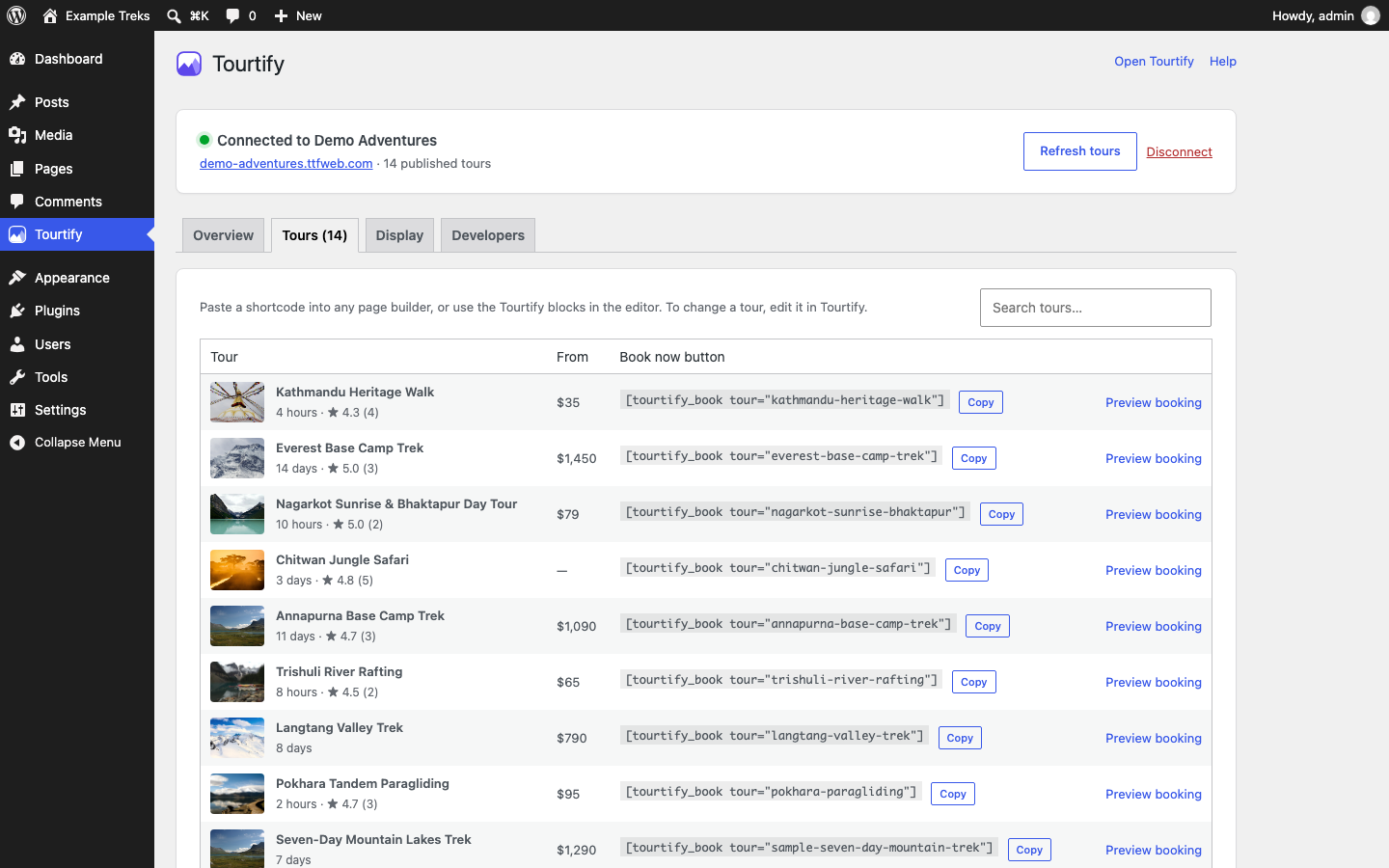
The connection’s status, a getting-started checklist, all your published tours with ready-to-copy shortcodes and booking previews, and a Site Health check that tells you if your Tourtify website can’t be reached.
Fast and dependable
Tours are rendered on your server and cached for ten minutes, so pages stay fast. If Tourtify can’t be reached, the last good copy is shown for up to a day, and your pages never break. The booking script loads only on pages with a Book now button, and asynchronously.
Works with every editor
Use the Tourtify tours, Tourtify Book now button and Tourtify reviews blocks in the block editor and the Site Editor, or the shortcodes in Elementor, Divi, Beaver Builder, Bricks, the classic editor and widgets:
[tourtify_tours limit="6" columns="3" destination="nepal"][tourtify_book tour="your-tour" label="Book now"][tourtify_reviews layout="list" limit="3"]
Everything Tourtify does for tour operators
The plugin is the front door; Tourtify is the booking software behind it. One system runs the whole business, so the bookings taken on your WordPress site land straight in your departures, manifests, emails and reports.
Sell online
- Online checkout: live prices for every date, seats held while travellers pay, guest checkout, deposits and promo codes.
- Booking modes: instant booking with payment, request to book with your confirmation, or enquiry only for tailor-made trips.
- Pricing options: traveller types with age rules, group and private prices, minimum group sizes and taxes per country.
- Departures and availability: recurring dates, seats per departure, blocked dates, booking cut-offs and stop sales.
- Online payments: Stripe, PayPal, Mollie, Razorpay, Mercado Pago, Paystack, Khalti, eSewa and Fonepay, paid into your own account, plus payment links.
- Rentals, passes and memberships: rent bikes, kayaks and gear by the hour or day, and sell passes, punch cards and memberships.
- Manual bookings for phone and walk-in customers, and a point of sale with card readers and cash drawers.
Your website and SEO
- Website builder with ten themes, one visual editor and page templates for every tour, if you ever want a Tourtify-hosted site next to or instead of WordPress.
- Destination, activity and category pages with nested destinations, filters and structured data.
- SEO tools: structured data for tours and reviews, sitemaps, canonical URLs and an SEO score for every page.
- Custom permalinks and 301 redirects, custom domains with free HTTPS, and pages and a blog.
- An AI website assistant that answers visitors from your own tours, availability and prices.
- Cookie consent with Google Consent Mode v2, and a media library for images, video and PDFs.
Bookings and operations
- Booking management: upcoming trips, balances due, statuses, payments, refunds and notes in one place.
- Booking changes: add extras, charges or discounts and send a payment link for the difference.
- Refunds and cancellations through the original payment, with your cancellation policy applied.
- Booking emails: confirmations with PDFs, balance and trip reminders, review requests and cancellations.
- Manifests and check-in from a phone, and an offline field staff app for guides.
- Trip builder: day-by-day itineraries with maps, altitude checks and a branded PDF.
- Trekking operations: permit fees by nationality, document and insurance checks, crew and safety.
- A traveller portal where travellers pay balances, add details, sign waivers and download confirmations.
Customers and marketing
- Customer CRM with lifetime value, repeat traveller segments and booking history.
- Email campaigns to a consent-based list, with live tour prices.
- Verified reviews requested by email, SMS or WhatsApp, with links to Google and Tripadvisor.
- An enquiries inbox and a shared inbox for email, WhatsApp, SMS and website chat.
Money, tax and reports
- Reports and analytics: revenue booked, earned and collected, conversion, cancellations and balances due.
- Payout reconciliation: every Stripe payout split into payments, fees and refunds.
- Tax invoices and e-invoicing: credit notes, Peppol, Italy SdI, Spain VERI*FACTU, Mexico CFDI, Saudi ZATCA and Nepal IRD e-billing.
Team, security and switching
- Team roles for owners, admins, sales agents and guides, two-factor sign-in and a console in 15 languages.
- Tour import from your current website or a WordPress export, and customer and booking import from FareHarbor, Rezdy, Bókun, Peek Pro or Checkfront.
- Integrations for payments, accounting, marketing, messaging and distribution, and security built in: isolated data per business, encryption and backups.
See all features, pricing, how Tourtify compares with FareHarbor, Rezdy, Bókun and others, and how to switch to Tourtify.
You need a Tourtify account
The plugin shows the tours you manage in Tourtify and opens their booking windows, so it needs a Tourtify account. New accounts start with a 30-day free trial, no card needed: create your Tourtify account.
External services
This plugin connects to the Tourtify service, which runs the bookings. Nothing is sent to Tourtify until you connect in WP Admin › Tourtify.
- Connect with Tourtify: when you click it, your browser goes to
https://app.tourtify.com/connect/wordpresswith the address of this site’s Tourtify settings page, your site’s name, a one-time state and a PKCE challenge. You sign in to Tourtify and choose your business (only people who may publish its website can). Tourtify sends your browser back with a one-time code, and your WordPress server swaps it athttps://app.tourtify.com/api/wordpress/v1/token, sending the code, the PKCE verifier and this site’s address, for a key that only this site can use. The key is stored in this site’s settings. Tourtify then lets this site’s address show your booking window. This is the only way to connect, so nobody can show another business’s tours. - Your tours: your WordPress server fetches
<your Tourtify website>/embed/tours.jsonwith the key (your published tours, prices and filters) when a page with a Tourtify block or shortcode is shown, at most every ten minutes. The request contains the currency and language to show; no visitor data is sent. - Disconnecting: Disconnect (and deleting the plugin) sends the key to
<your Tourtify website>/embed/disconnectso it stops working. You can also disconnect the site in Tourtify under Tours › Add to another website. - Booking window: pages with a Book now button load
<your Tourtify website>/embed/booking.jsin the visitor’s browser. When a visitor clicks the button, the tour’s booking page opens from your Tourtify website in a window over your page, and what they enter there is sent to Tourtify to make the booking. The booking records the path of your page and any campaign tags (utm_*) on it, so you can see where bookings come from. - Reviews: pages with a Tourtify reviews block load
<your Tourtify website>/embed/reviews.js, which shows your reviews from Tourtify.
The plugin suggests text for your privacy policy under Settings › Privacy. Tourtify’s Terms of Service and Privacy Policy.
Details


Related plugins
Plugins that also contain the tag booking-calendar
Online Scheduling and Appointment Booking System – Bookly

Booking Calendar

WP Booking System – Booking Calendar

WP Simple Booking Calendar
Booking Package

FareHarbor for WordPress


About
Plugin for that tries to help you find the WordPress plugin you are looking for.
| Please enjoy an image of Crush (this awesome turtle) and have a lovely day! |  |
We do not own any plugin listed on this site and do not work for or work with WordPress.com or it's associated companies. We simply provide a searchable list of the available WordPress plugins.