


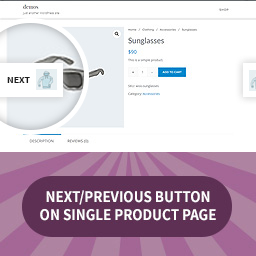
TP Next & Previous Button on Single Product Page
Show the previous and next product on the single product view of your store, from the same category, on the Top / Bottom the page.
Learn more about TP Next & Previous Button in Single Product Page Plugin features.
Click Here to Get the Pro Version (coming soon)
Free Plugin Features
- On/Off Next & Previous Button.
- On/Off Next & Previous Button on Mobile.
- Buttons Position – Top / Bottom.
- Change Buttons Color.
- Change Buttons Font Size.
- Add Border to Buttons.
- Change Next / Prev Labels.
- Responsive Layout.
- RTL support.
- Working with Most of Premium themes.
PRO Plugin Features
- On/Off Next & Previous Button.
- On/Off Next & Previous Button on Mobile.
- 6 Types of Buttons Position:
- Top.
- Bottom.
- Both (Top & Bottom).
- Fixed (Sticky in the middle).
- Fixed with Animation (Sticky in the middle).
- Fixed with Arrows & Tooltip (Sticky in the middle).
* Add Product Image.
* Replace Next / Prev label with Product Name.
* Change Buttons Color.
* Change Buttons Font Size.
* Change Arrows icons.
* Add Border to Buttons.
* Change Next / Prev Labels.
* Responsive Layout.
* Working with Most of Premium themes.
* RTL support.
* Custom CSS.
* Custom Labels.
? You May Also Like
Details


About
Plugin for that tries to help you find the WordPress plugin you are looking for.
| Please enjoy an image of Crush (this awesome turtle) and have a lovely day! |  |
We do not own any plugin listed on this site and do not work for or work with WordPress.com or it's associated companies. We simply provide a searchable list of the available WordPress plugins.