


Traccar Map
Embed your Traccar tracking map in a WordPress page or post. You need an existing Traccar server and a dedicated account for public access.
Settings Traccar Map stores the web app URL, public token and default height. Use [traccar_map] in a Shortcode block, page or post. Override the height with [traccar_map height="80vh"] or [traccar_map height="500"]. Supported units: px, vh, rem and em. Unitless values are pixels; default is 600px. Invalid shortcode heights fall back to the configured default.
The map fills the available width and loads the existing Traccar application in an iframe. It does not duplicate the map, proxy the API or hide Traccar controls. Only administrators with manage_options can change settings. Unconfigured maps are hidden from visitors and show a setup hint to administrators.
External service and privacy
Visitors load the configured Traccar server directly. Their browser sends normal web requests, including their IP address and the public token, to that server. Traccar and its configured map providers may use cookies and request map tiles or other resources. Their privacy policies apply. No vendor server is hardcoded and this plugin makes no server-side API requests.
The token is public in the page HTML and browser requests. It is not a secret. Read-only permissions must be configured on Traccar; this plugin cannot verify or enforce them. Never use an administrator or private account token. To revoke access, revoke the token in Traccar and clear any WordPress/CDN page caches. Replacing the setting alone does not revoke an old token.
Troubleshooting
- Use an HTTPS Traccar URL when WordPress uses HTTPS to avoid mixed-content blocks.
- Enter the web app root (optionally including a port or subdirectory), not an /api endpoint or a URL containing a query string or fragment.
- Traccar/reverse-proxy Content-Security-Policy frame-ancestors and X-Frame-Options must permit the WordPress origin. WordPress CSP frame-src must allow Traccar.
- Cross-site iframe sessions can require Secure; SameSite=None cookies. Browsers may still block third-party cookies. Prefer a same-site deployment and verify anonymous access in the browsers your visitors use.
- If login fails, check token expiry, account status and device permissions in Traccar. Test the token URL directly, then inspect browser console/network errors.
- The plugin retains settings on deactivation or deletion.
Setup reference: Traccar user management.
Support and donations
Support Traccar development through GitHub Sponsors or see other donation options.
License
Copyright 2026 Tananaev Solutions.
This plugin is free software, licensed under the GNU General Public License, version 2 or (at your option) any later version. See LICENSE.txt for the full license text. It is distributed without any warranty, including the implied warranties of merchantability or fitness for a particular purpose.
Details


Related plugins
Plugins that also contain the tag gps
Geolocation

WP-Routes Plugin

Gps Plotter

Geo2 Maps Add-on for NextGEN Gallery

Google Maps Photo Gallery
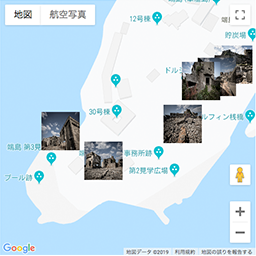
Images with GPS on GoogleMaps

About
Plugin for that tries to help you find the WordPress plugin you are looking for.
| Please enjoy an image of Crush (this awesome turtle) and have a lovely day! |  |
We do not own any plugin listed on this site and do not work for or work with WordPress.com or it's associated companies. We simply provide a searchable list of the available WordPress plugins.