



Tracedown Culprit Finder
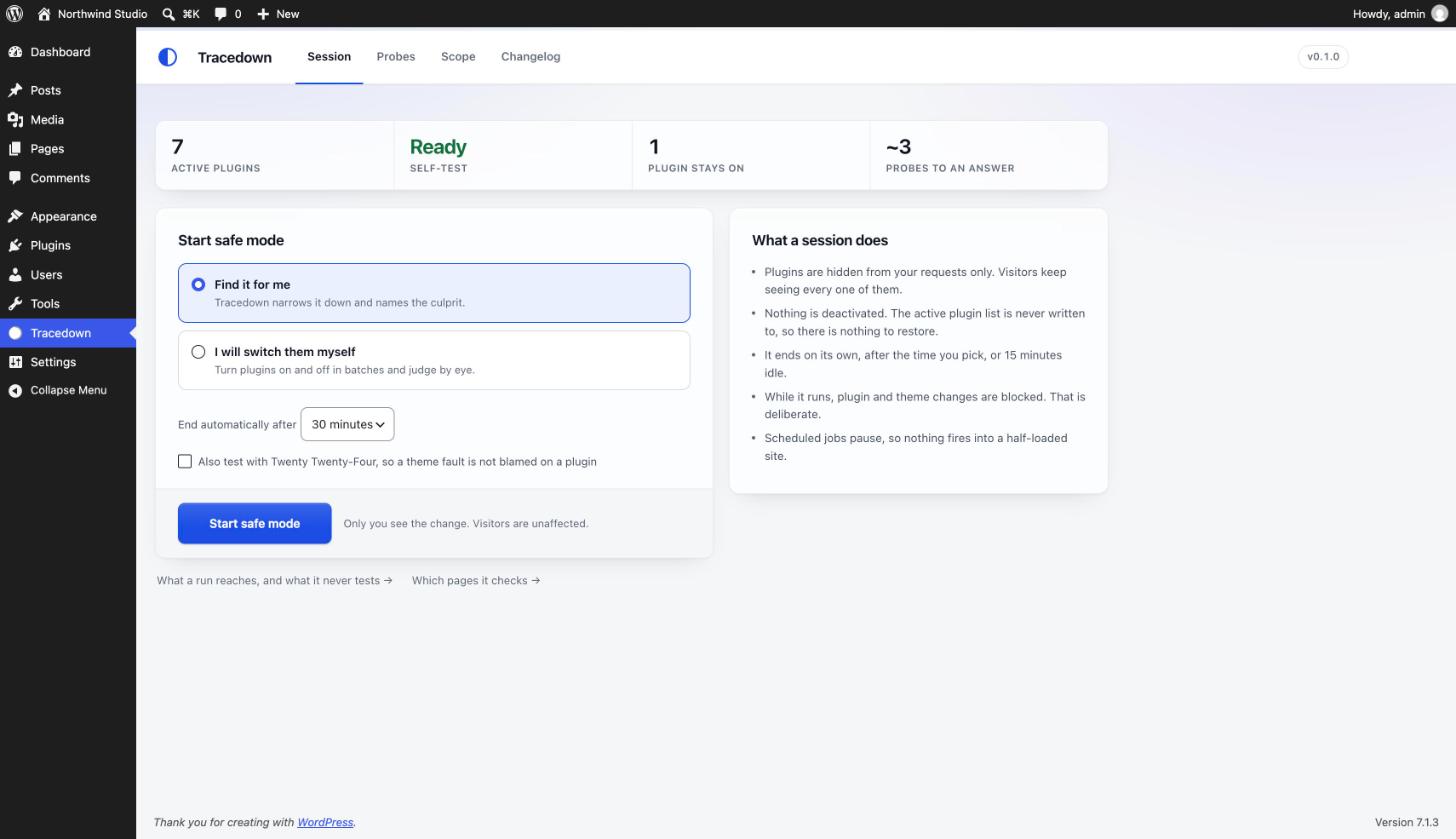
You cannot get stuck. Tracedown never writes the active_plugins option. Not once, on any code path. It filters the active plugin list in memory, for one signed-in administrator, for the length of one expiring session. Because nothing is written, restoring is not an operation Tracedown has to perform correctly. There is nothing to undo. Doing nothing restores the site when the session expires. Deleting one file restores it instantly.
That is a checkable claim, not a slogan. Search this plugin for a write to the active_plugins option, or for a call to core’s plugin activation and deactivation helpers, and you will not find one. The build fails automatically if anyone ever adds one.
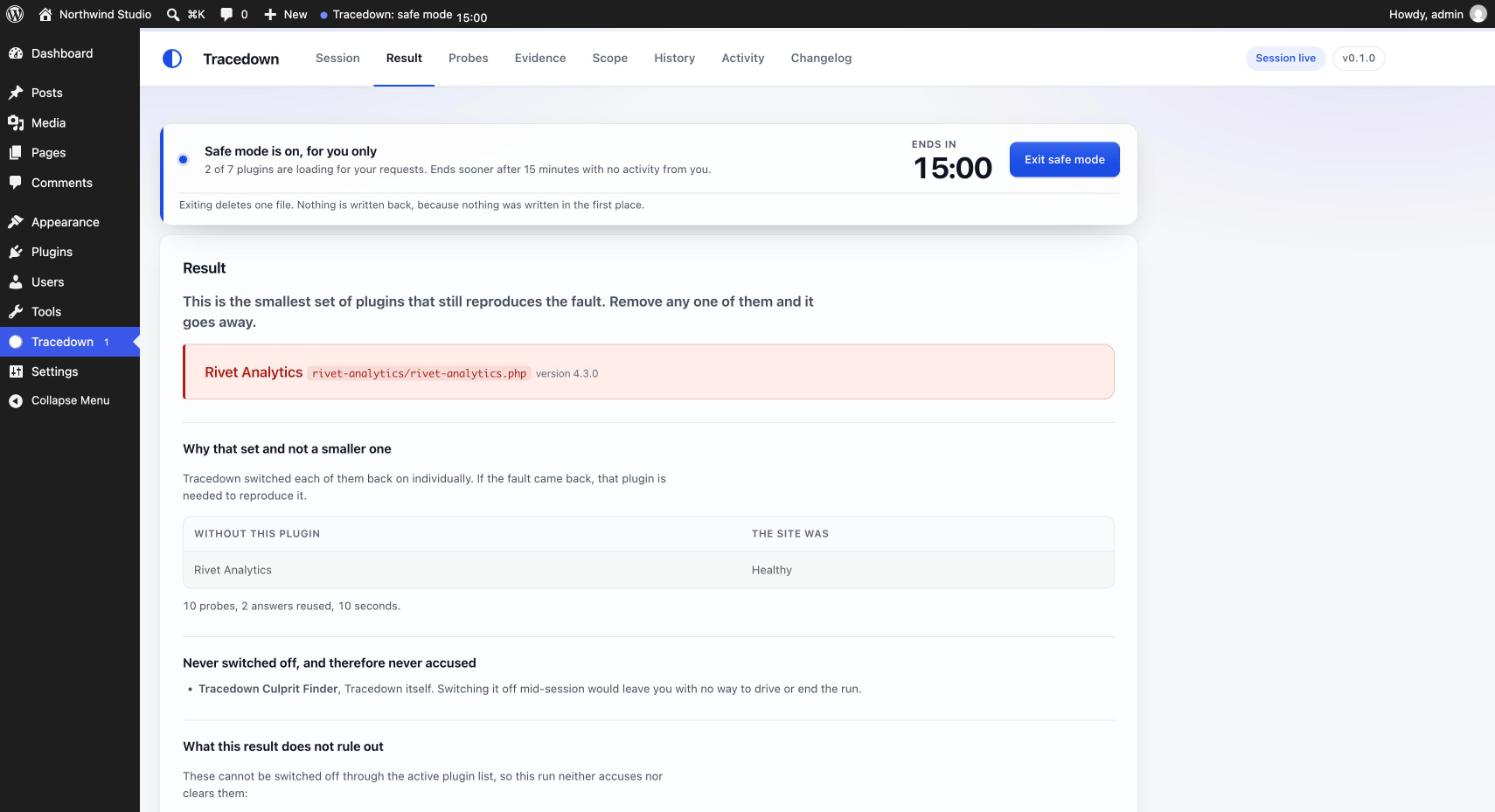
And it names the culprit. Tracedown does not hand you a list of 86 checkboxes to toggle one at a time. It runs a deterministic delta-debugging search (ddmin) over the plugins that were active when the session started and returns a minimal failing set, which stays correct when two plugins only break the site together, the case a naive one-at-a-time or split-in-half search reports as “everything looks fine”.
How the safety works
- Four independent ways out, all of them a delete or a no-op, never a repair.
- Add
define( 'TRACEDOWN_DISABLE', true );towp-config.php. It is the first thing the safe-mode file checks. - Delete
wp-content/mu-plugins/tracedown-safe-mode.phpover FTP, SFTP or your file manager. - Run
wp tracedown abort. The command is registered from the safe-mode file itself, so it works even while the plugin is filtered out. - Wait. Sessions expire on their own: 30 minutes by default, 15 minutes idle, and a hard one-hour ceiling that is written into the file rather than the database, so tampering with a database row cannot extend it.
- Add
- Visitors are not affected. The session is bound to one signed-in administrator through an HMAC-signed, HttpOnly, SameSite=Strict cookie. It is never bound to an IP address, so a mobile network, a VPN or a CDN edge change cannot silently drop you out of safe mode and give you a false “this looks clean” reading. Tracedown’s own loopback checks run logged out and carry no WordPress login cookies; each one proves itself with a single random key that expires within a minute.
- Write attempts are blocked and logged. While a session is live, Tracedown strips plugin-management capabilities from the session user and vetoes any attempt to write the active plugin list, from any source, at the last possible moment. If something tries, you are told what tried.
- It refuses rather than half-installing. If the mu-plugins directory is not writable, file modifications are disabled, the site is multisite, a
.maintenancefile is present, another must-use plugin already filters the same list, or a test write does not read back from the database, Tracedown declines to start and tells you exactly which of those it was. - It removes itself when it should. If the Tracedown plugin folder disappears (deleted over SFTP mid-session, for instance), the safe-mode file deletes itself on the next request instead of stranding an orphan. It also deletes itself after two consecutive fatal errors attributable to its own code.
What it does not do
Tracedown states its limits rather than returning a confident wrong answer.
- It cannot test must-use plugins, drop-ins such as
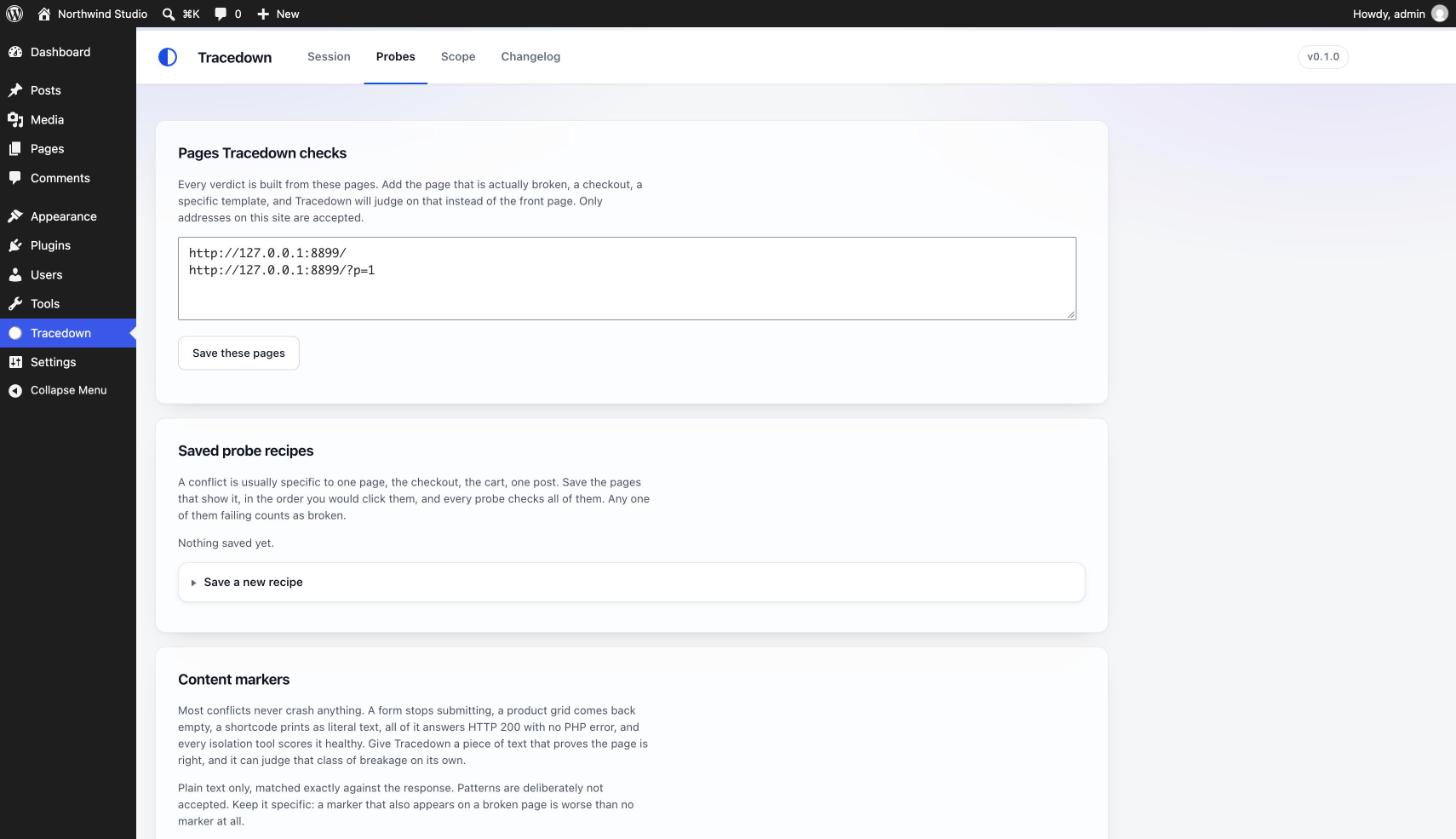
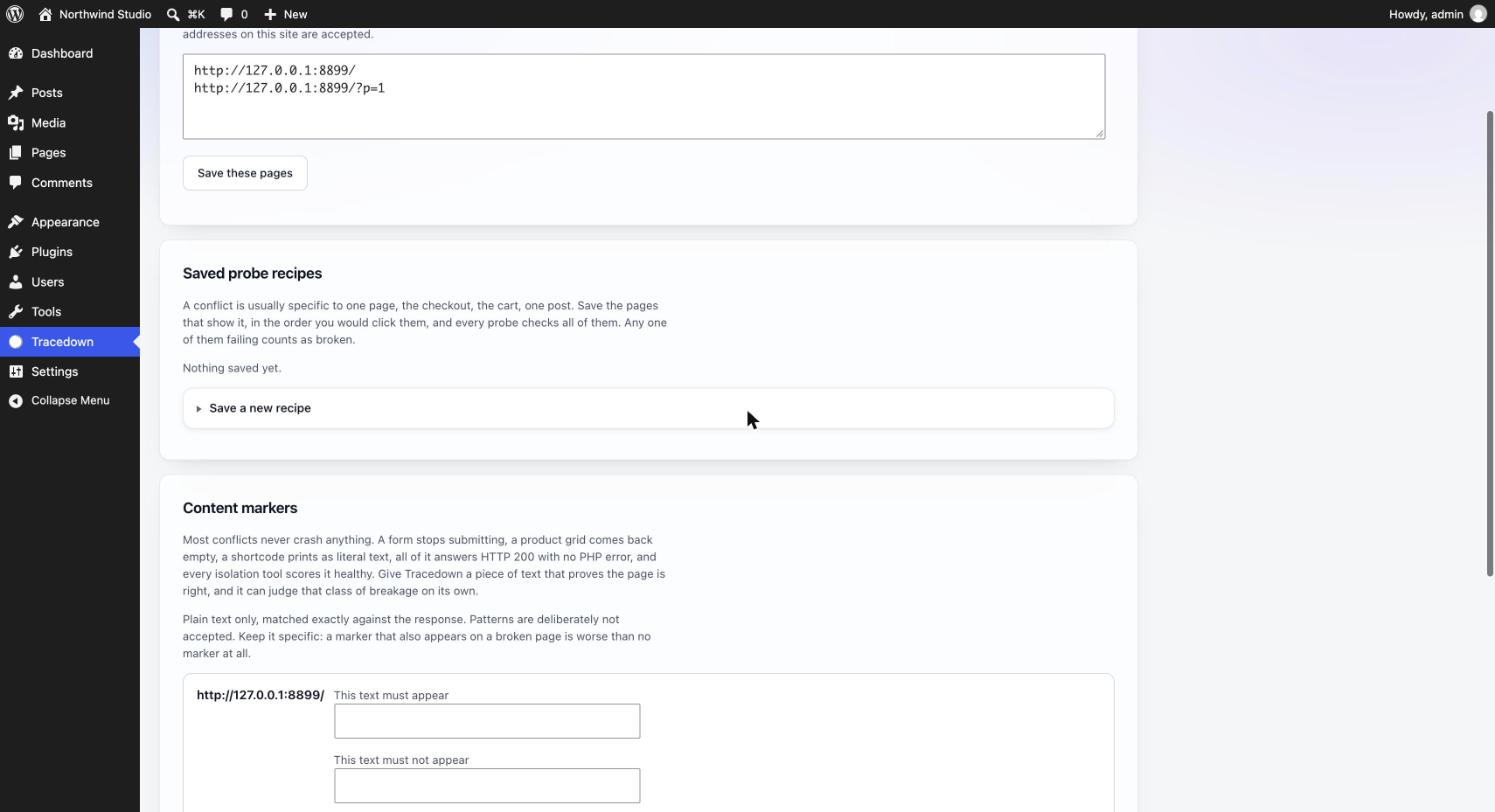
object-cache.phporadvanced-cache.php,wp-config.php, your theme beyond a single default-theme comparison, WordPress core, or your host’s configuration. Those are reported as untested scope. - Plugins you pin cannot be identified as the culprit, and the report says so by name. Security, firewall, two-factor, login and SSL plugins are pinned by default.
- Multisite is refused outright in this version.
Prior art
Tracedown is an original, clean-room implementation, but it is not the first plugin to work this way and it does not pretend to be. Health Check & Troubleshooting established the mu-plugin-filters-active_plugins approach that every tool in this category, including this one, depends on. Plugin Detective popularised searching for the conflict rather than making the user toggle plugins by hand. Both are GPL, both are worth your respect, and Tracedown differs from them in architecture rather than in ambition: no write to active_plugins, expiry evaluated on read, and a deterministic minimal-set search.
What Tracedown writes to your site
Two files, both only while a session is running, both removed when it ends:
wp-content/mu-plugins/tracedown-safe-mode.php(default location): the must-use plugin that hides plugins from your own requests. It is a fixed file bundled with the plugin, copied byte for byte. Nothing you type ever reaches its contents. Deleting it ends the session immediately and returns the site to normal.wp-content/uploads/tracedown/snapshot-<site id>-<random>.json(default location): a plain JSON list of the plugins that were active when the session began. It exists sowp tracedown restorecan read the original list even if the database record and the plugin itself are gone. It is data, never code. Its name carries a random part so it cannot be guessed, and the folder also carries an.htaccessdeny rule and an emptyindex.php.
A small number of tracedown_* rows are stored in the options table. Everything above is removed on uninstall.
Tracedown never writes the active_plugins option.
Details
Related plugins
Plugins that also contain the tag debug
WP Crontrol

Query Monitor – The developer tools panel for WordPress

Debug Bar

Debug Log Manager – Conveniently Monitor and Inspect Errors

WP Debugging

Code Profiler – WordPress Performance Profiling and Debugging Made Easy


About
Plugin for that tries to help you find the WordPress plugin you are looking for.
| Please enjoy an image of Crush (this awesome turtle) and have a lovely day! |  |
We do not own any plugin listed on this site and do not work for or work with WordPress.com or it's associated companies. We simply provide a searchable list of the available WordPress plugins.