


Trilobita DocVault
Trilobita DocVault provides a complete document management solution for WordPress with intelligent version control capabilities.
Key Features:
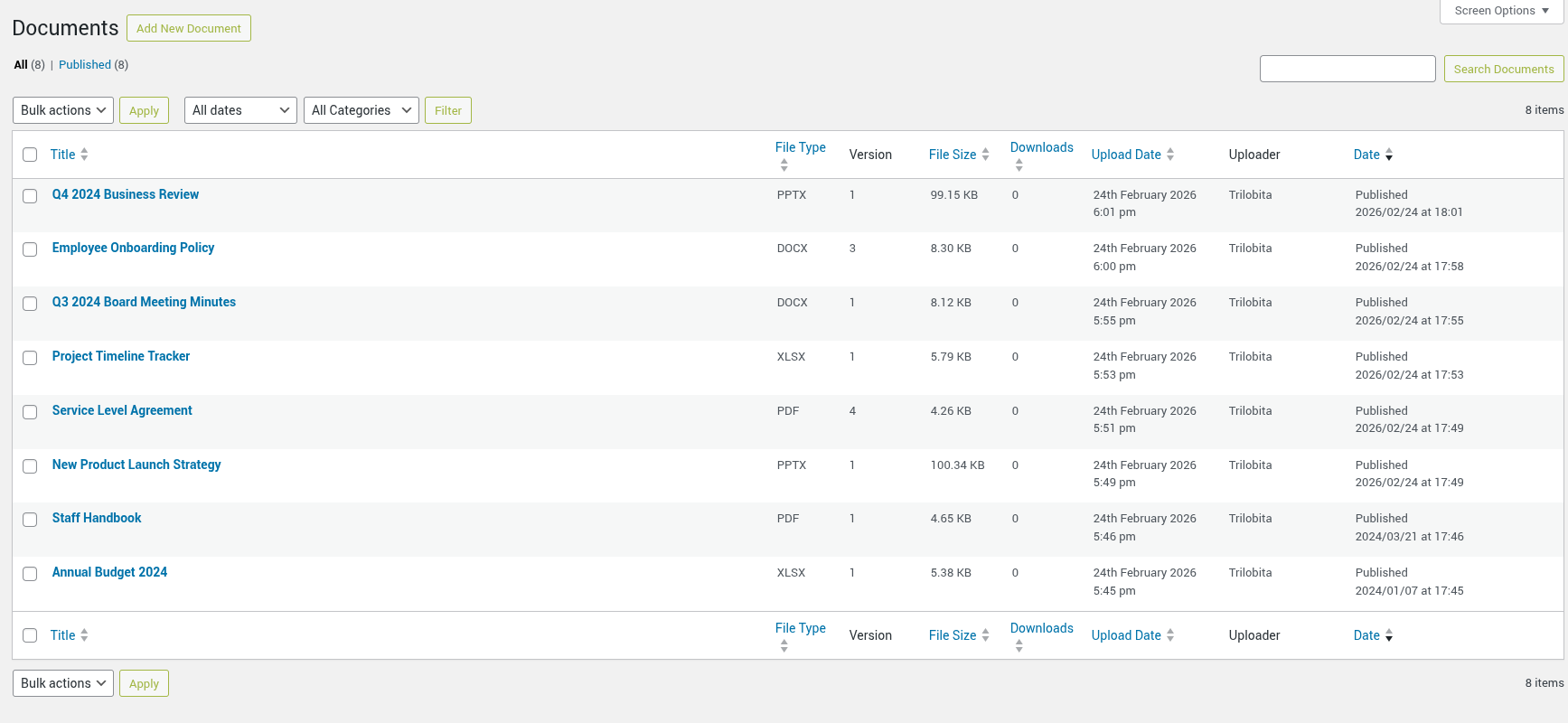
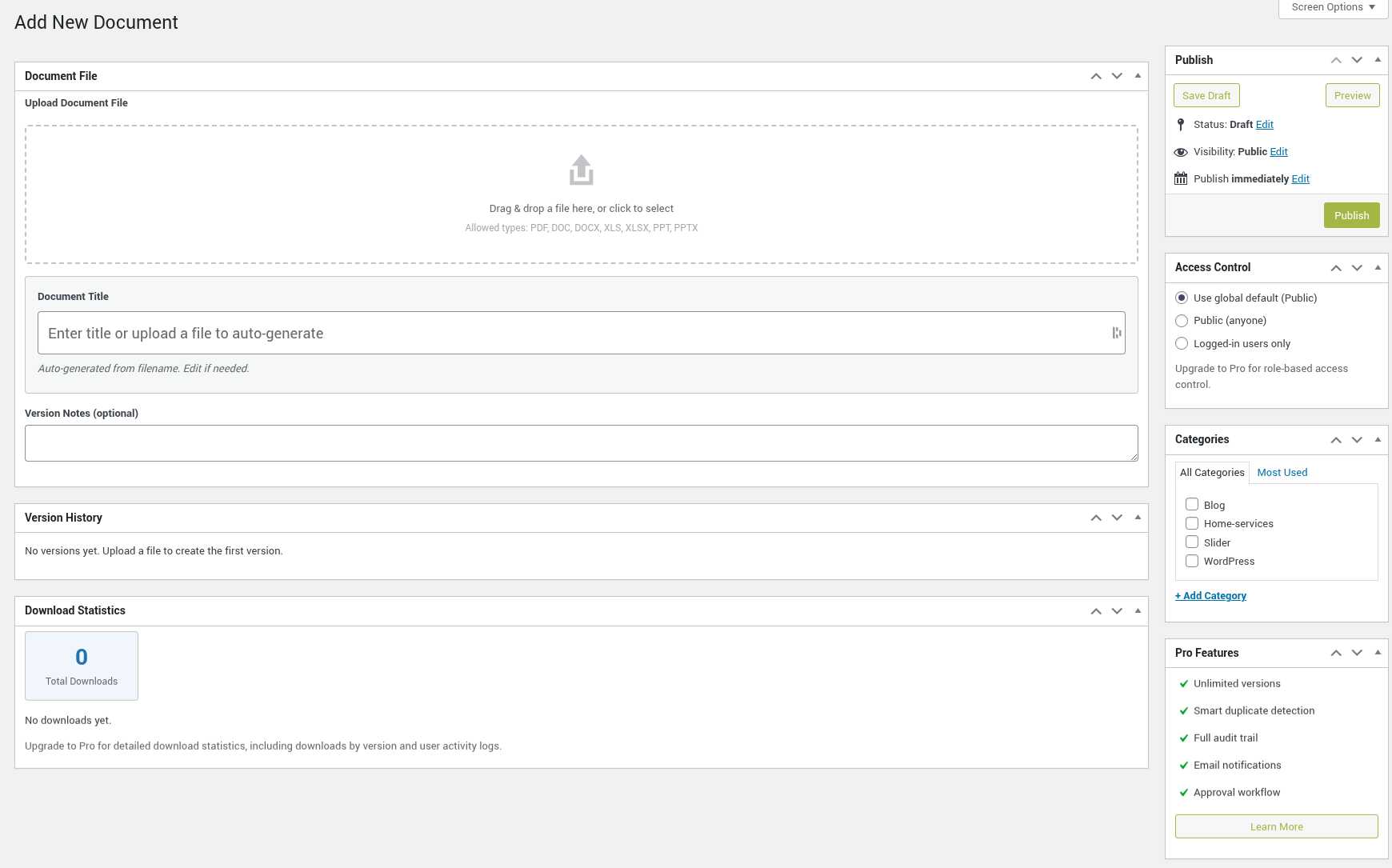
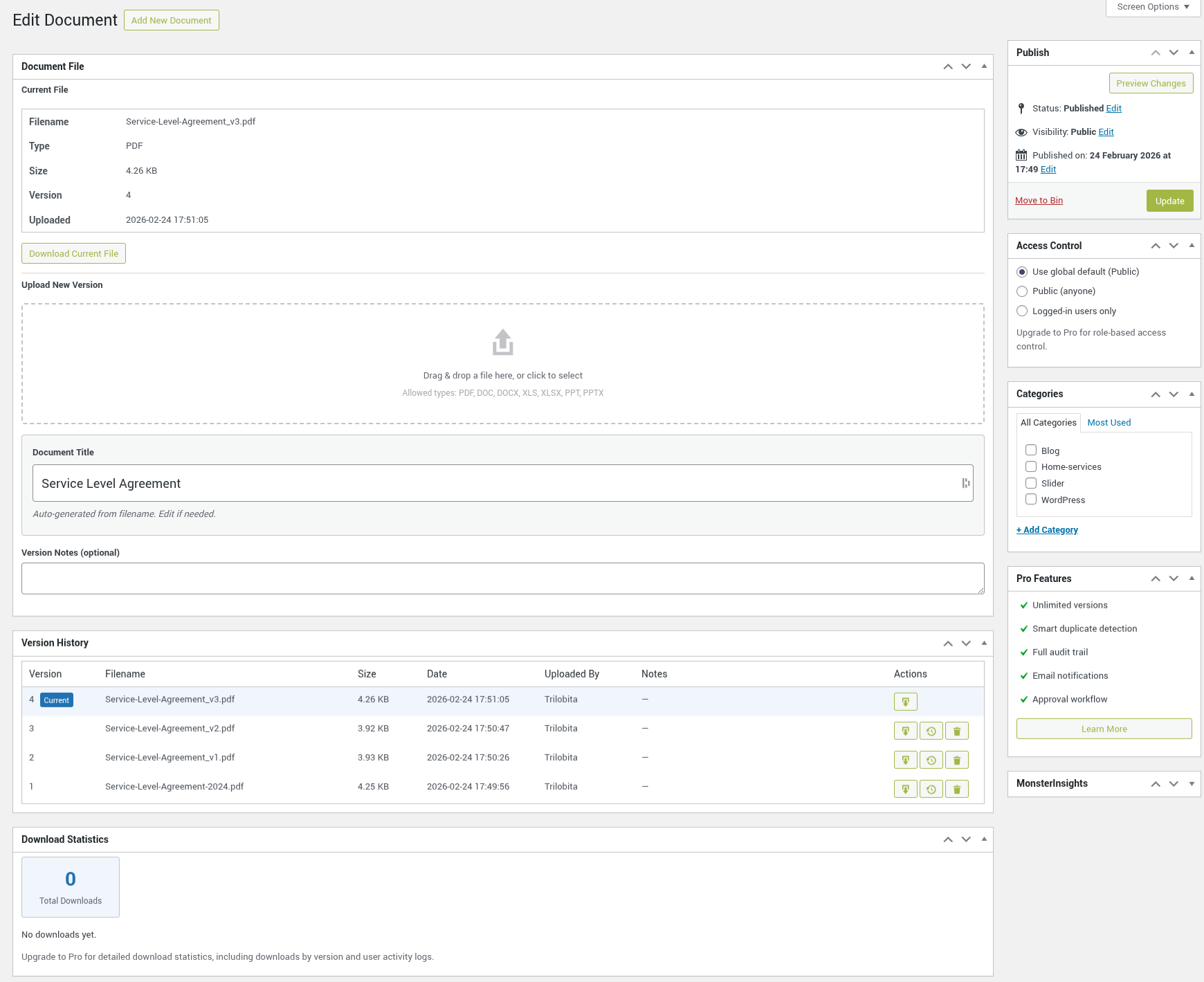
- Version History – Full version history with rollback, download, and delete for every document.
- Drag & Drop Upload – Intuitive drag-and-drop file upload interface in the admin.
- Download Tracking – Track download counts for all documents.
- Access Control – Restrict documents to logged-in users only.
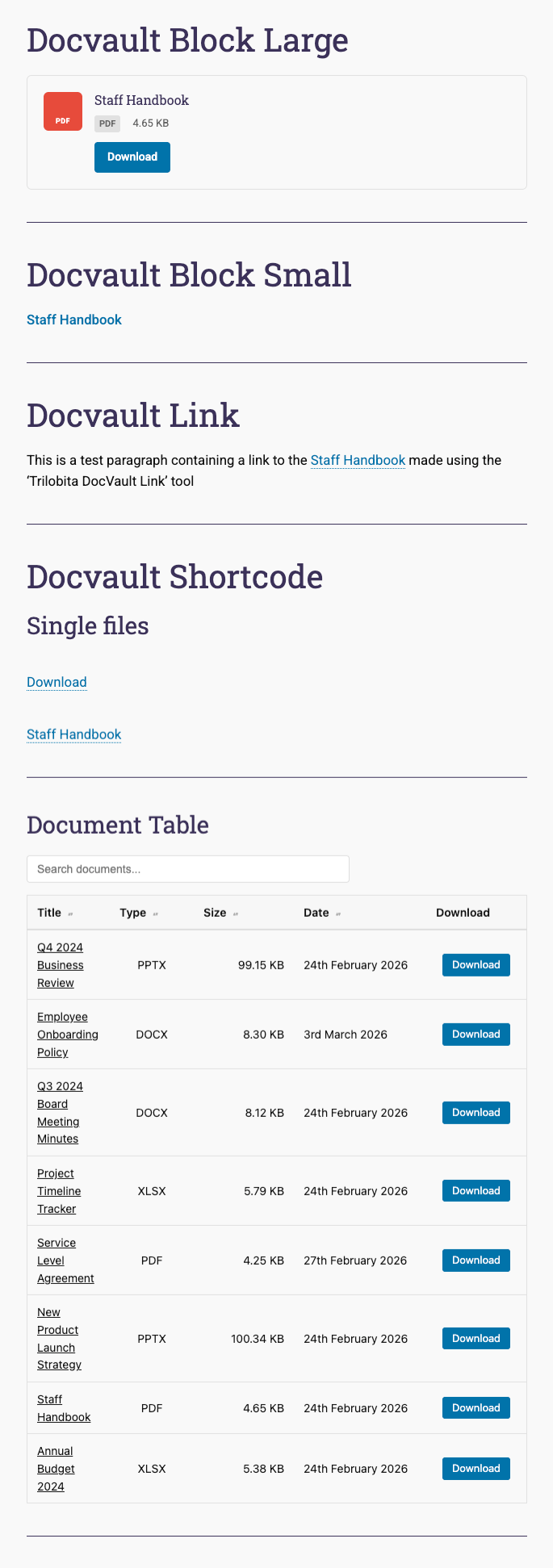
- Frontend Display – Responsive shortcode-powered document table with AJAX search, sortable columns, and pagination.
- Gutenberg Block – Native block editor support for embedding documents.
- File Type Support – PDF, DOC, DOCX, XLS, XLSX, PPT, PPTX.
- Document Categories – Hierarchical taxonomy for organizing documents.
Privacy
Trilobita DocVault stores the following user data:
- Uploader user ID – Stored as post meta (
_trdv_uploaded_by) to track who uploaded each document version. - Download logs – When download tracking is enabled, the plugin records the downloader’s IP address, user ID (if logged in), and timestamp in a custom database table (
trdv_download_log).
This data is handled in compliance with GDPR and CCPA:
- The plugin registers with the WordPress privacy tools for data export and erasure requests.
- A suggested privacy policy text is provided under Settings > Privacy.
- IP addresses and download logs can be deleted via the WordPress personal data erasure tool.
Usage
Shortcode:
Display documents on any page or post:
[trdv_list]
Shortcode Parameters:
category– Filter by document category slugtype– Filter by file type (pdf, docx, etc.)orderby– Sort by: date, title, size (default: date)order– ASC or DESC (default: DESC)show_search– Show search box: true/false (default: true)show_download– Show download button: true/false (default: true)columns– Columns to show: title,type,size,date (default: title,type,size,date)per_page– Documents per page (default: 20)
Examples:
[trdv_list type="pdf" orderby="title" order="ASC"]
[trdv_list category="reports" show_search="false" columns="title,date"]
Document Block (Gutenberg):
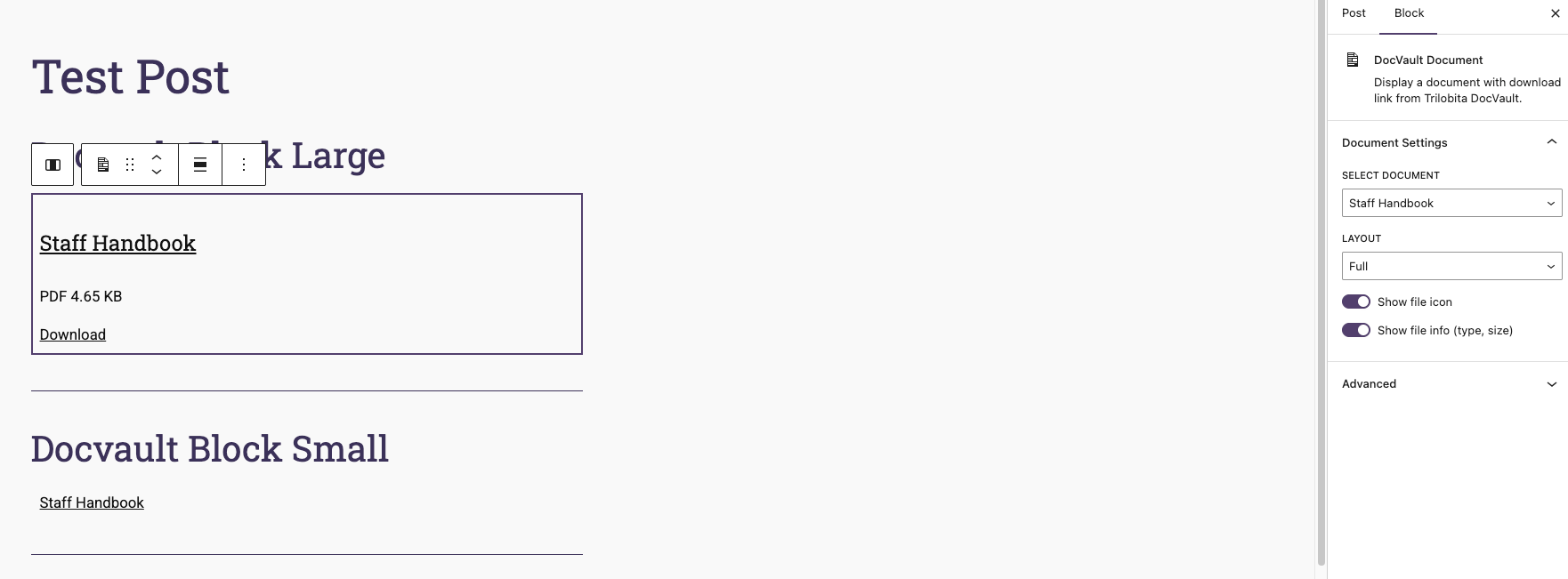
Search for “Document” in the block inserter to add a single document with download button. Options include:
- Select document from dropdown
- Show/hide file type icon
- Show/hide file info (type, size)
- Alignment options
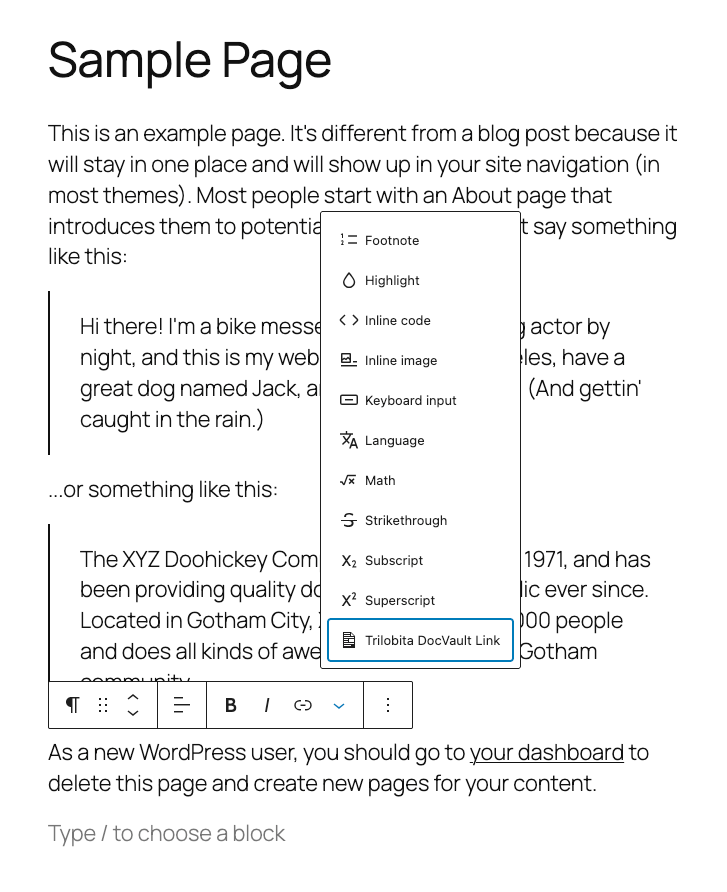
Inline Document Link:
Insert a download link within any text using the [trdv_link] shortcode:
[trdv_link id="123"]Download the report[/trdv_link]
Parameters:
id(required) – The document IDnew_tab– Open in new tab: true/false (default: false)class– Add custom CSS class
Examples:
[trdv_link id="123"] - Uses document title as link text
[trdv_link id="123"]Click here[/trdv_link] - Custom link text
[trdv_link id="123" new_tab="true"]Download[/trdv_link] - Opens in new tab
Details
Related plugins
Plugins that also contain the tag documents
Document Gallery

BuddyPress Docs

FileBird Document Library
Document Gallery – Display PDF Gallery from Many Folders

Knowledge Base documentation & wiki plugin – BasePress Docs
WP Document Revisions

About
Plugin for that tries to help you find the WordPress plugin you are looking for.
| Please enjoy an image of Crush (this awesome turtle) and have a lovely day! |  |
We do not own any plugin listed on this site and do not work for or work with WordPress.com or it's associated companies. We simply provide a searchable list of the available WordPress plugins.